If PDF Reader stops responding, make sure the latest iOS version is in use on your device and restart your device to see if the issue remains unsolved.
As a temporary solution, try the following steps:
Use Files App
Apple's Files app is a place where you can browse and manage all your files in one place.
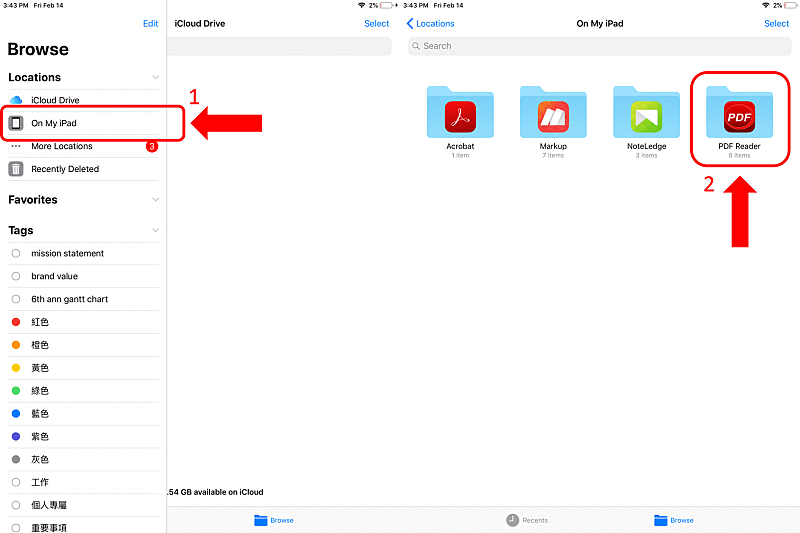
- Launch the Files app (iOS 11 or later)
- On My iPad
- Find out the PDF Reader folder
- Access or backup files to Cloud
Updated
Comments
0 comments
Please sign in to leave a comment.