成果
设置
01. 在笔刷选单中,选择「水彩笔」类别。
02. 选择图样#94。
03. 在「笔刷轨迹」分页中,将「抖动角度」调整为90%或更高,这会让笔头图样抖动角度更多元、随机。
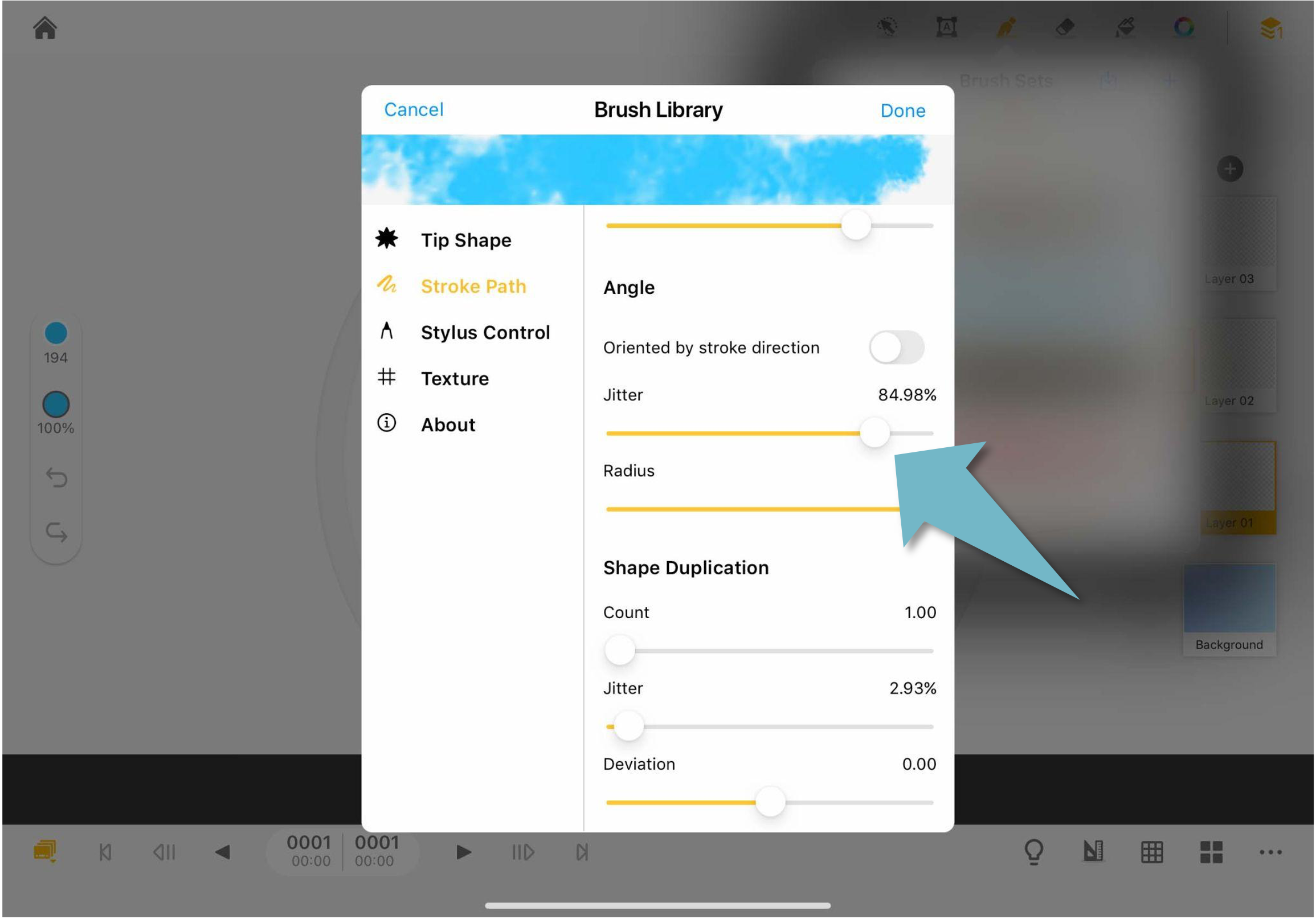
04. 在同样的分页中,调整「透明度」中的「抖动」选项至50%。这会让颜色音透明度变化更有层次和深度。
05. 在「笔尖图样」的分样中,将「间距」数值调高。
06. 调整完这些参数之后,返回画布。点选左侧的选单,调高不透明度,让颜色更加清透。
07. 一片片的画出云朵的形状,营造出层次感。
更新
01. 在笔刷选单中,选择「水彩笔」类别。
02. 选择图样#94。
03. 在「笔刷轨迹」分页中,将「抖动角度」调整为90%或更高,这会让笔头图样抖动角度更多元、随机。
04. 在同样的分页中,调整「透明度」中的「抖动」选项至50%。这会让颜色音透明度变化更有层次和深度。
05. 在「笔尖图样」的分样中,将「间距」数值调高。
06. 调整完这些参数之后,返回画布。点选左侧的选单,调高不透明度,让颜色更加清透。
07. 一片片的画出云朵的形状,营造出层次感。
更新
评论
0 条评论
请登录写评论。