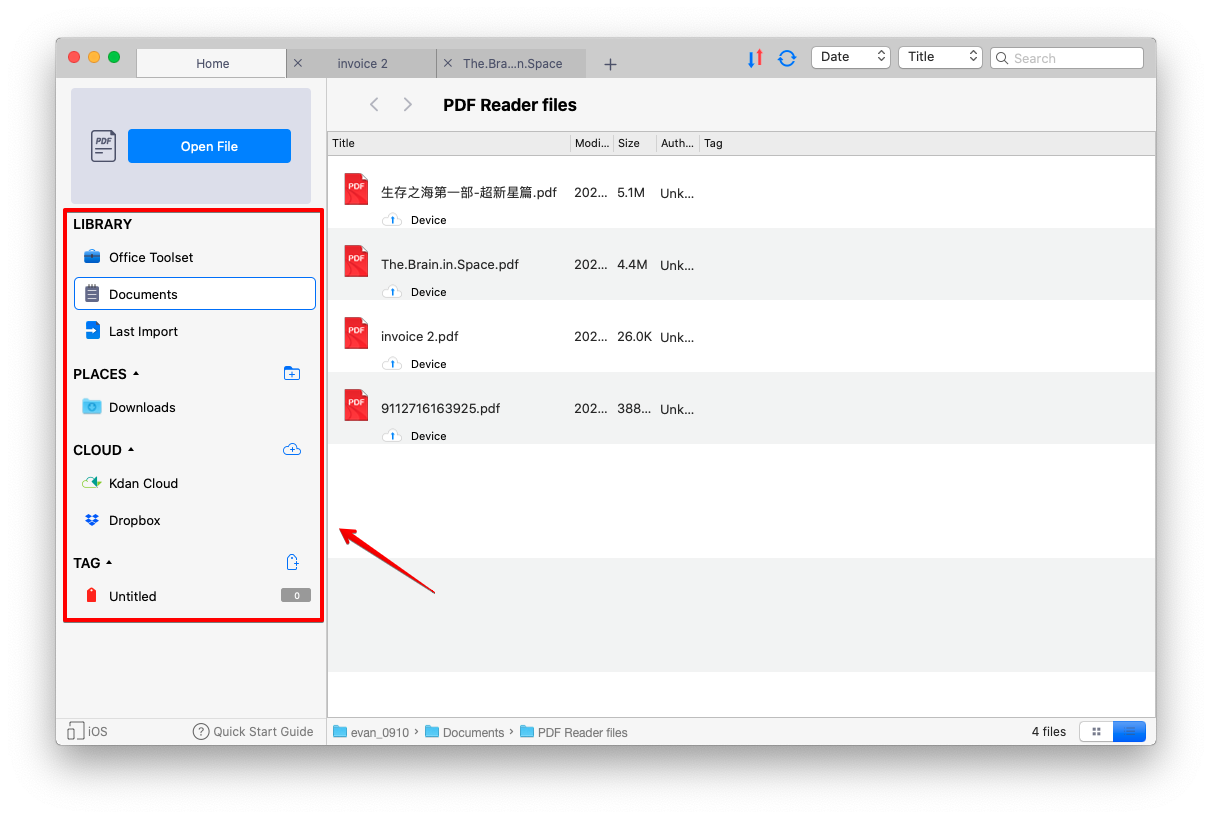
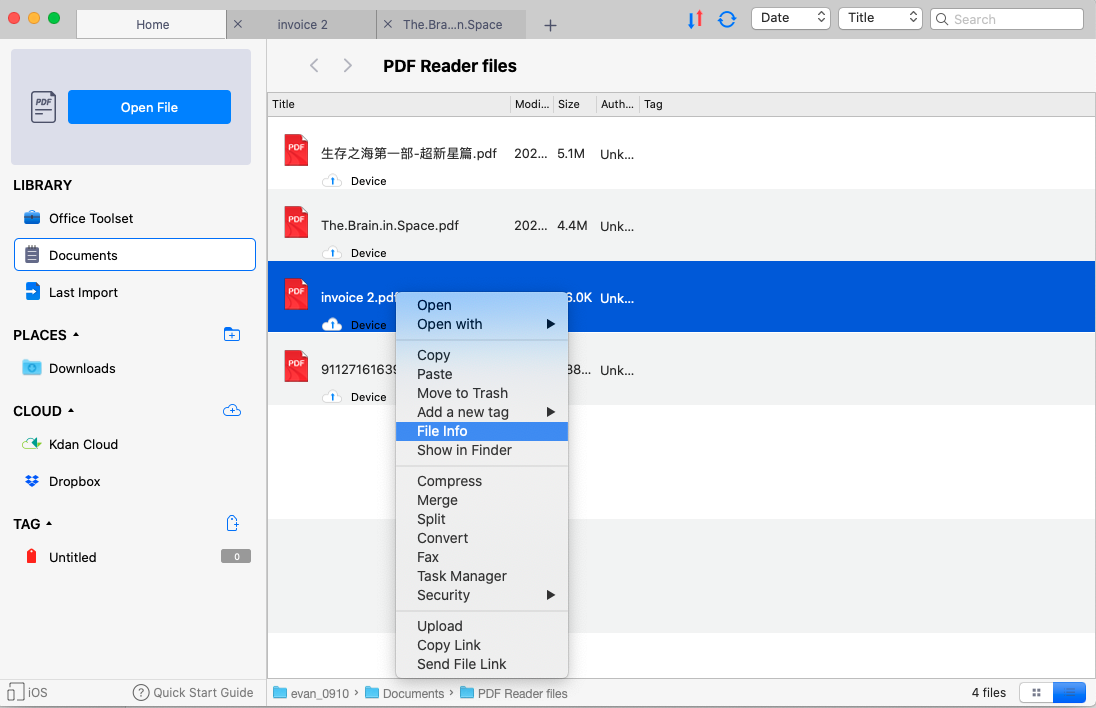
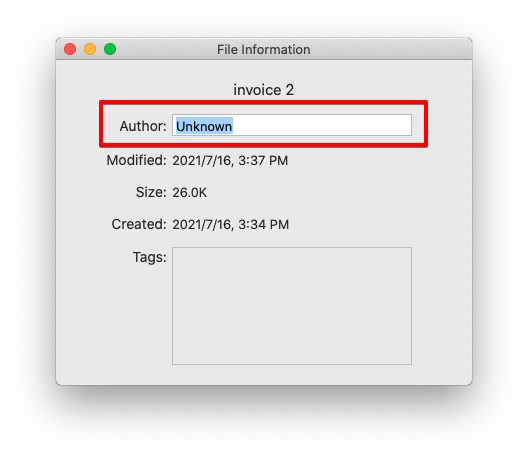
如何查看文档信息 1. 开启 PDF Reader App 后,并选择你所需要的资料夹。 2. 对所选取资料夹内的档案按右键,然后选择「档案资讯(File Info)」 3. 您将会看到一视窗显示该 PDF 的完整资讯,若有需要话,您也可以为作者名重新命名 更新 2021年07月30日 07:53 这篇文章有帮助吗? 是 否 0 人中有 0 人觉得有帮助 还有其它问题?提交请求 评论 0 条评论 请登录写评论。
评论
0 条评论
请登录写评论。