Kdan's cloud service enables you to send download links with password protection. Users with the passwords can access the link and download files. (The feature is only available on the web page)
1. Sign in with your Kdan ID on the Kdan Cloud web page
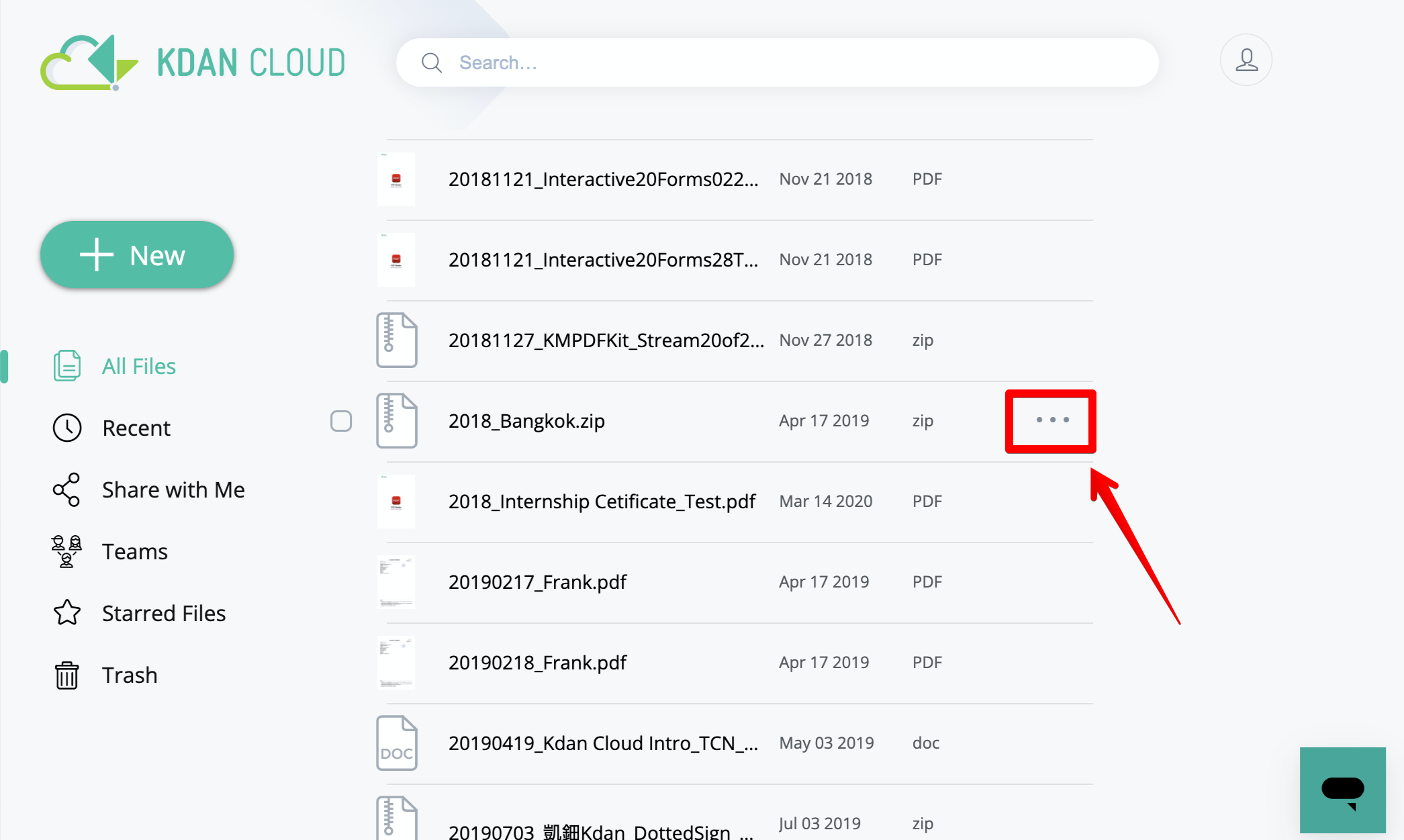
2. Find out the target file and click “More" button on the right
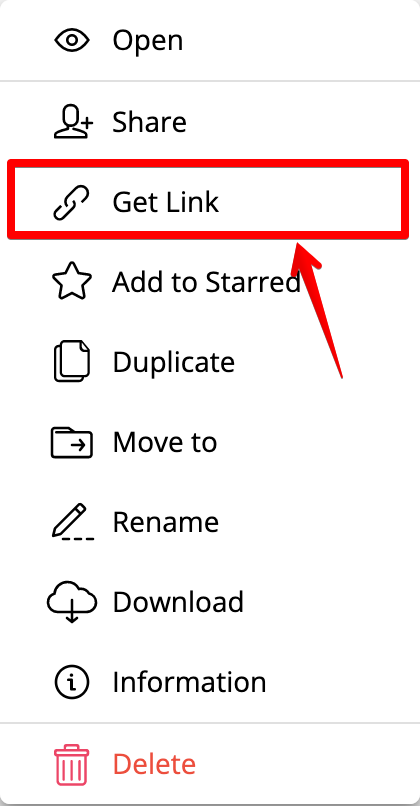
3. Then choose "Get Link” from the menu
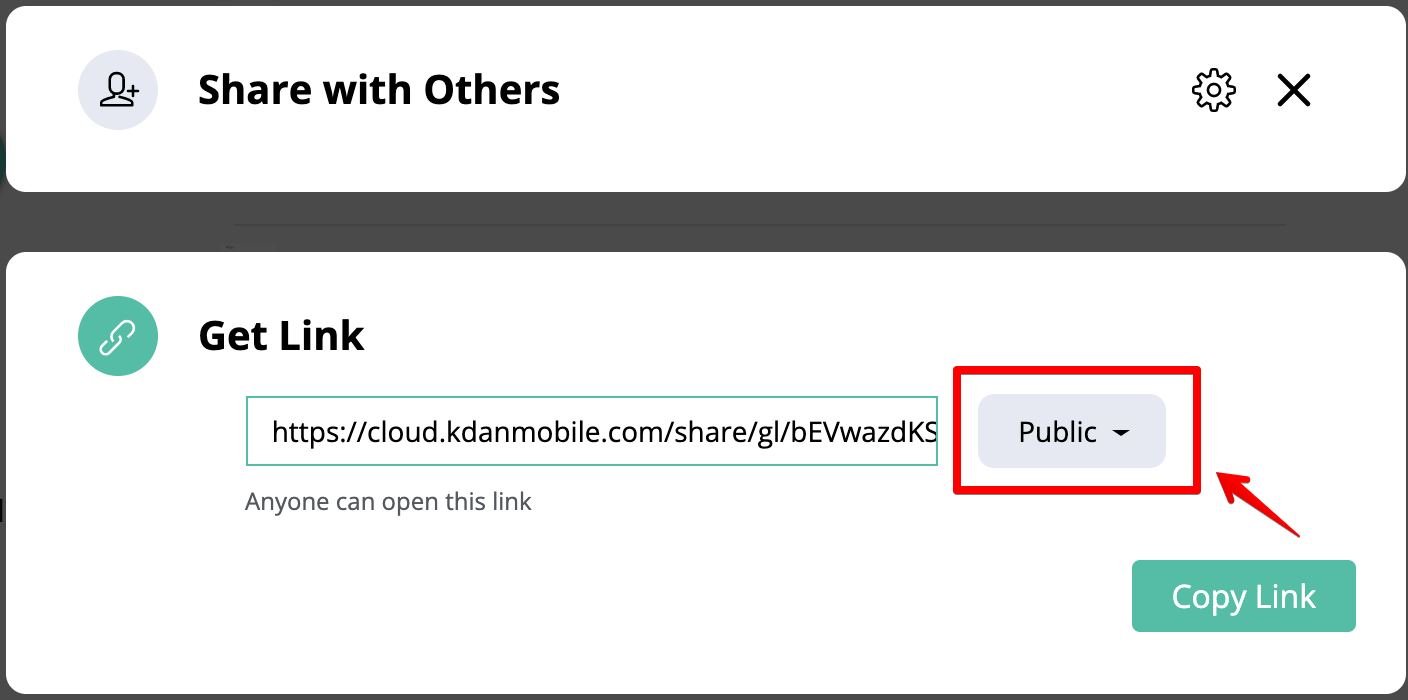
4. Then change the permission to "Restricted" if the permission was set as Public
5. Click the "Settings" button to add who you would like to share the link
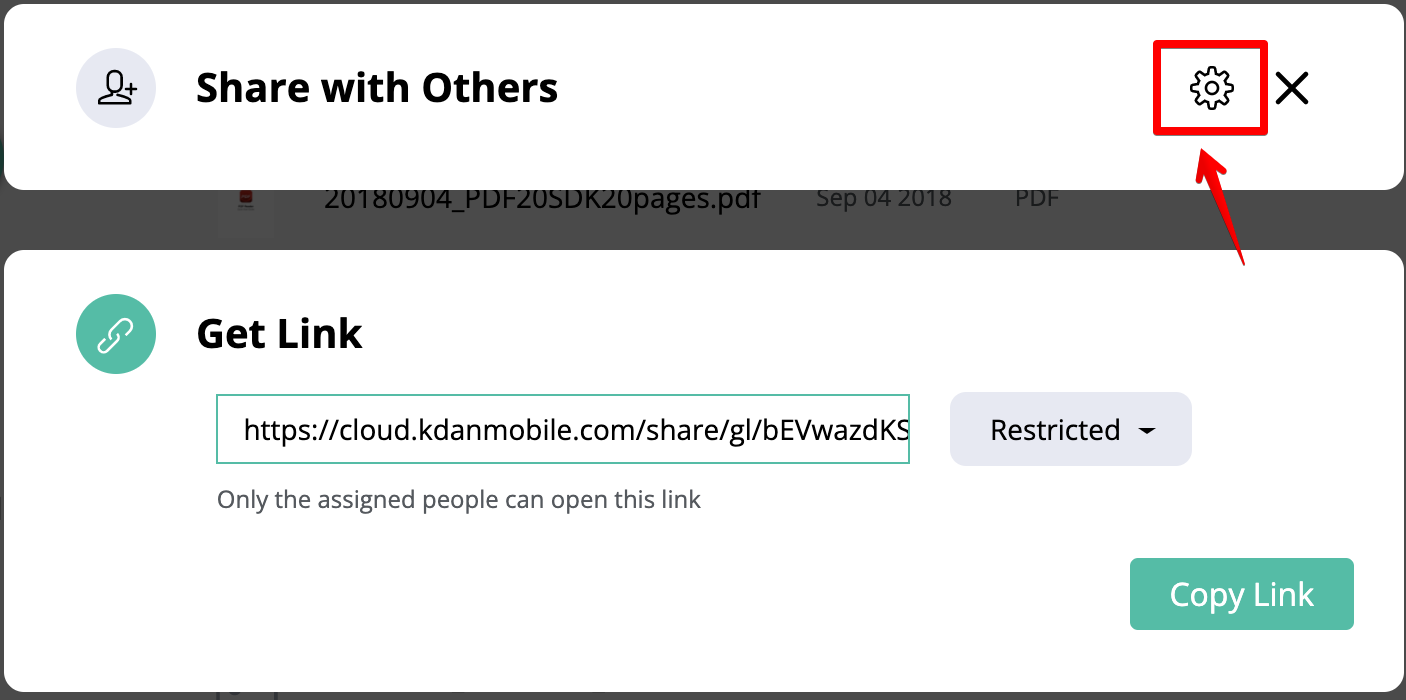
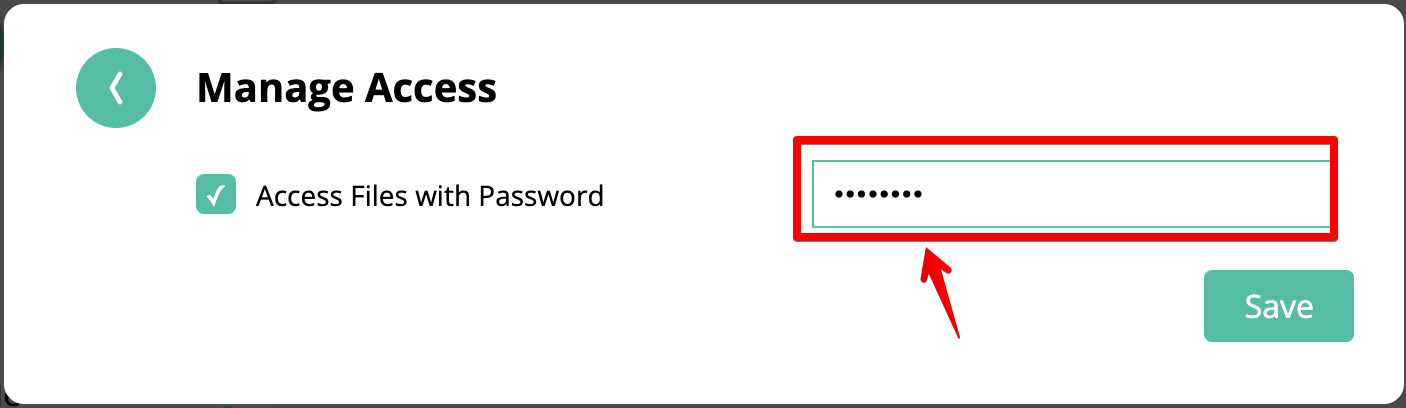
6. Click the "Settings" button again to add a password protection to the link.
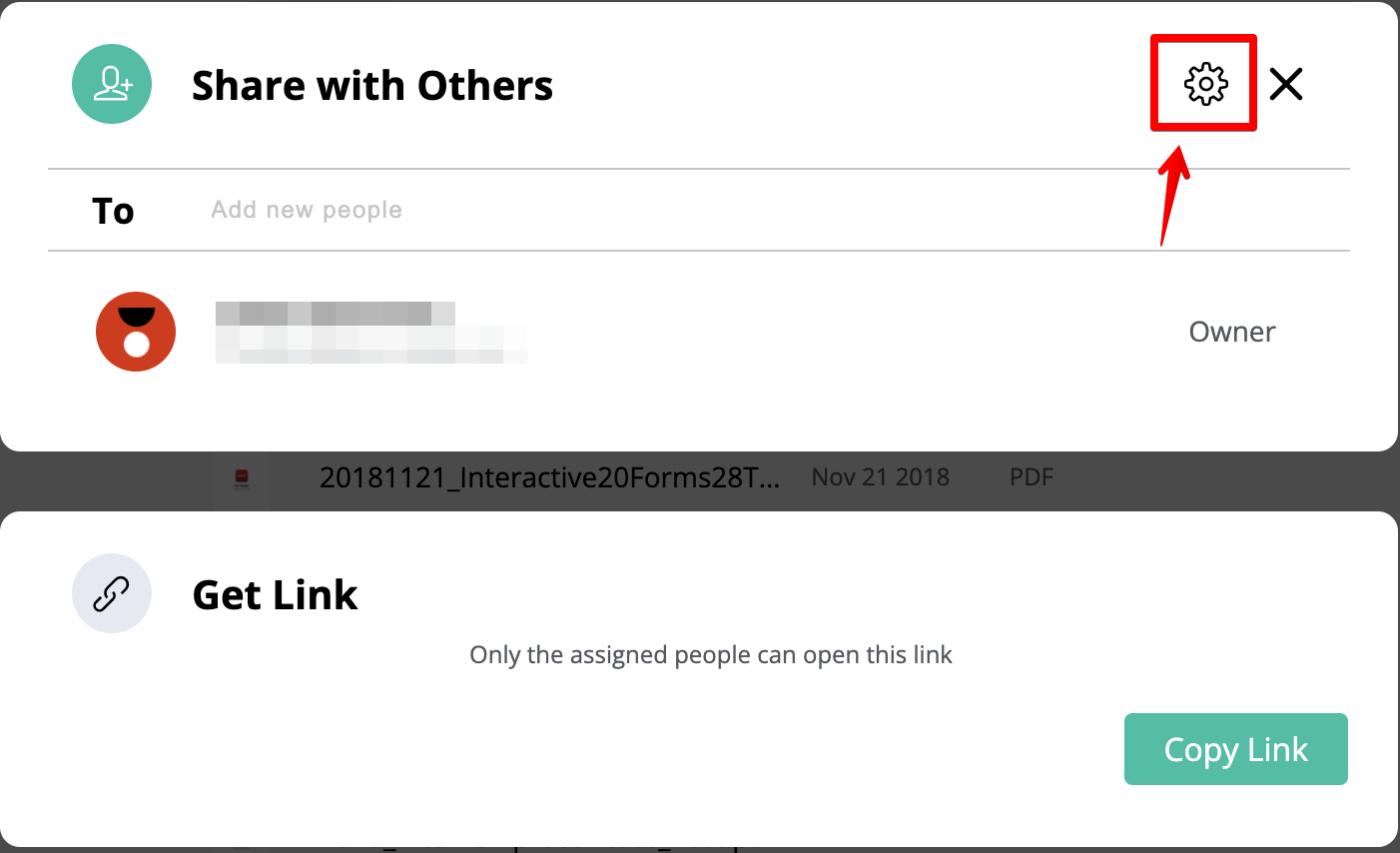
7. Enable the “Password Protected” option and enter one password to secure the download link
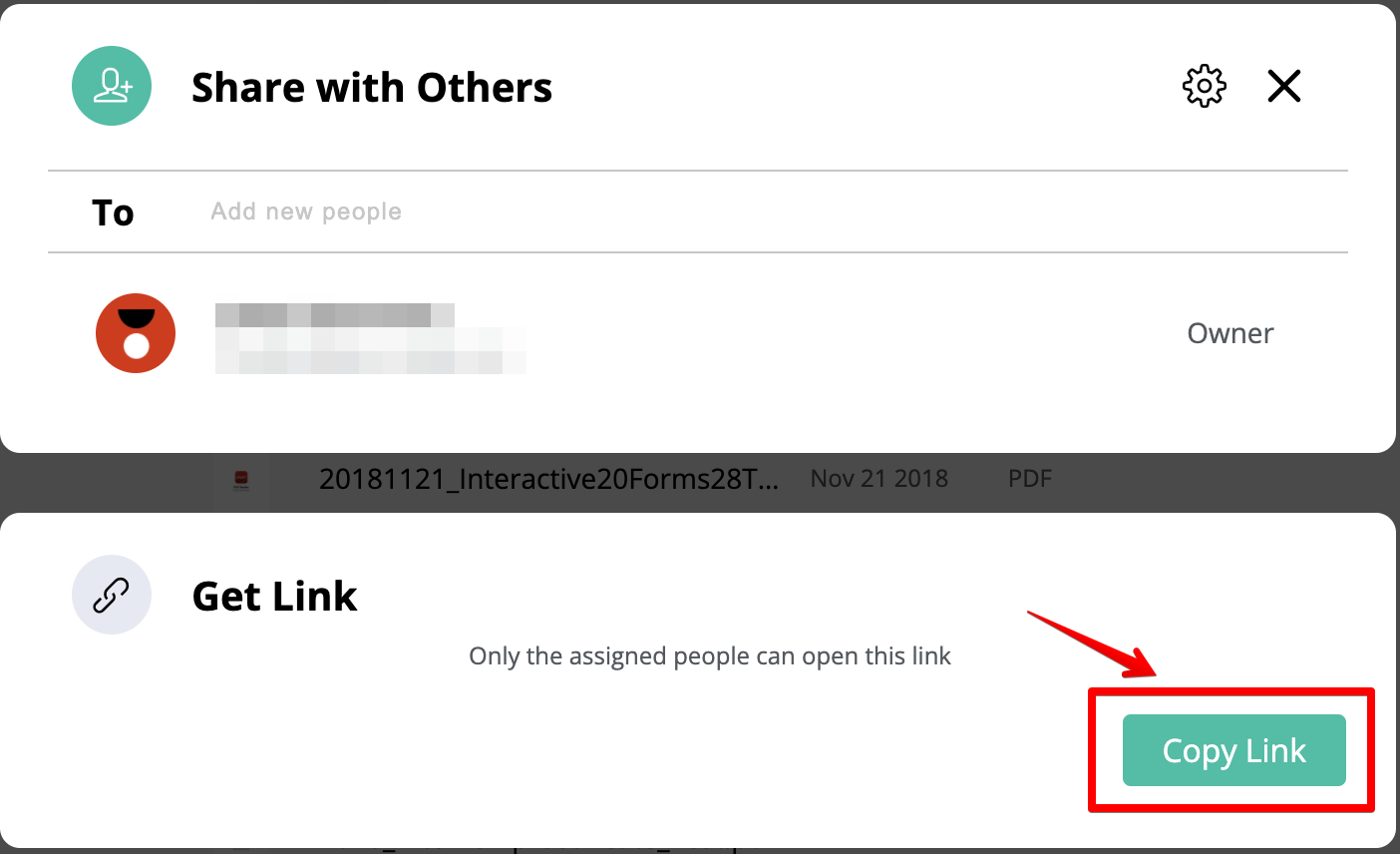
6. Then click "Copy Link" to copy the link. Once the recipients enter the correct password, they can download the files through Kdan Cloud
Updated
Comments
0 comments
Please sign in to leave a comment.