Doing a group project with a few teammates? Groupwork can often be messy and disorganized, with so many people working on the same task. With Kdan Cloud, you can check your group activity -- who viewed folders, edited documents, and so on.
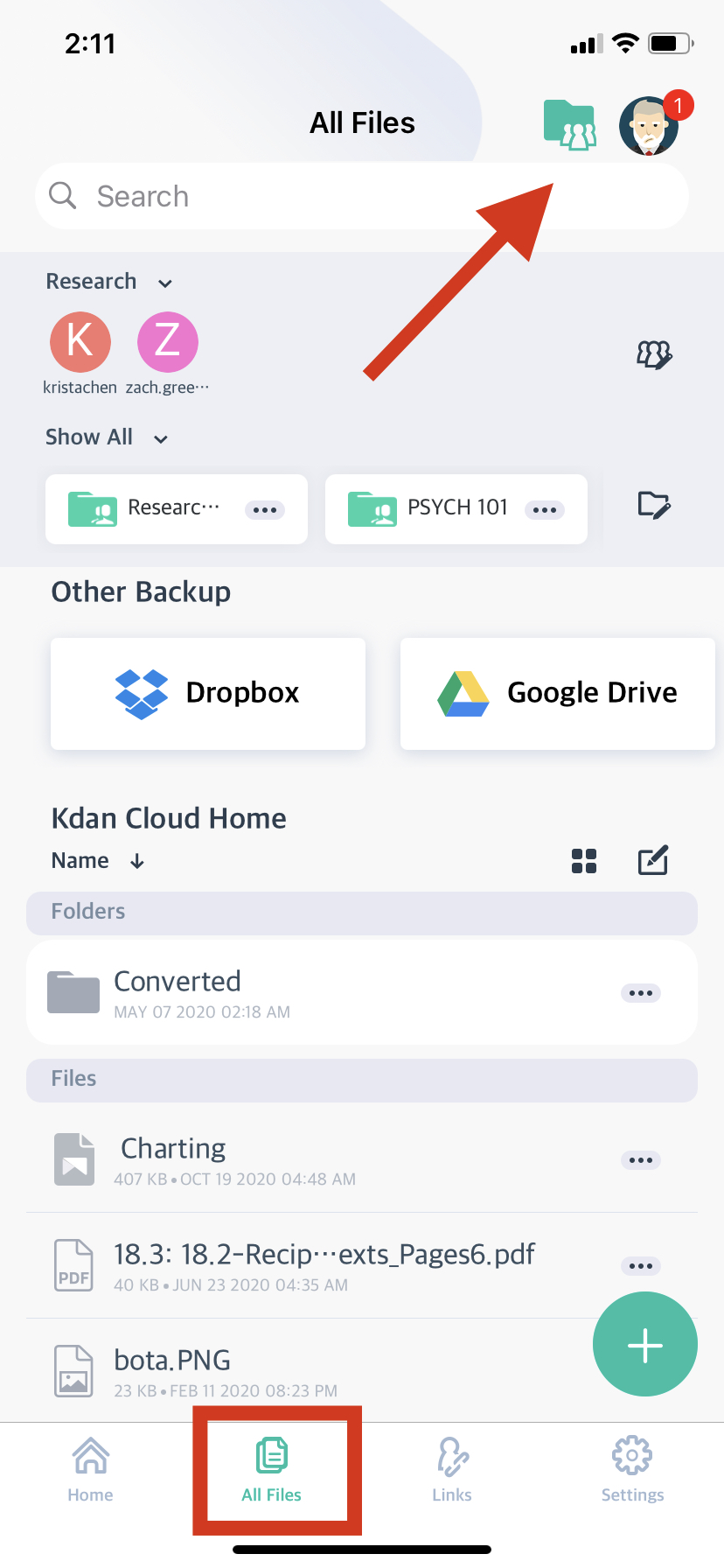
1. Go to the Kdan Cloud app. Then, click to the "All Files" tab. Click the "Shared Folder" icon at the top.
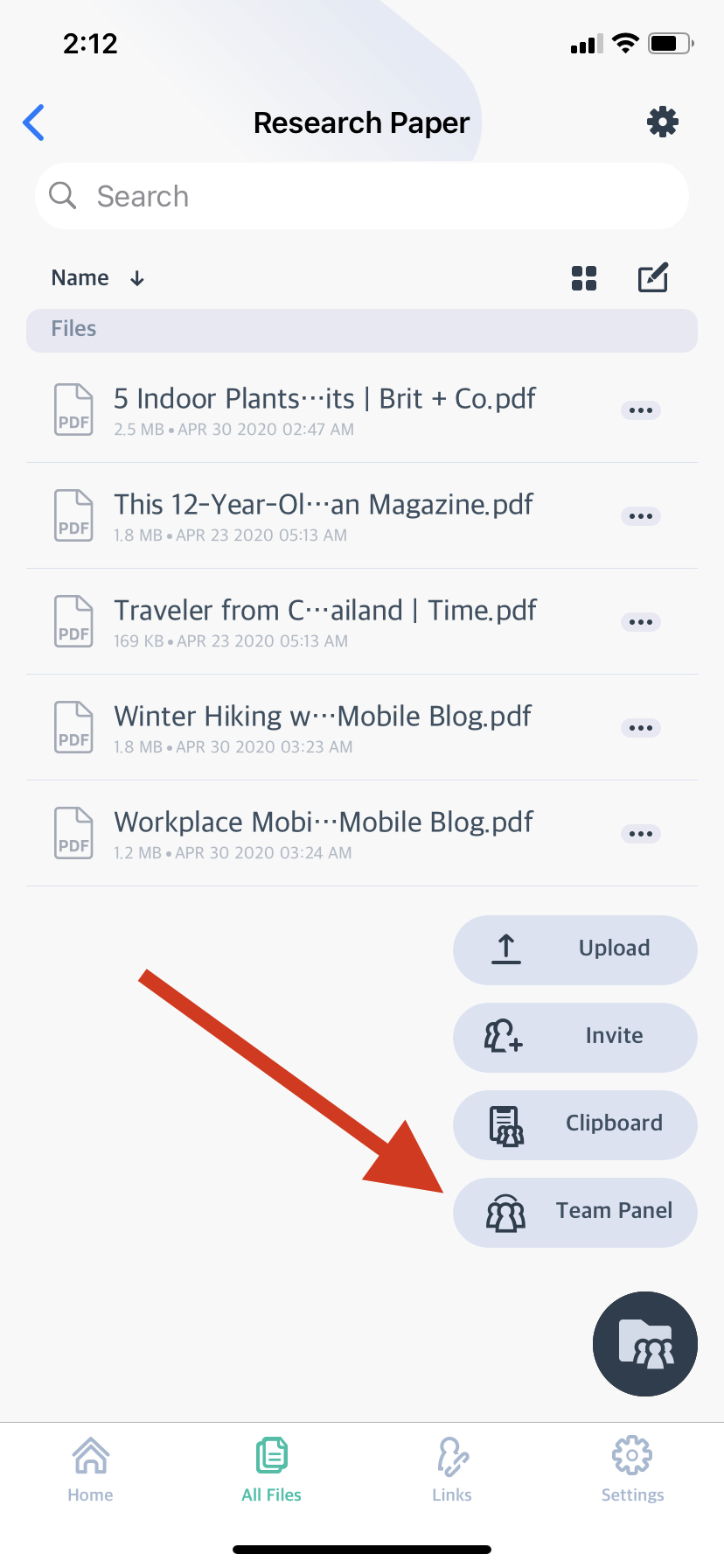
2. You will see your documents, as well as some options in the bottom right. Click "Team Panel."
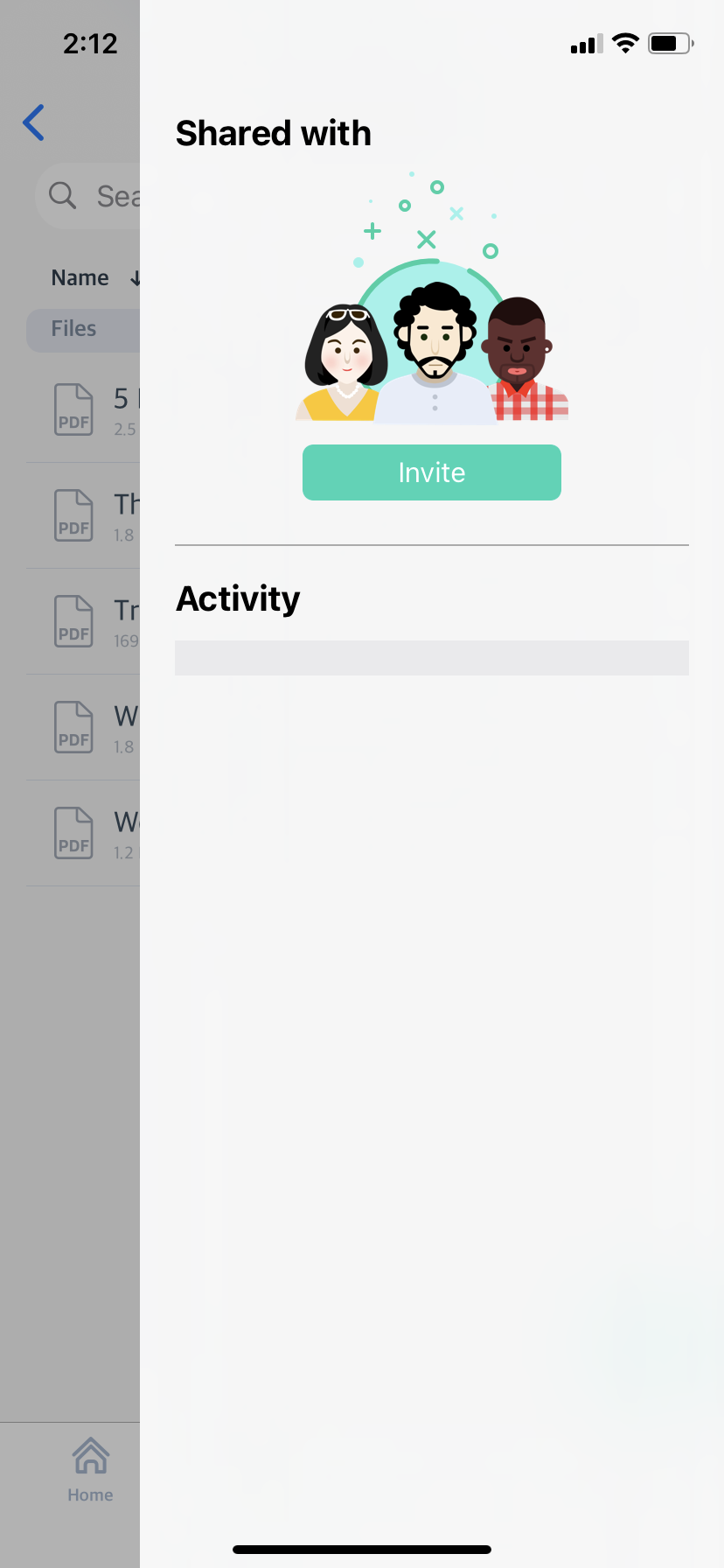
3. You will then be able to see your teammates' activity in the app.
Comments
0 comments
Please sign in to leave a comment.