Trim Video

Trim Video

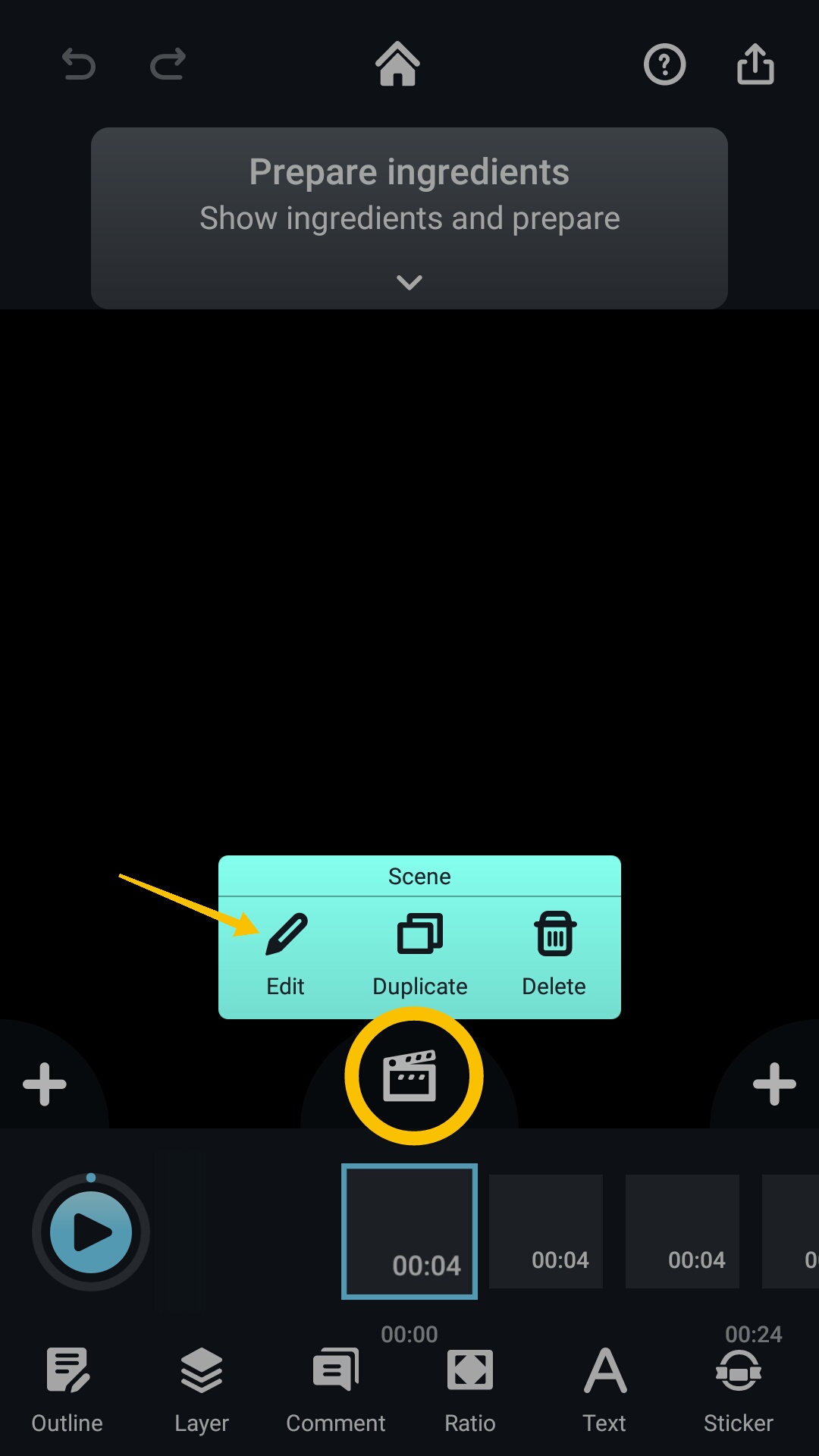
1. To trim the video, first select the pod that you would like to edit.

2. Tap the "Edit" icon.
Screenshot_2021-01-06-18-05-24-436_com.kdanmobile.android.writeonvideo.png

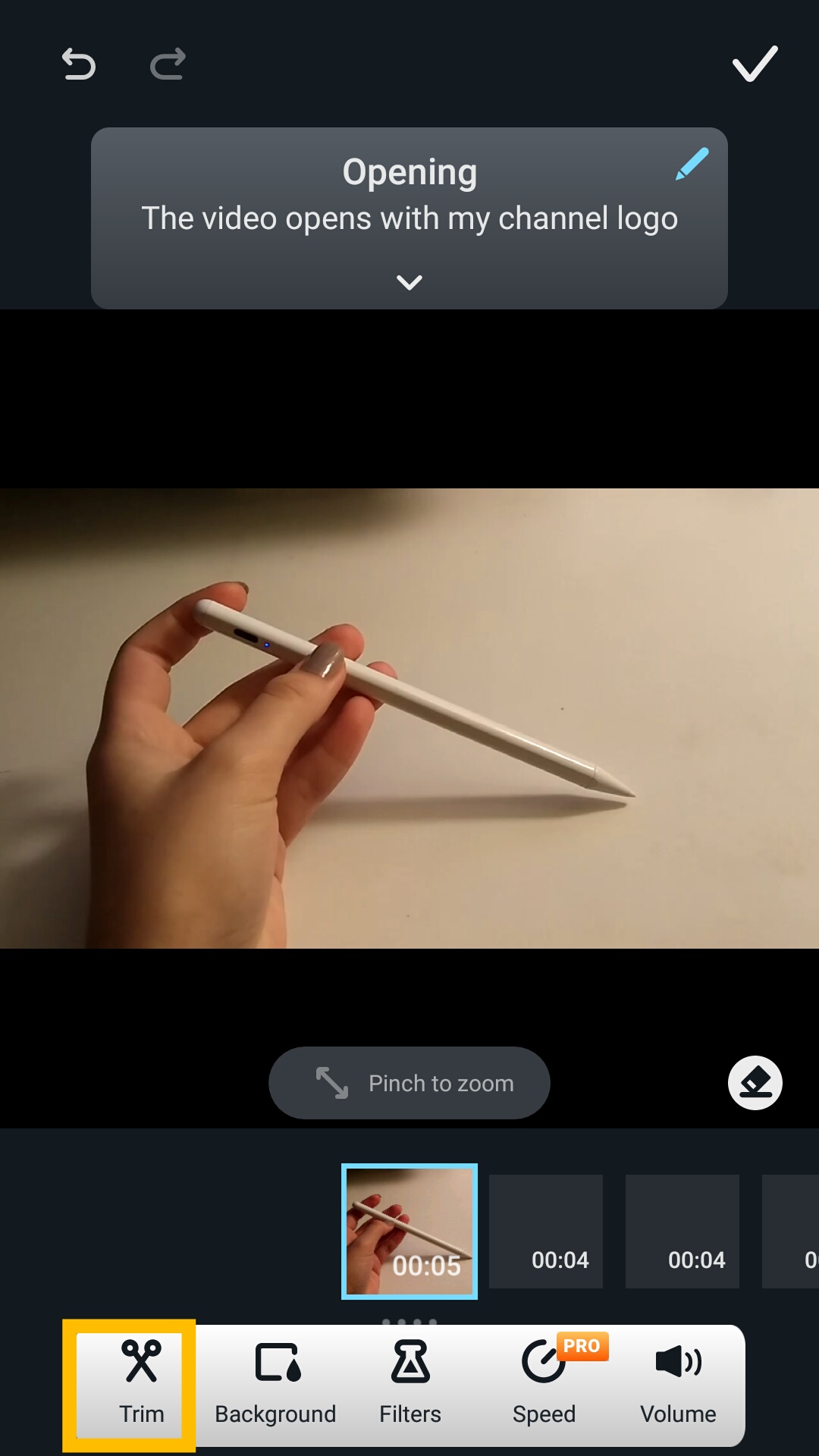
3. Locate the “Trim” icon at the bottom of the page.
Screenshot_2021-01-07-23-46-11-207_com.kdanmobile.android.writeonvideo.png

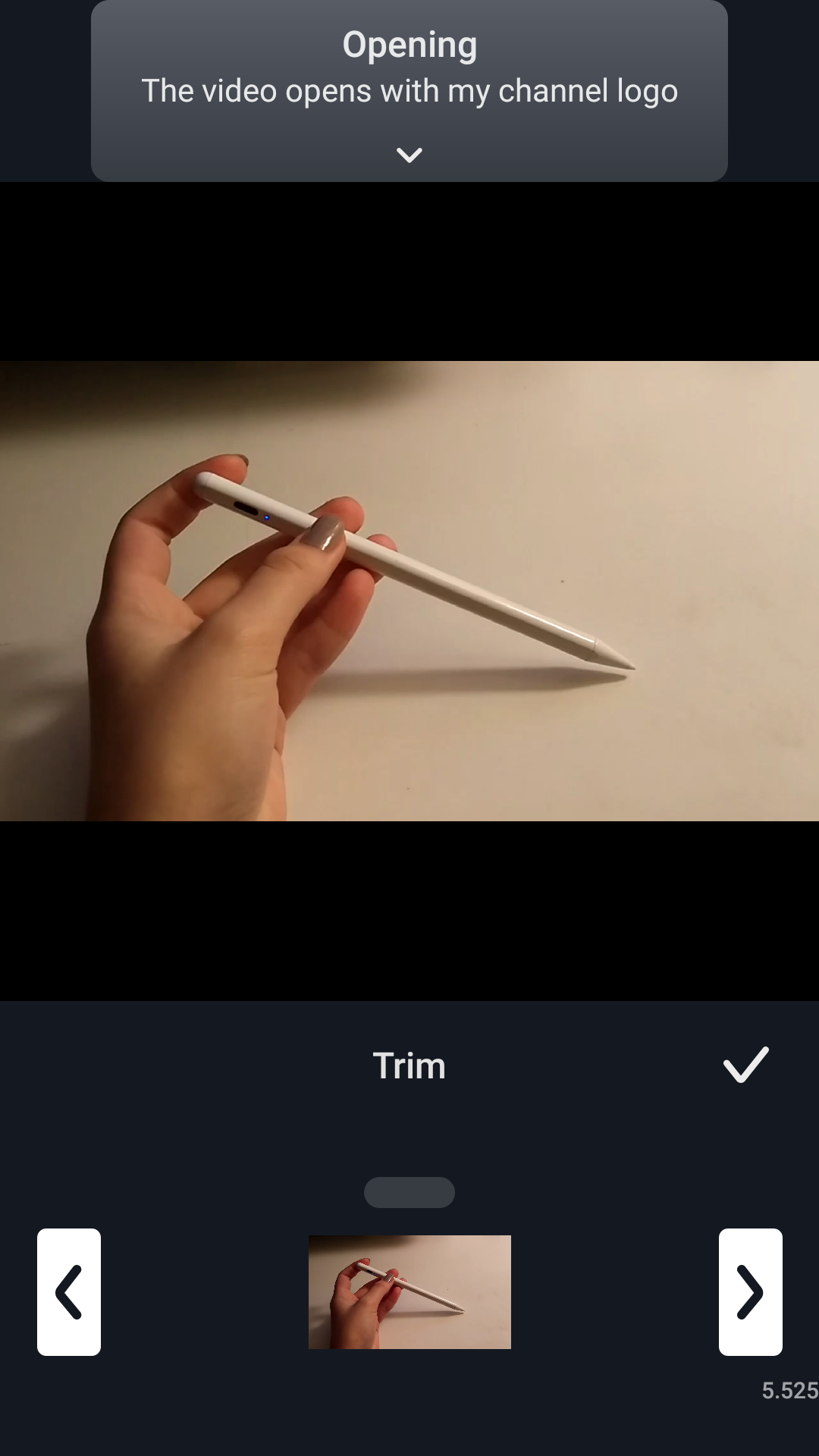
4. Then, simply drag the arrows on either the left or right side of the bar in order to obtain the desired length of the pod.
Screenshot_2021-01-07-23-46-39-141_com.kdanmobile.android.writeonvideo.png

Updated

Was this article helpful?

2 out of 2 found this helpful

Have more questions? Submit a request

Comments

0 comments

Please sign in to leave a comment.