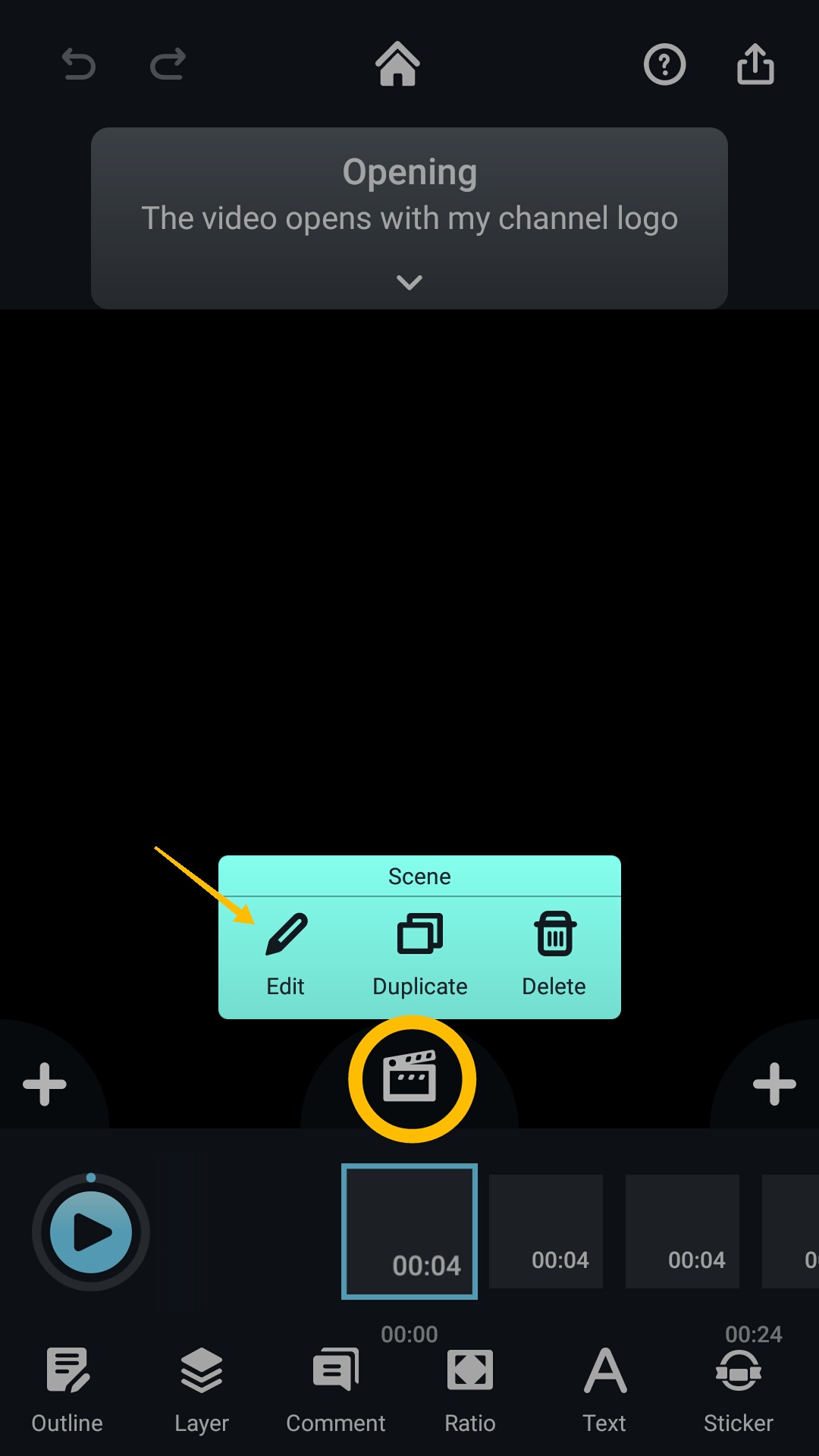
1. To add a filter to the video, first select the pod that you would like to edit.
2. Tap the “Edit” icon.
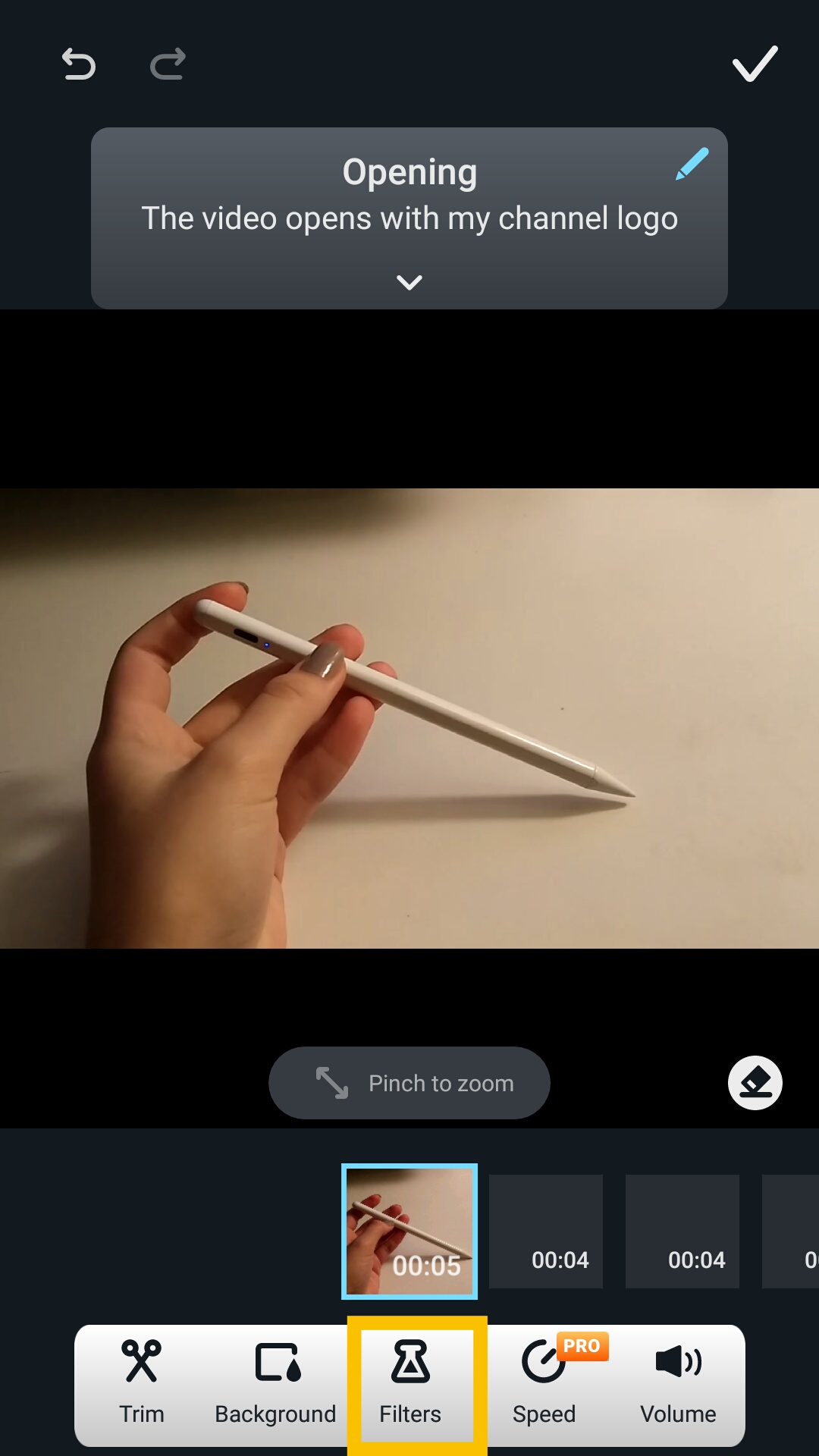
3. Locate the "Filter” icon at the bottom of the page.
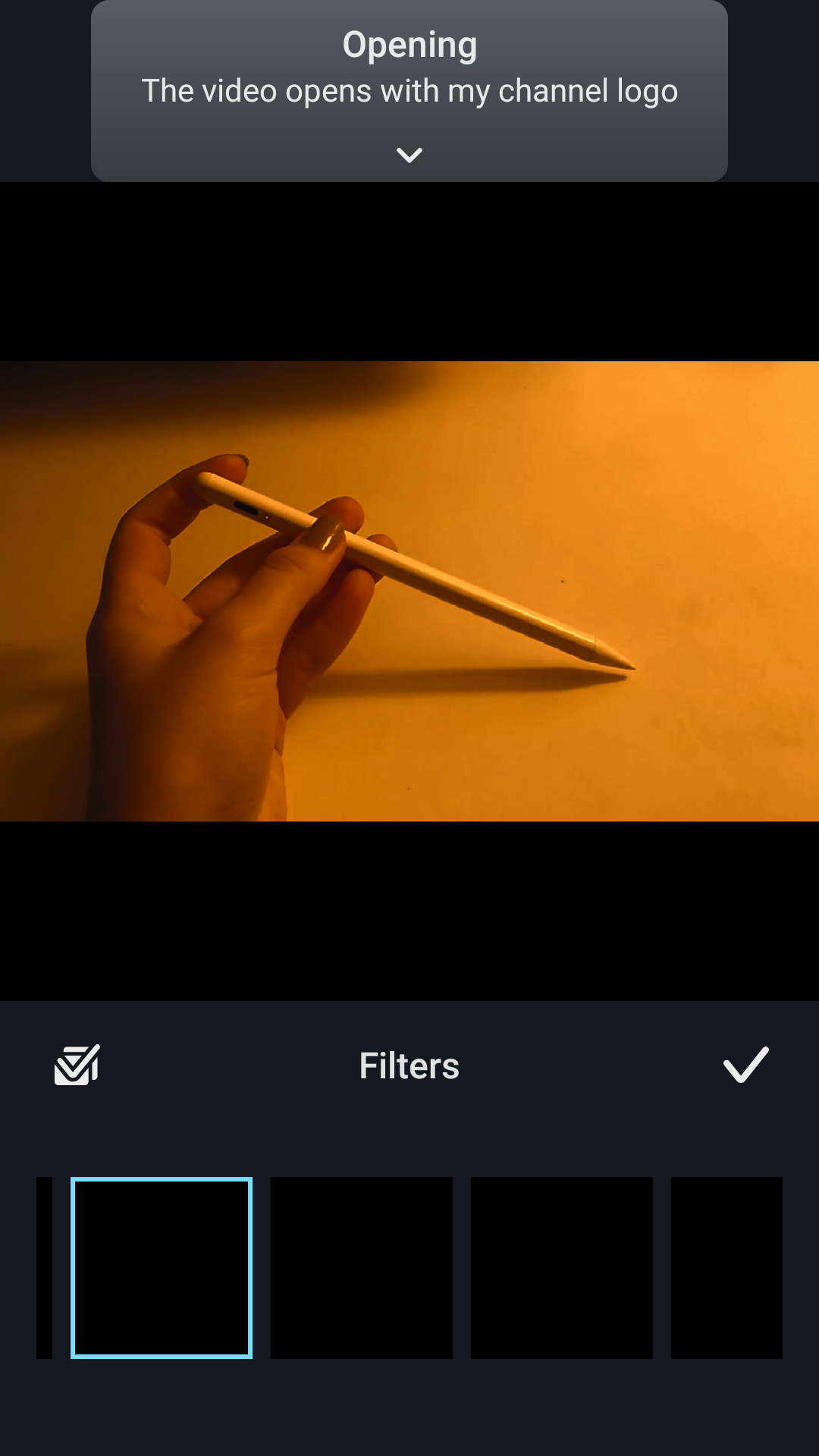
4. Then, simply select one of the many filters along the bottom of the screen.
Updated
1. To add a filter to the video, first select the pod that you would like to edit.
2. Tap the “Edit” icon.
3. Locate the "Filter” icon at the bottom of the page.
4. Then, simply select one of the many filters along the bottom of the screen.
Updated
Comments
0 comments
Please sign in to leave a comment.