Kdan Cloud offers seamless downloading of files from the cloud. Download from any device, anywhere.
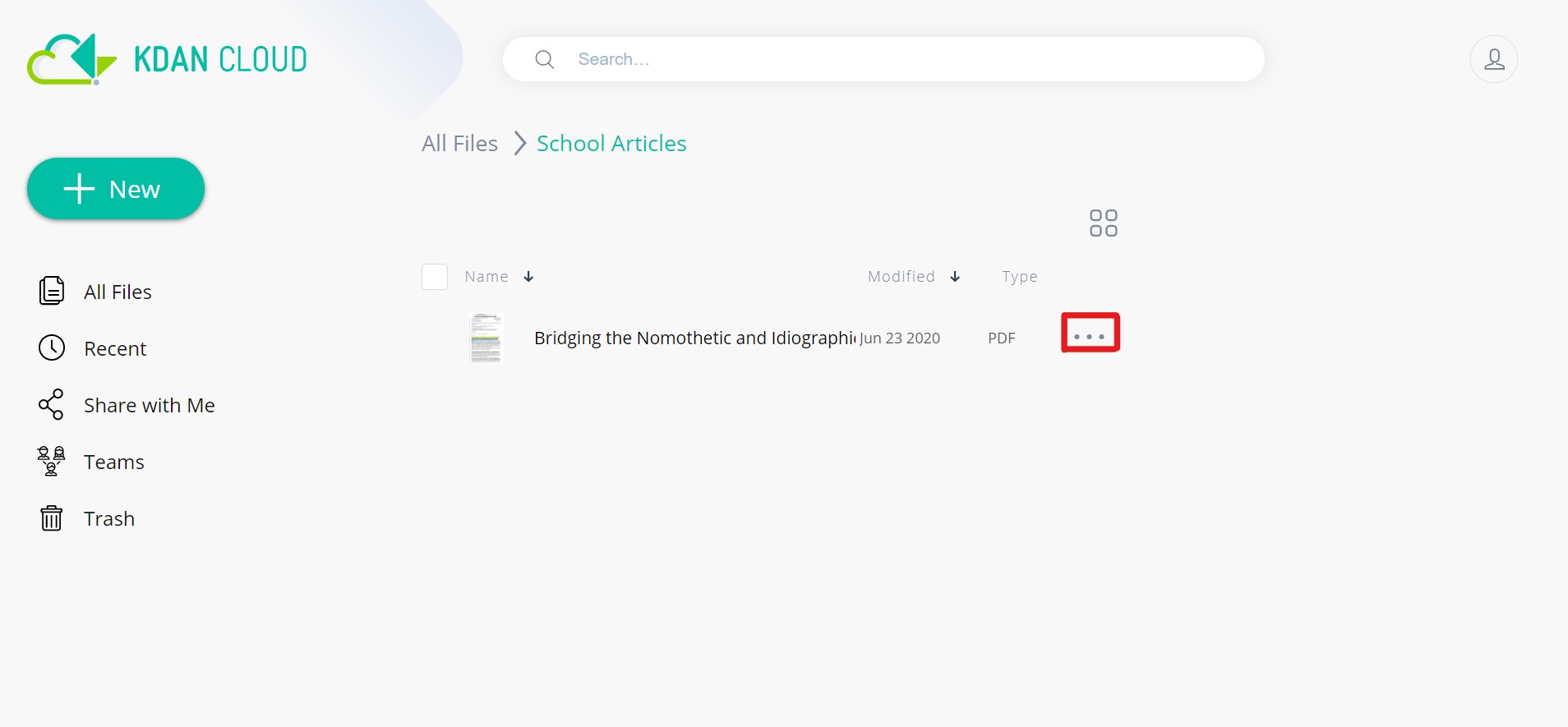
1. Open up Kdan Cloud Web and locate the file you would like to download to your device.
2. Click the three dots next to the file.
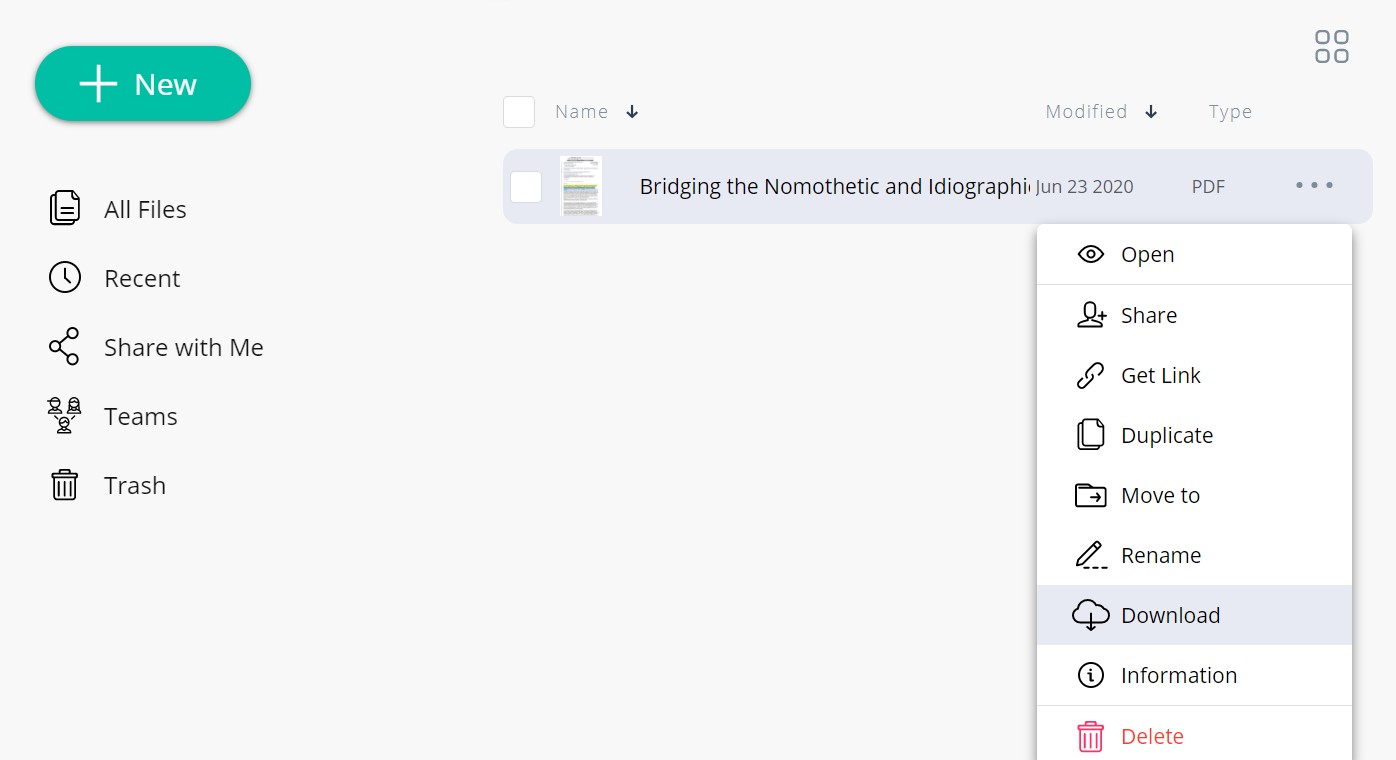
3. A list of options will show up. Click "Download," and the download should occur shortly.
Updated
Comments
0 comments
Please sign in to leave a comment.