How to Create a Tutorial Video: a Step-by-Step Guide

How to Create a Tutorial Video: a Step-by-Step Guide

1. Choose the “Tutorial” video outline template.
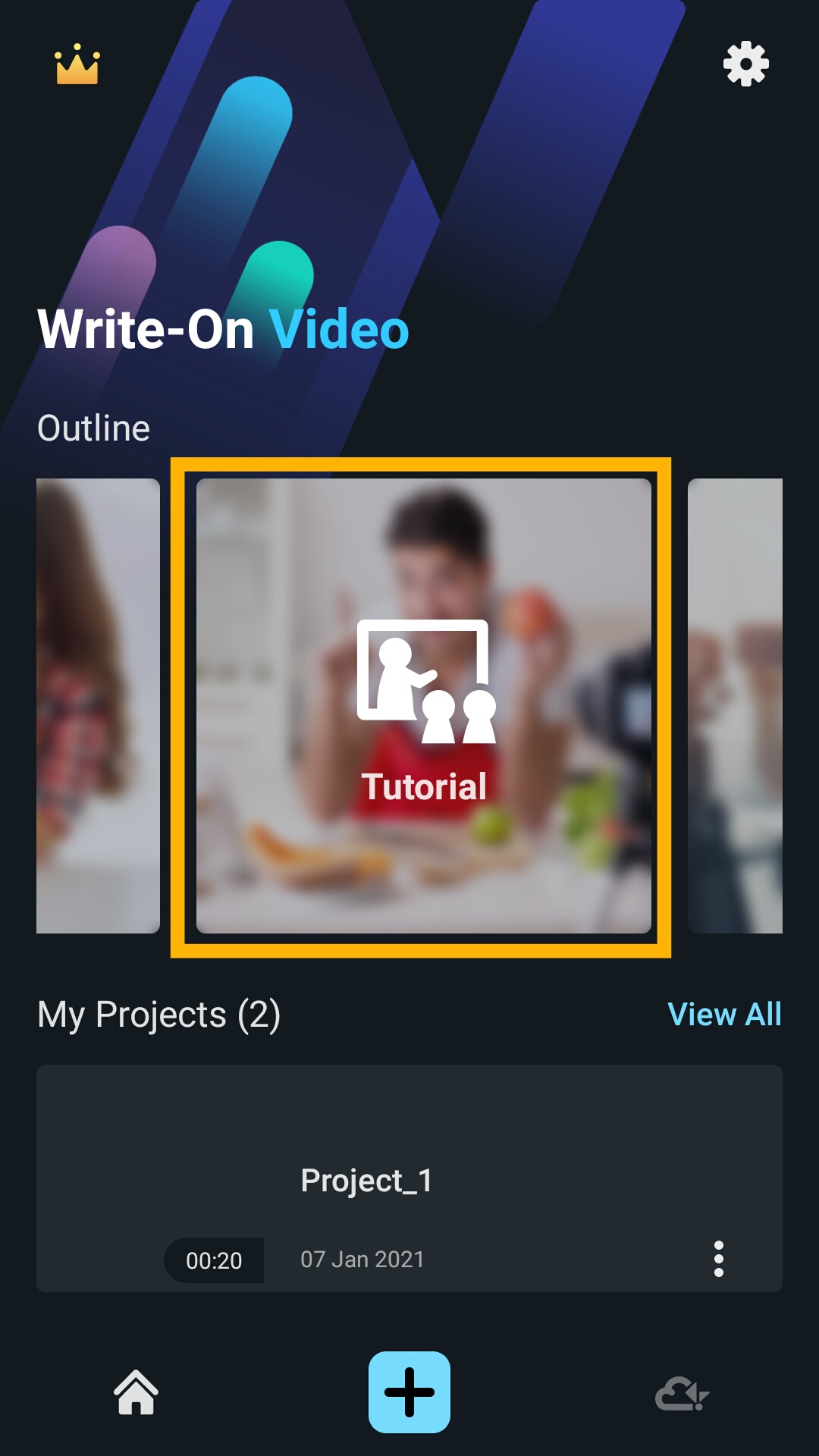
Screenshot_2021-01-07-23-04-29-482_com.kdanmobile.android.writeonvideo.png

2. You will see a tutorial video template with six scenes filled out to help kickstart your video. Edit the scenes as desired. Click the arrow in the top right corner after you're done. Don't worry, you can always come back and edit the outline!
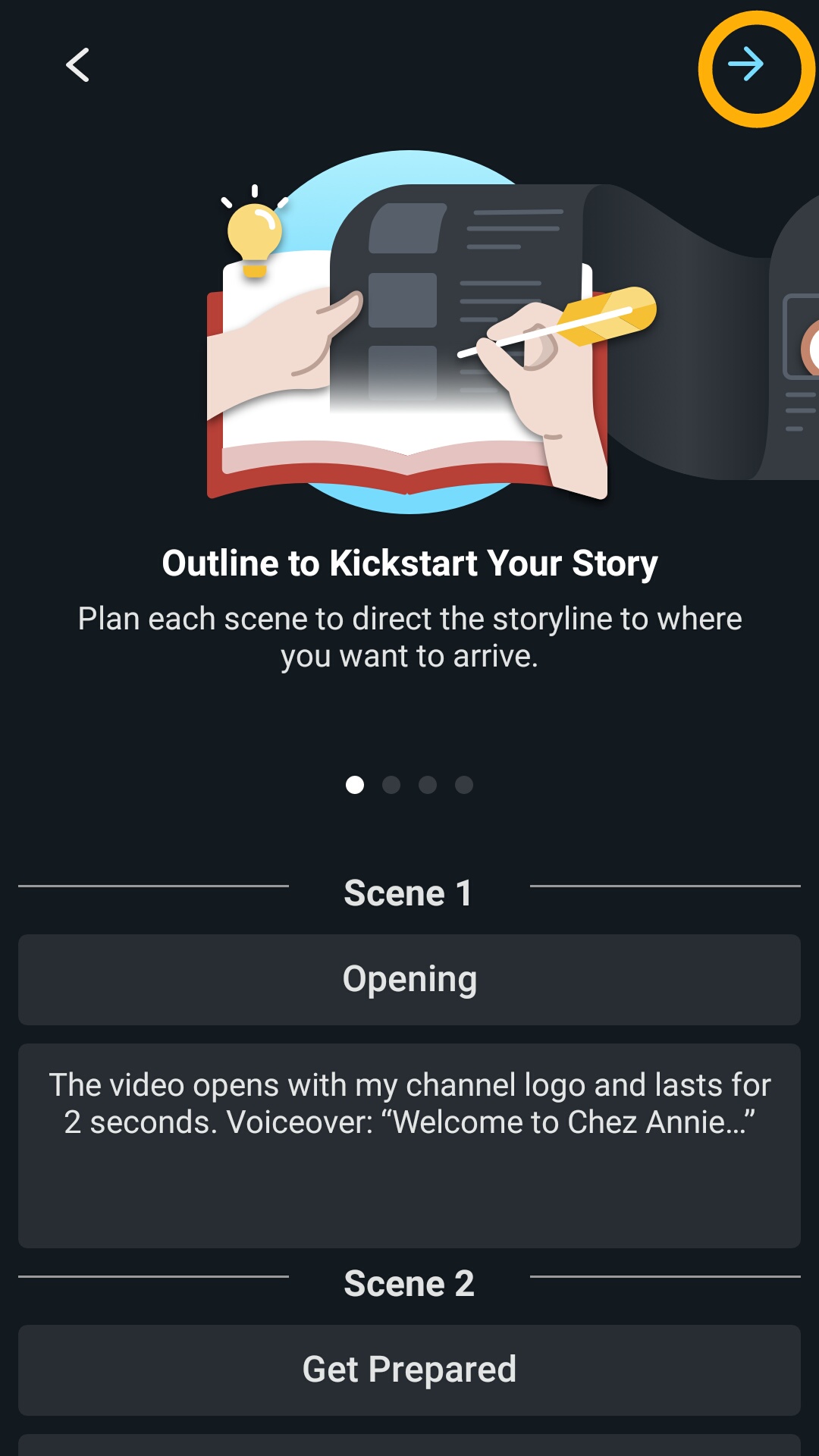
Screenshot_2021-01-07-23-04-57-848_com.kdanmobile.android.writeonvideo.png

3. Click the “Pod” icon, then click "Edit" to import materials such as videos and images from your device, Kdan Cloud, browse other folders, or access the camera.
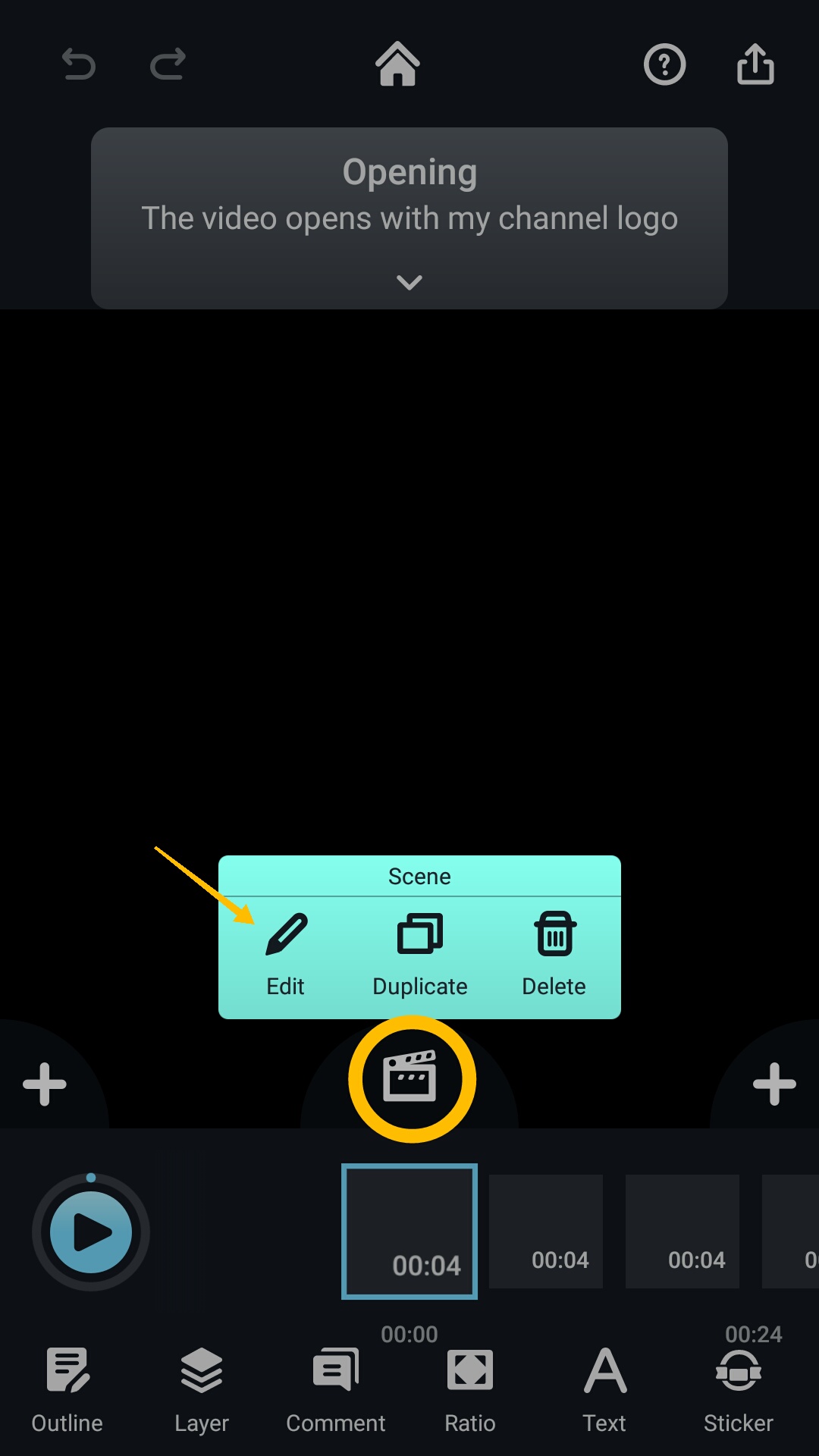
Screenshot_2021-01-07-23-05-32-476_com.kdanmobile.android.writeonvideo.png

4. Add subtitles, change font and text color.
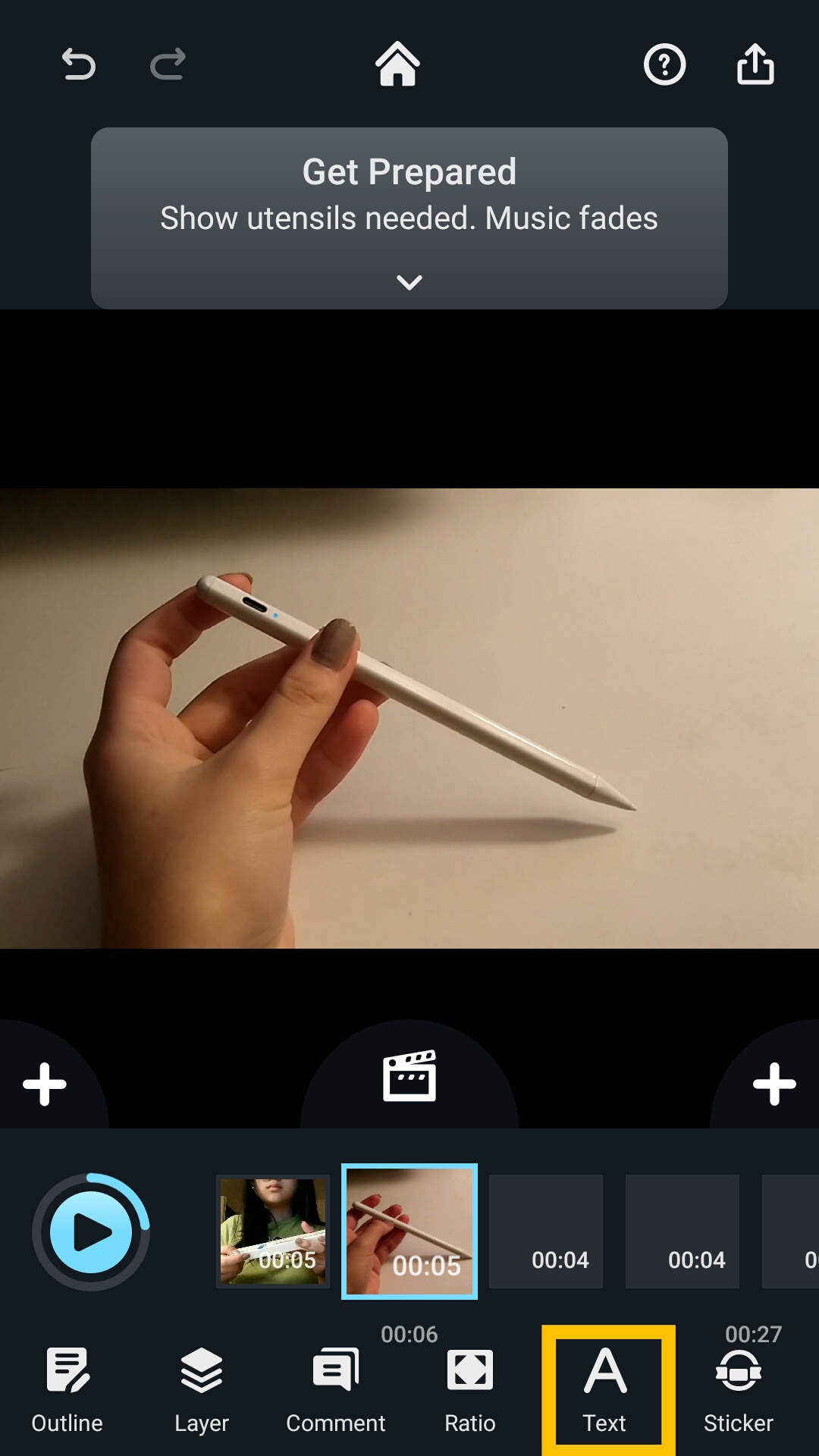
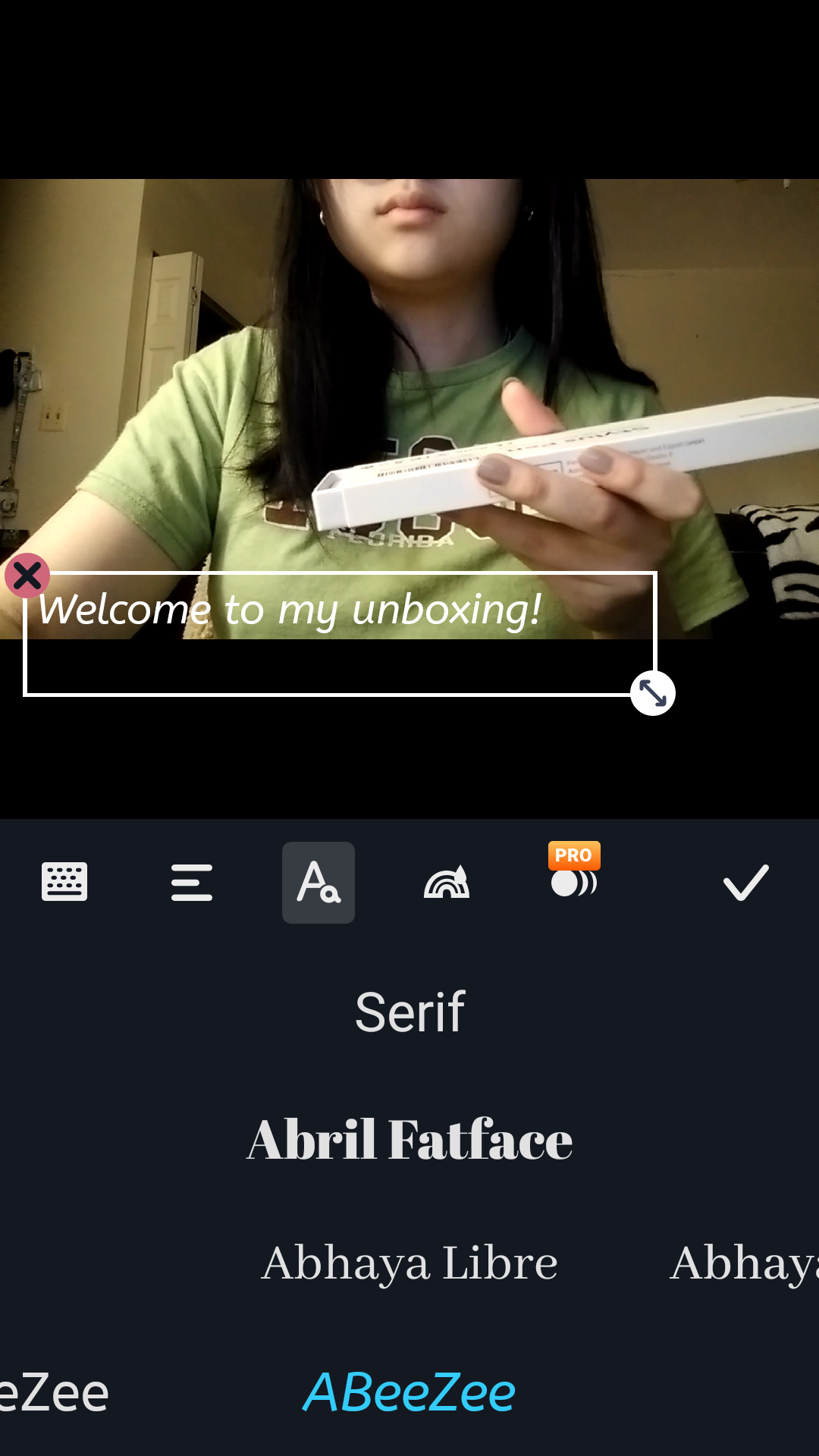
Screenshot_2021-01-07-23-08-44-812_com.kdanmobile.android.writeonvideo.png   Screenshot_2021-01-07-23-10-45-166_com.kdanmobile.android.writeonvideo.png

5. Click “Edit” to change a Pod's background color. Change the background color to make the video look more interesting.
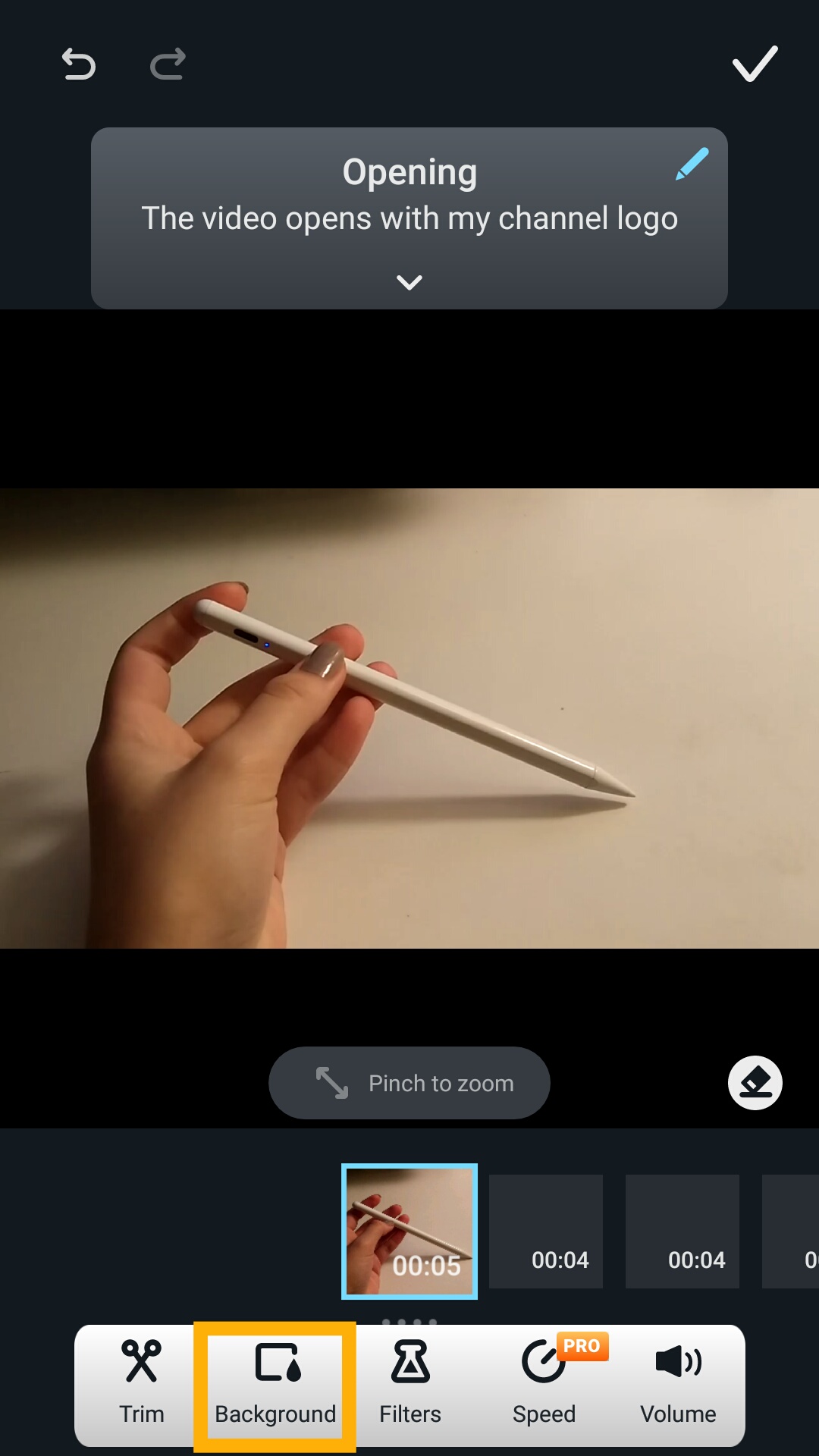
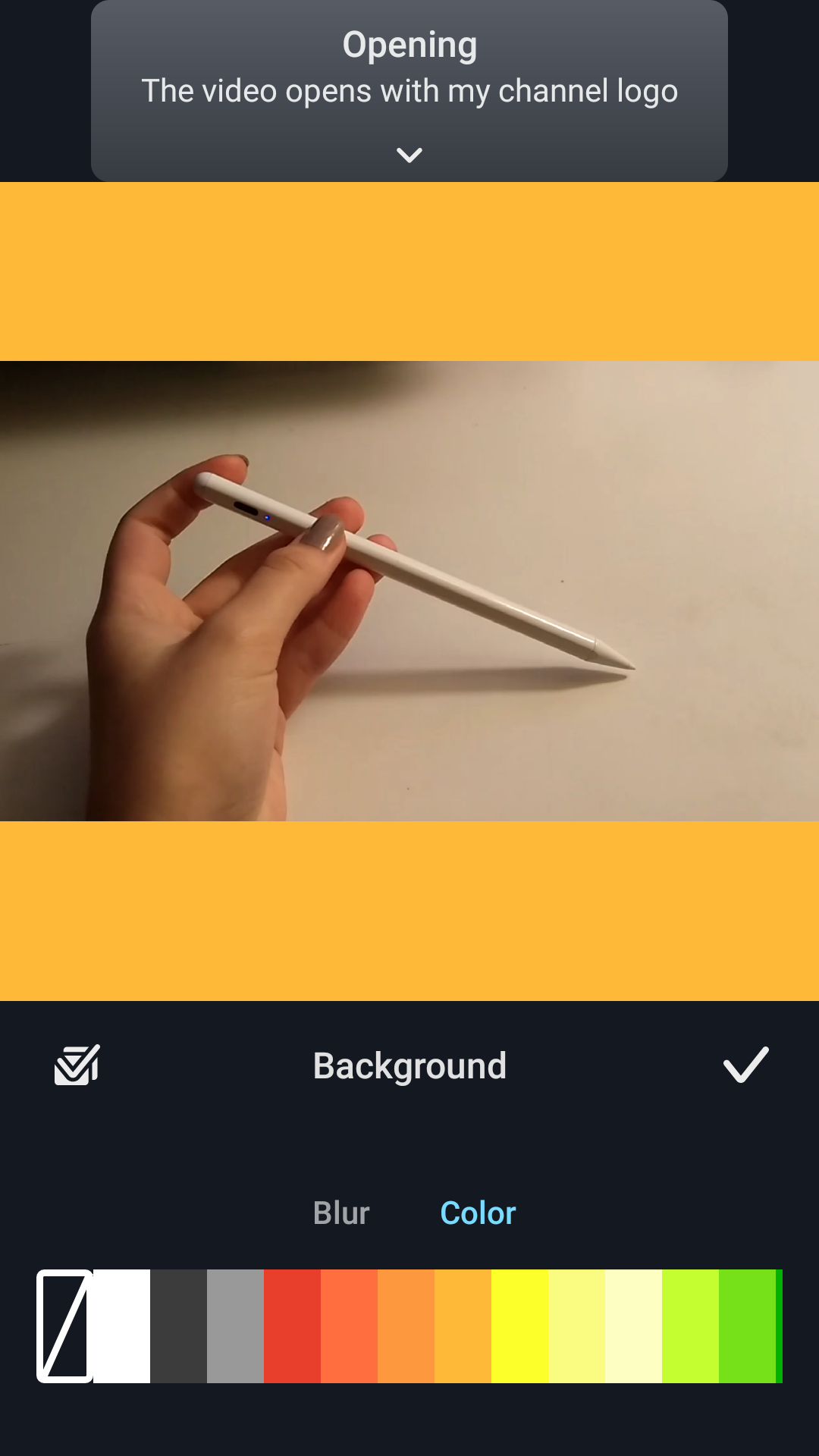
Screenshot_2021-01-07-23-05-32-476_com.kdanmobile.android.writeonvideo.png   Screenshot_2021-01-07-23-19-20-869_com.kdanmobile.android.writeonvideo.pngScreenshot_2021-01-07-23-19-55-739_com.kdanmobile.android.writeonvideo.png   

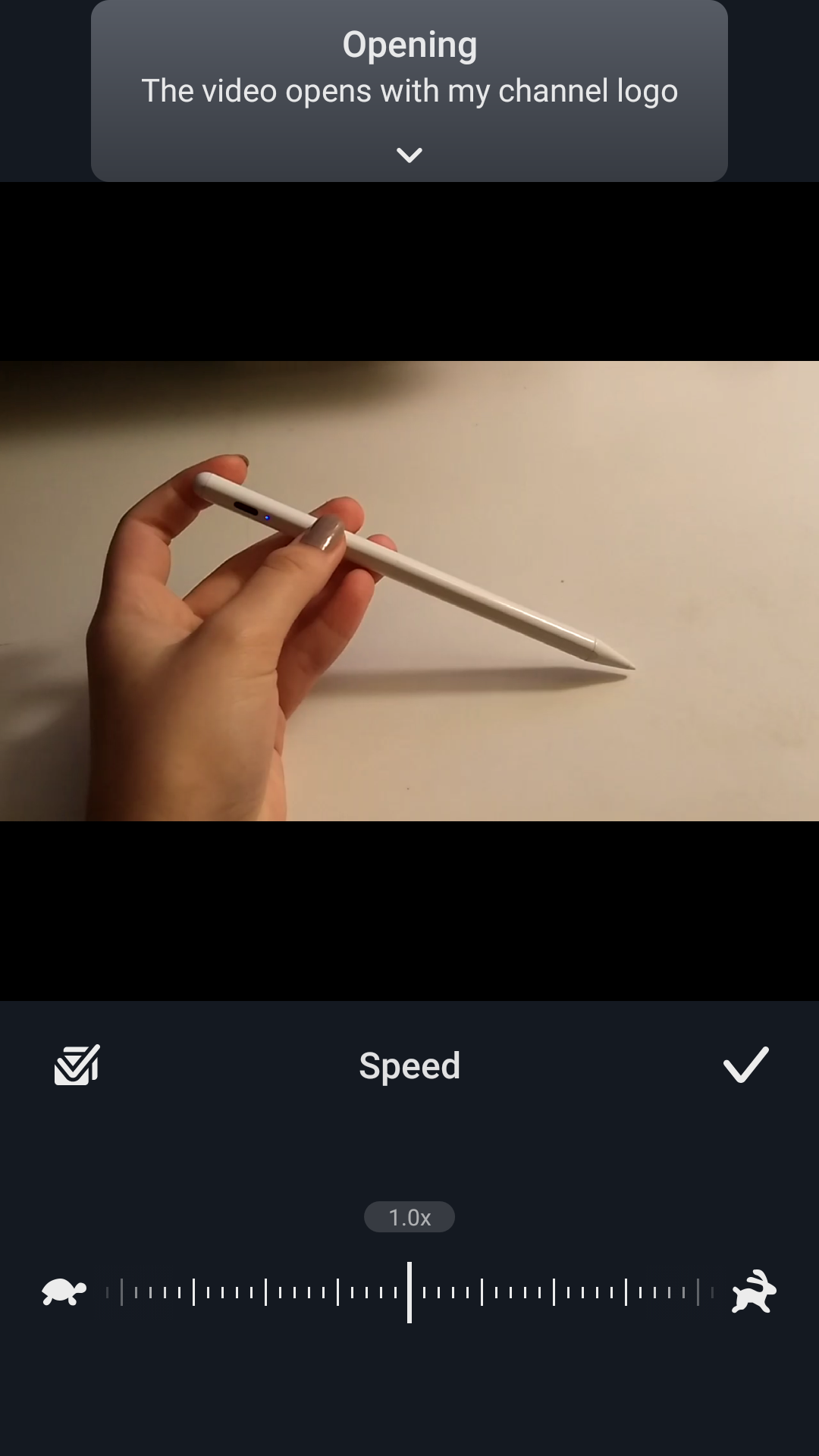
6. You can also freely adjust the speed of your video.
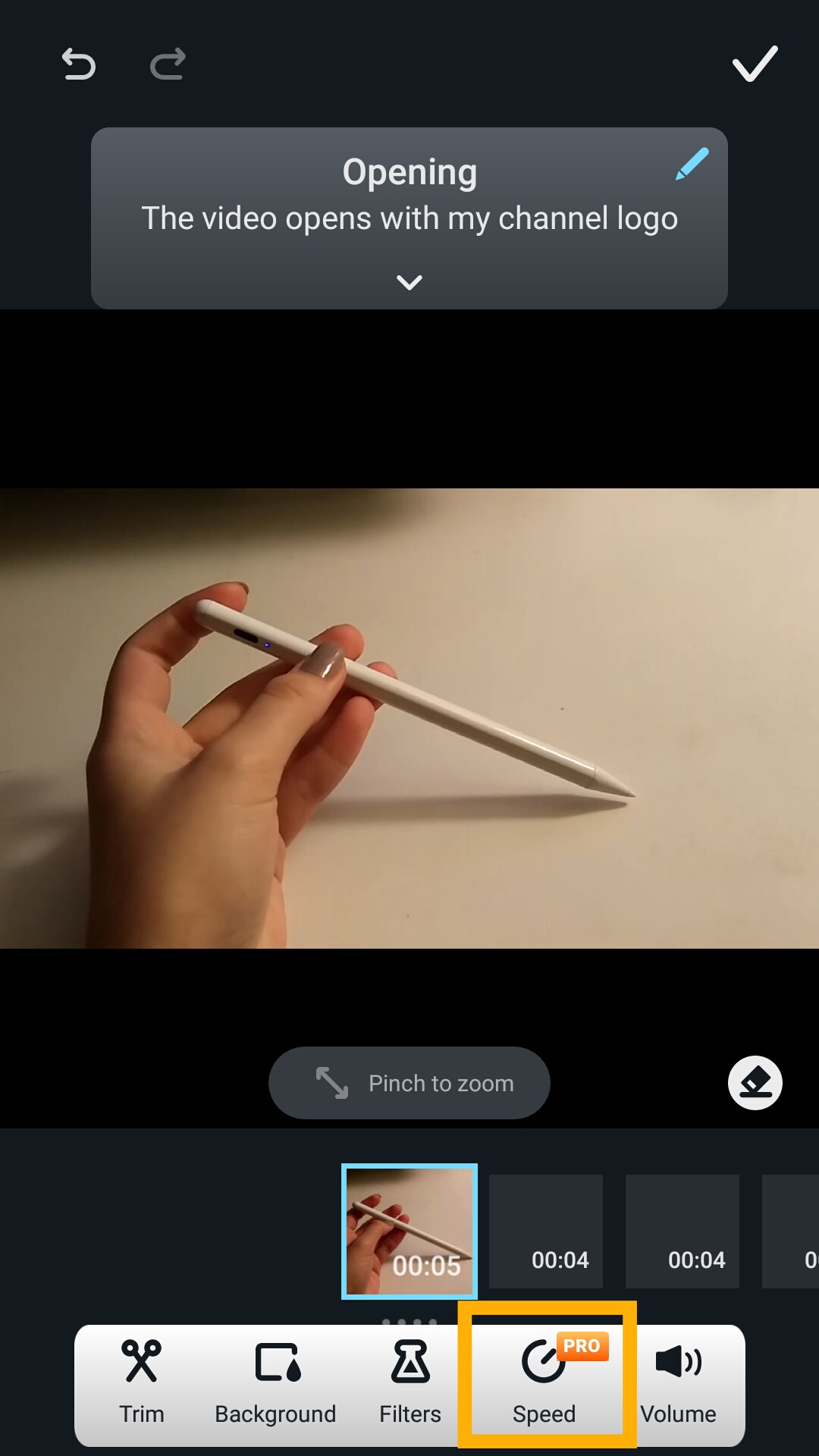
Screenshot_2021-01-07-23-05-32-476_com.kdanmobile.android.writeonvideo.png  Screenshot_2021-01-07-23-20-21-260_com.kdanmobile.android.writeonvideo.png

Screenshot_2021-01-07-23-20-08-826_com.kdanmobile.android.writeonvideo.png

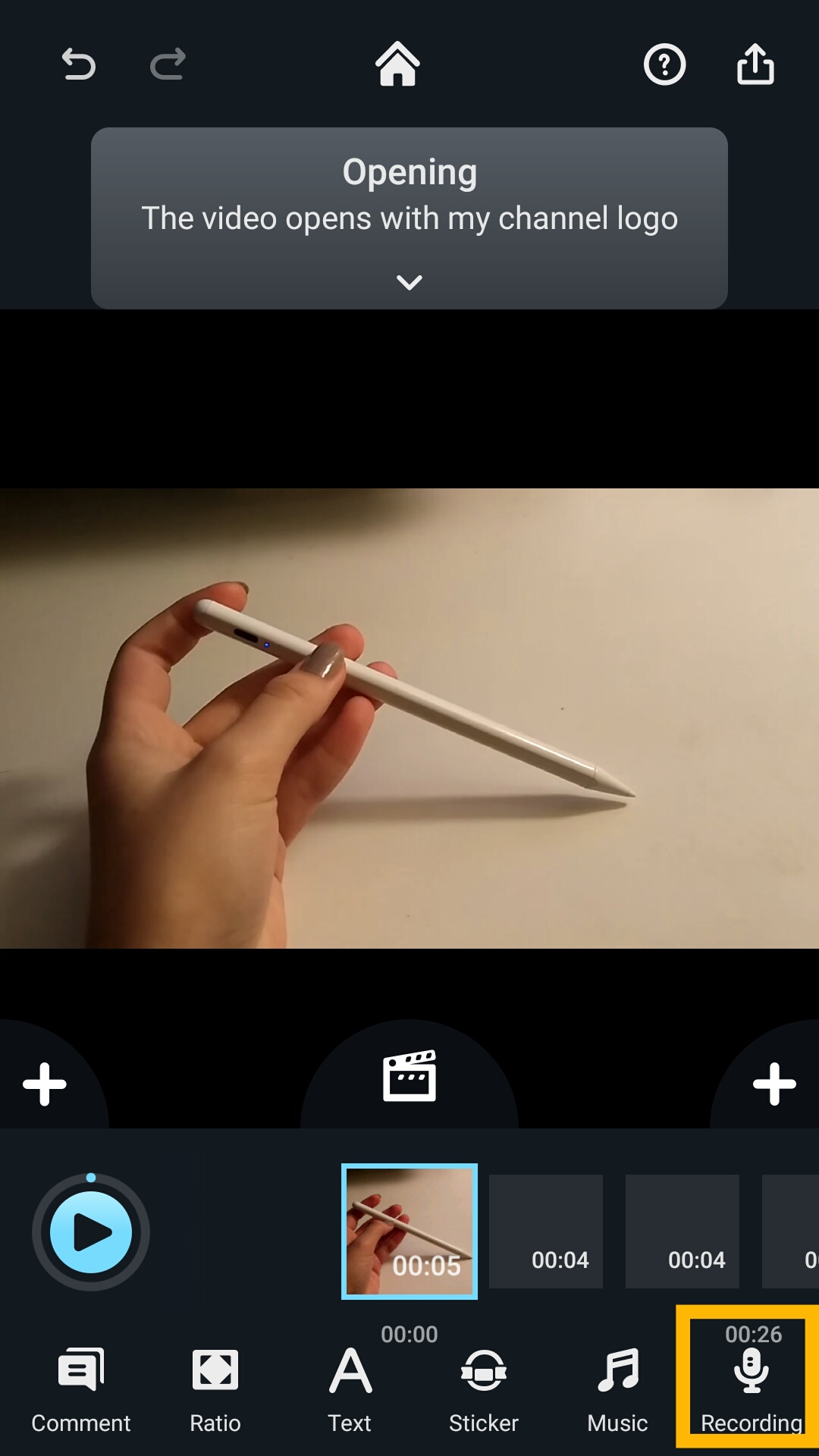
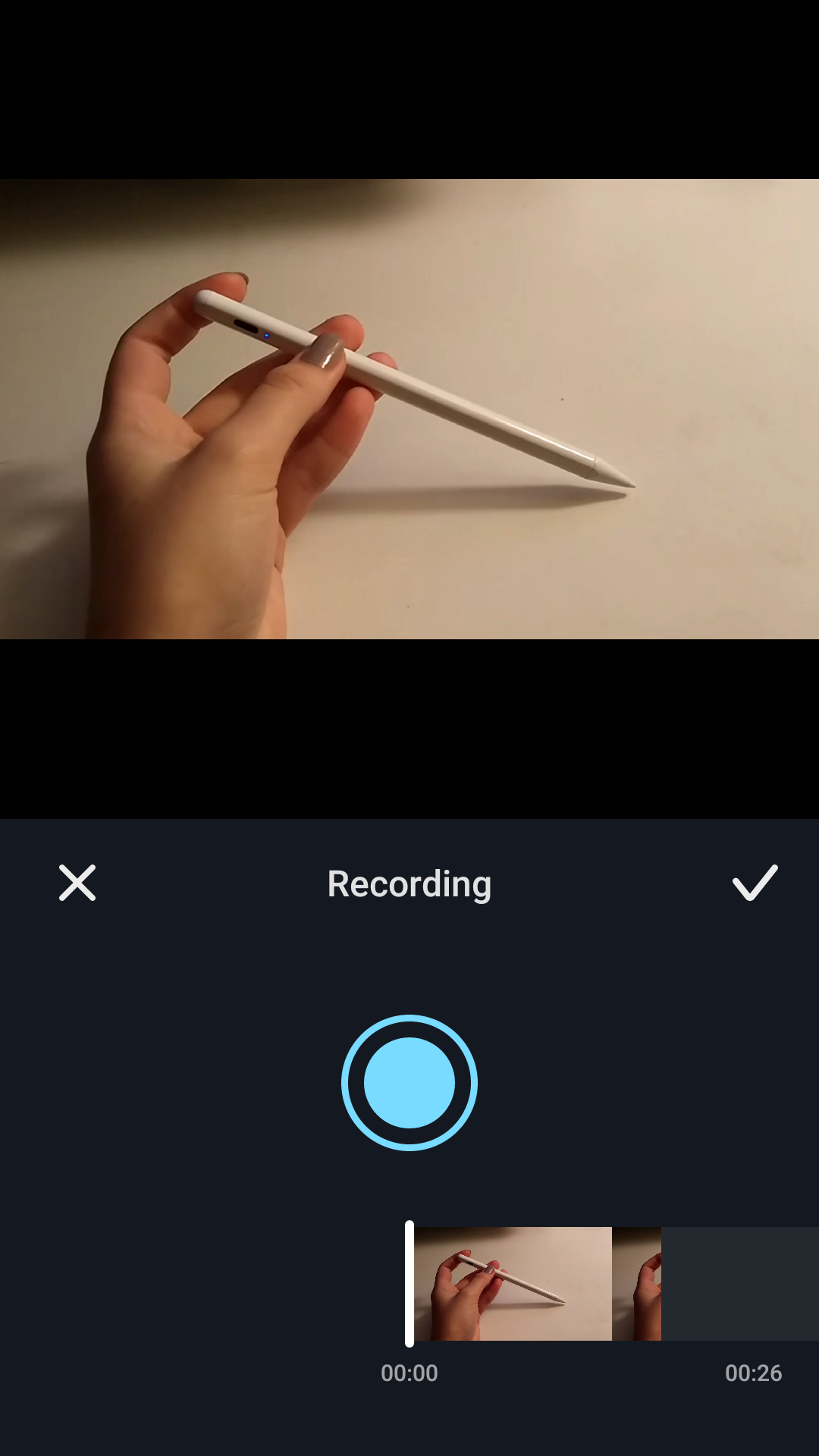
 7. Record a voice-over.

Screenshot_2021-01-07-23-20-49-109_com.kdanmobile.android.writeonvideo.png   Screenshot_2021-01-07-23-21-07-929_com.kdanmobile.android.writeonvideo.png

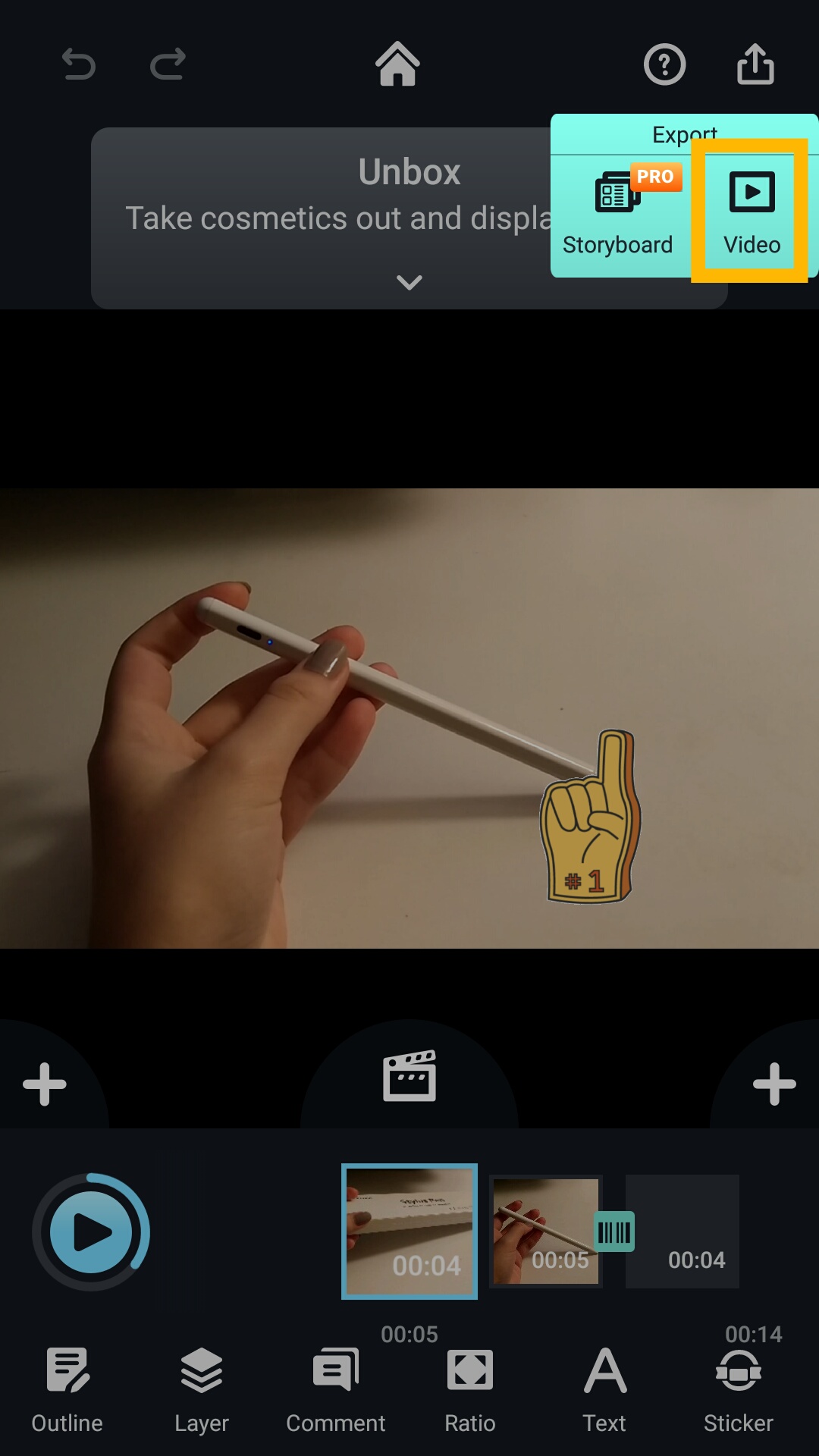
8. Export your video.

Screenshot_2021-01-07-22-42-05-086_com.kdanmobile.android.writeonvideo.png

9. Choose types of resolution and frame rate. 
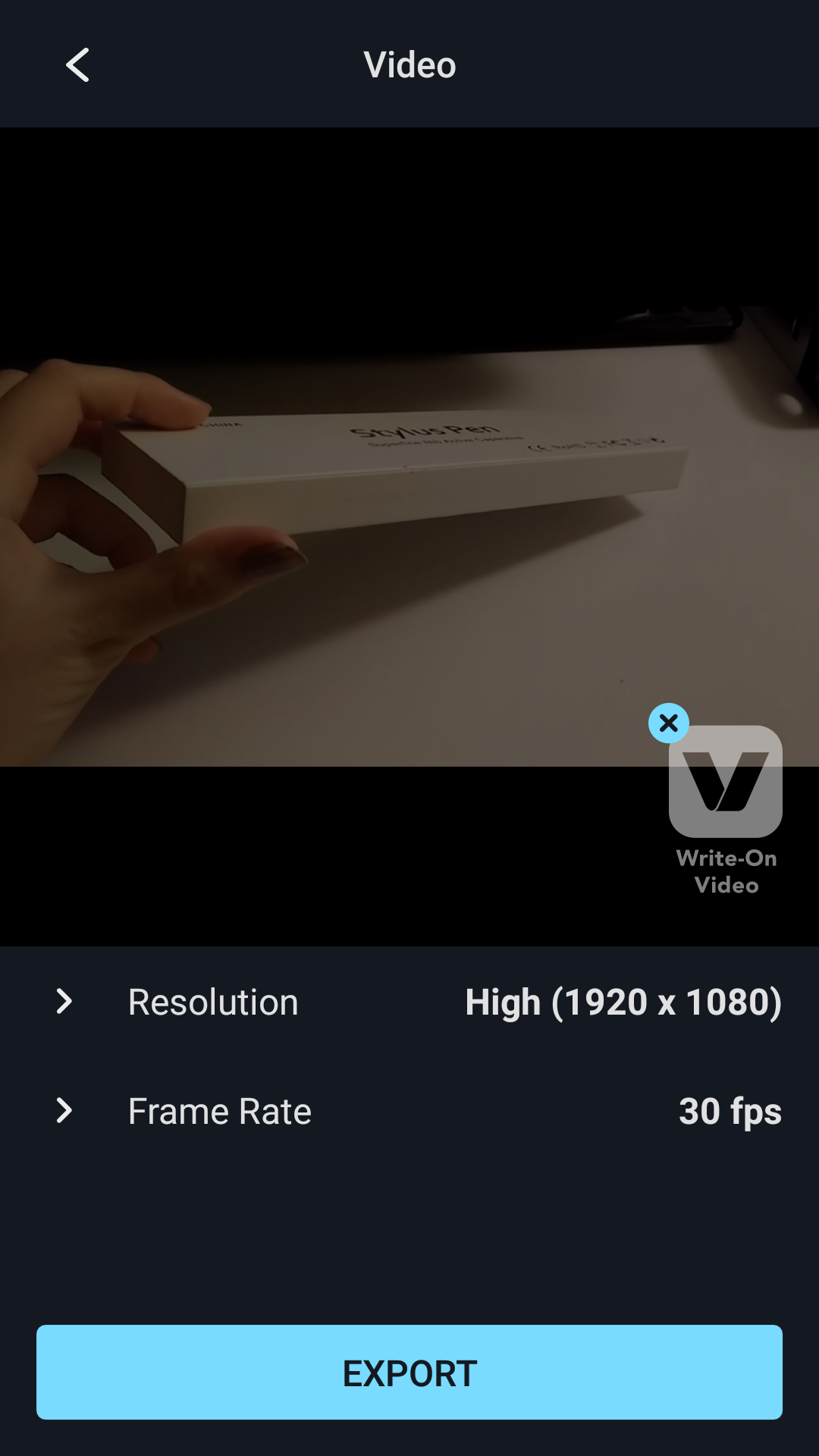
Screenshot_2021-01-07-22-42-48-796_com.kdanmobile.android.writeonvideo.png

10. Your video will be automatically saved in your Photos, and you can also share it to various social platforms to enjoy with your friends.
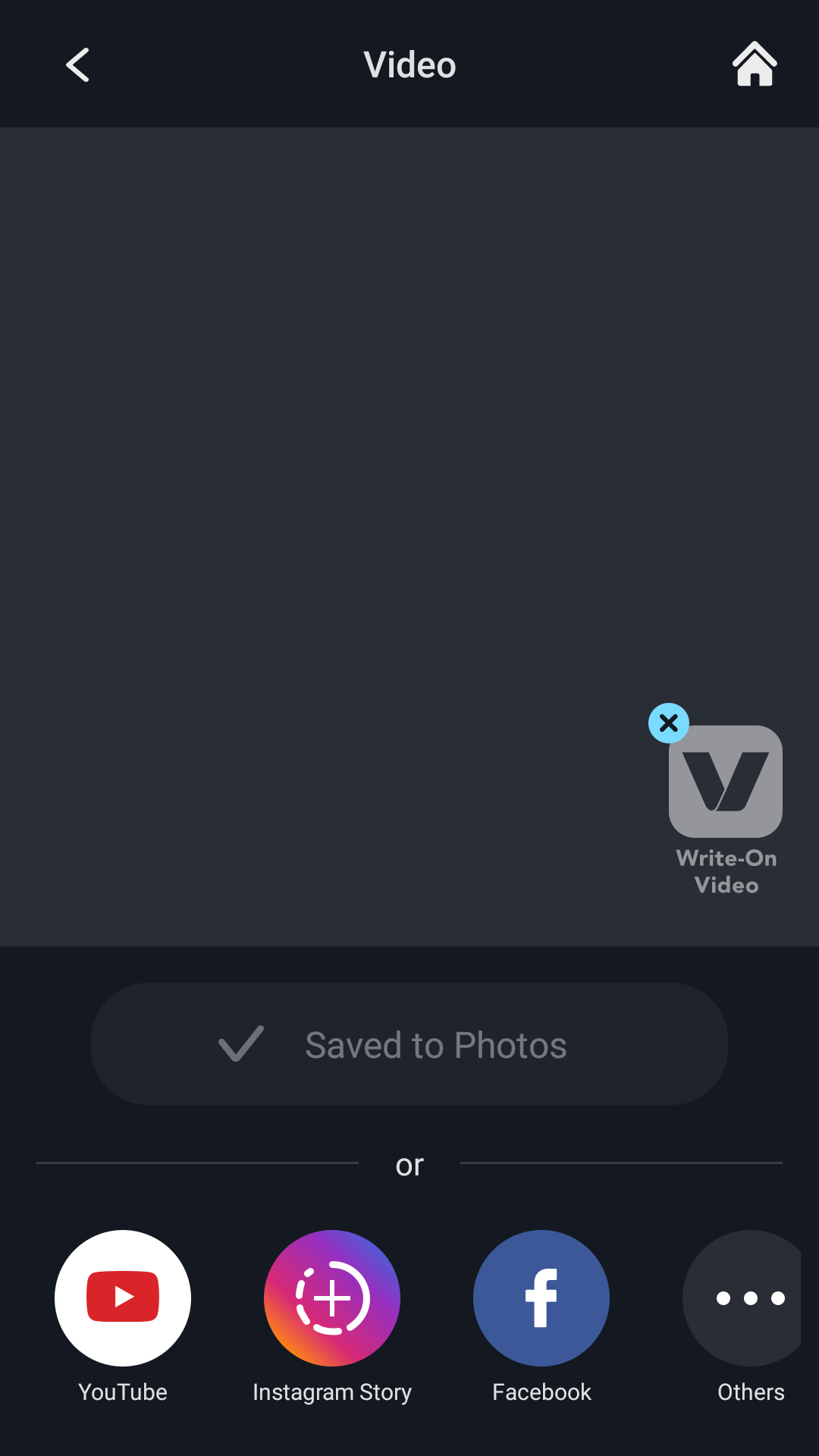
Screenshot_2021-01-07-22-44-38-877_com.kdanmobile.android.writeonvideo.png

Updated

Was this article helpful?

0 out of 0 found this helpful

Have more questions? Submit a request

Comments

0 comments

Please sign in to leave a comment.