Share Videos on Social Media

Share Videos on Social Media

1. To share to social media, select the share icon in the top right-hand corner. Then, select "Video." 
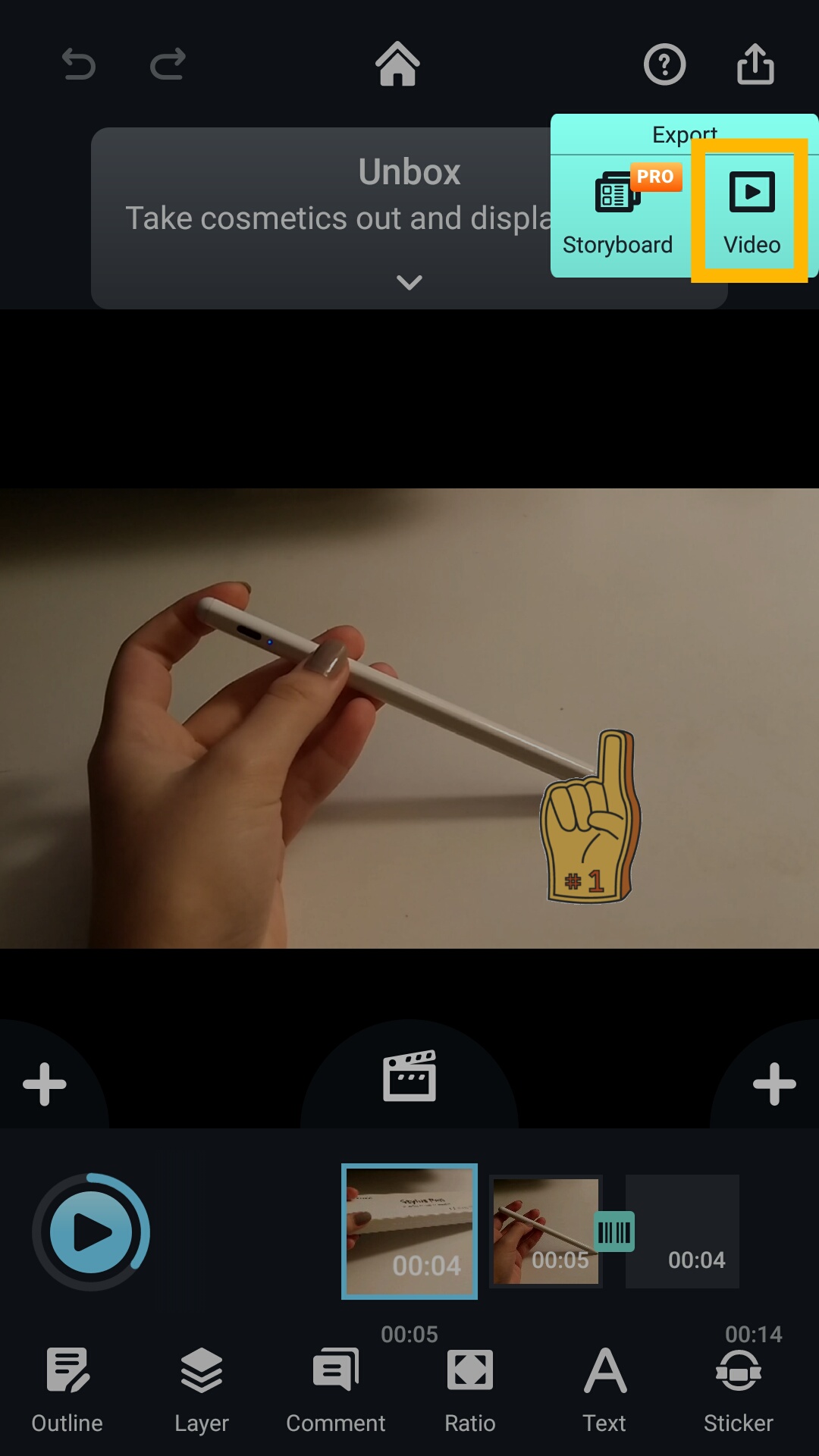
Screenshot_2021-01-07-22-42-05-086_com.kdanmobile.android.writeonvideo.png

2. Choose the quality you would like to export your video in.
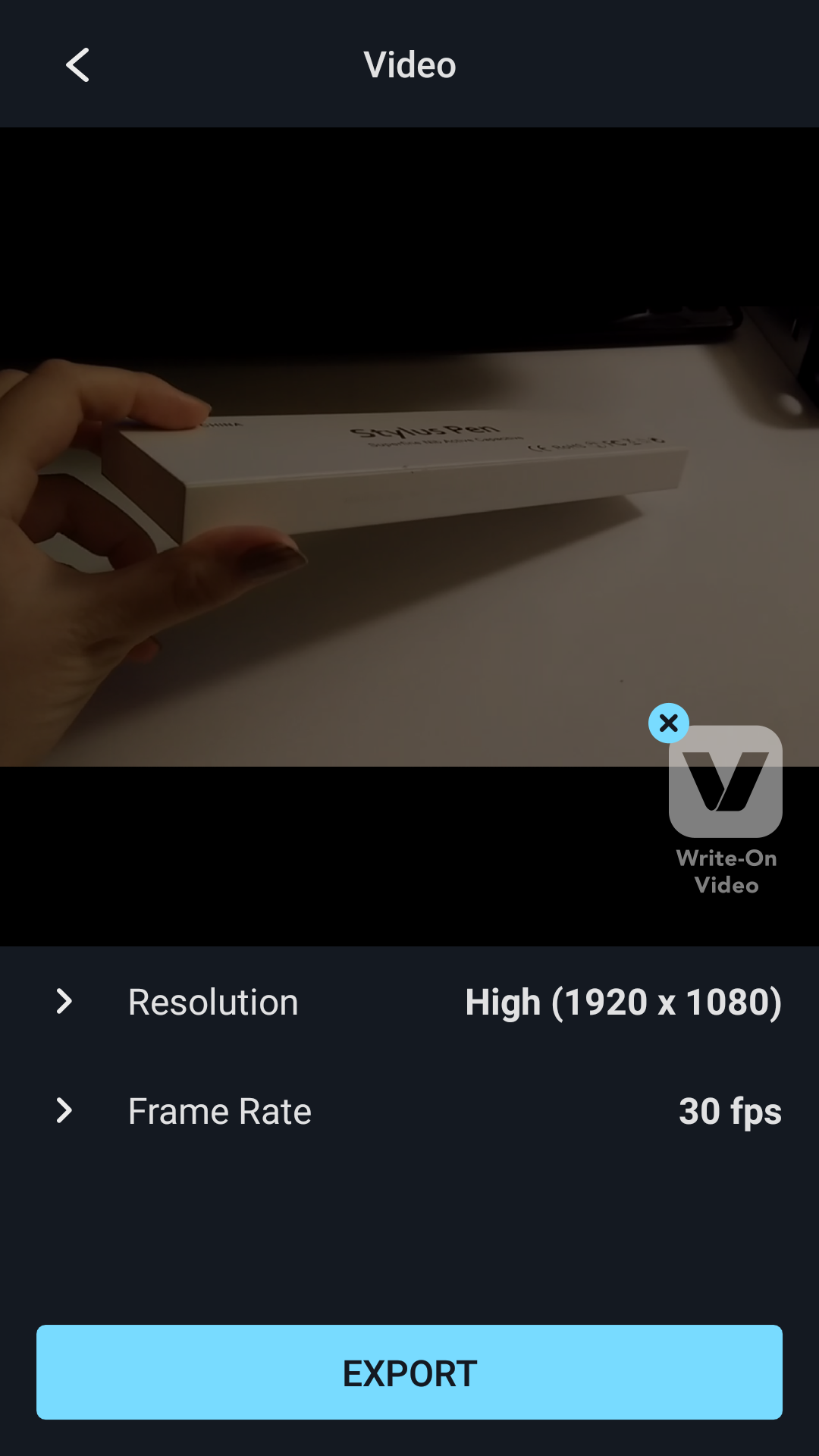
Screenshot_2021-01-07-22-42-48-796_com.kdanmobile.android.writeonvideo.png

3. Choose which social media platform you would like to export your video to.
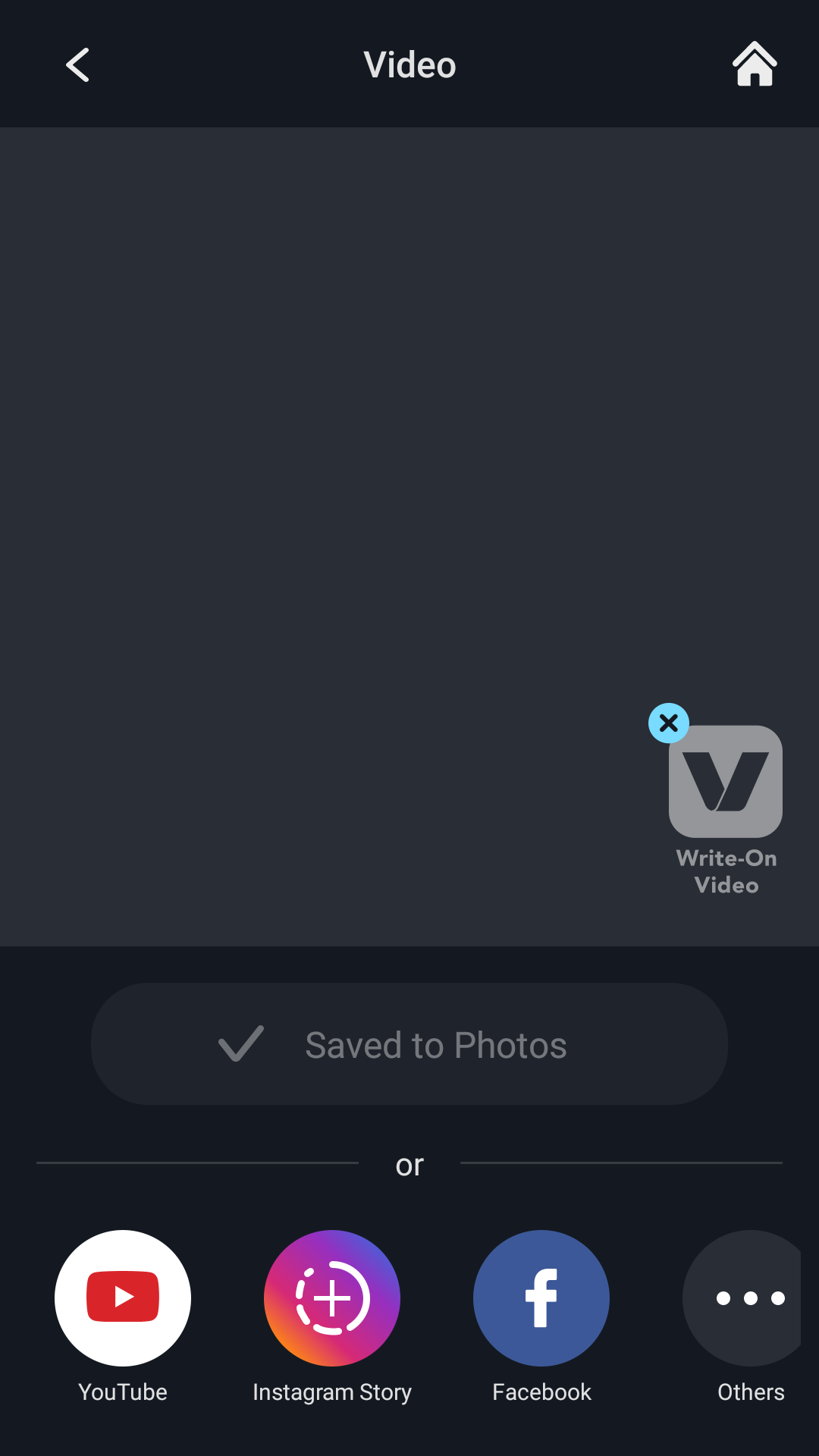
Screenshot_2021-01-07-22-44-38-877_com.kdanmobile.android.writeonvideo.png

Updated

Was this article helpful?

0 out of 0 found this helpful

Have more questions? Submit a request

Comments

0 comments

Please sign in to leave a comment.