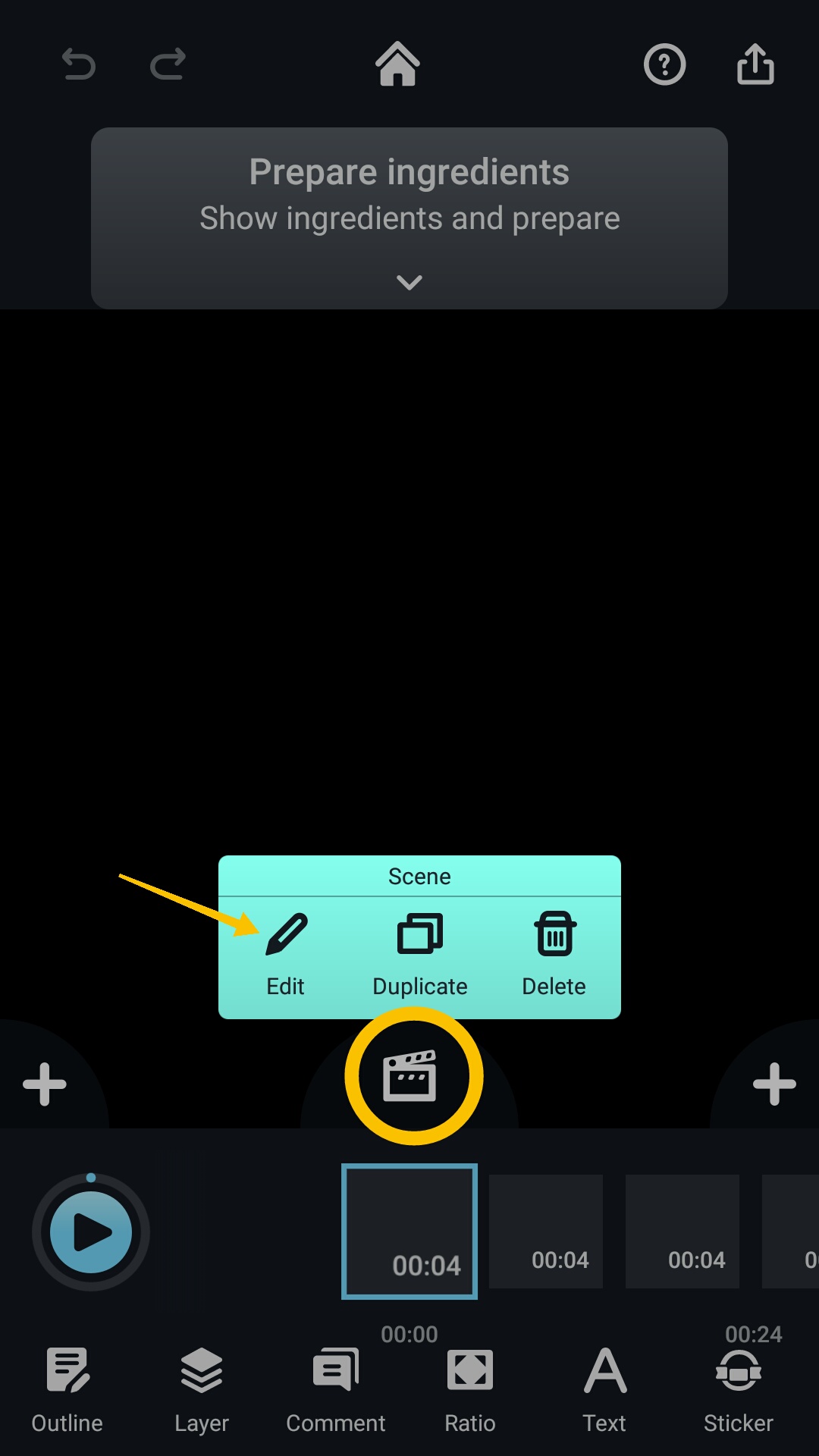
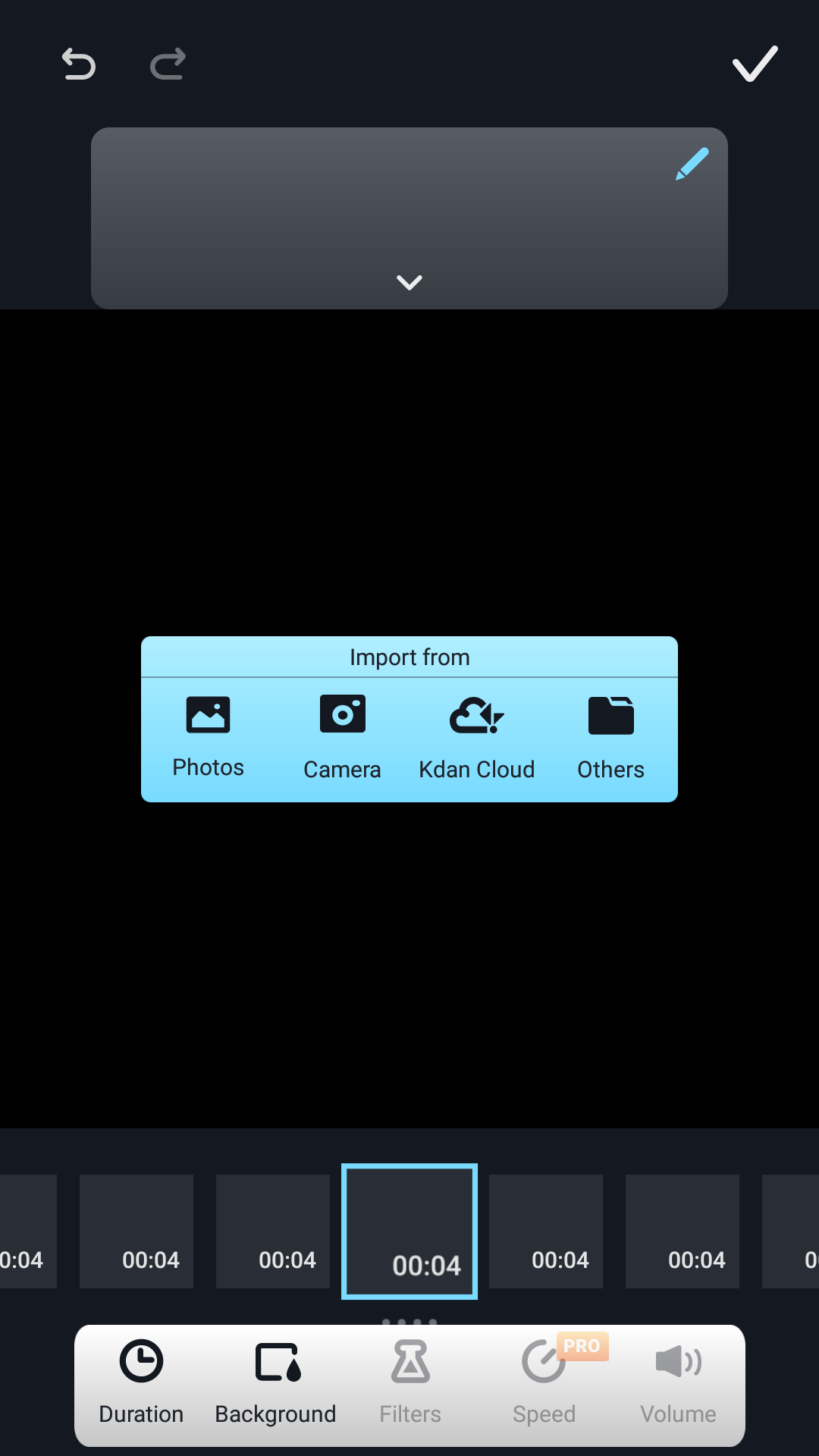
To import materials, select your desired pod, click the "Edit Pod" icon, then click "Edit." You will see a blue box that offers options such as “Photos, Camera, Kdan Cloud and Others." Choose which one you would like to import from.
Updated
To import materials, select your desired pod, click the "Edit Pod" icon, then click "Edit." You will see a blue box that offers options such as “Photos, Camera, Kdan Cloud and Others." Choose which one you would like to import from.
Updated
Comments
0 comments
Please sign in to leave a comment.