Creating New Video Projects
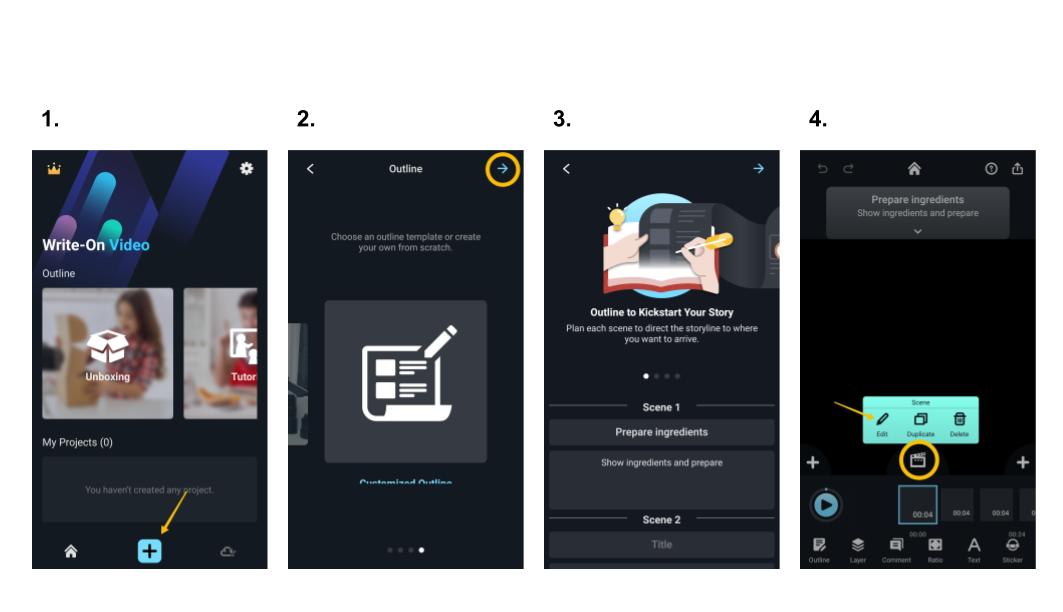
- Click “+” to start a new project.
- Choose “Customized Outline” to create your one-of-a-kind outline, or choose a template. Then, click the arrow in the upper right corner to get started.
- Outline your video. Enter titles and descriptions in each "Pod."
- Click the "Edit Pod" icon to import materials, such as videos and images, from your device, Kdan Cloud, or browse other folders.
Did You Know... Pods and YouTube Timestamps
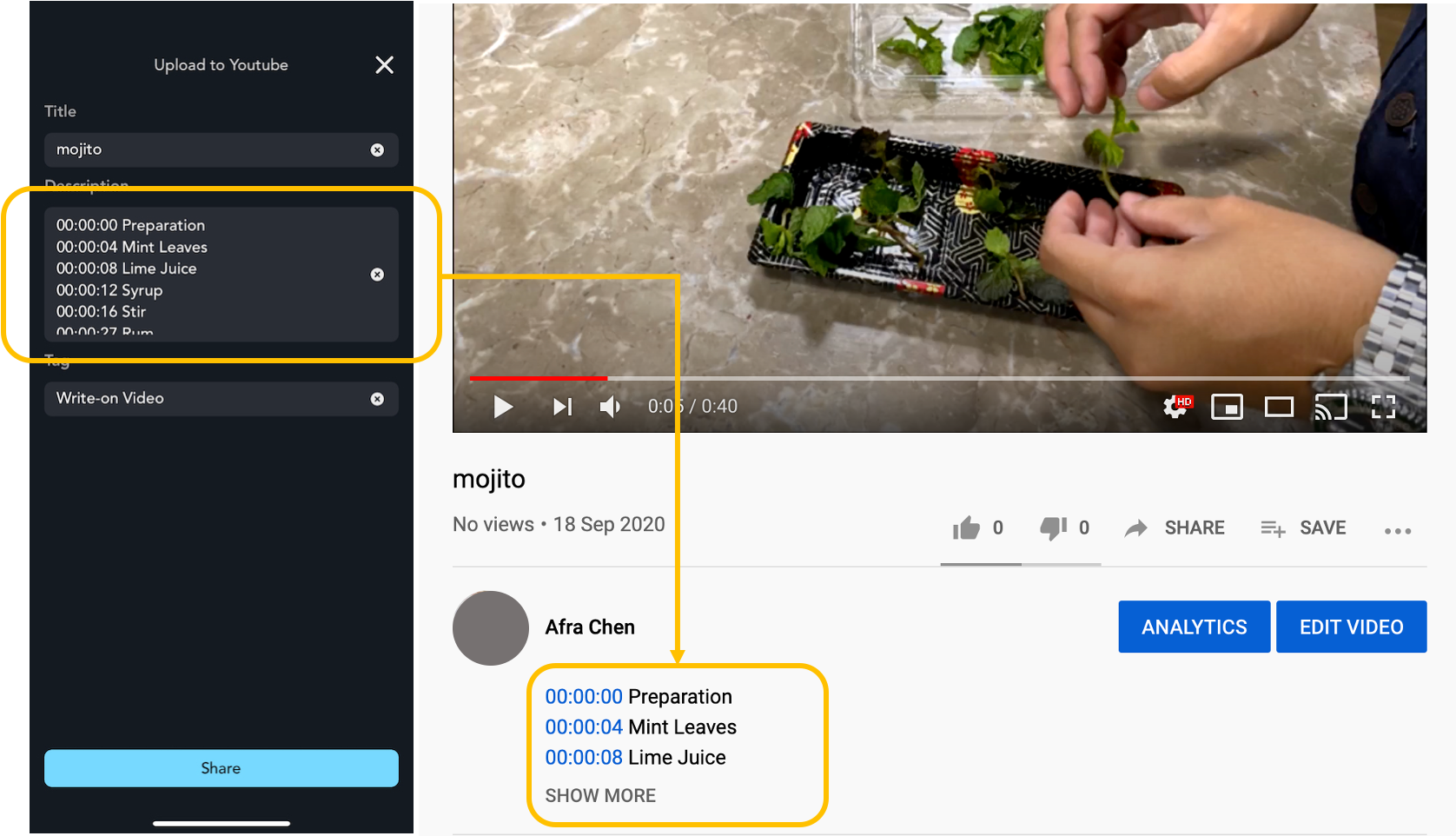
Each pod comes with its timestamps. When you upload the video to YouTube, the app will transcribe to the timestamps and pod description to your YouTube video description. It looks like the picture below.
Updated
Comments
0 comments
Please sign in to leave a comment.