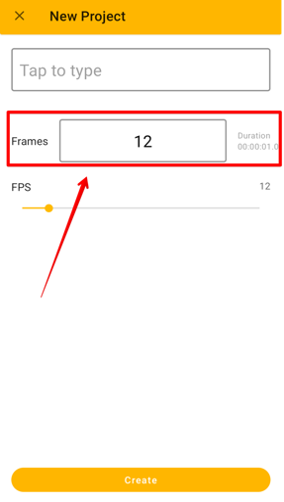
You can set up the number of frames when creating an animation sequence. The maximum number you can put here is 100, but you can add more frames to the sequence later.
Setting Frames when Creating a New Animation
While creating a new animation, you can directly enter the number of frames.
Add New Frames
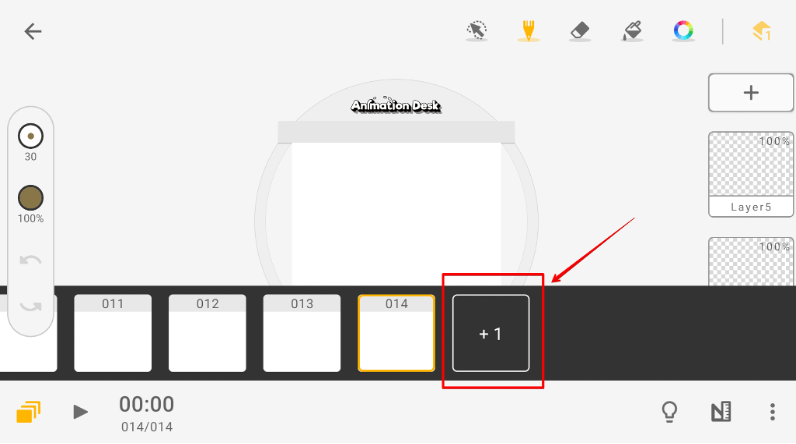
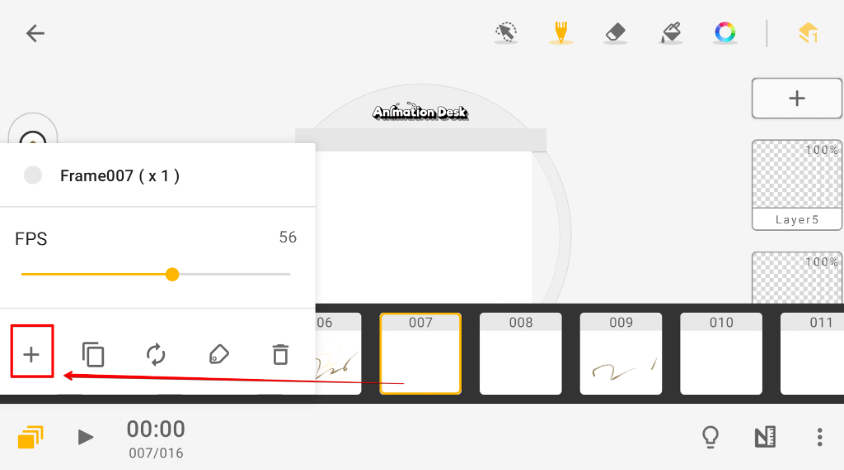
While in the editing interface, you have two options for adding frames.
1. You can slide to the end of the timeline and click the "+" sign to add frames.
2. By clicking any frame, a window will pop up, select "+" to add a new frame behind the frame.
Updated
Comments
0 comments
Please sign in to leave a comment.