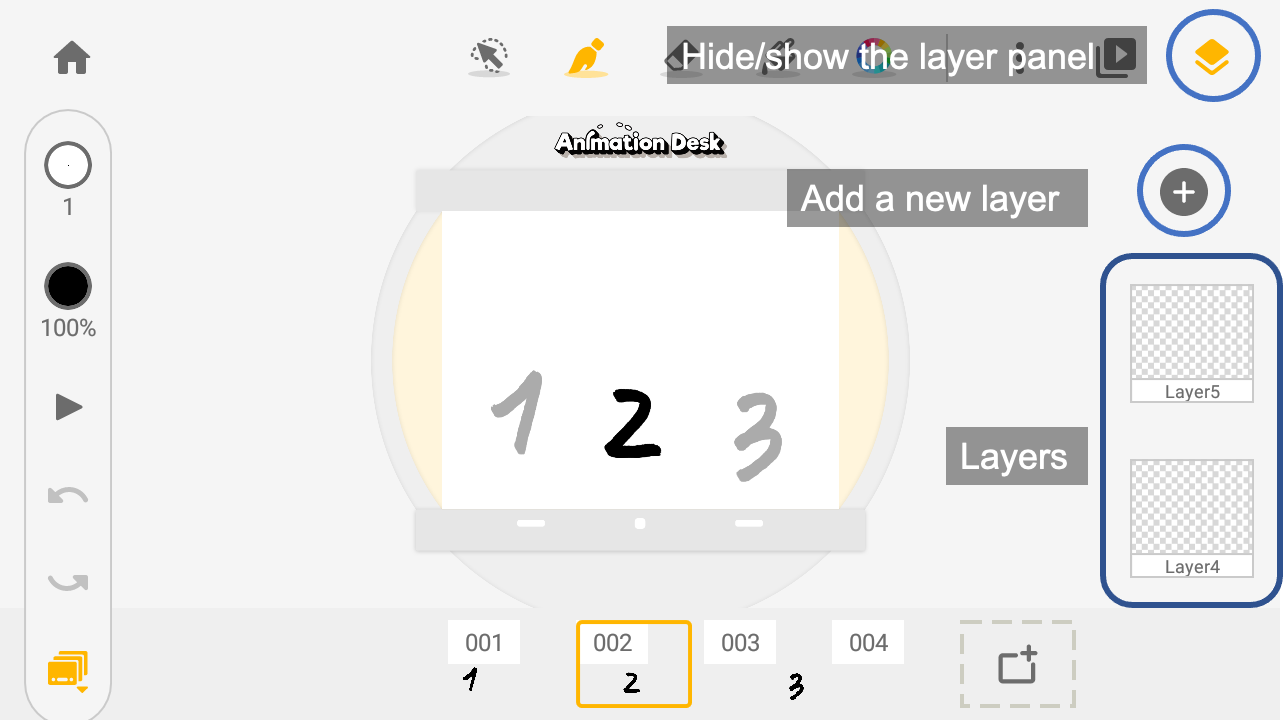
A layer panel is hanging on the right side of the interface. You can hide this panel with the button at its top. To learn more about editing the layer, please refer to “How to rename, clear, or remove a layer”.
Updated
A layer panel is hanging on the right side of the interface. You can hide this panel with the button at its top. To learn more about editing the layer, please refer to “How to rename, clear, or remove a layer”.
Updated
Comments
0 comments
Please sign in to leave a comment.