An animated storyboard is made with one or more animation sequences. The animated storyboard is a good way to get a blueprint of an animation project, especially in a group project.
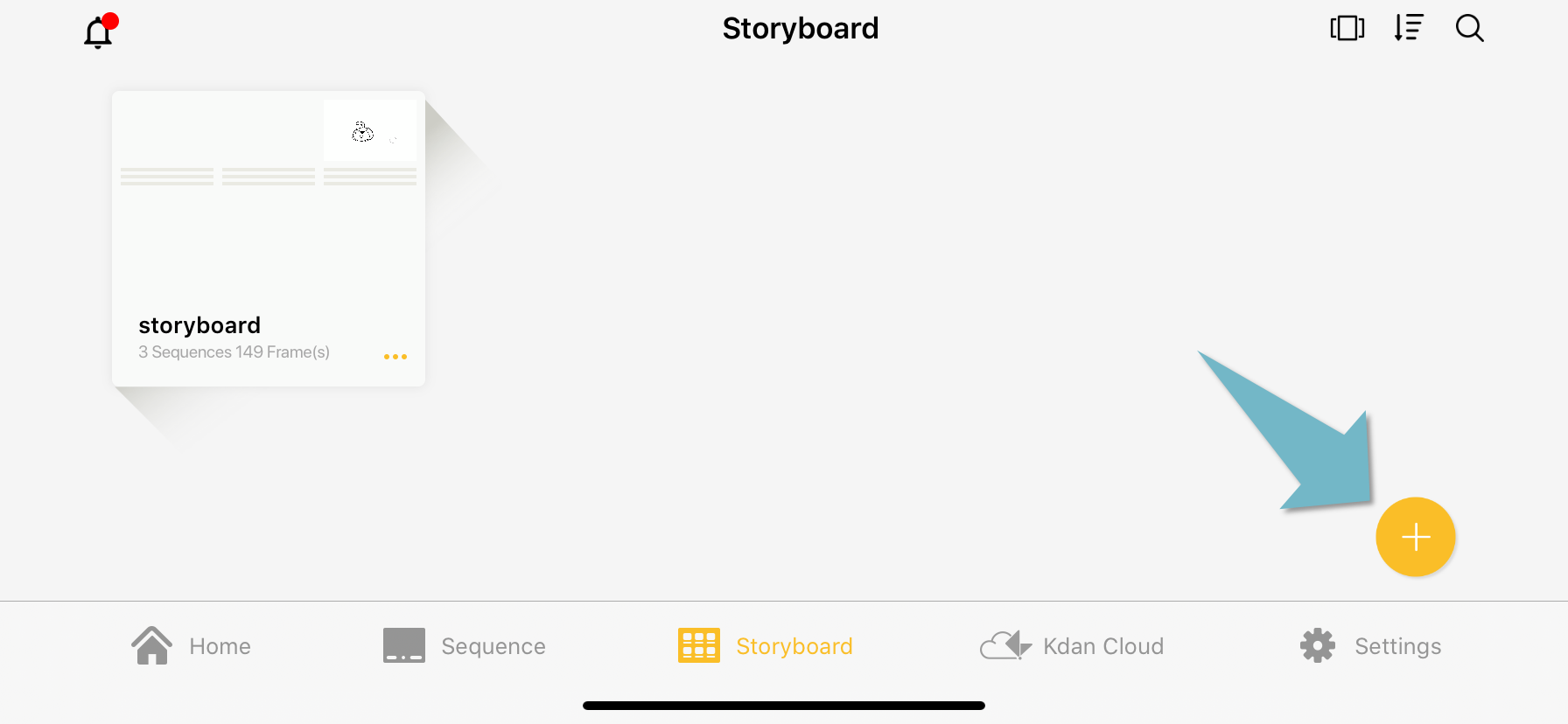
Create a new storyboard
Select “New Storyboard”.
Edit storyboard
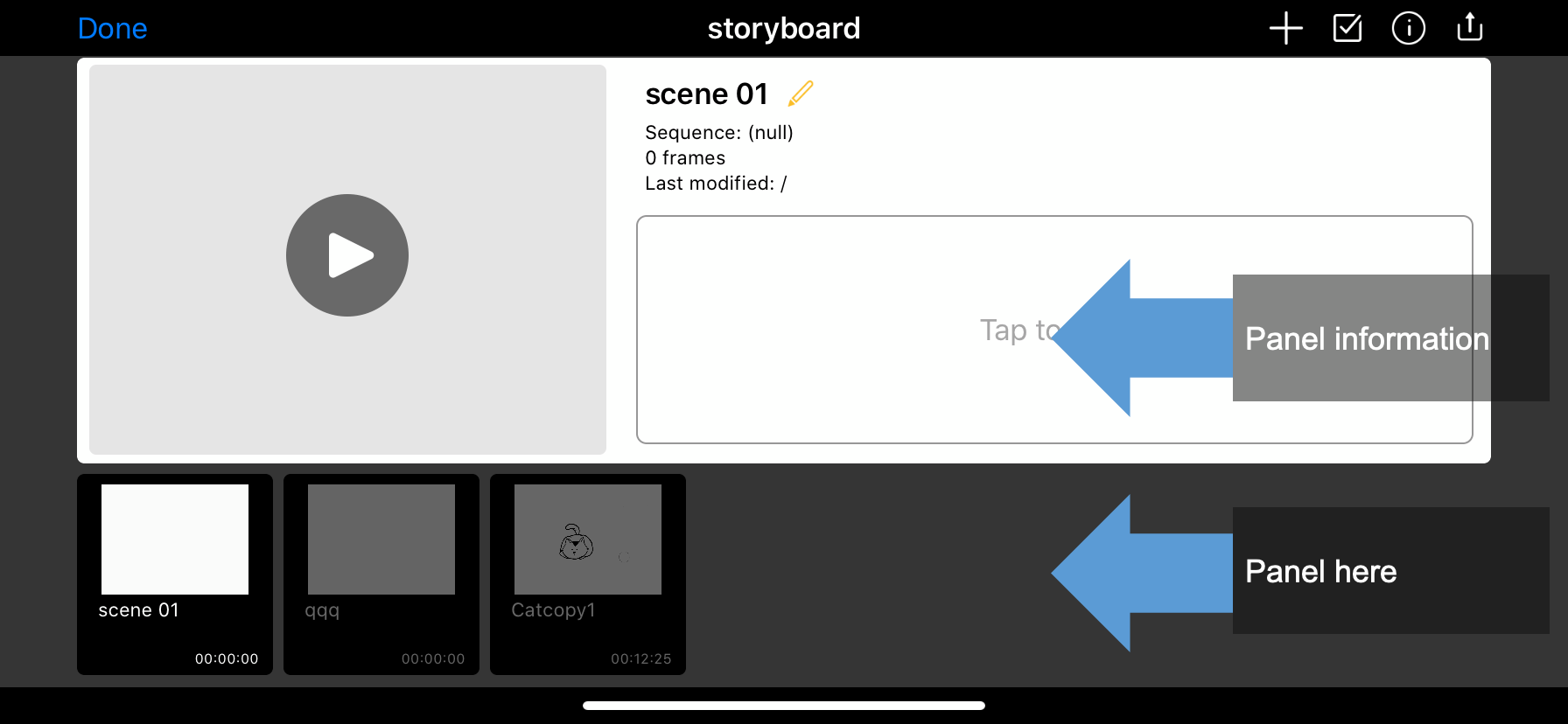
Enter a storyboard, you will see the panels (at the bottom half of the interface), and the information of the panel (at the upper half interface).
Tap and drag a panel to change its order. You can also add notes to the individual frame.
Delete or Replace a Panel
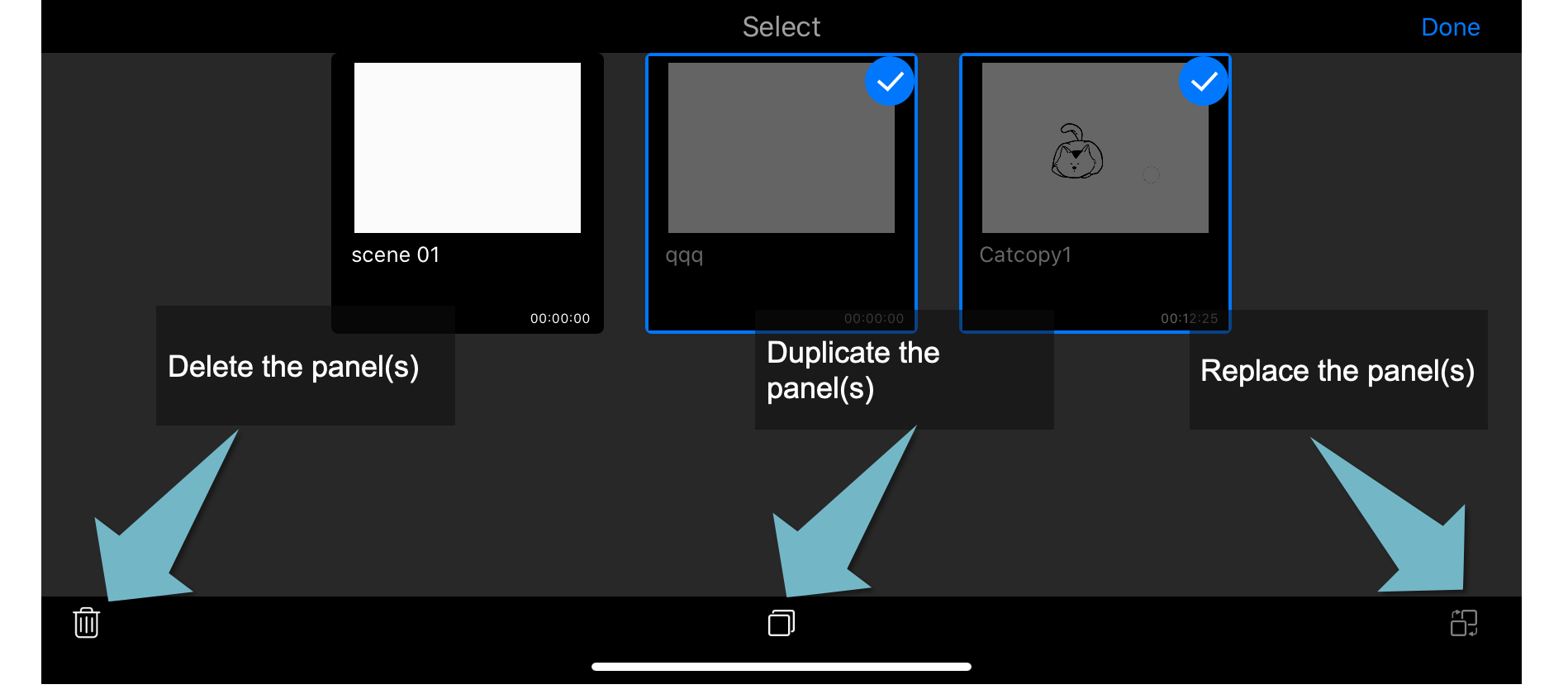
Tap the checkbox on the upper toolbar.
Select one or more panels, you can then delete or replace the selected panel.
Updated
Comments
0 comments
Please sign in to leave a comment.