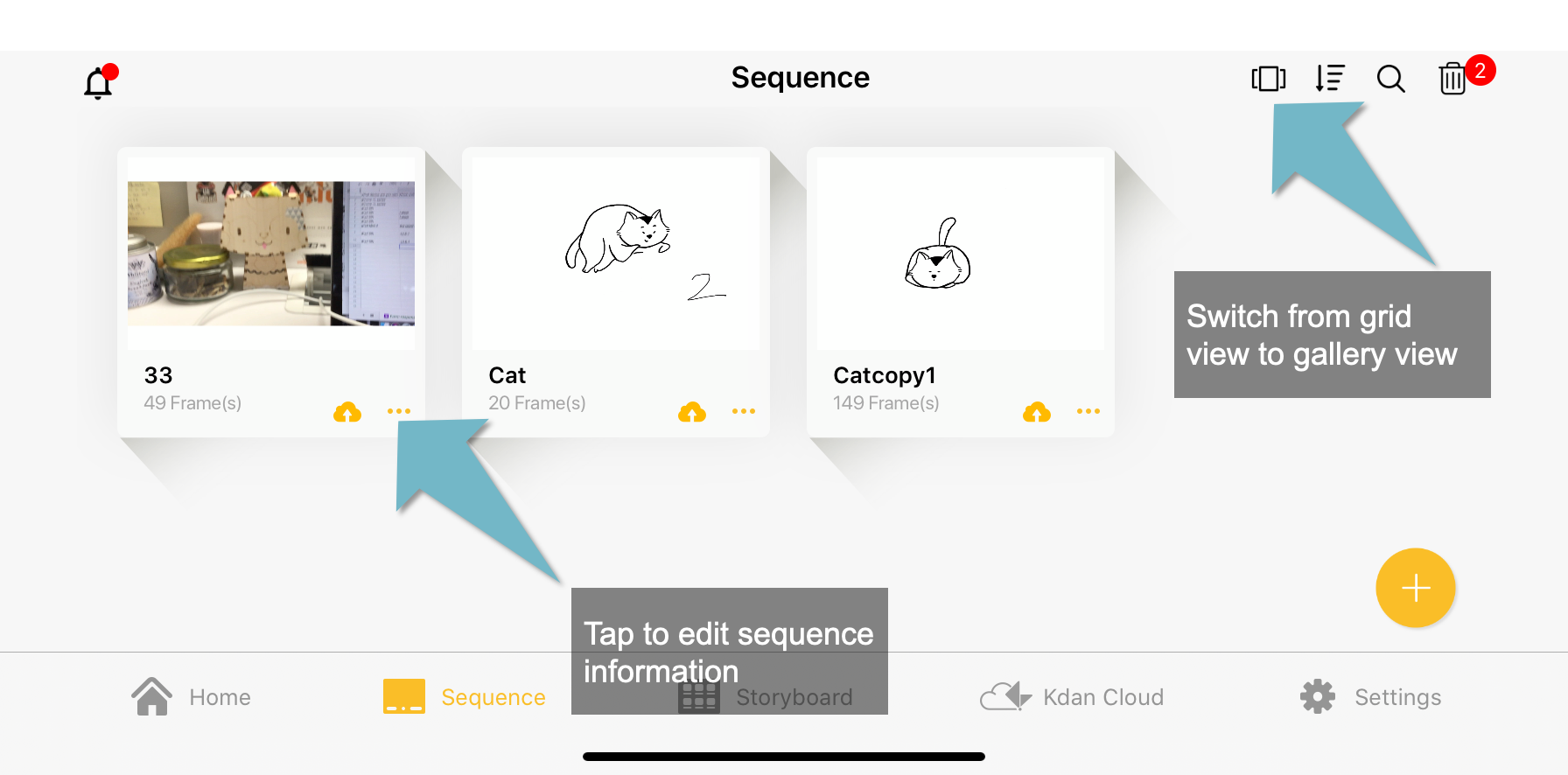
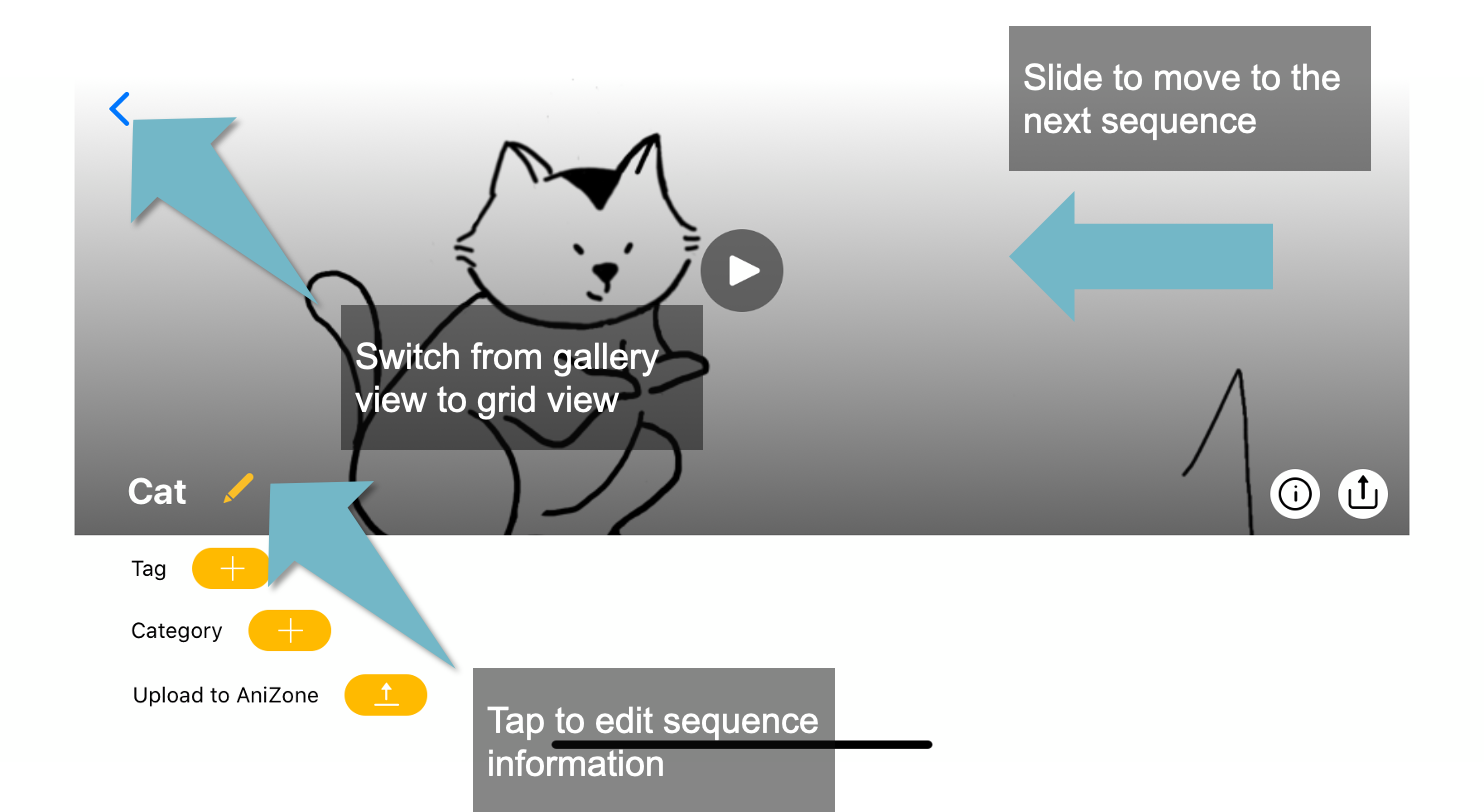
You choose to view the sequence in grid mode or gallery mode.
In the grid mode, you can see multiple sequences at once. Tap “more” to export, rename, or preview the sequence.
You can check one sequence at a time in the gallery mode. Tap “i” to view more the properties of this sequence (such as date created, last modified, numbers of the frame, etc.).
Updated
Comments
0 comments
Please sign in to leave a comment.