To insert photos or images in your animation, please tap the “Photo” button on the top-right corner.
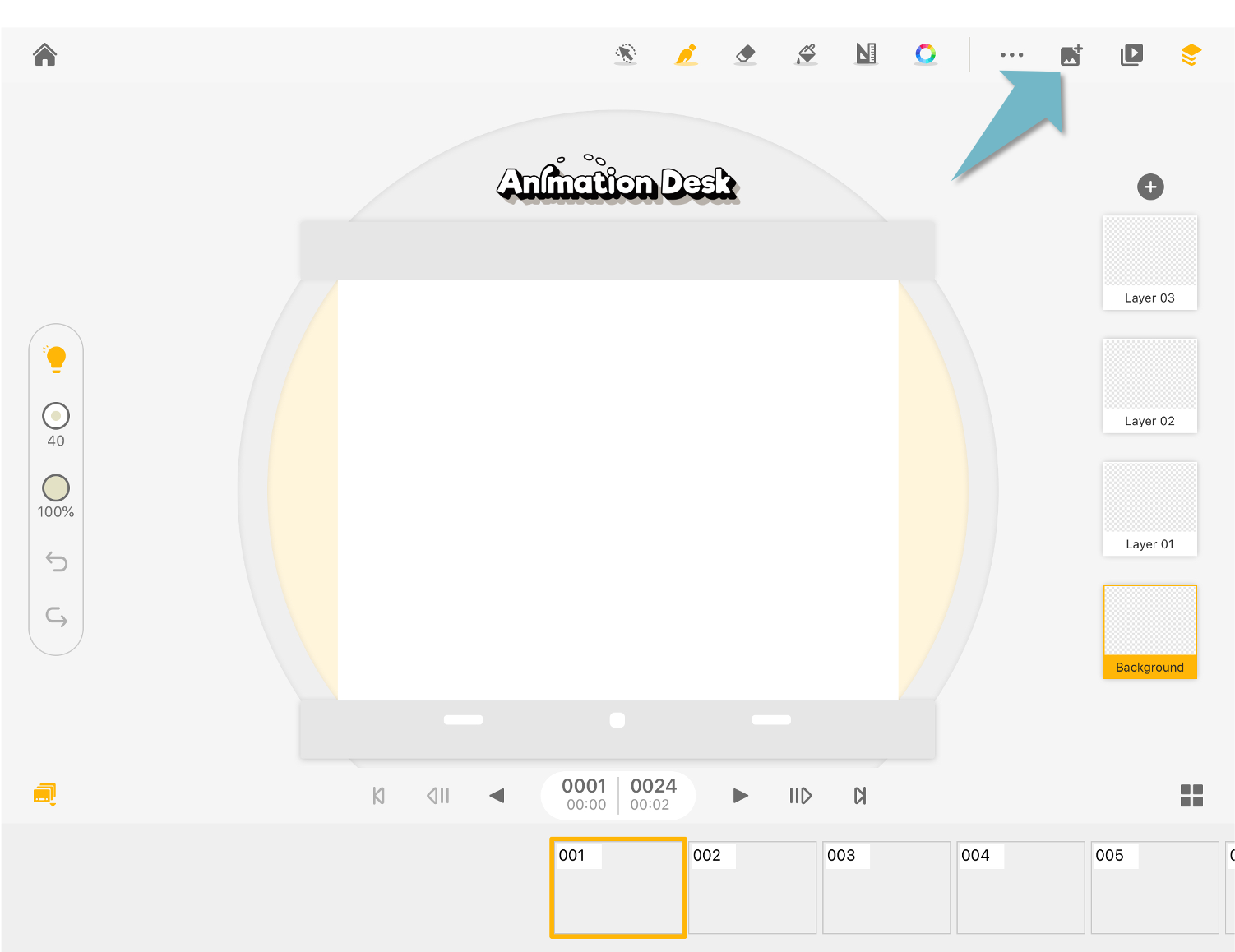
Please make sure you have allowed Animation Desk to access your camera. Select a photo that you wish to insert on the frame from your camera roll or files.
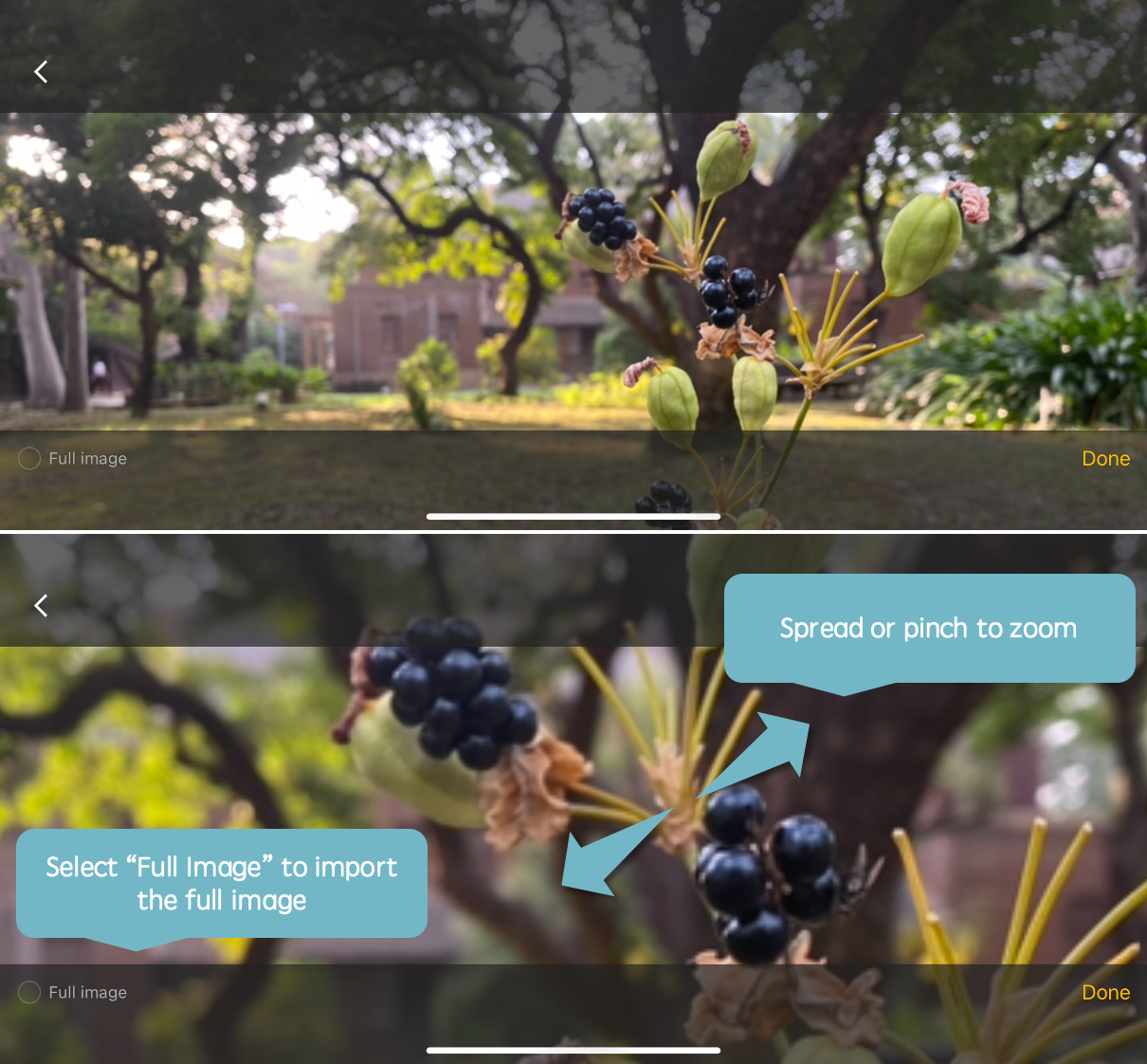
You can zoom in or zoom out the selected area to import only part of the image. Or tap "Full image" to import the image with its original size.
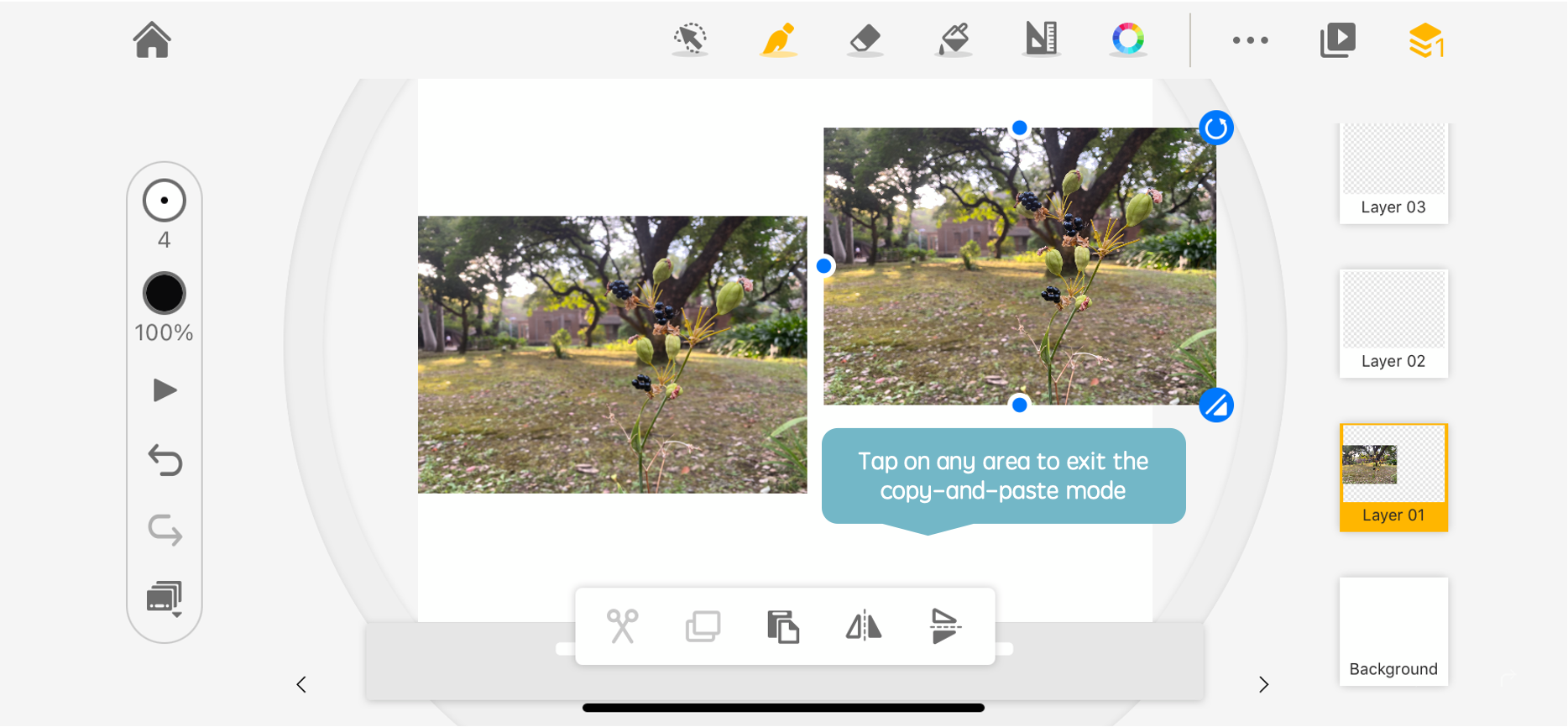
Back to the canvas, you can stamp the image on the canvas multiple times. Tap on any spot on the rest of the canvas to exist copy-and-paste mode.
Read also: How to Copy and Paste Drawings with the Selection Tool
Updated
Comments
0 comments
Please sign in to leave a comment.