Normally our documents are black text over white background. If you do extensive reading on your smartphone, tablet, or computer, PDF Reader supports to change the default background color of PDF files for an eye-friendly reading environment.
1. Open one PDF
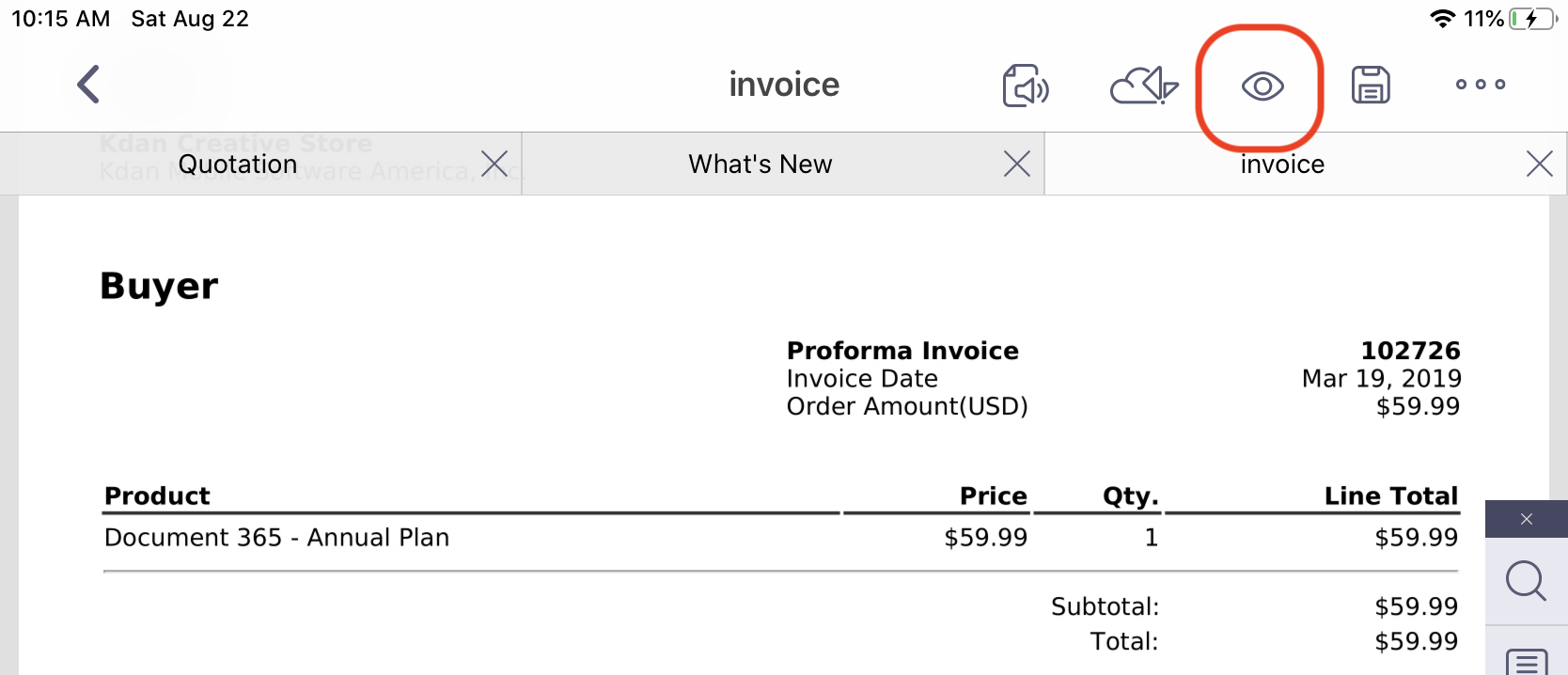
2. Tap the “Eye” icon from the top menu bar for the settings of PDF reading
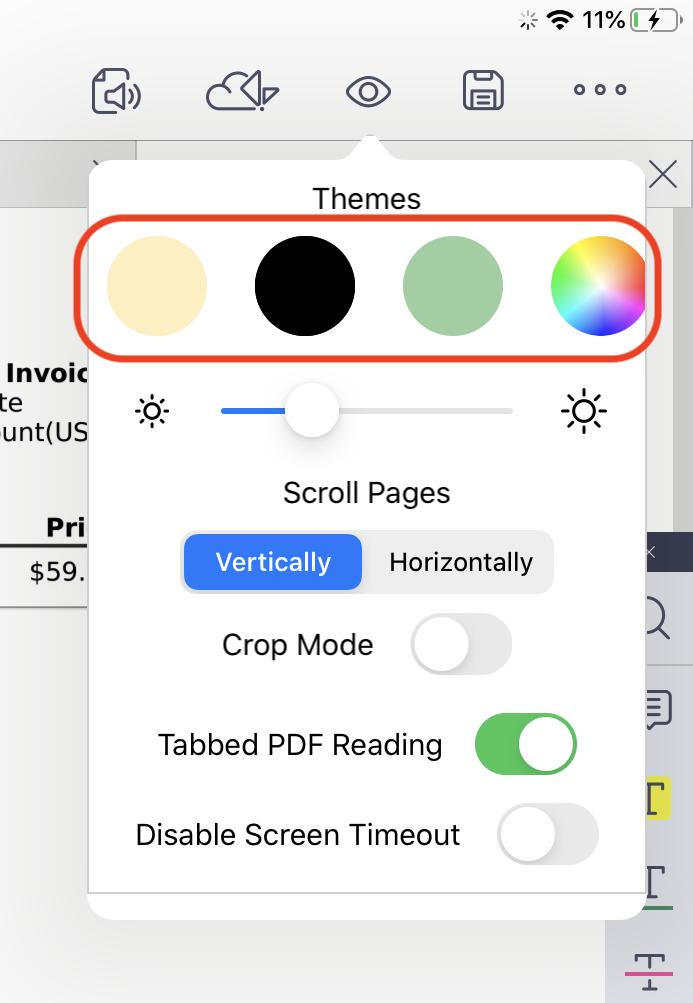
3. Choose the background theme from the color panel. You can choose either from the default colors or the custom one
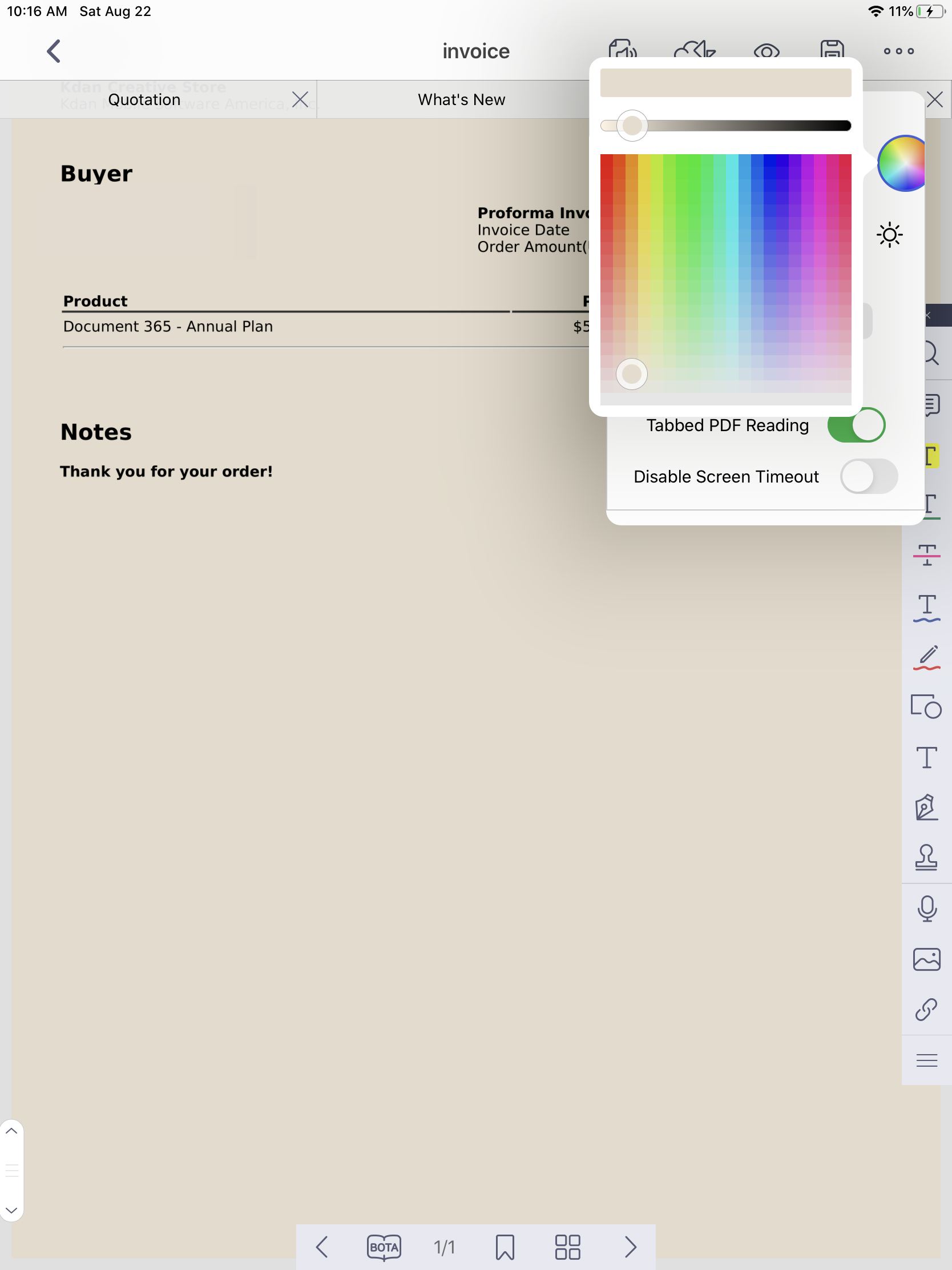
4. Then the background color will be automatically changed
(Note: All versions of PDF Reader apps all include the feature to change PDF background color, including Android, iOS, Windows, and Mac versions.)
Updated
Comments
0 comments
Please sign in to leave a comment.