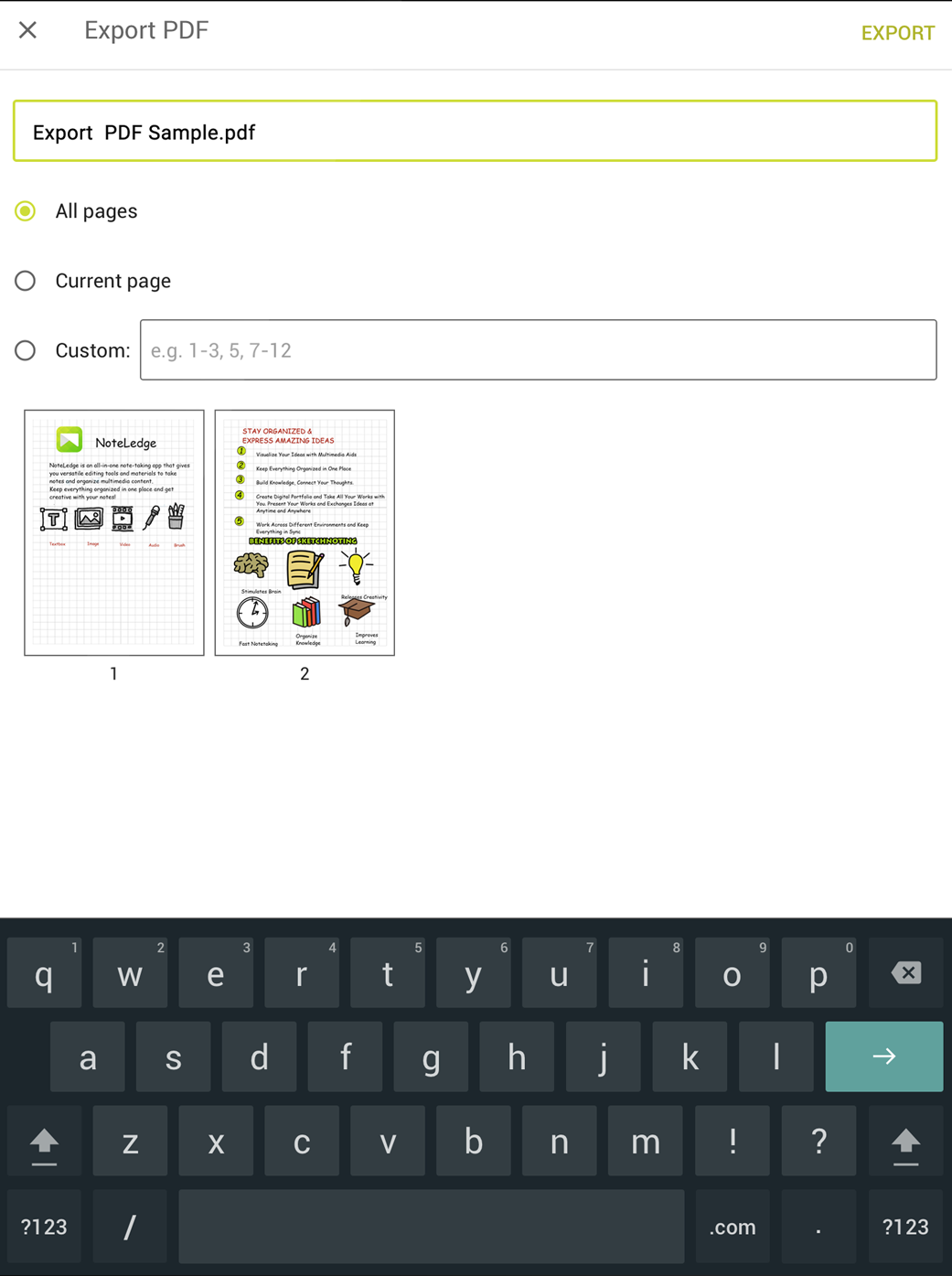
NoteLedge lets you export notes to PDF and share your work with ease. You can customize the page range.
- Tap the Export to PDF icon on the notebook, or find the Export option under the menu in the editing interface
- Set up file name and page range.
- When everything is set up, tap "Export" and select where you want to save or open the PDF.
- Done! You can view the PDF file in the app you select. Download Kdan PDF Reader to view and edit PDFs across all operation system and devices!
* "PDF export" is a premium feature. Get 1 FREE PDF export by watching an ad. Or you can get unlimited PDF export, full access to all premium features and ad-free by joining Creativity 365.
Do you find the PDF export tip useful? Download NoteLedge and try it out.
Updated
Comments
0 comments
Please sign in to leave a comment.