1. In the "Files" tab, click the "Edit" pen icon in the lower right hand corner.
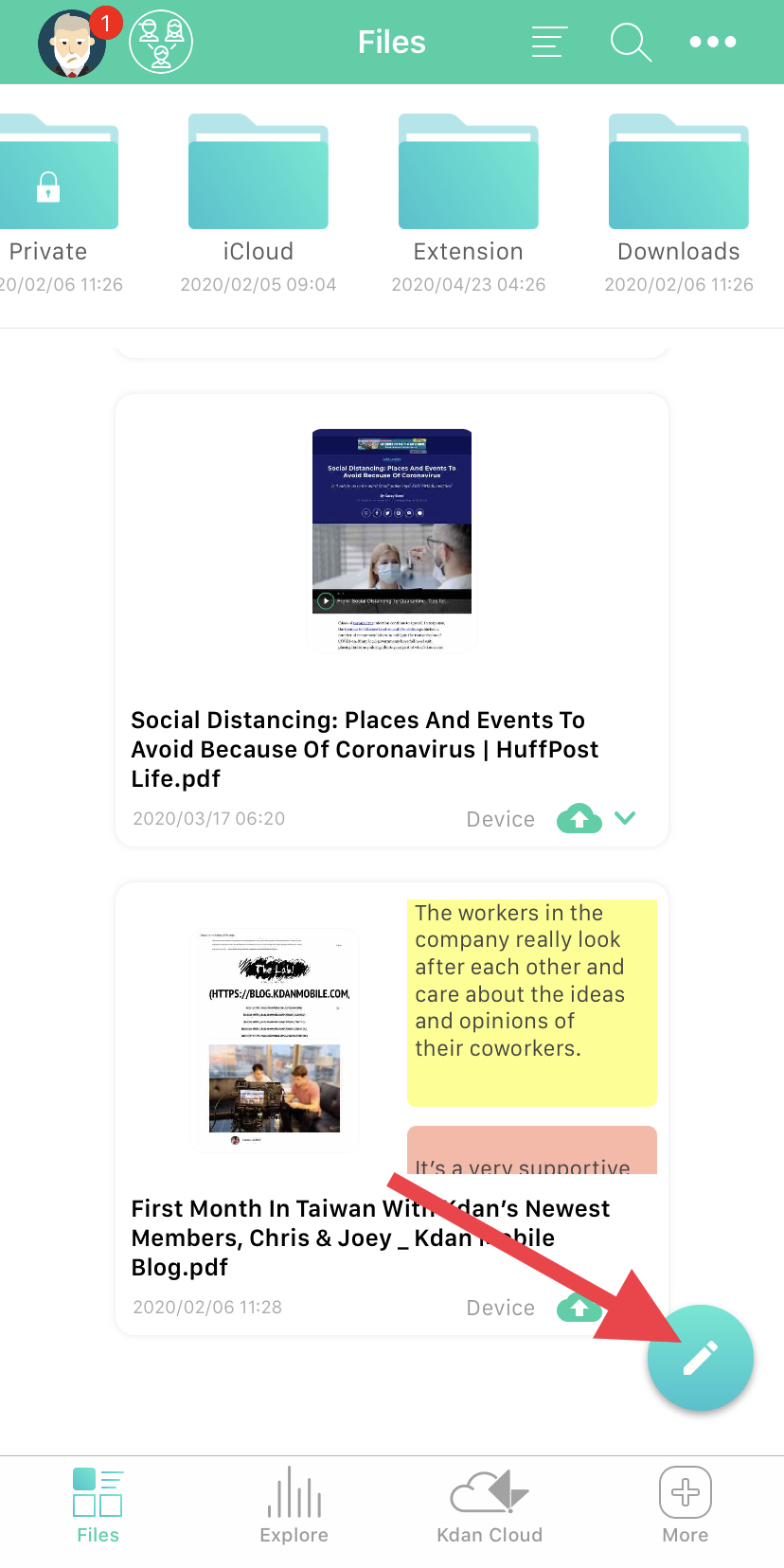
2. Select the file you would like to move by clicking the circle in the top right corner of the article card.

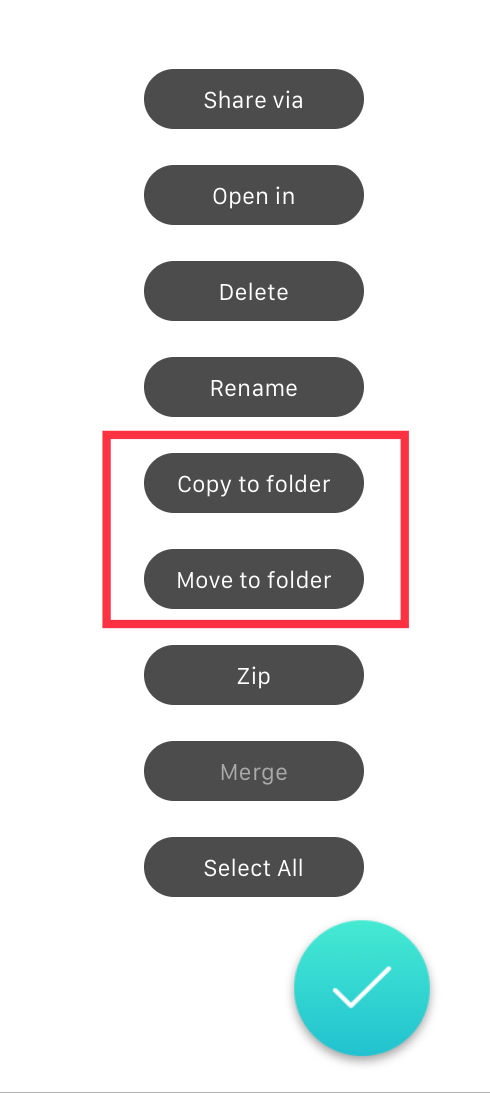
3. Select if you would like to "Copy to folder" (make a copy and put it in the folder) or "Move to folder" (move the article from its current location into the folder).
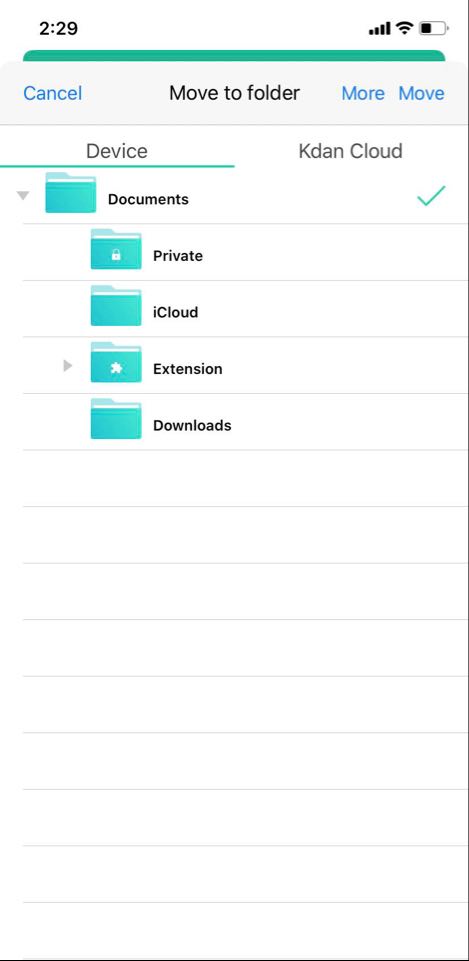
4. Choose the folder you would like to move your file to, then click "Move" in the top right corner of the window.
Updated
Comments
0 comments
Please sign in to leave a comment.