Creating New Video Projects
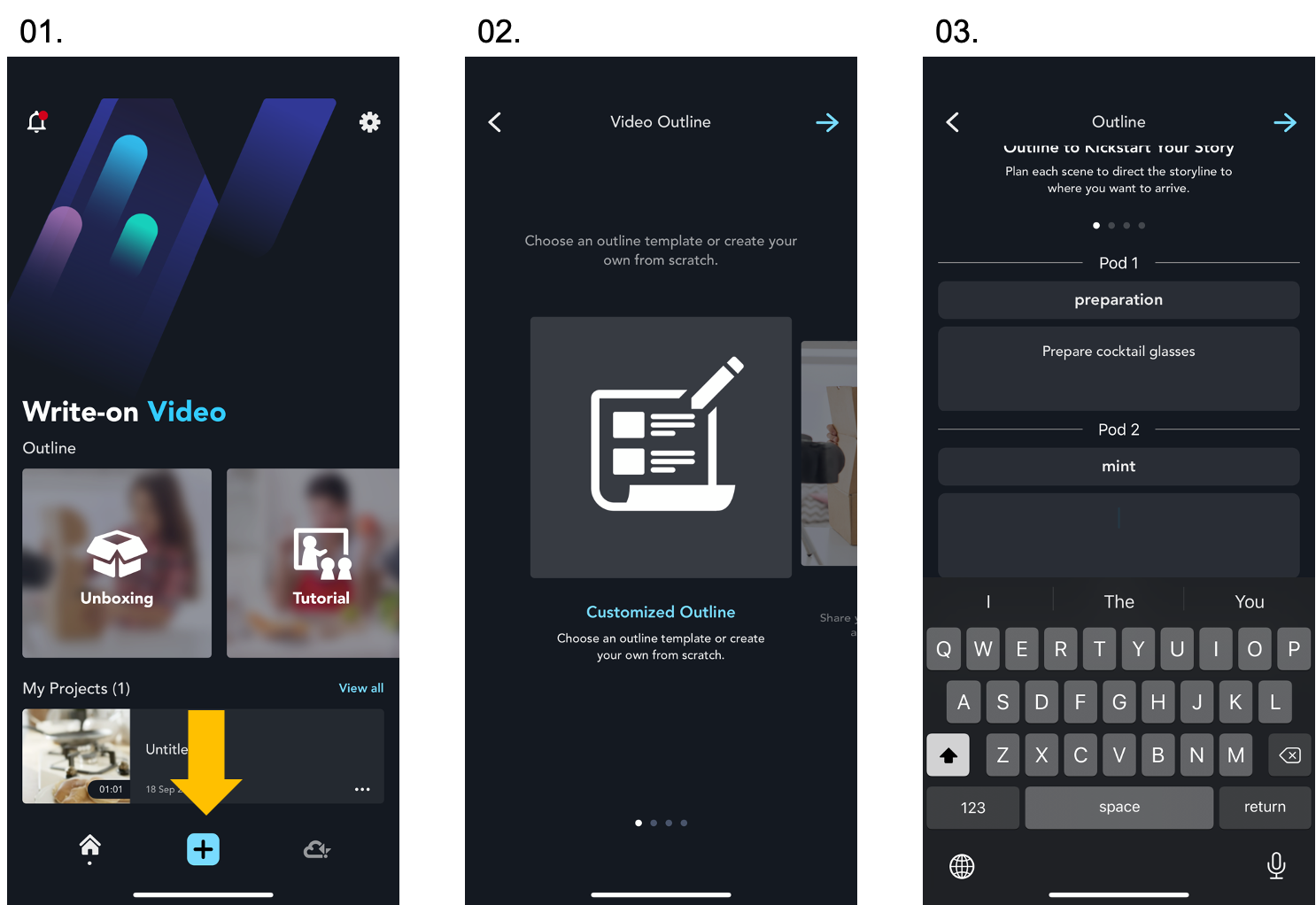
- Click “+” to start a new project.
- Choose “Customized Outline” to create your one-of-a-kind outline, or choose a template.
- Outline your video. Enter titles and descriptions in each "Pod".
- Click “Tap to edit the pod” icon to import materials such as videos and images from your device, Kdan Cloud, or Browse folder. Check out more details here.
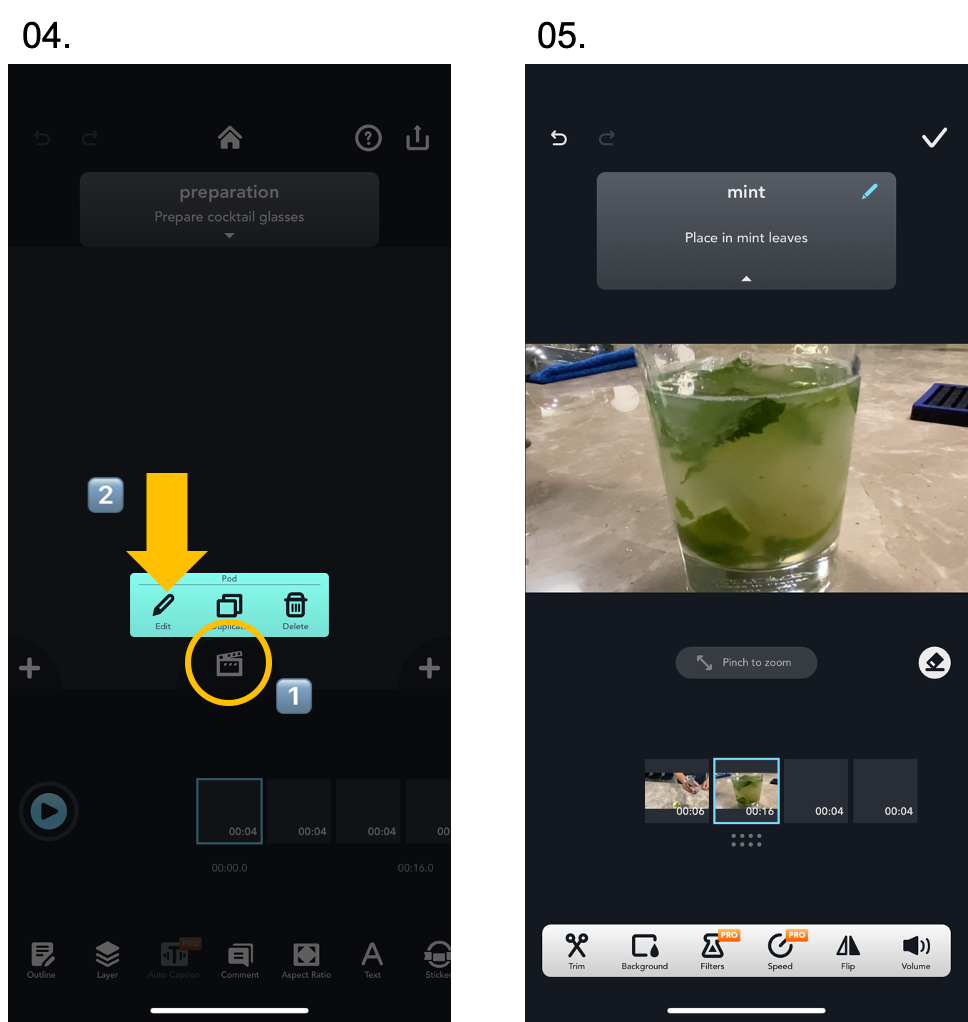
Do you know... Pod and Youtube Timestamps
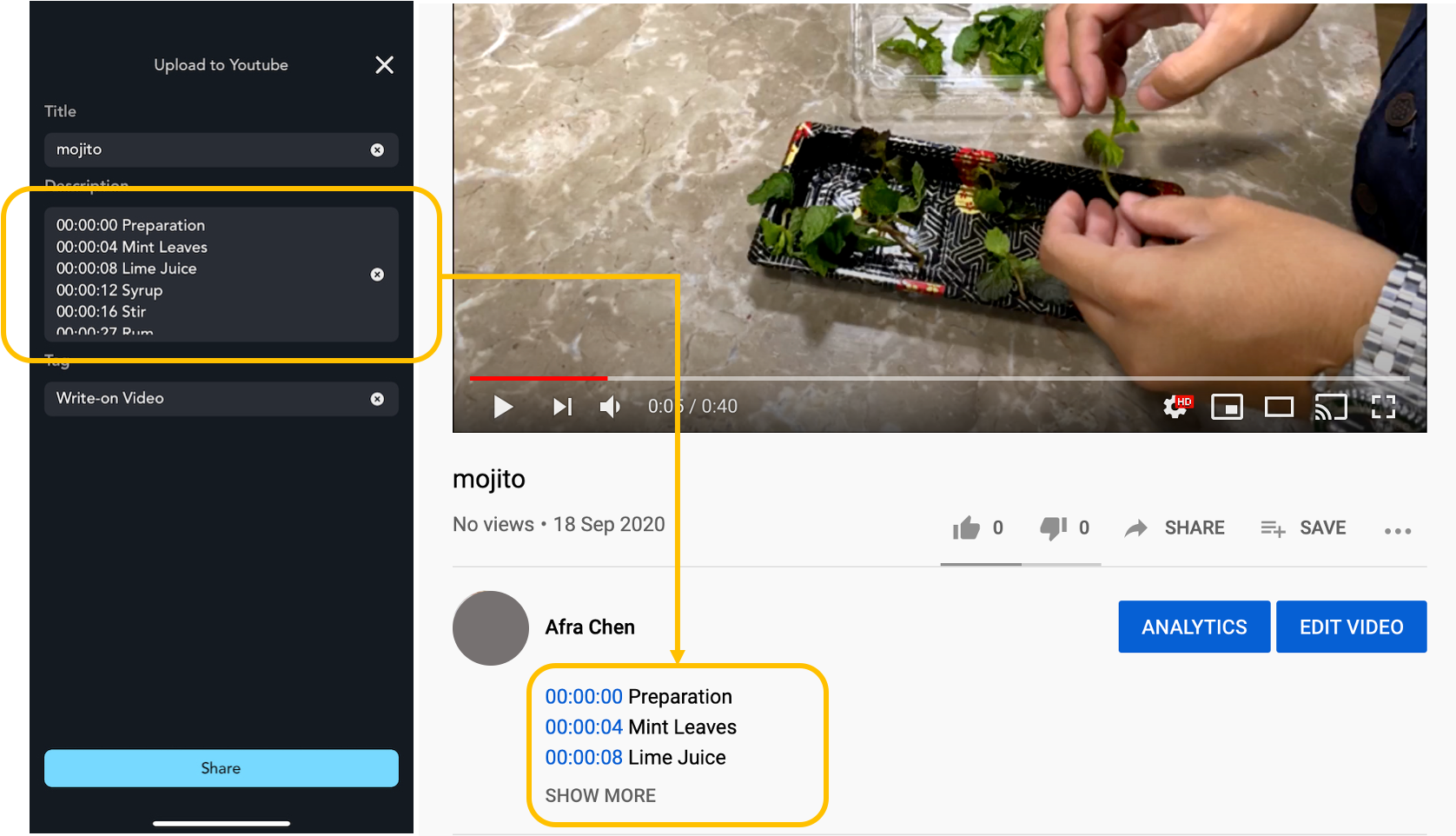
Each pod comes with its timestamps. When you upload the video to Youtube, the app will transcribe to the timestamps and pod description to your Youtube video description. It looks like the picture below.
Updated
Comments
0 comments
Please sign in to leave a comment.