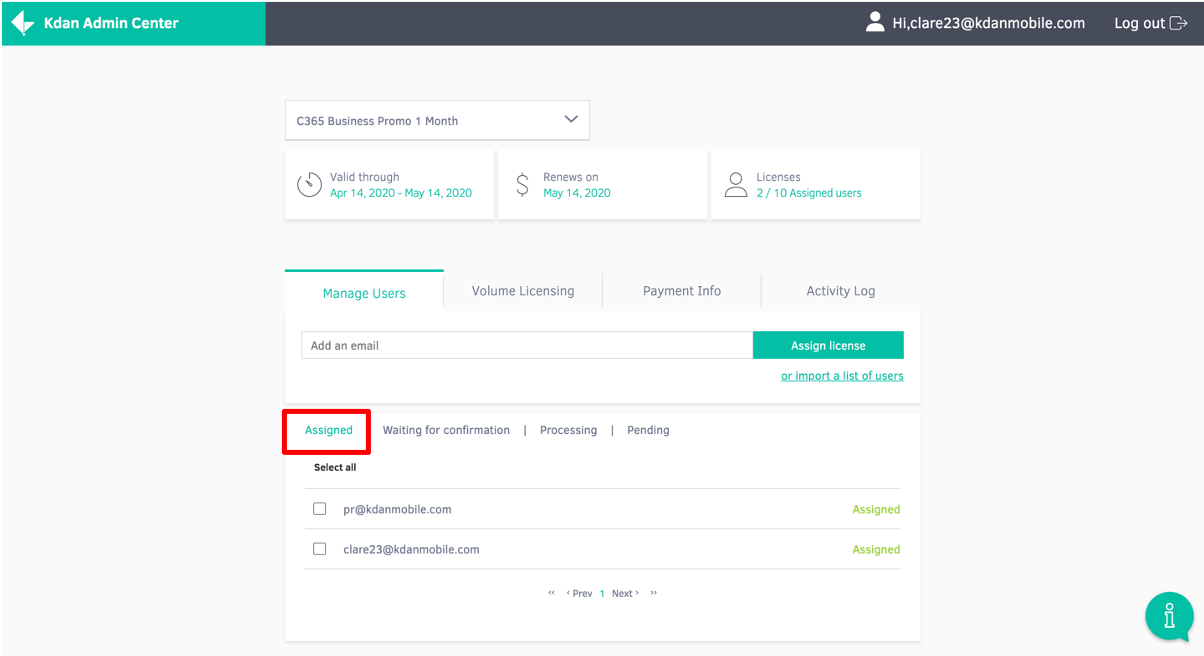
1. Go to the Kdan Admin Center and click on the ‘Assigned’ tab.
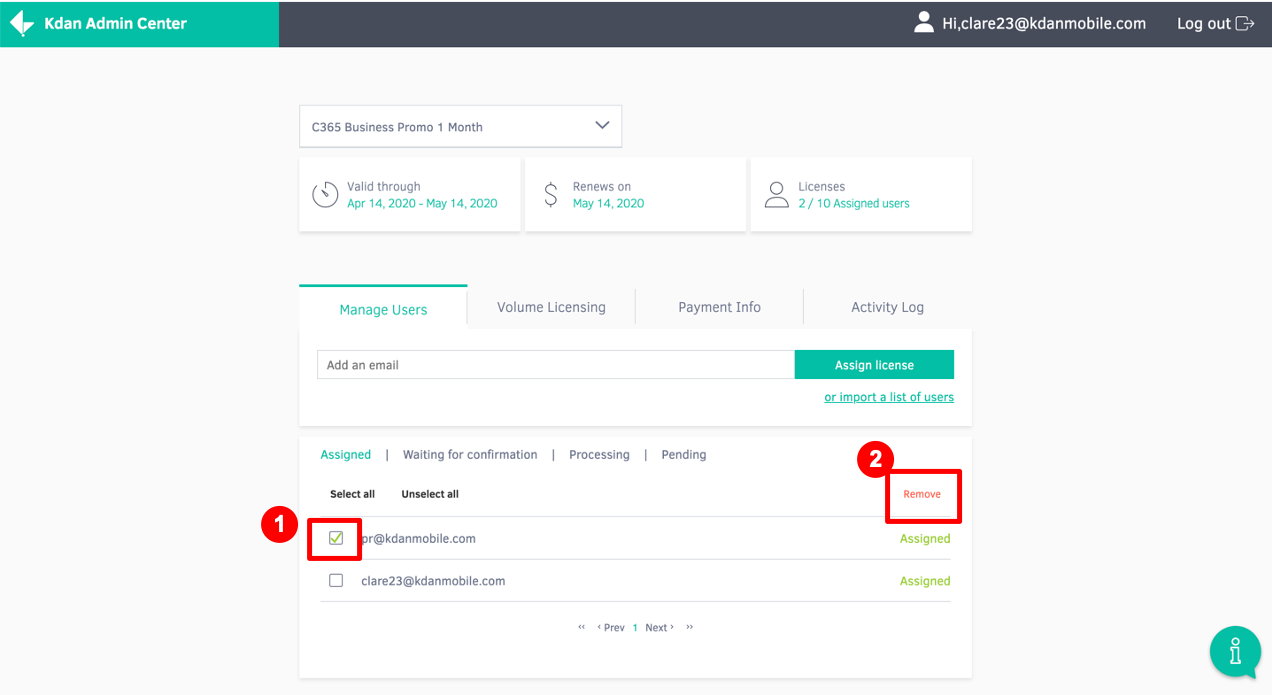
2. Select the account you would like to remove by checking the box to the left of their email address. Then, select ‘Remove’ to finalize the removing process.
Updated
1. Go to the Kdan Admin Center and click on the ‘Assigned’ tab.
2. Select the account you would like to remove by checking the box to the left of their email address. Then, select ‘Remove’ to finalize the removing process.
Updated
Comments
1 comment
When trying to do the first step it just says "there is no subscription available" how am I supposed to remove my account if I can't even follow the first step?
Please sign in to leave a comment.