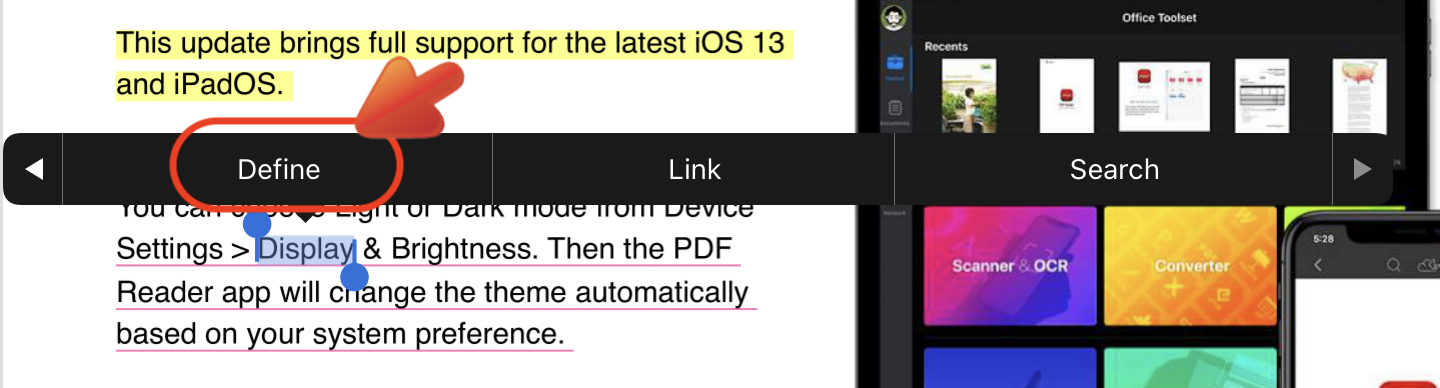
1. Tap on the text you want to search and hold it for two seconds until the text is selected.
2. Tap "Define" form the pop-up menu
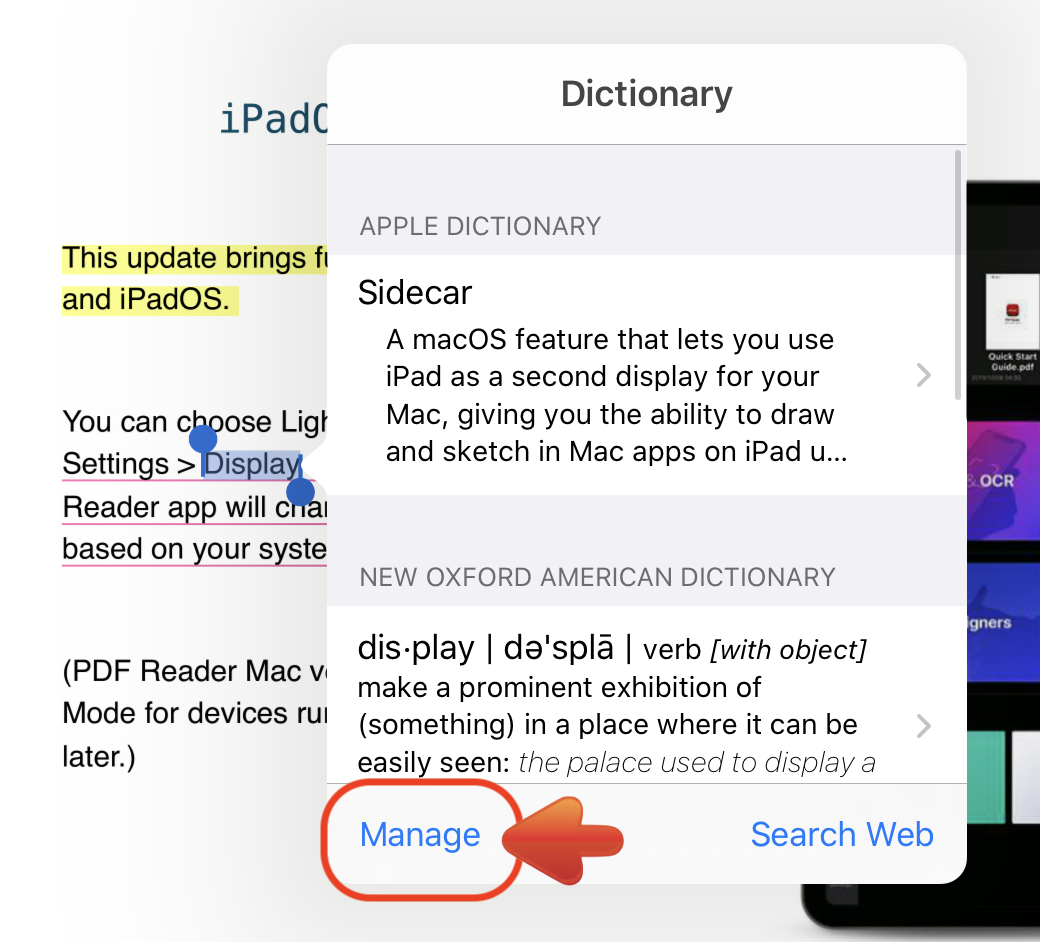
3. In the result page, you can tap "Manage" on the bottom left corner to download and manage the dictionaries you need.
Updated
Comments
0 comments
Please sign in to leave a comment.