Dictation is a time-consuming task, but now you can save the troubles with the auto-captions feature in Write-on Video. This feature is useful for generating short captions for your video.
Write-on Video recognizes the speech in videos and generates text captions. To begin with, please make sure there are dialogues in the source video.
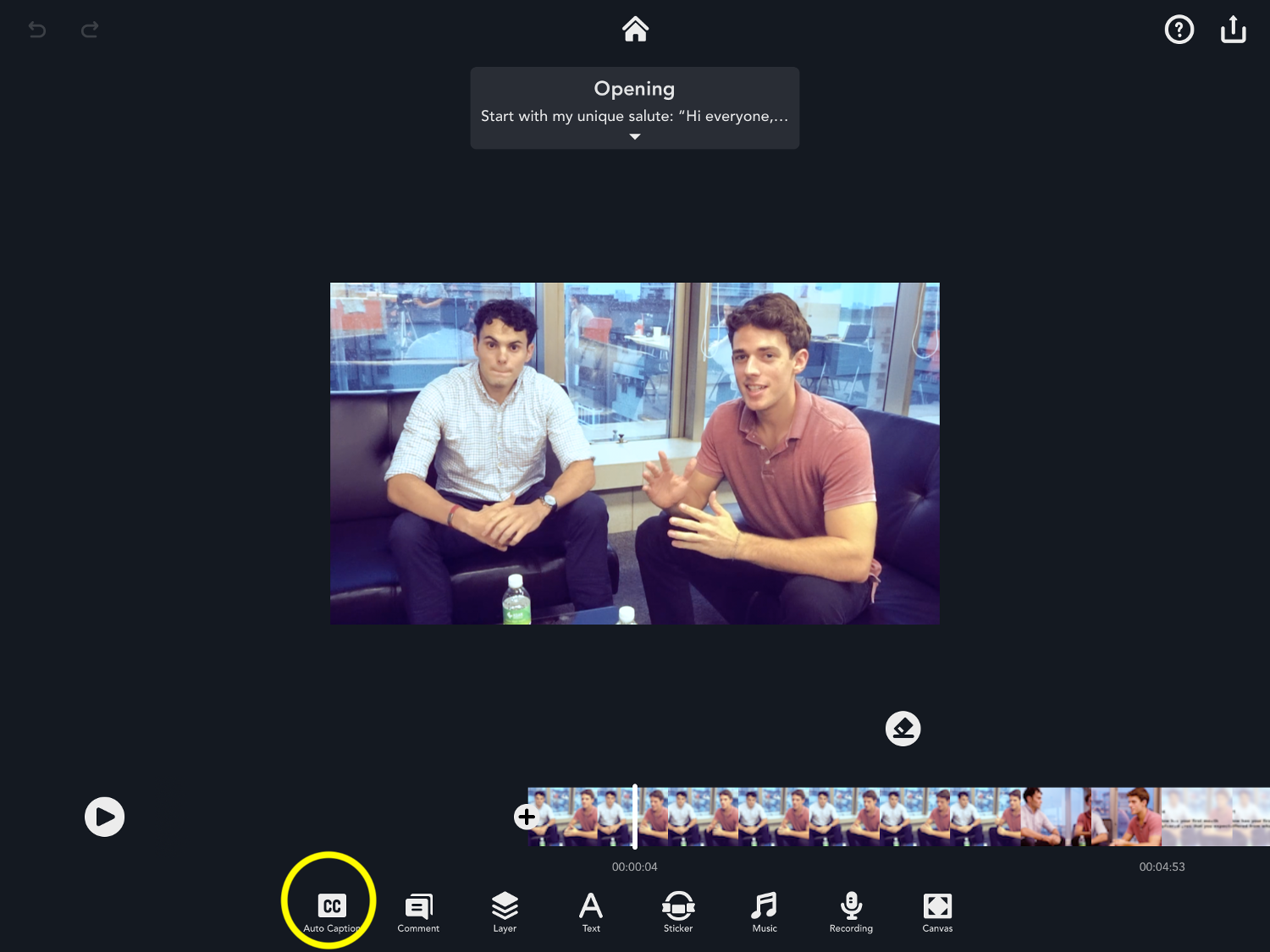
To enable the Auto-caption feature, please tap the auto caption button in the editing interface. Allow Write-on Video to access your microphone and voice recognition.
Then select a 2 to a 10-second clip from the source video.
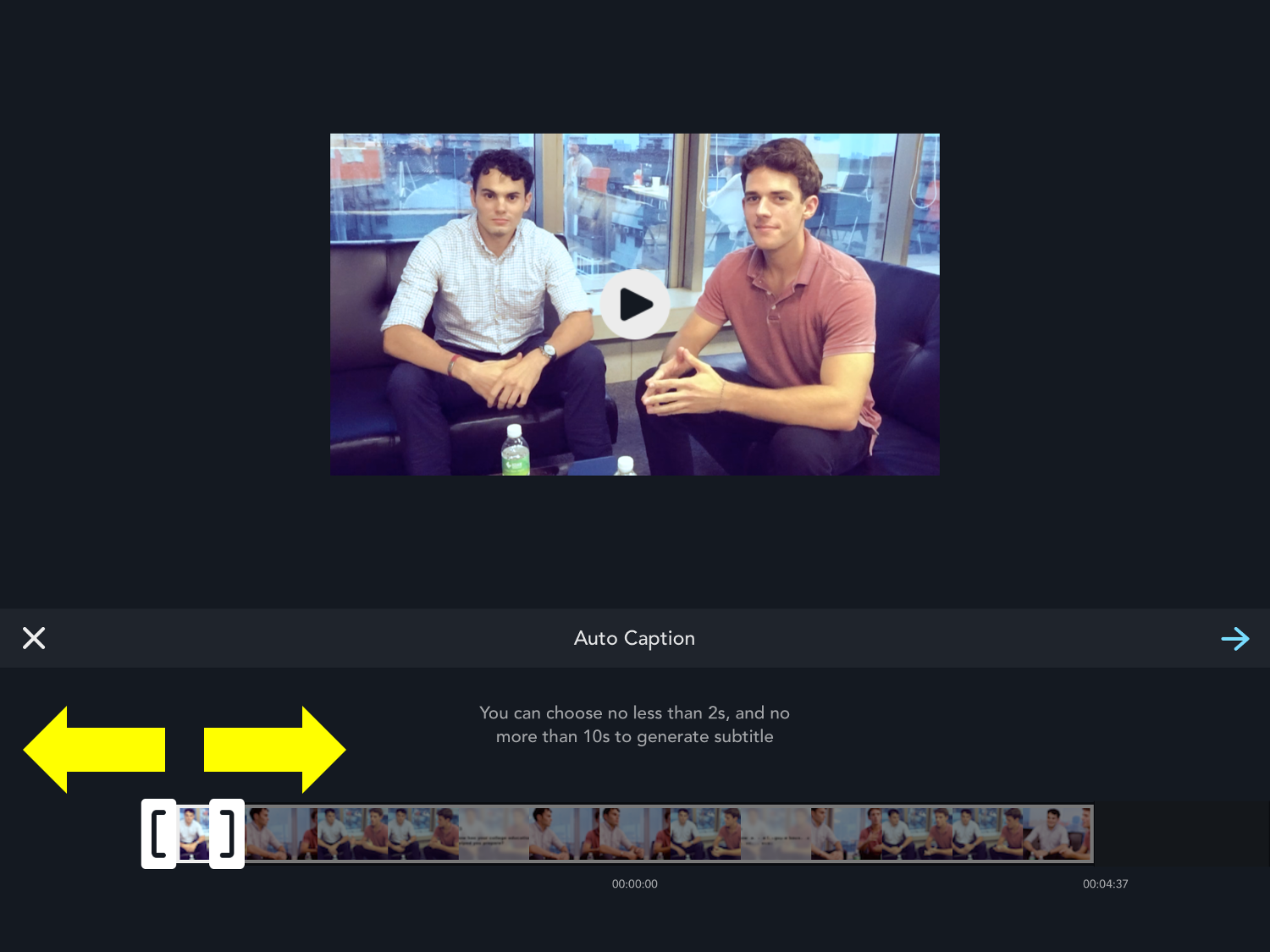
Enter the next step, select a language and start generating the caption.
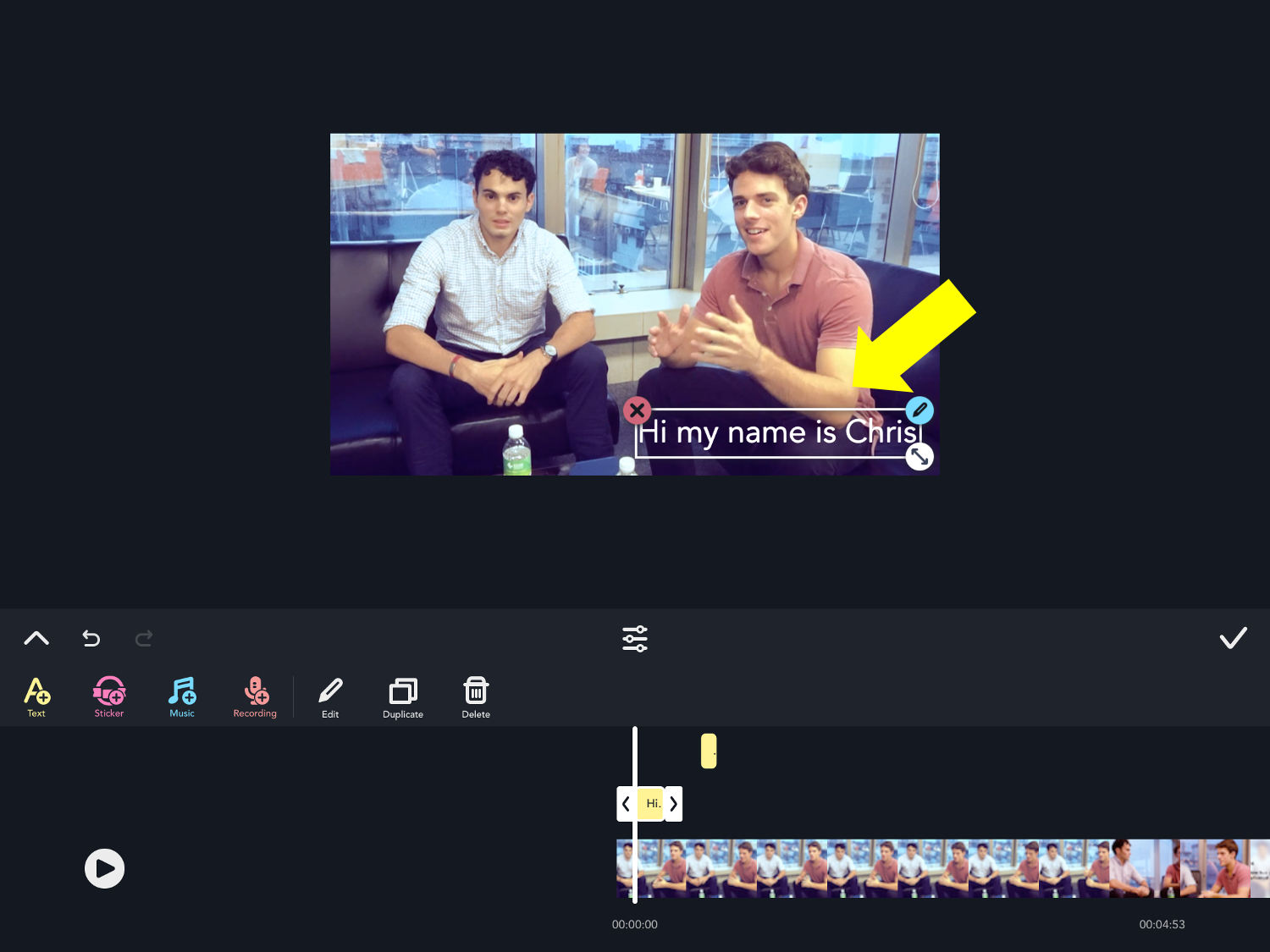
Now you should be able to see the captions in the preview video. You can edit the fonts with the text editing tools.
Updated
Comments
0 comments
Please sign in to leave a comment.