Perspective drawing is a drawing technique that creates depth on a flat drawing. It presents the distance and angle of an object from the point of view of the observer. For example, a building far away is drawn smaller than a car that is closer to an observer.
You can use the perspective rulers in Animation Desk to assist you to draw with perspective.
What is a Vanishing Point in Perspective Drawing
A vanishing point is a point on a horizon where two parallel lines in 3-dimensional space are diminished on a flat drawing.
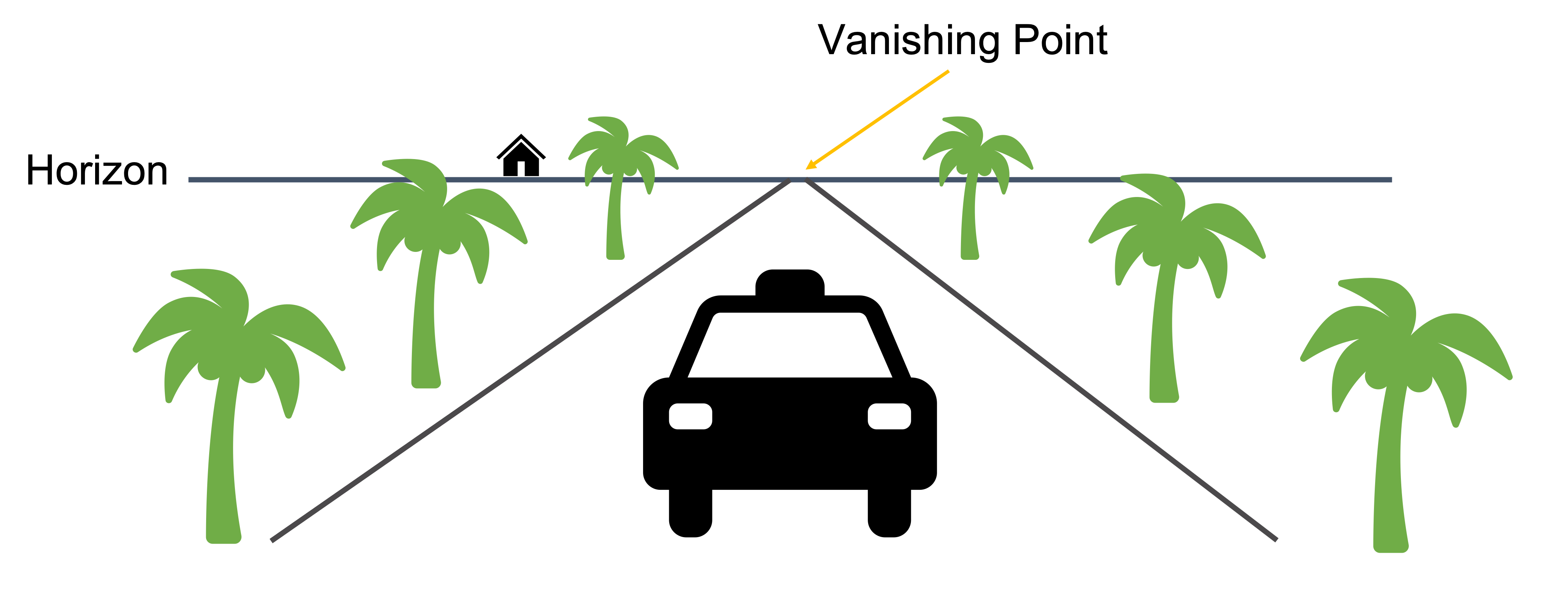
Perspective Rulers in Animation Desk
 Reset the vanishing points and horizon
 Snapping, snap your drawing to the guideline
 Lock the vanishing points, so you don't move them while drawing.

One-point perspective, two-point perspective, and three-point perspective see the samples below,
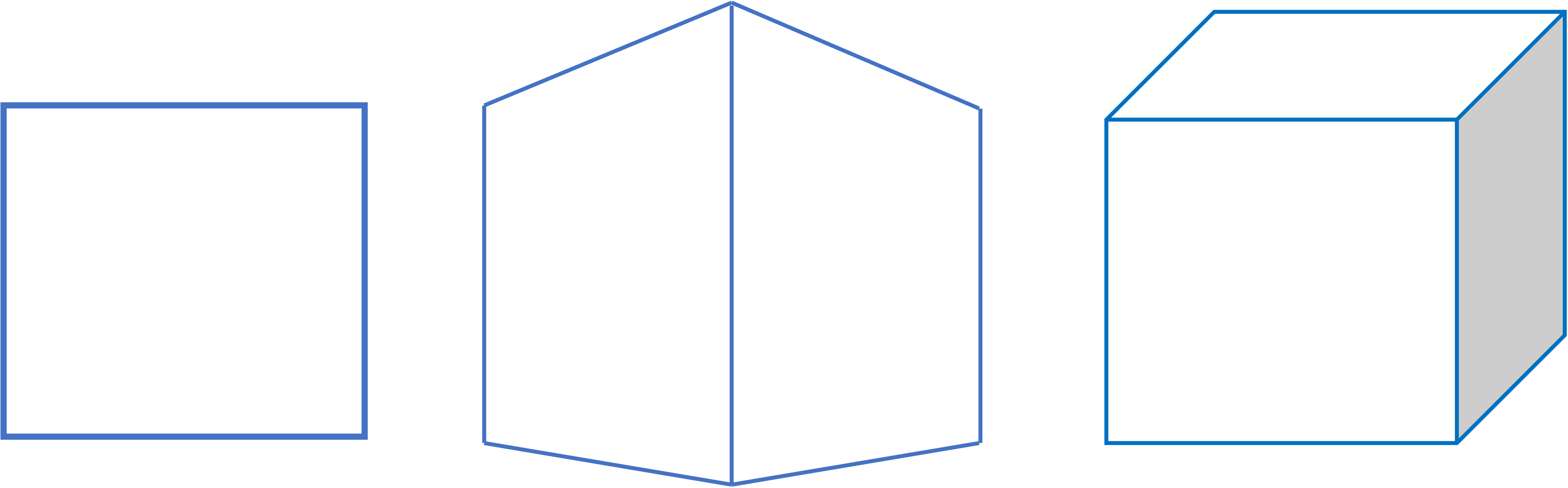
one-point vanishing, two-point vanishing, three-point vanishing
How to Use the Perspective Rulers to Draw a Cube: Two-Point Perspective
01. Open the ruler menu, and select "Perspective Ruler"
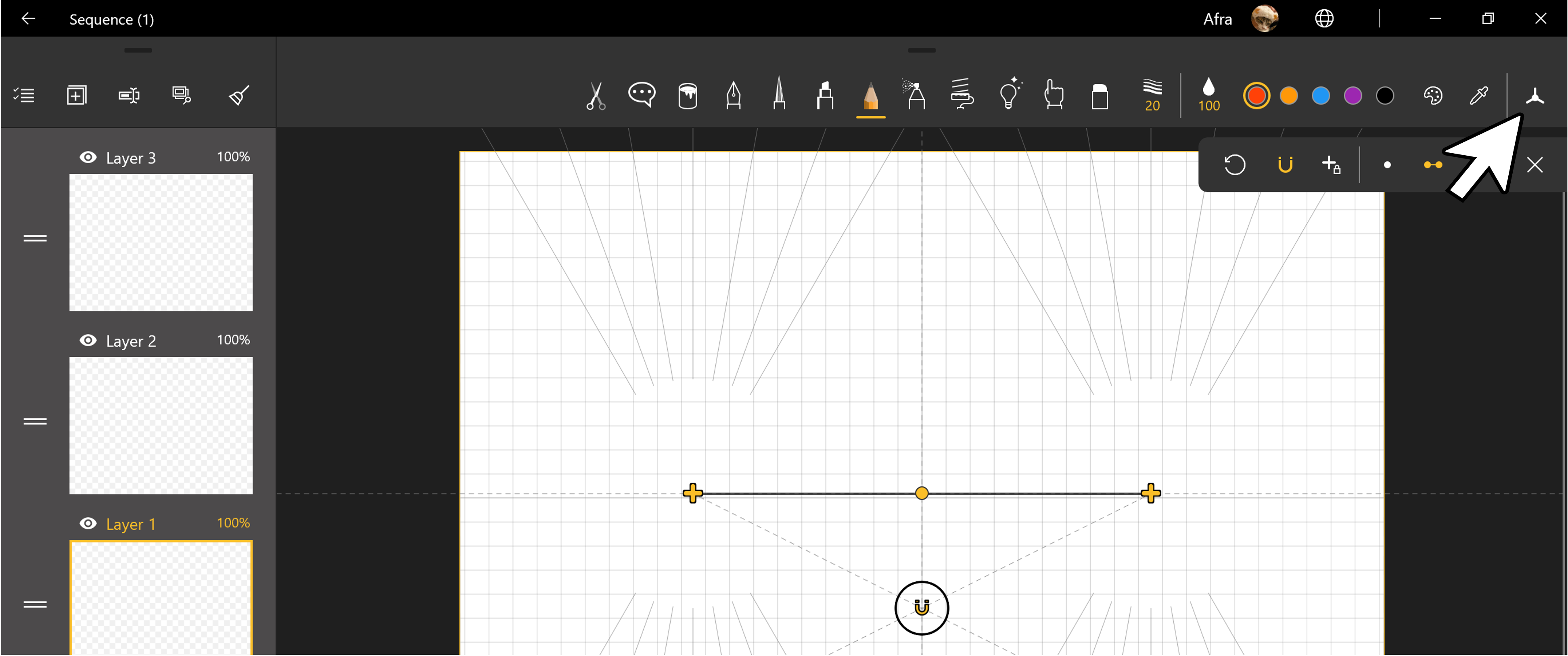
02. Move the horizon to the desired location. Click and hold the point in the middle to move the horizon. Click the vanishing point ("+") to change the slope. Here, we want to move the horizon up.
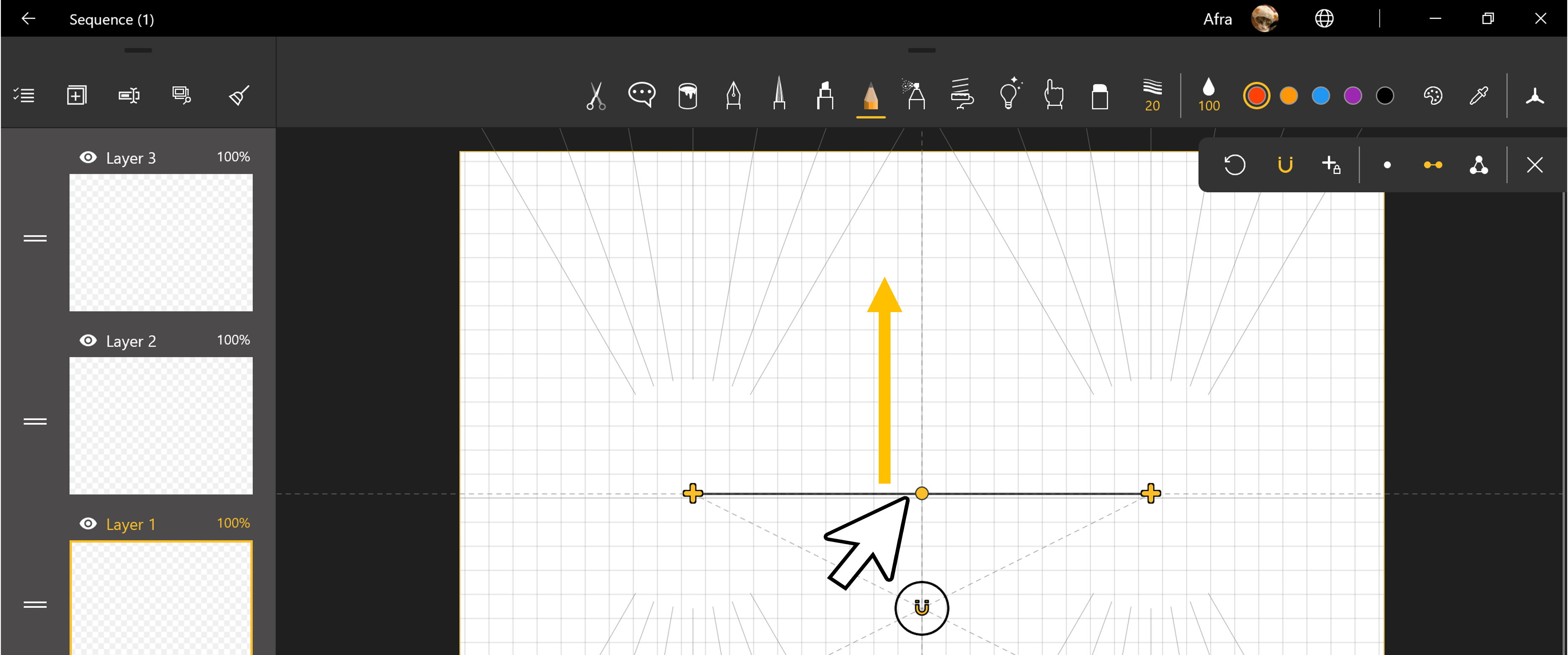
03. Lock the vanishing point. Enable the "Snaping" and draw the upper part of the cube.
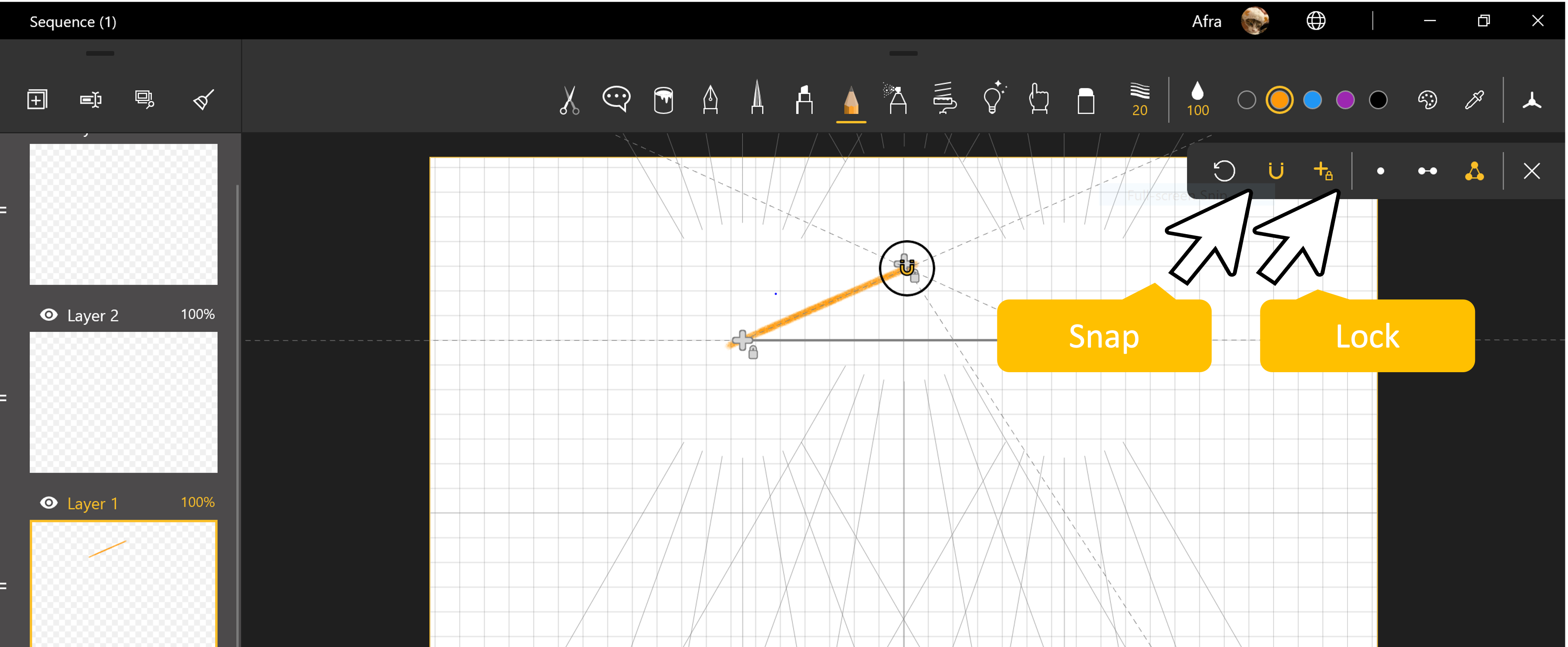
04. Unlock the vanishing point, and move the horizon to the lower part of the canvas.
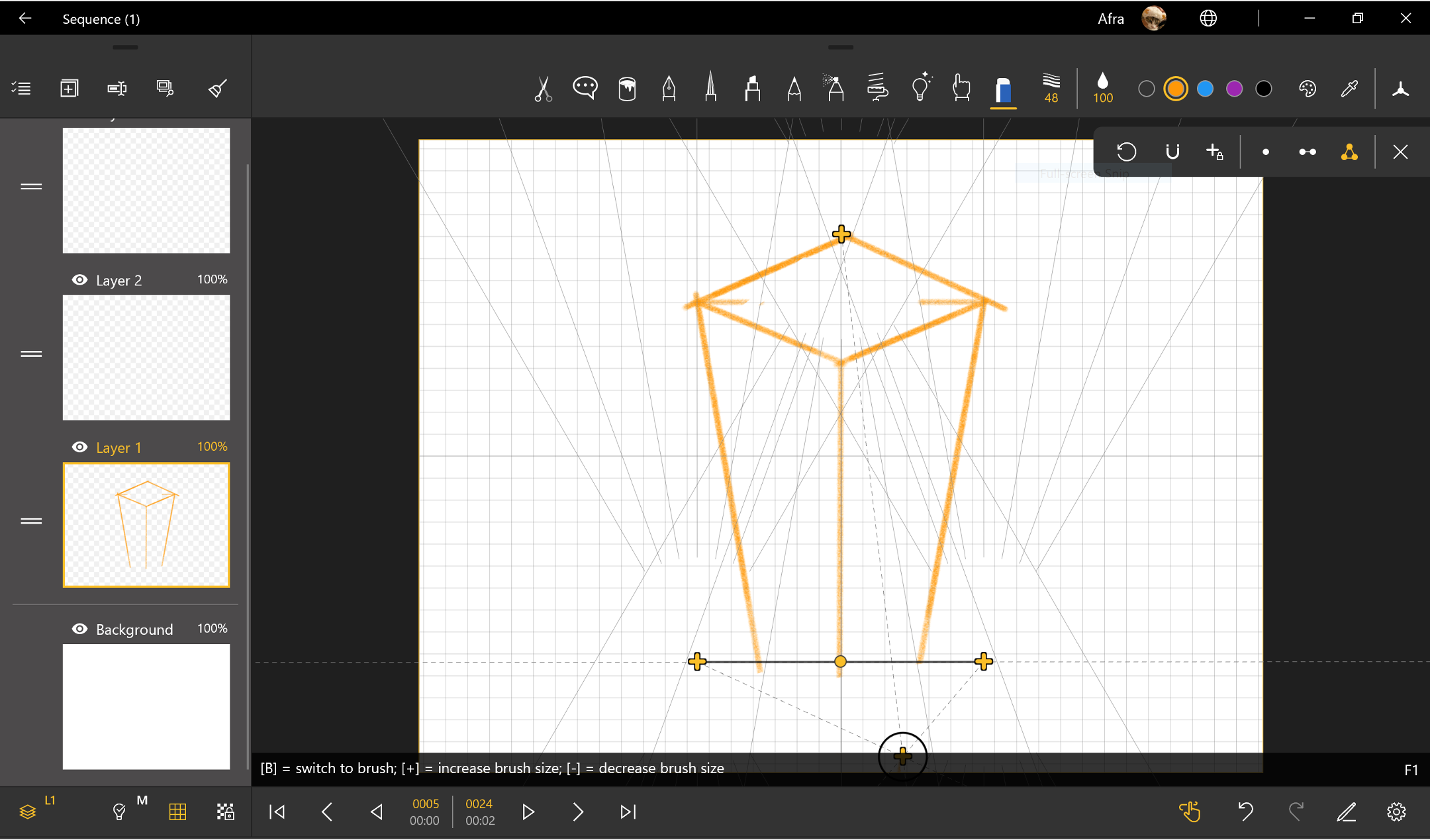
05. Lock the vanishing point again.
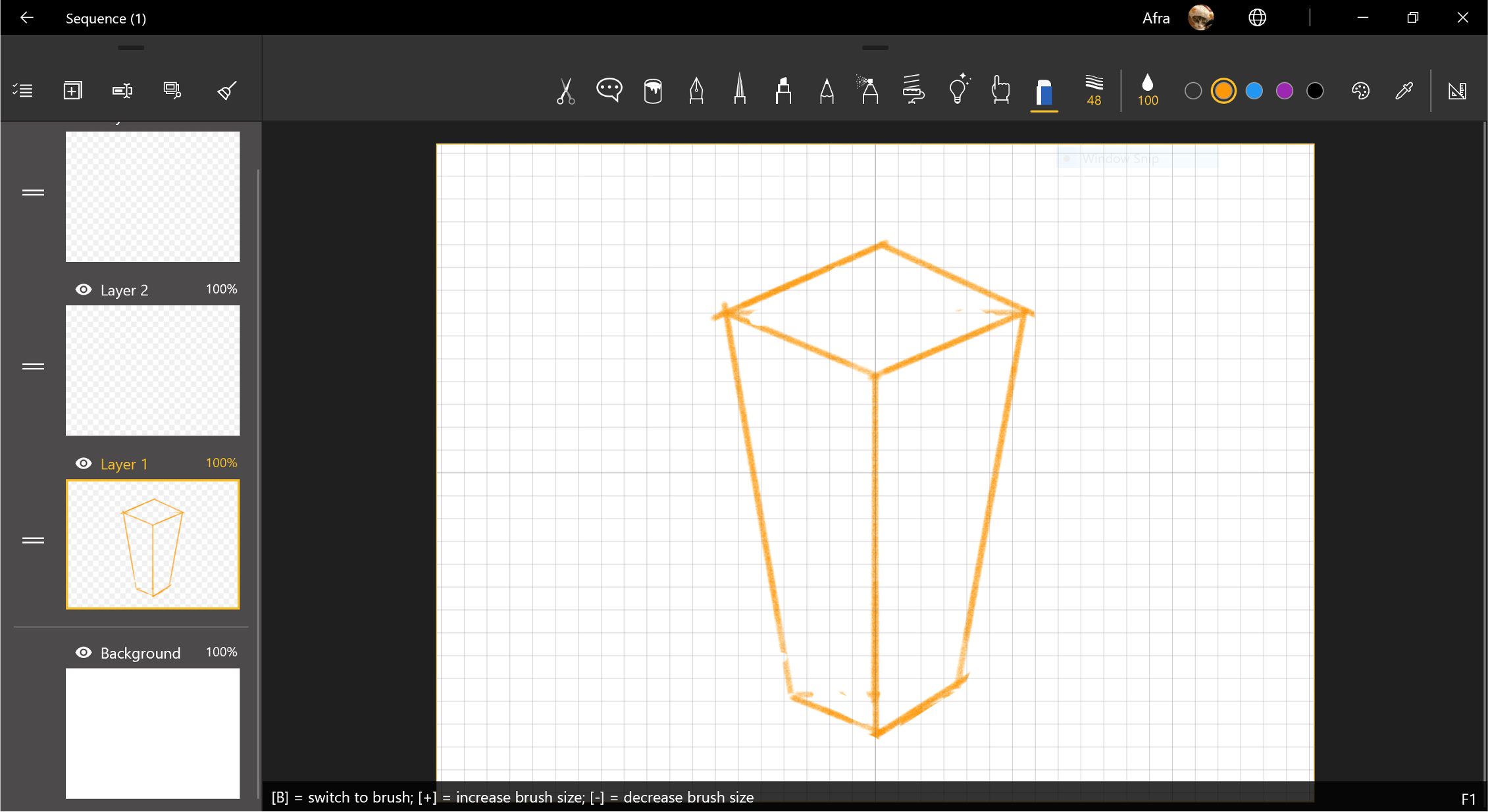
06. Draw the lower part of the cube.
Updated
Comments
0 comments
Please sign in to leave a comment.