Adding pages to your PDFs as you need gives you additional options for your own use, as well as for personal files.
1. Open a PDF file and tap on the "More" button in the top right corner of the screen.
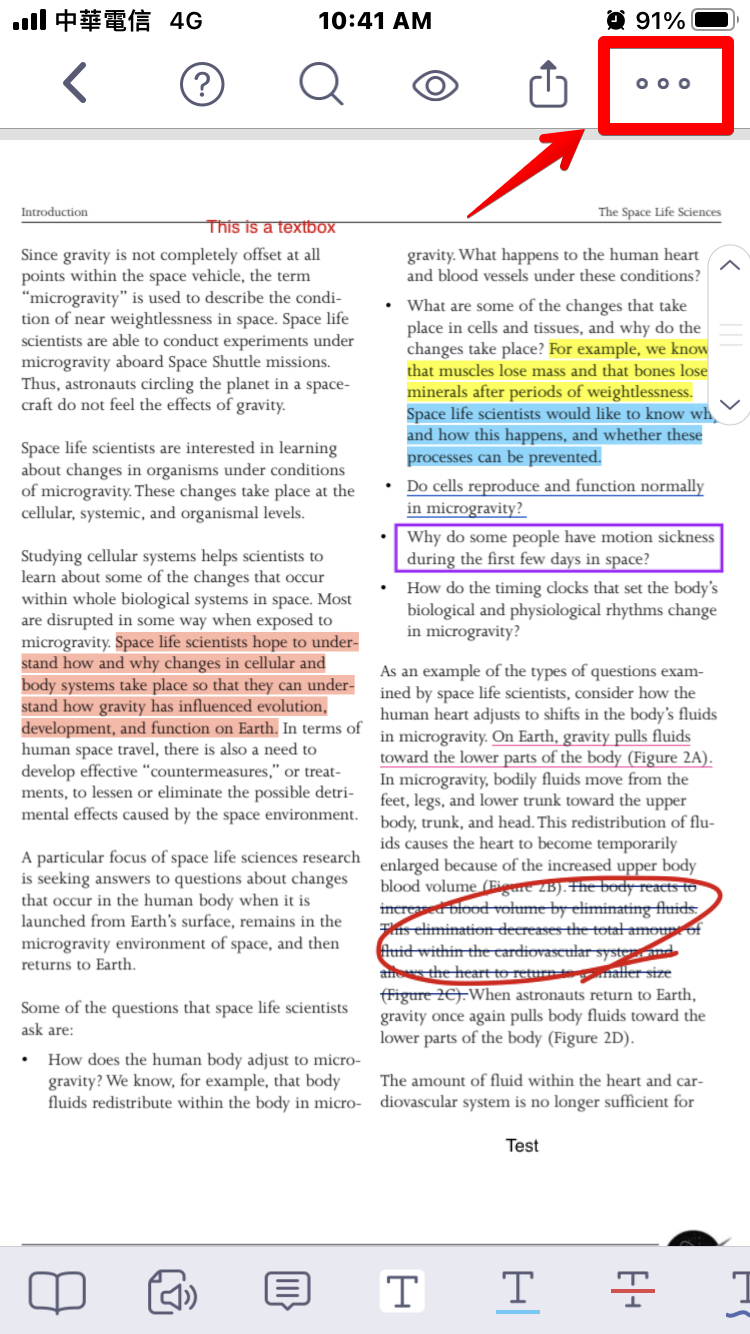
2. Select “Page Edit” under the Advanced section to enter page editing mode.
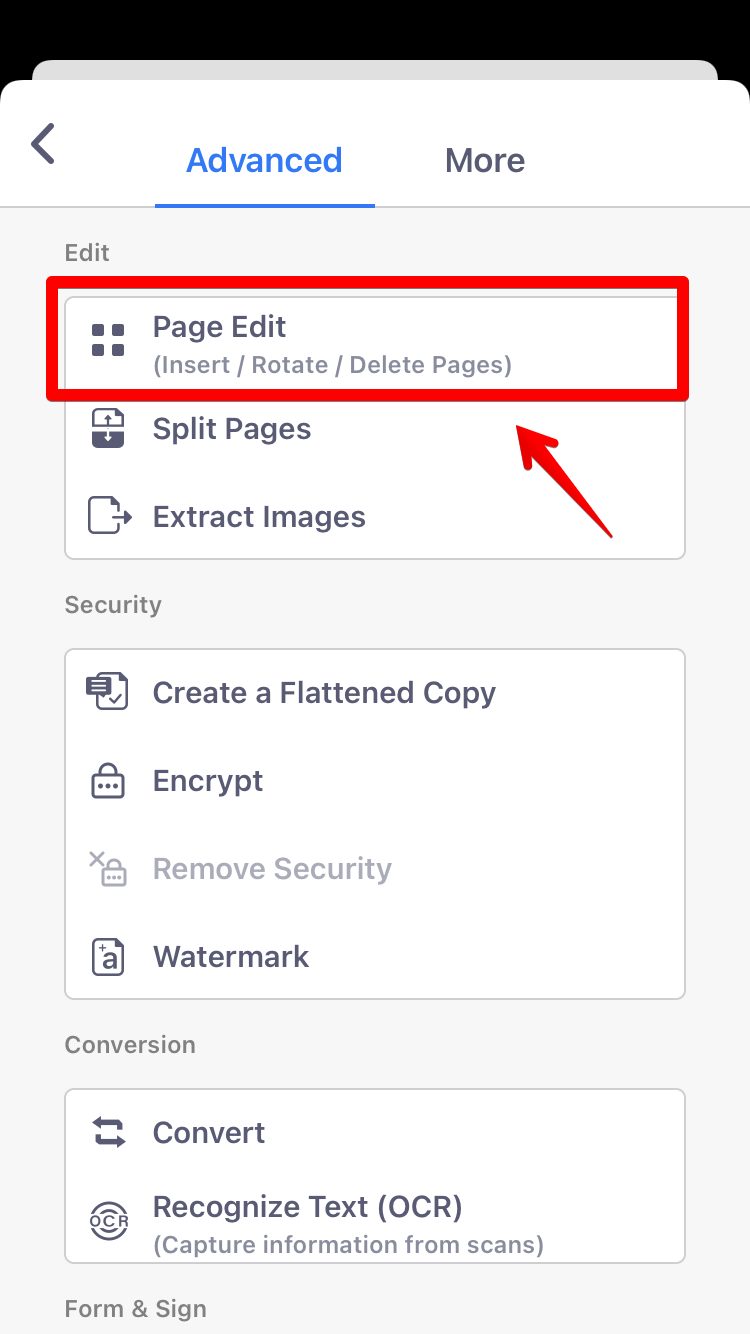
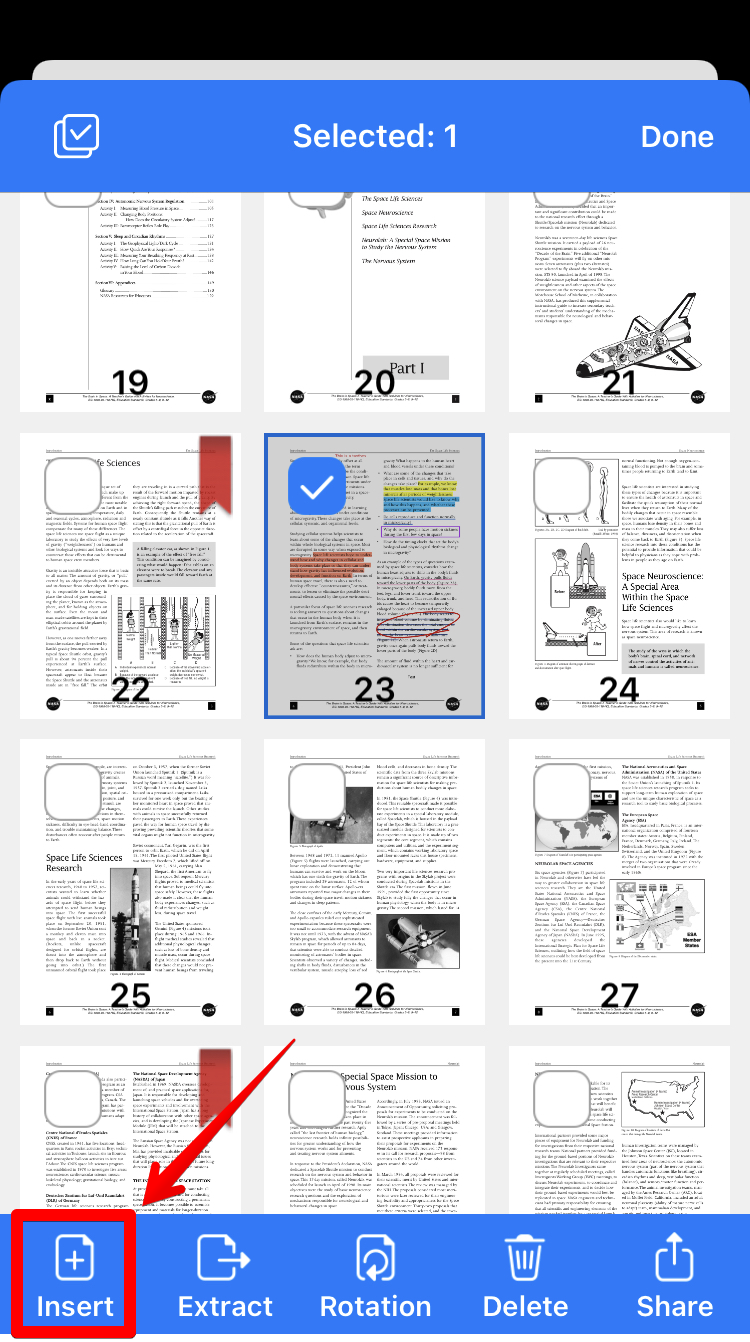
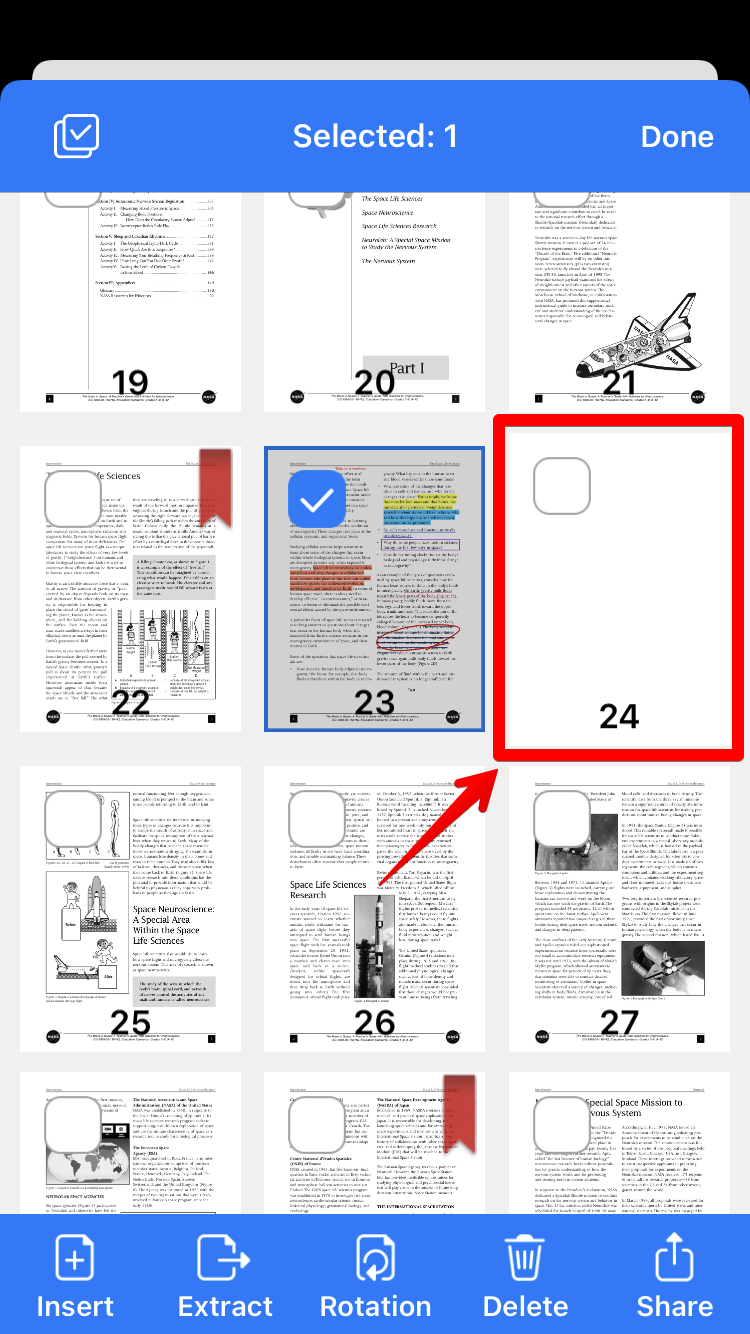
3. The PDF will display as page thumbnails. Next, tap on one page where you want to insert a new page. (Once a page has been selected, a blue checkmark will appear).
4. Tap on the "Insert" button to insert a new page.
5. You can select a page from the page templates.
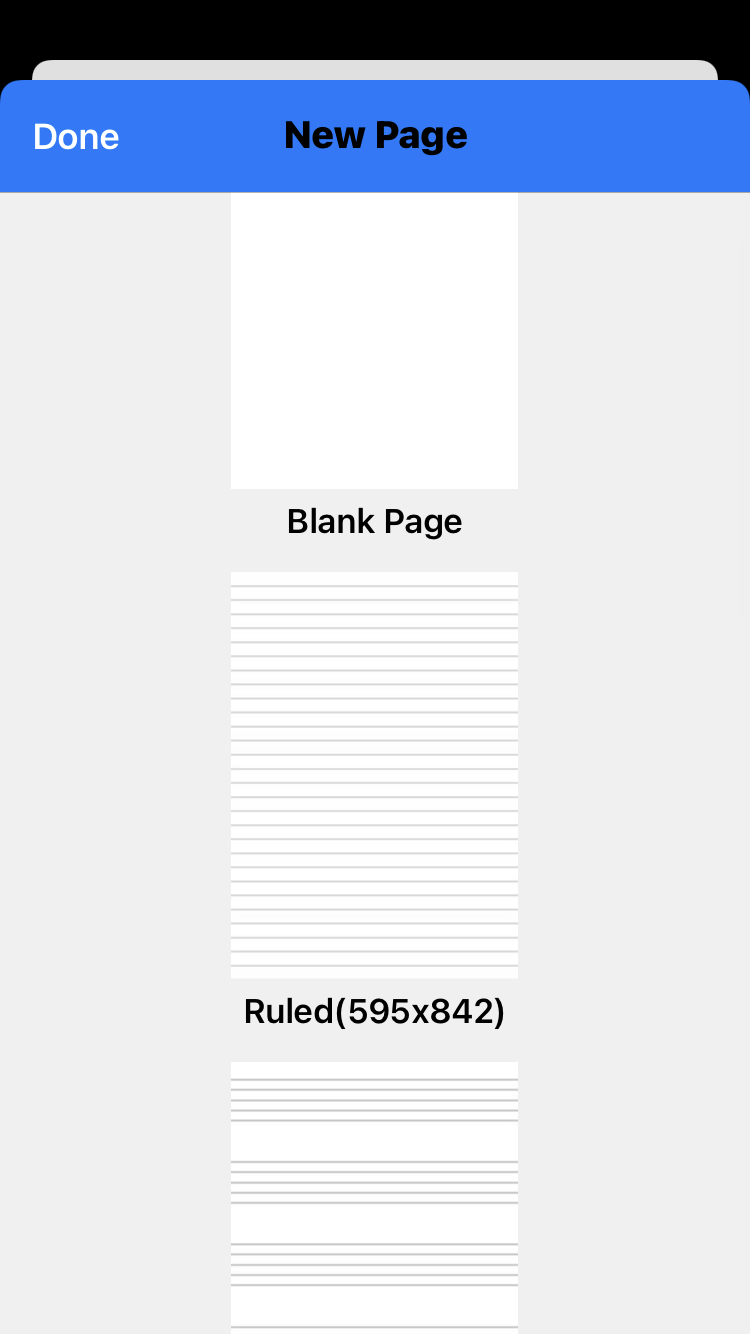
6. The new blank page will be added after the selected page.
Updated
Comments
0 comments
Please sign in to leave a comment.