In PDF Reader, you can flatten form fields and annotations to prevent them from being edited and make them read-only.
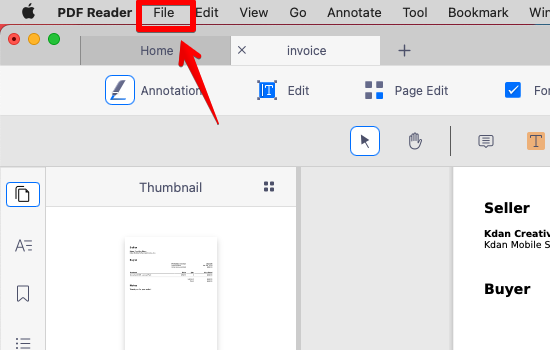
1. After editing the PDF, click the "File" button on the top menu.
2. Click "Save as a Flattened PDF".
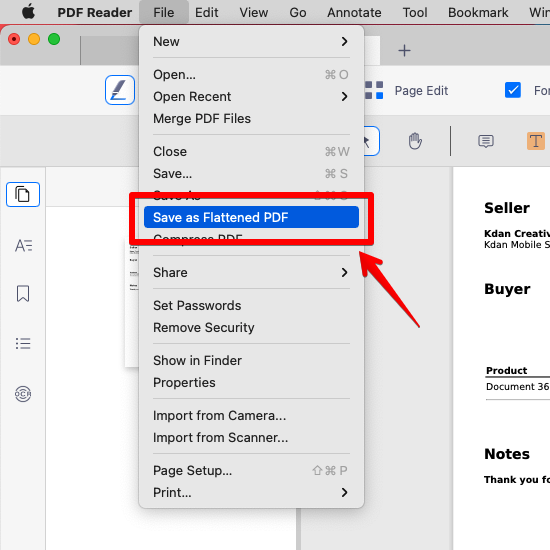
3. After that, PDF Reader will create a flattened copy of the document that flattens all annotations and form fields so that they cannot be edited.
Updated
Comments
0 comments
Please sign in to leave a comment.