Zipped (Compressed) files use less storage space and can be transferred faster than uncompressed files. With PDF Reader, you can zip several files into a single folder to share them more easily.
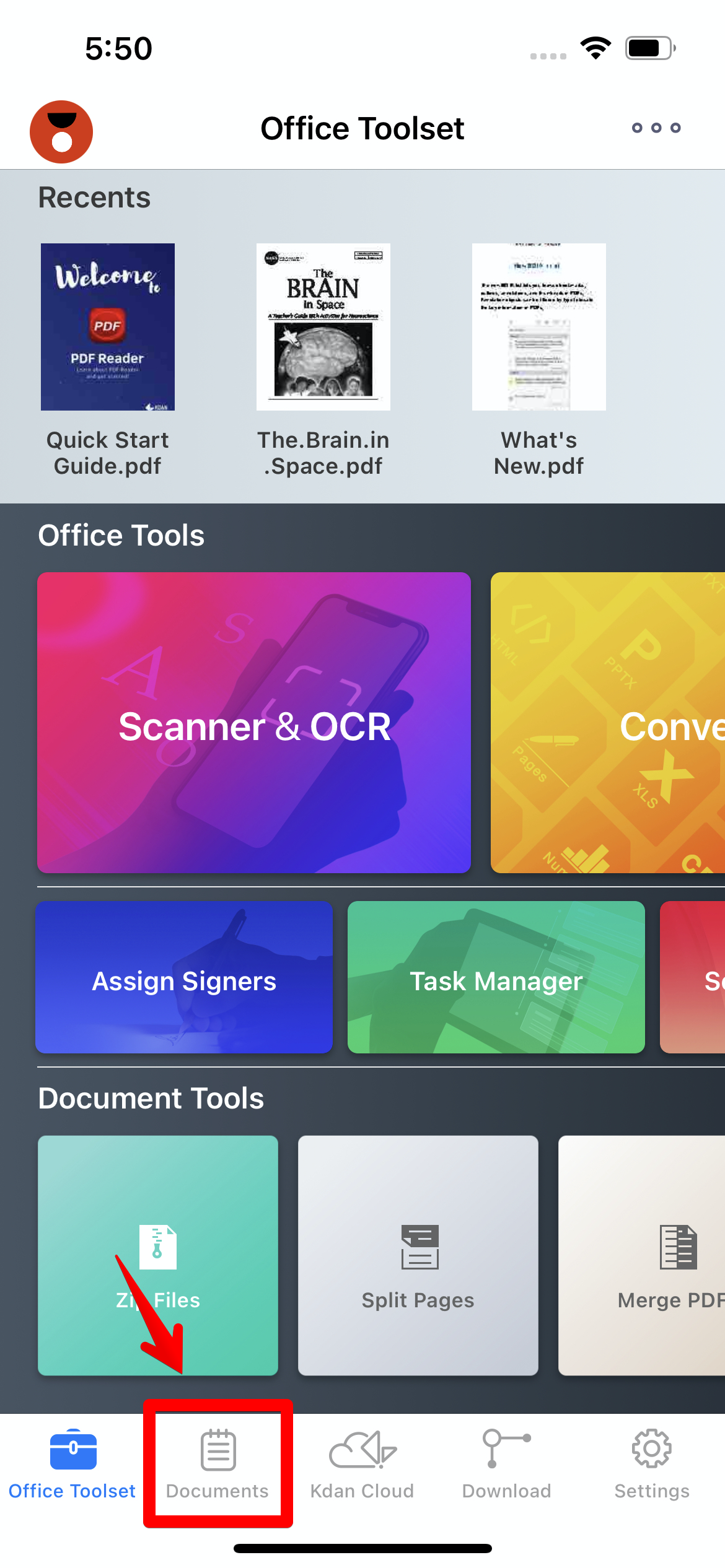
1. Go to the “Documents” tab for the file list
2. Tap the "Edit" button on the top menu until the files are selectable.
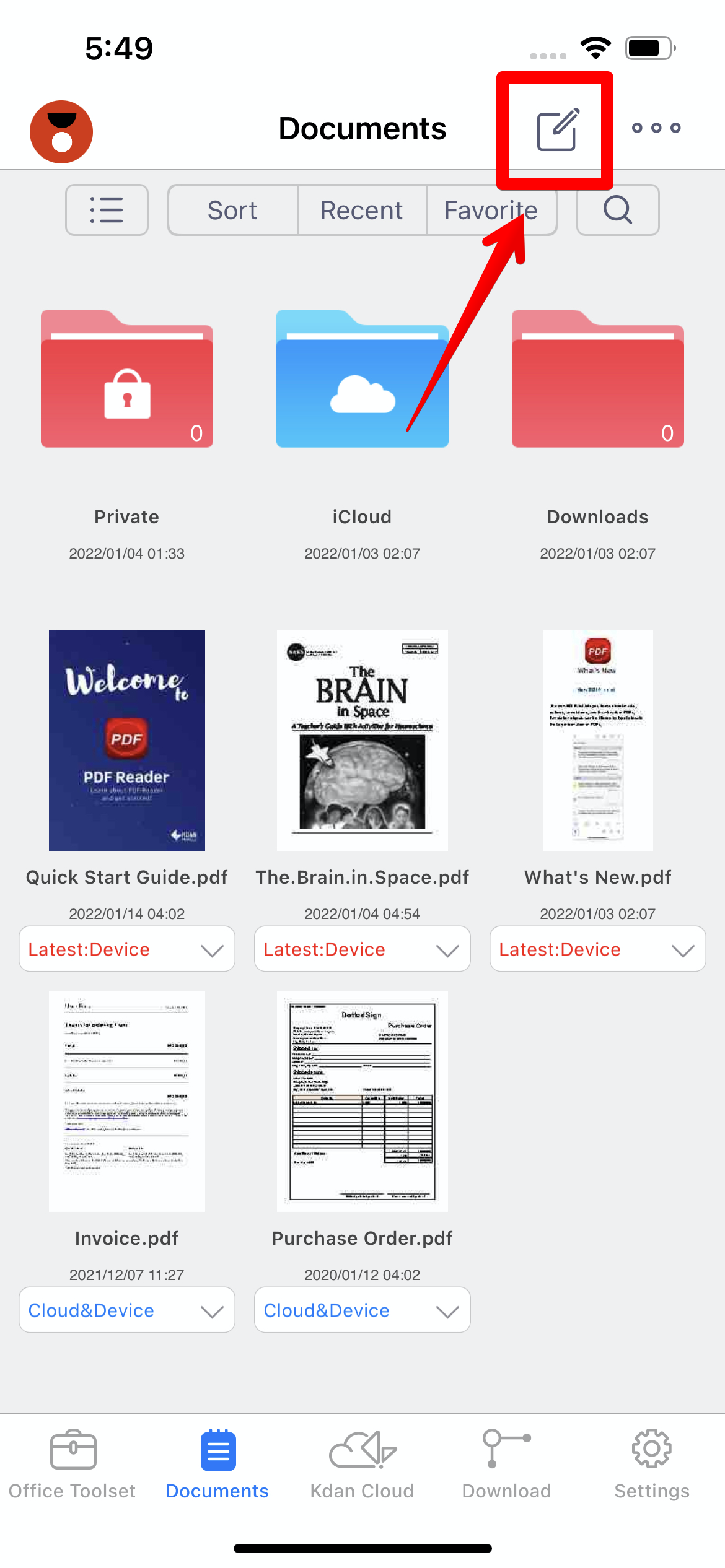
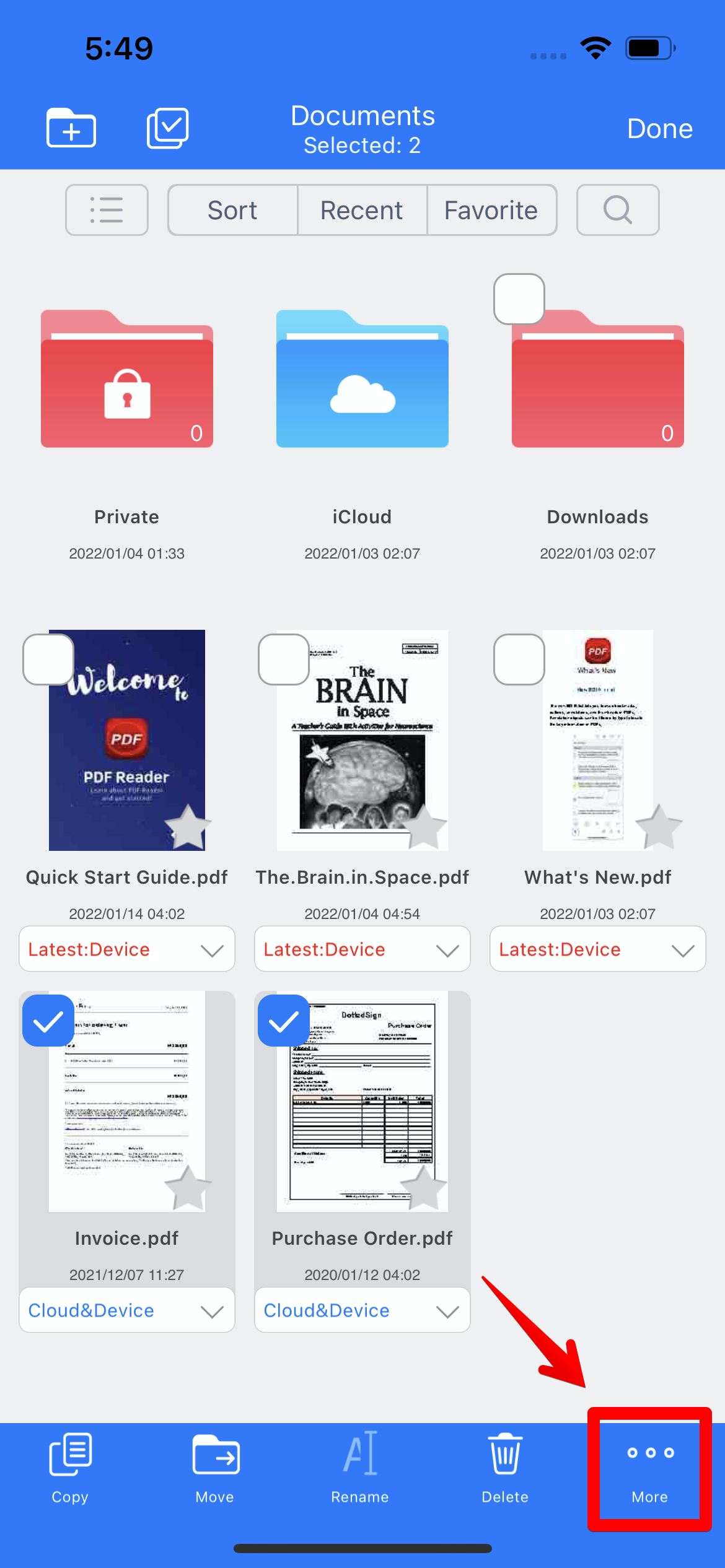
3. Then select the file(s) you want to create a zip archive
4. Tap "More" button in the bottom right corner
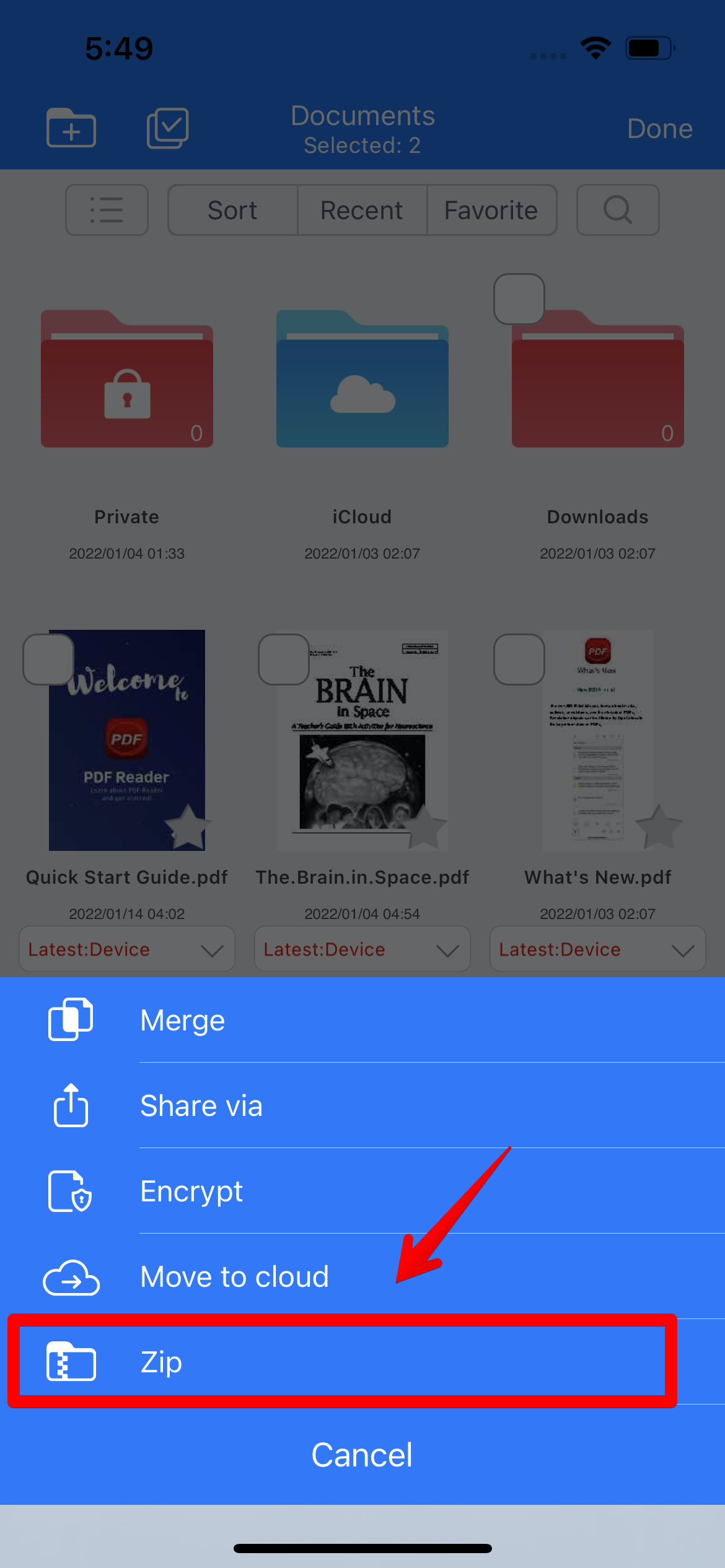
5. Choose “Zip” from the pop-up menu, and a new zipped file is created in the file list.
Updated
Comments
0 comments
Please sign in to leave a comment.