Captions help your reader to get a quick idea about the video even in a noisy environment. To add a text to a video, please follow the instructions:
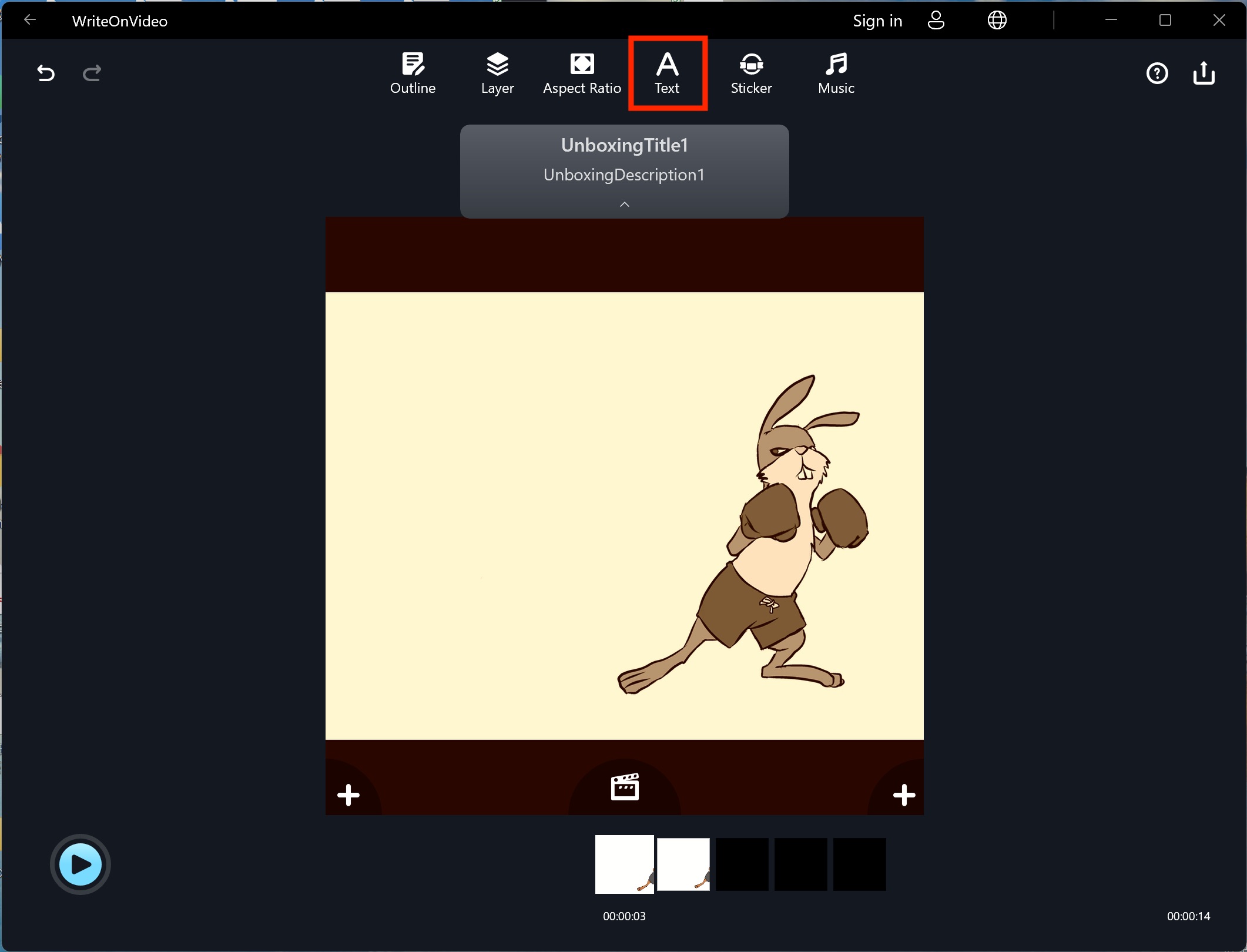
1. Enter the clip you would like to add the caption and click the "Text" button.
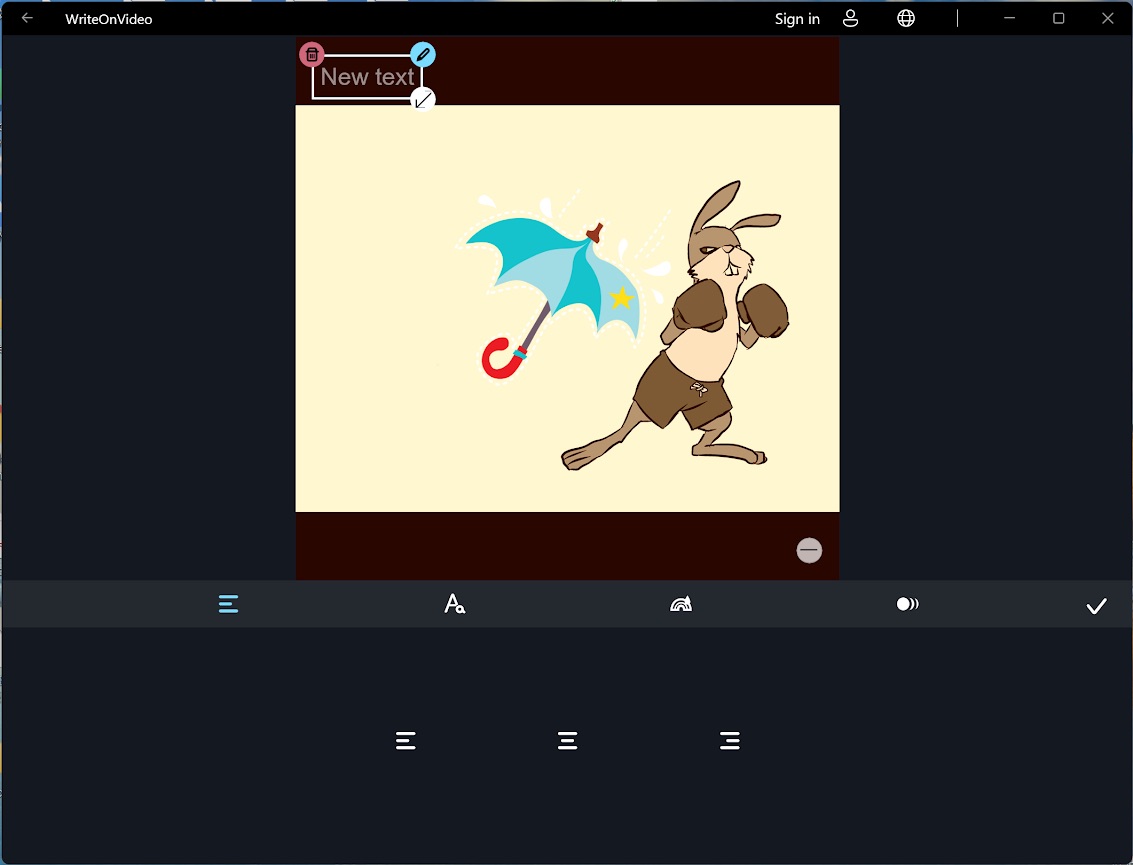
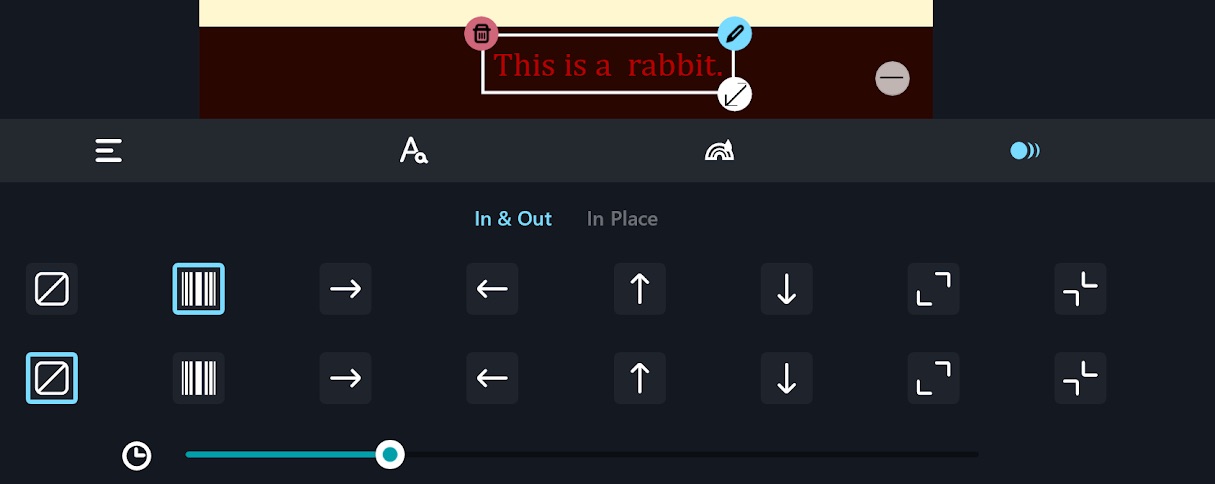
2. Click the "blue pen" icon to type words in the textbox. You can move the text by dragging the textboxes. Click the "trash can" icon if you want to delete the textbox.
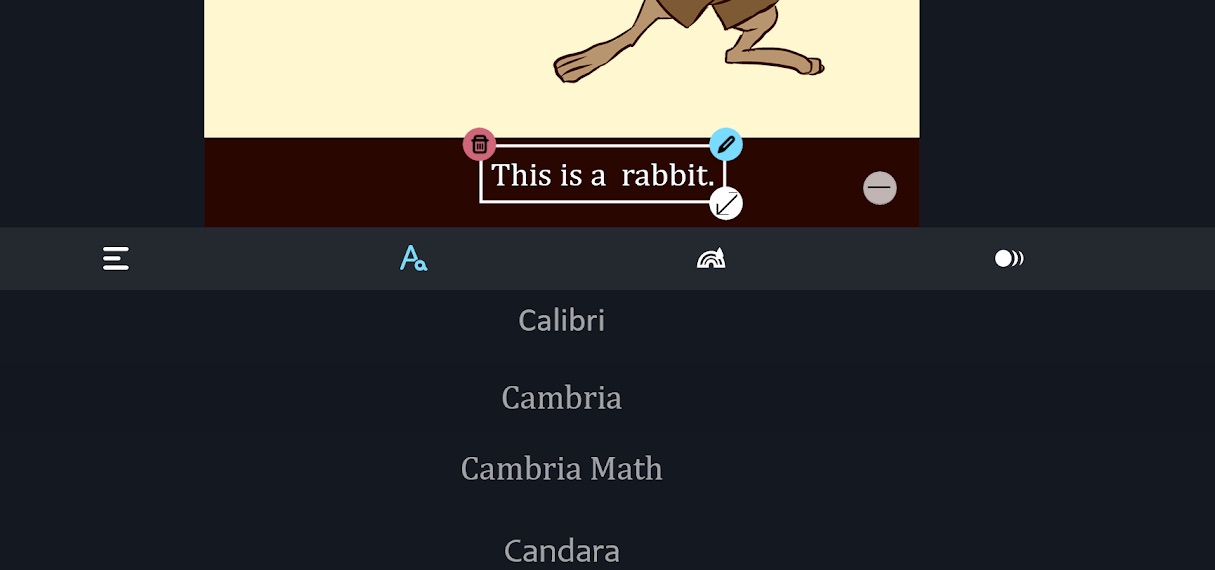
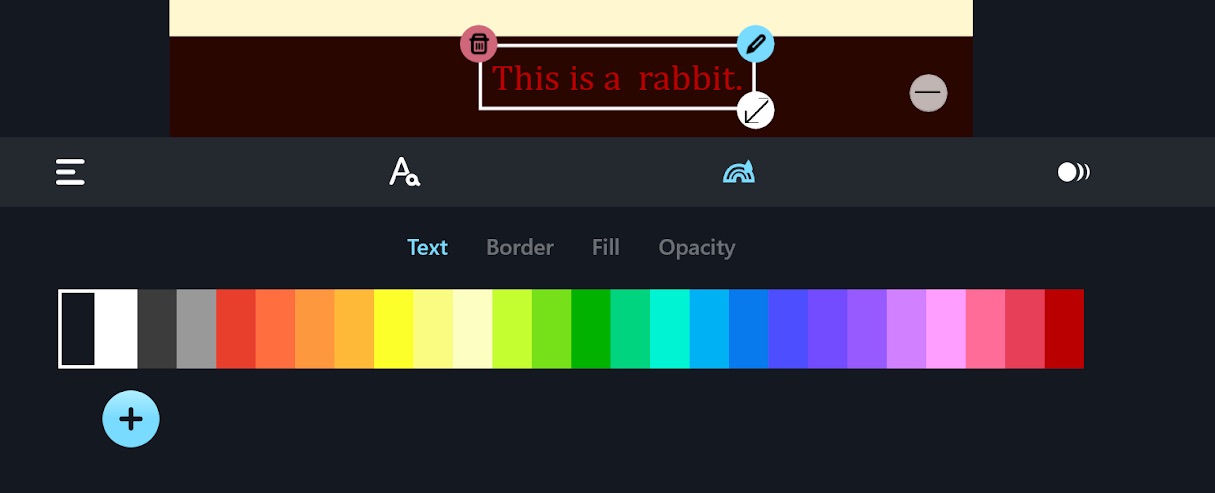
3. In the toolbar, you can find more options like adjusting the font, color, and typecase.
4. You can also animate the text to make your clip alive.
Updated
Comments
0 comments
Please sign in to leave a comment.