What’s new?
The new Markup extension can streamline your web page browsing process, as well as make it easier for you to save pages and annotate them!
Have you ever needed to quickly skim an article, or capture the highlights of a wall of text? Now, with the Markup browser extension, you can automatically create a summary of any article online!
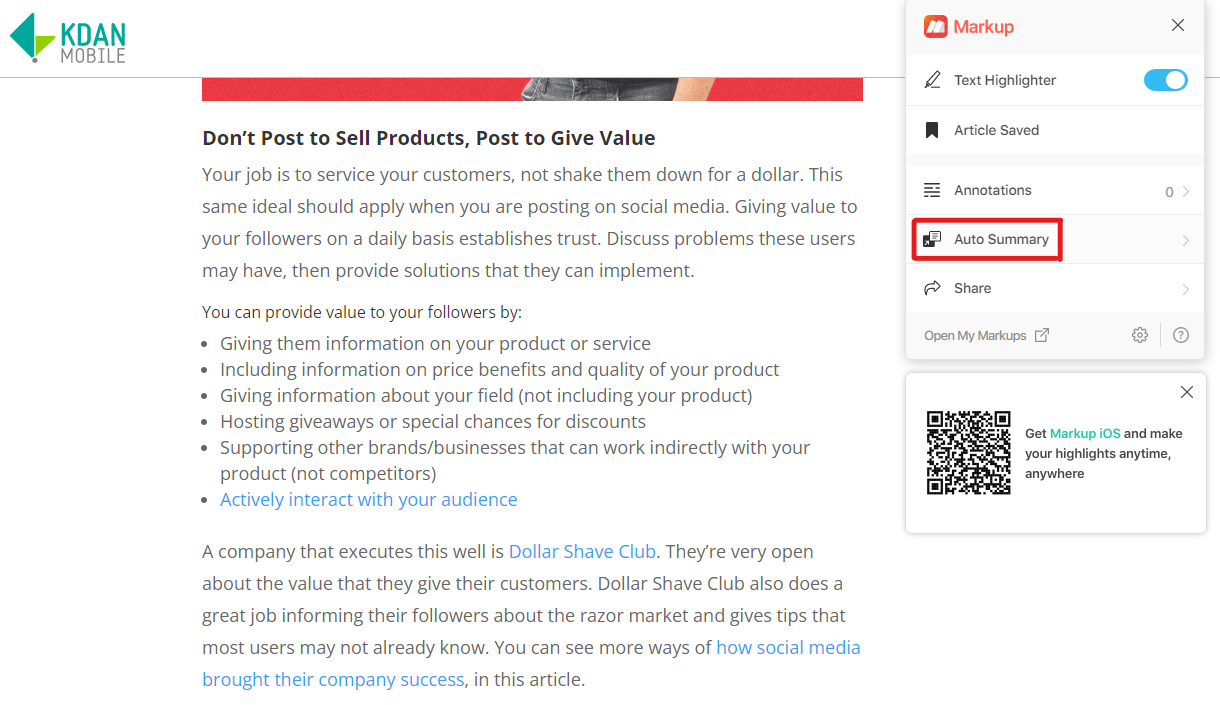
1. View the page you would like to summarize. Then, click on the Markup extension.
2. Click the “Auto Summary” button.
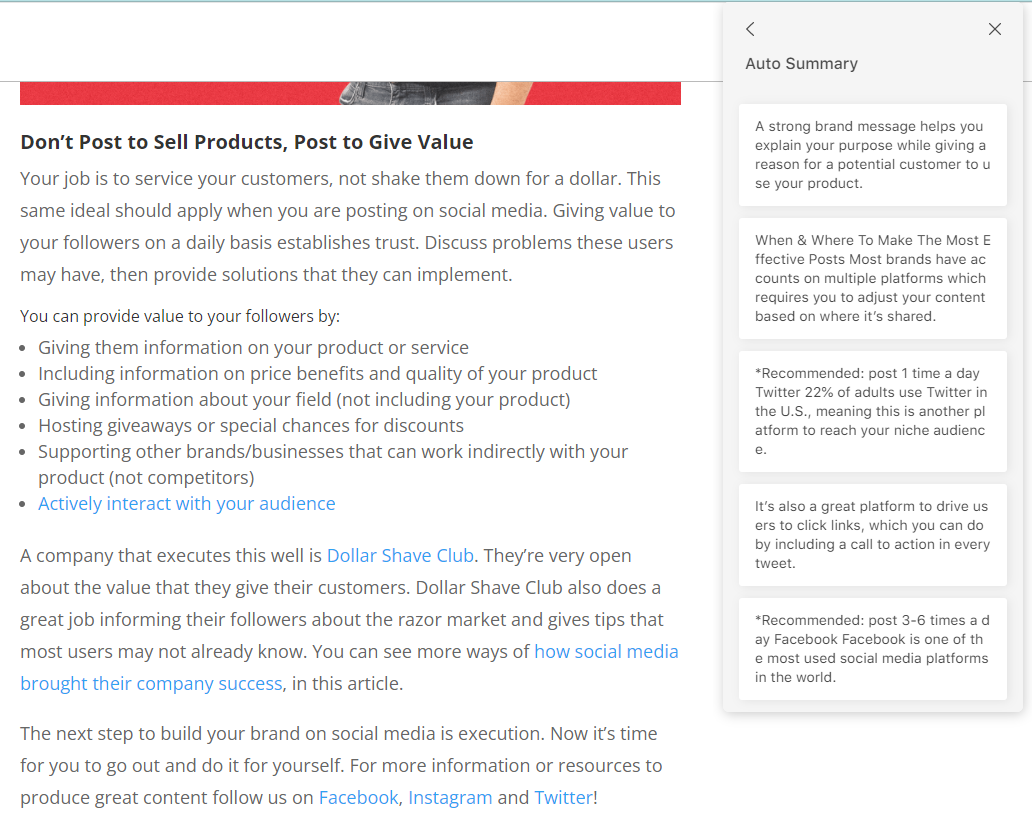
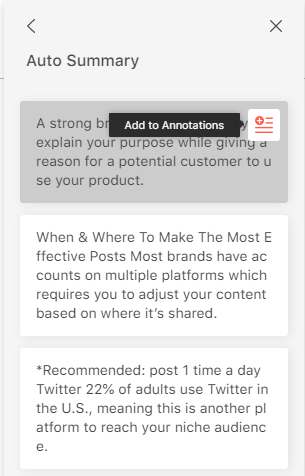
3. To save the auto-summary, hover over the card and click “Add to Annotations.” Then, you will find it in Markup.
Updated
Comments
0 comments
Please sign in to leave a comment.