To remove files from Kdan Cloud, please sign in with your Kdan ID first.
Delete Files from within PDF Reader
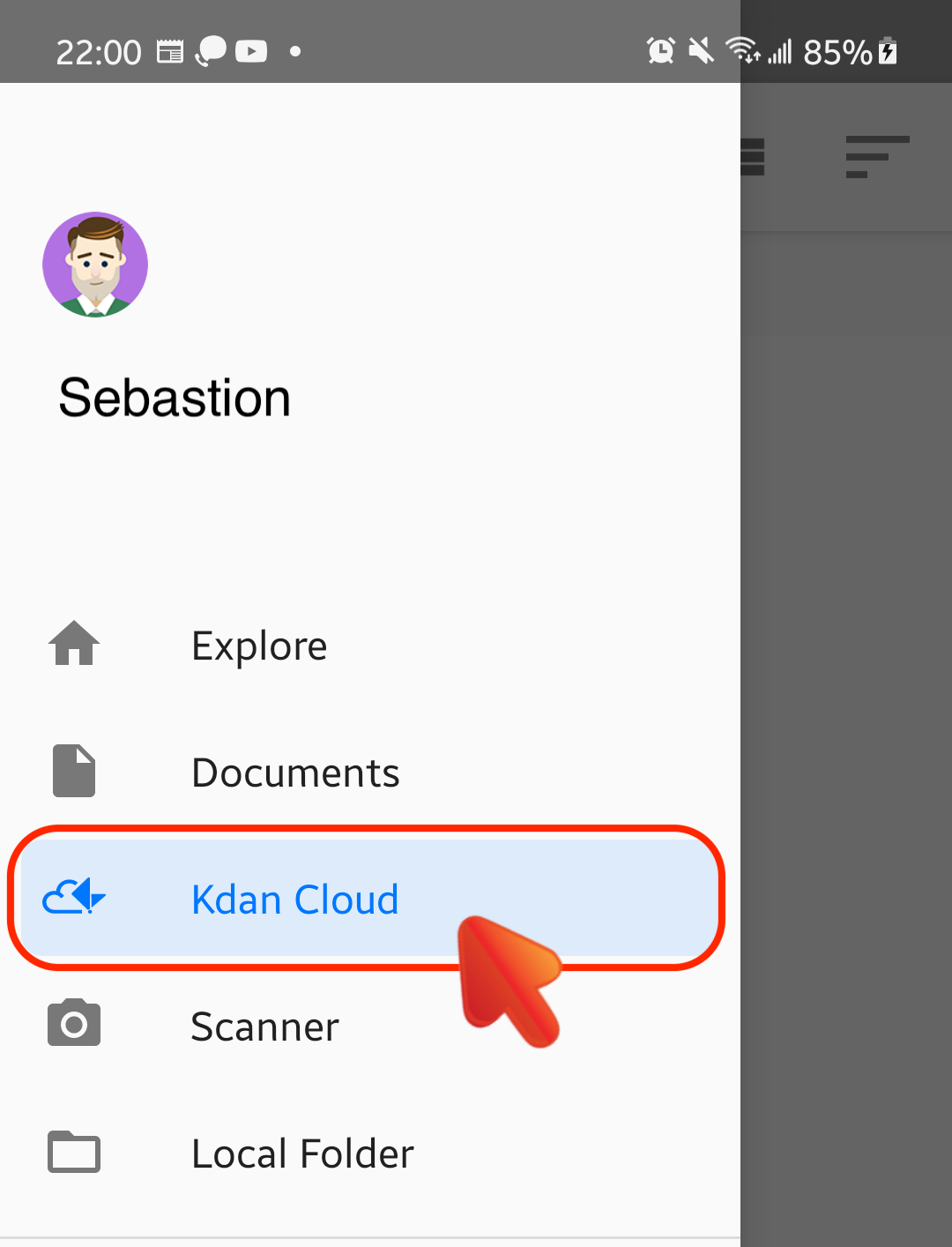
1. Switch to the "Kdan Cloud" tab.
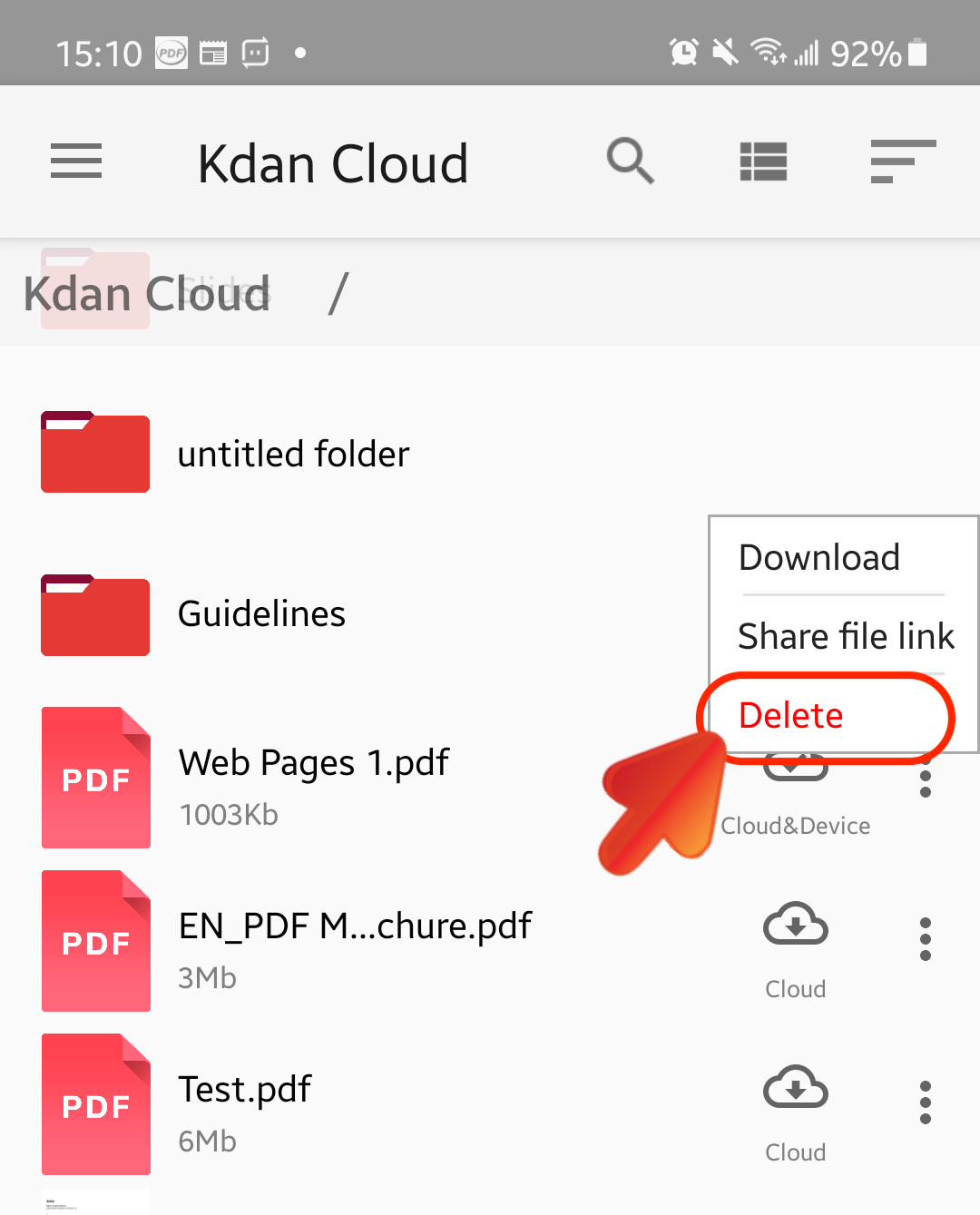
2. Locate the file you want to delete. Tap the Cloud icon beside the file, and then tap "Delete" to remove it from your Kdan Cloud storage space.
Delete Files from the Kdan Cloud Web Page
1. Visit the Kdan Cloud web page and log into your Kdan account
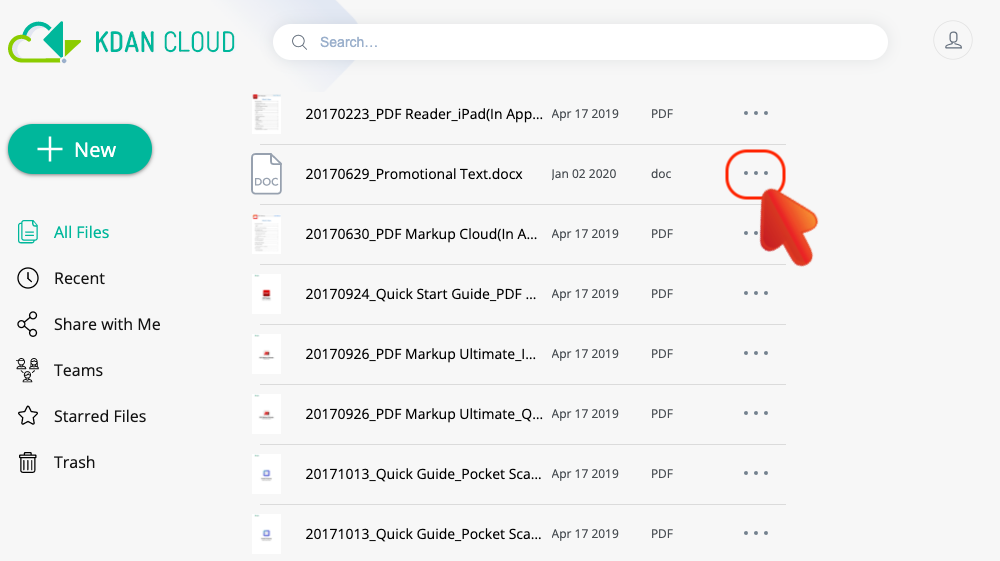
2. Locate the file you want to delete, and then click on the "More" button.
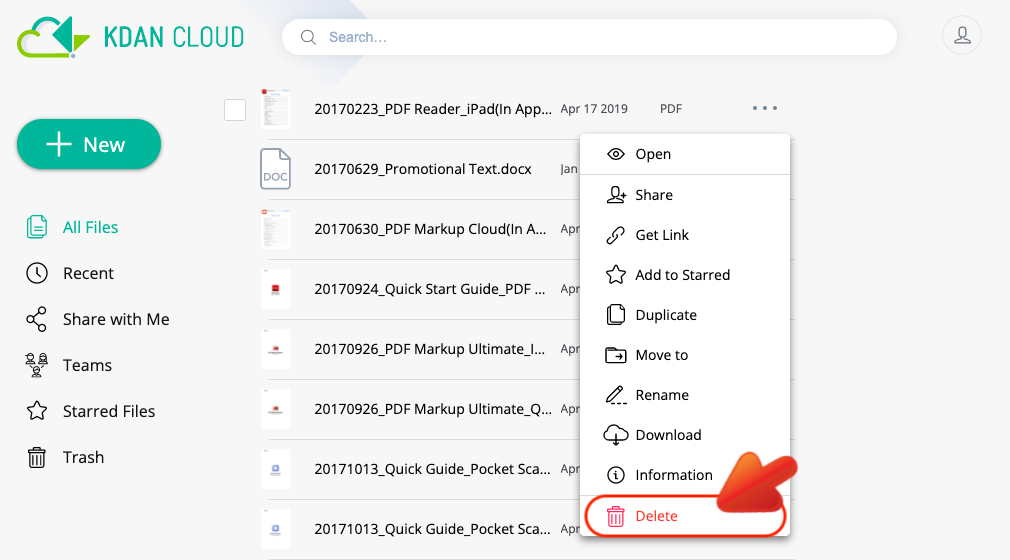
3. Choose "Delete" from the menu to delete the file.
Updated
Comments
0 comments
Please sign in to leave a comment.