Watch a video in picture-in-picture mode in the corner of your screen, while also taking notes at the same time. This feature allows a video to be displayed in a mini floating window; it is helpful for jotting down ideas or continuing your creative work without having to constantly switch apps. Read on to find out how!
1. Add a video into your notes (click here for the tutorial).
2. Click the full-screen option for your video.
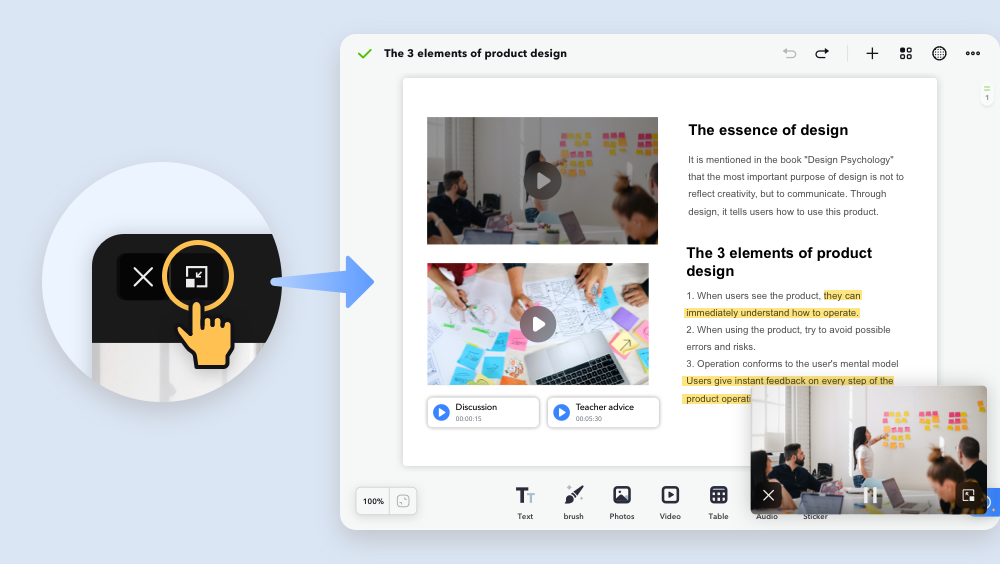
3. Click the picture-in-picture icon in the top left corner.
4. Now, you can drag your video around your screen for reference while you navigate to other pages!
Updated
Comments
0 comments
Please sign in to leave a comment.