1. Long tap on the highlight tool icon and change the color to BLACK.
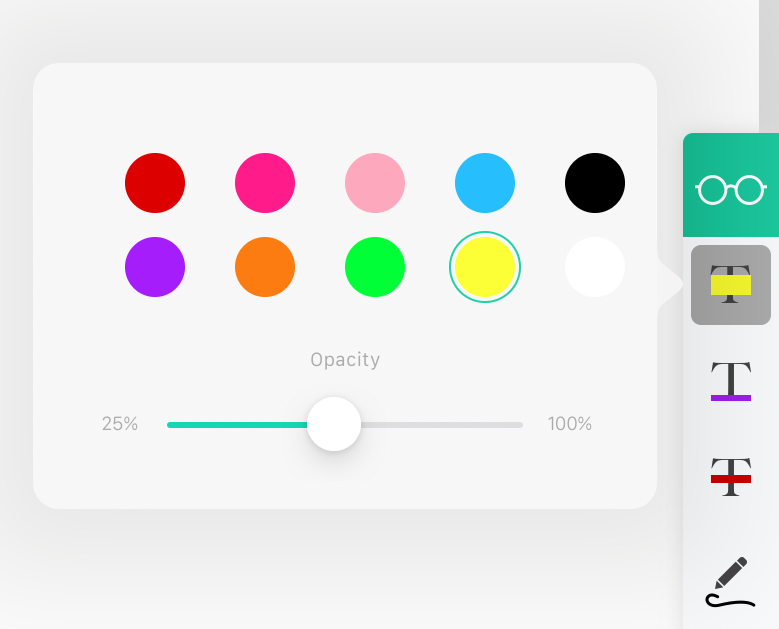
2. After highlighting the text contents, tap the highlighter icon again to turn off the tool.
3. Tap the highlight you just added, and you will see a pop up menu.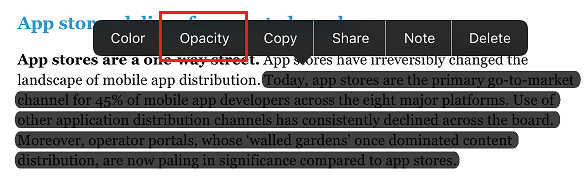
4. Tap on "Opacity" and choose "100%". Then the contents will be completely blocked out.

5. If you'd like to remove the annotation, simply tap on it and choose "Delete" from the pop-up menu.
Updated
Comments
0 comments
Please sign in to leave a comment.