To download files from Kdan Cloud to PDF Reader, please sign in with your Kdan ID first.
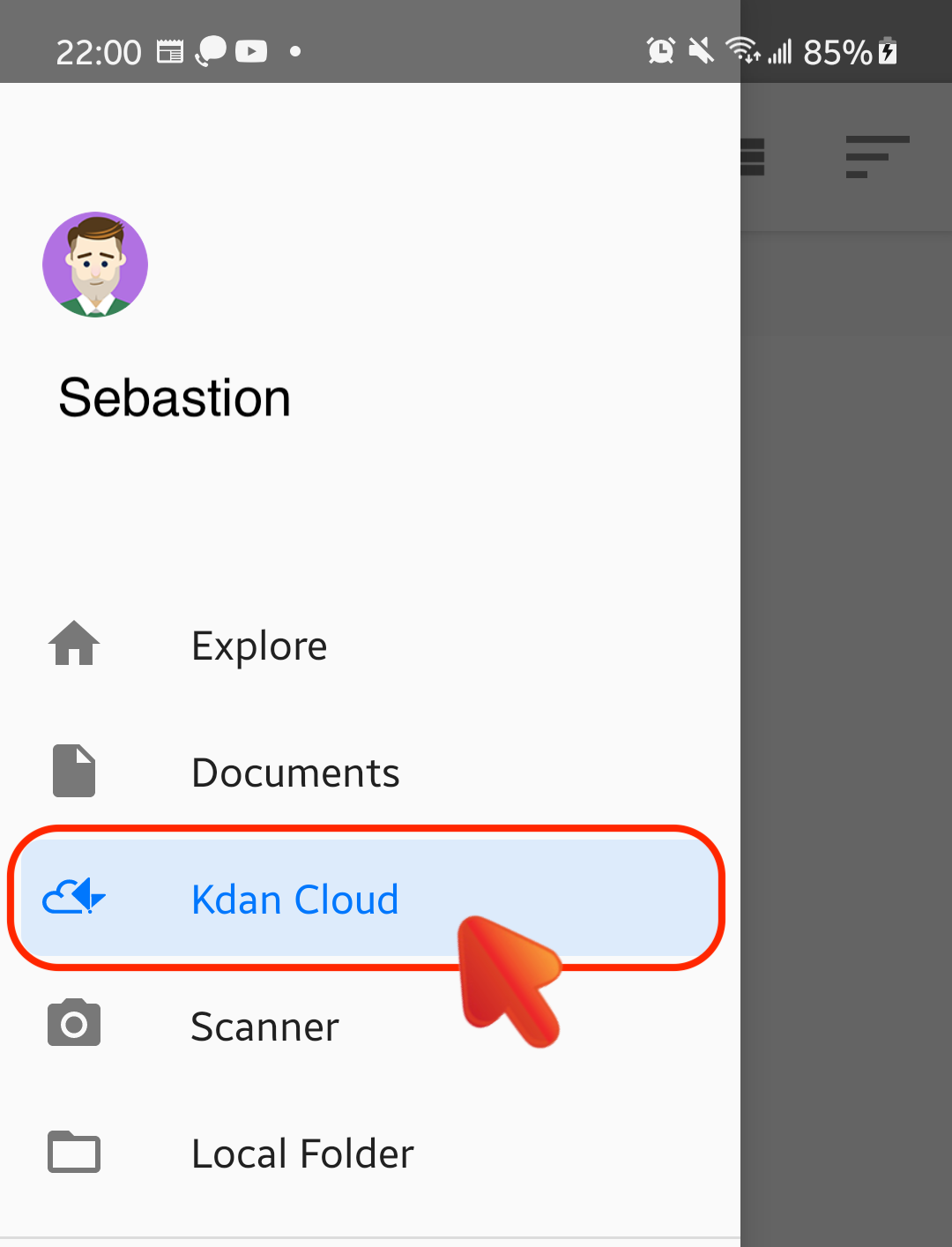
1. Go to the main menu sidebar from the homepage.
2. Switch to the “Kdan Cloud” tab.
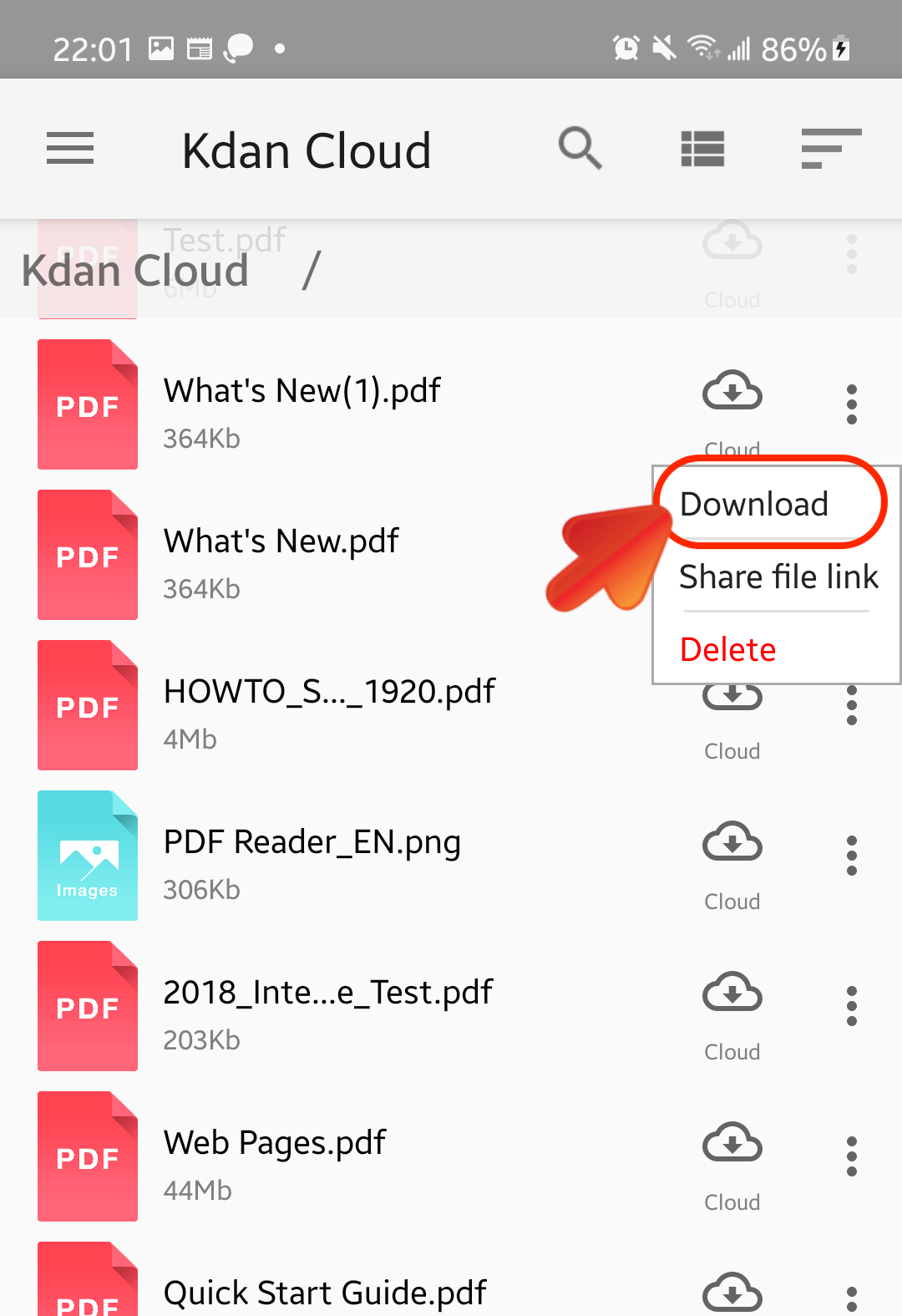
3. Select the PDF file you would like to import and view. Tap the Cloud icon beside the filename, and then choose "Download" to start downloading.
Updated
Comments
0 comments
Please sign in to leave a comment.