1. Turn off the annotation tool you are currently using.
2. Tap on the particular annotation you would like to remove.
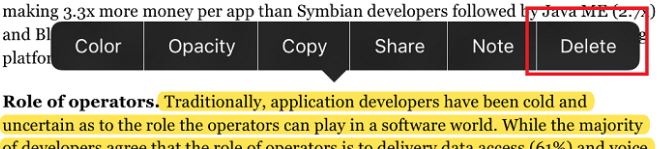
3. You will then see a menu bar; tap "Delete" to remove the annotation from the PDF.
Updated
1. Turn off the annotation tool you are currently using.
2. Tap on the particular annotation you would like to remove.
3. You will then see a menu bar; tap "Delete" to remove the annotation from the PDF.
Updated
Comments
0 comments
Please sign in to leave a comment.