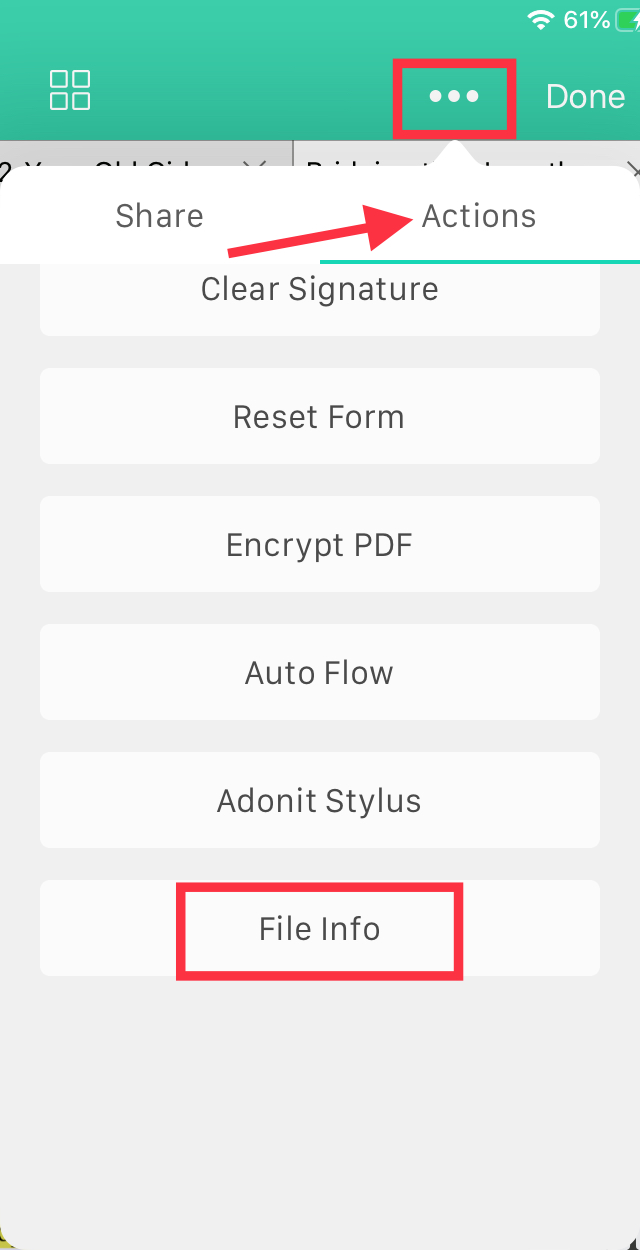
1. Tap the three dots at the top bar. A menu will pop up.
2. Tap "Actions," then scroll until you see "File Info." You will then be able to see the details of the PDF file that is currently opened.
Updated
1. Tap the three dots at the top bar. A menu will pop up.
2. Tap "Actions," then scroll until you see "File Info." You will then be able to see the details of the PDF file that is currently opened.
Updated
Comments
0 comments
Please sign in to leave a comment.