Want to concentrate on reading? Markup's auto flow function automatically scrolls for you, letting you easily read without touching the screen.
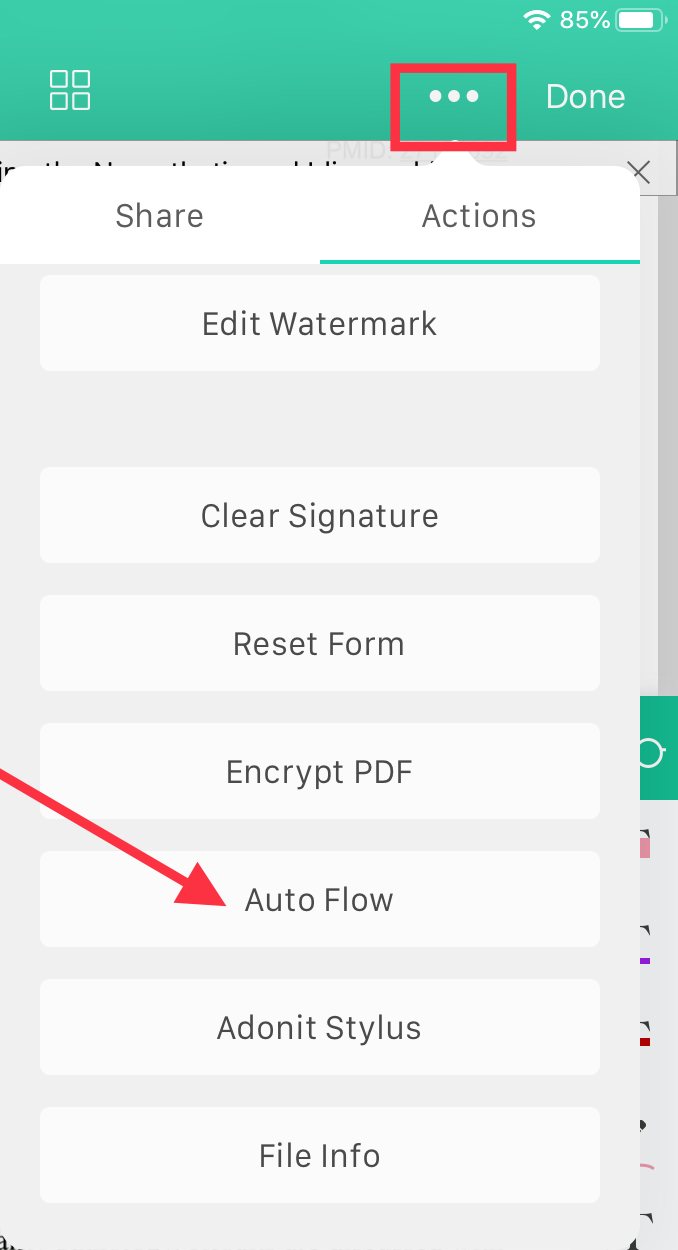
1. Tap the  icon in the upper right corner.
2. Tap "Auto Flow" under “Actions” in the menu.
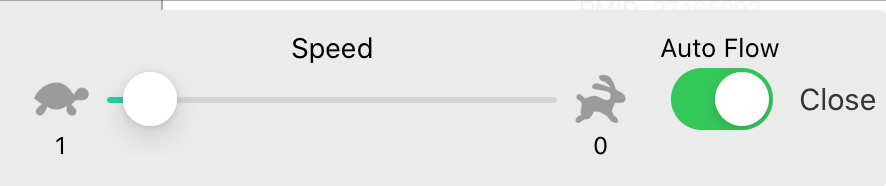
3. You can adjust the speed of Auto Flow.
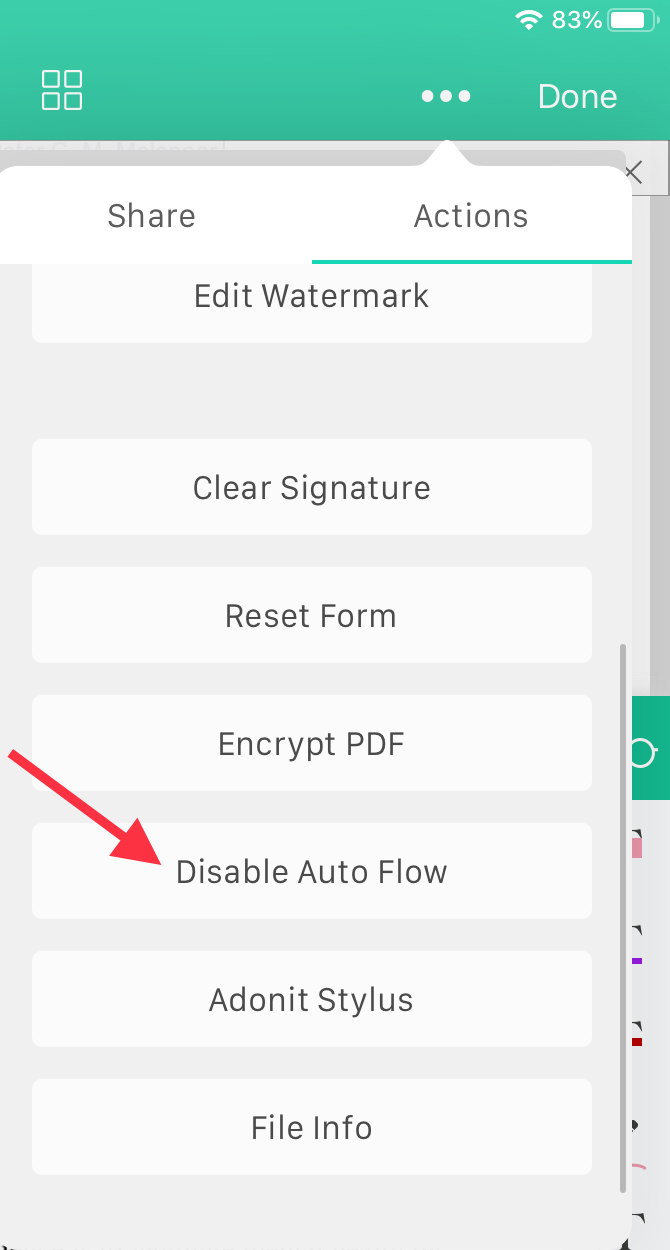
4. To turn off Auto Flow, just repeat steps 1 and 2.
Updated
Comments
0 comments
Please sign in to leave a comment.