Please make sure that you have bought Credits and are signed in to your account.
1. Go into the file you would like to fax.
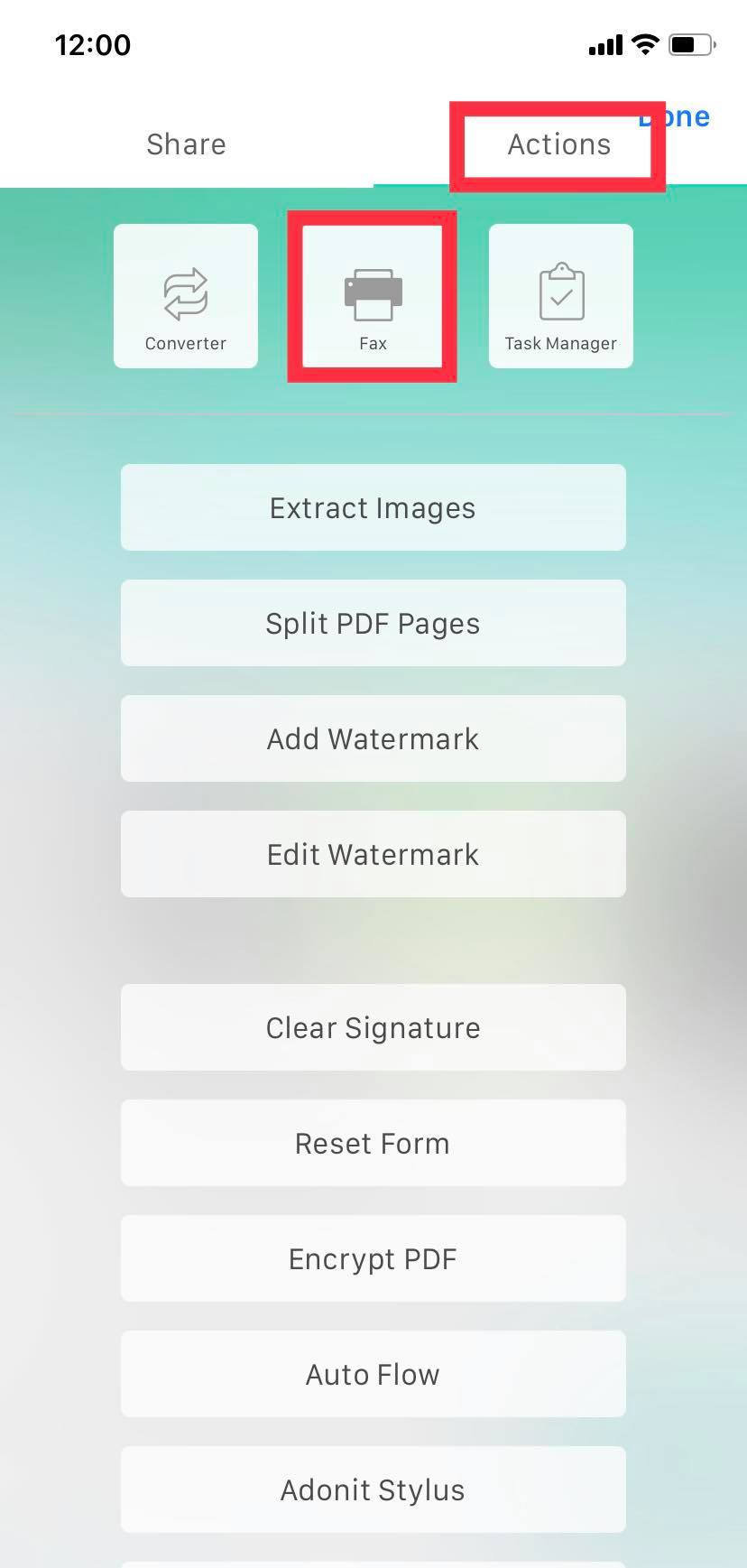
2. Tap the "More" icon (three dots) in the top right corner, then go to the "Actions" tab and click "Fax".
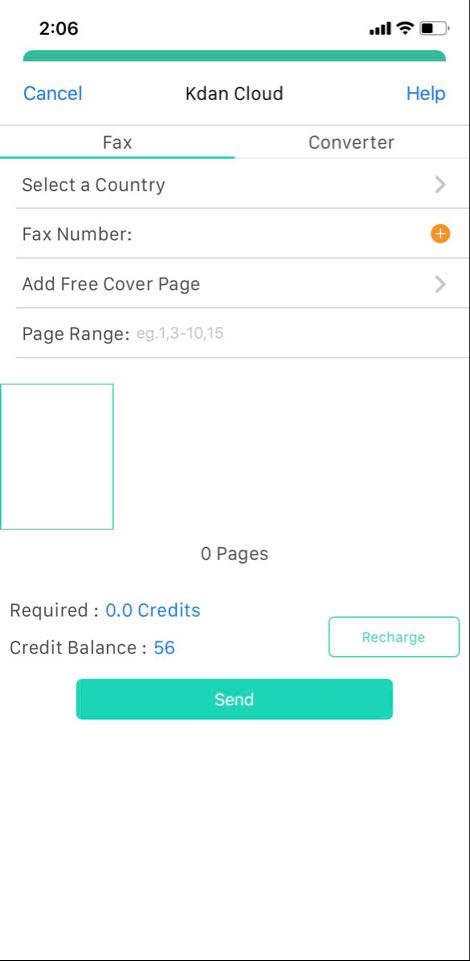
3. A pop-up menu will show up. Set your fax settings and click "Send."
Updated
Comments
0 comments
Please sign in to leave a comment.