1. Switch to the "Scanner" Tab for the scanned projects.

2. Long press on the scanned project until a pop-up window appears
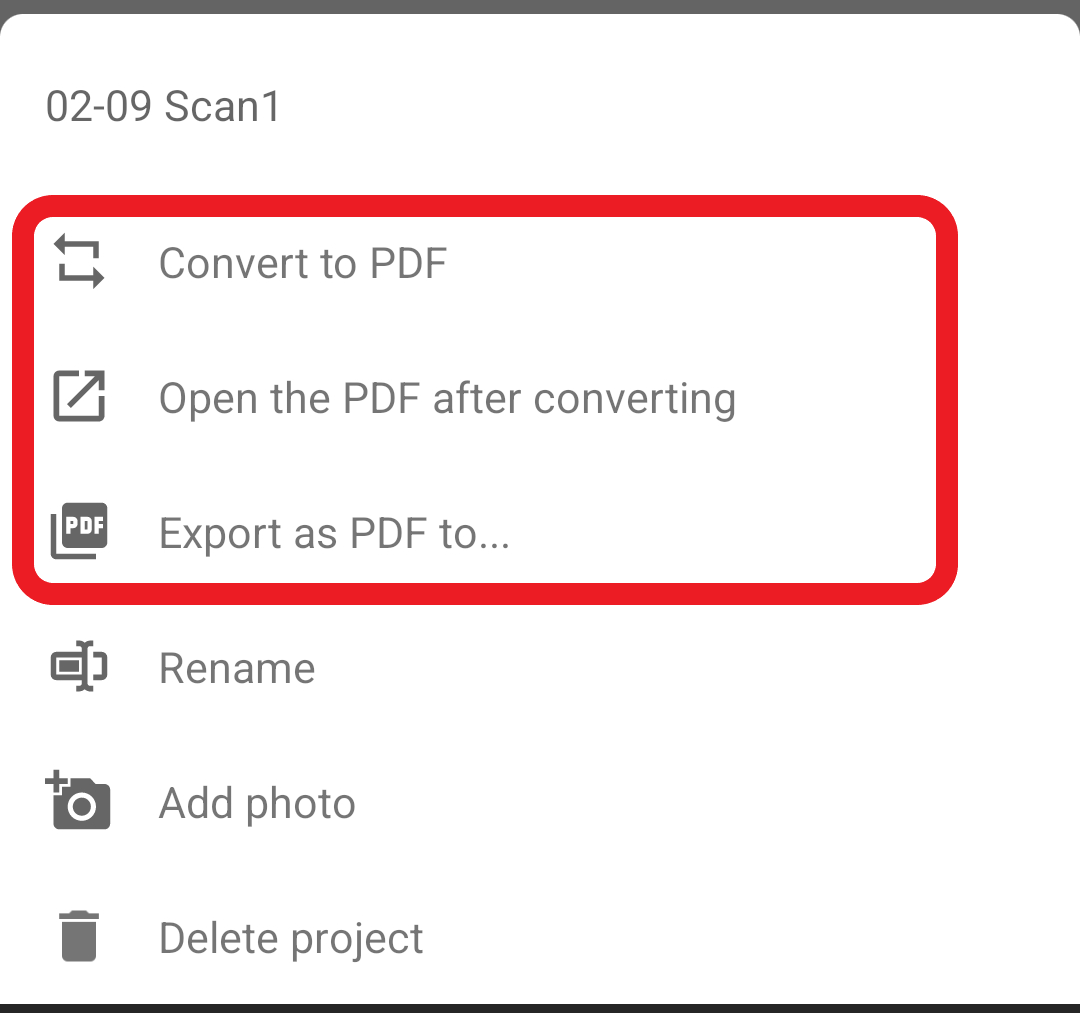
3. There are 3 options for how you want to convert the scans to PDFs. You can choose either way to convert the scans:
-
Convert to PDF - The PDF will be simply saved in the file list without any further action
-
Open the PDF after converting - The PDF will be automatically opened after the conversion
-
Export as PDF to - Instantly share the PDF with others after conversion
Updated
Comments
6 comments
What is this
Hi Rhoda,
This is an instruction for exporting the scans as PDF in PDF Reader Android version. If you have any further questions, feel free to contact us at helpdesk@kdanmobile.com . Thank you.
I need sencrow between my android mobile and my MacBook pro
I need sencrow between my android mobile and my MacBook pro
Hello khosrohaj,
For synchronizing your files, please refer to the instructions of How to Transfer Files via Kdan Cloud,
https://support.kdanmobile.com/hc/en-us/articles/235863788-How-to-Transfer-Files-via-Kdan-Cloud-Upload-Download-
Sending a document
Please sign in to leave a comment.