Option 1 - Using the Annotation Toolbar
1. Open a PDF, and you will find the annotation toolbar at the bottom of the screen. Swipe right or left on the annotation toolbar, and you can access more tool. (the new interface is available for v 3.37.0 and later)
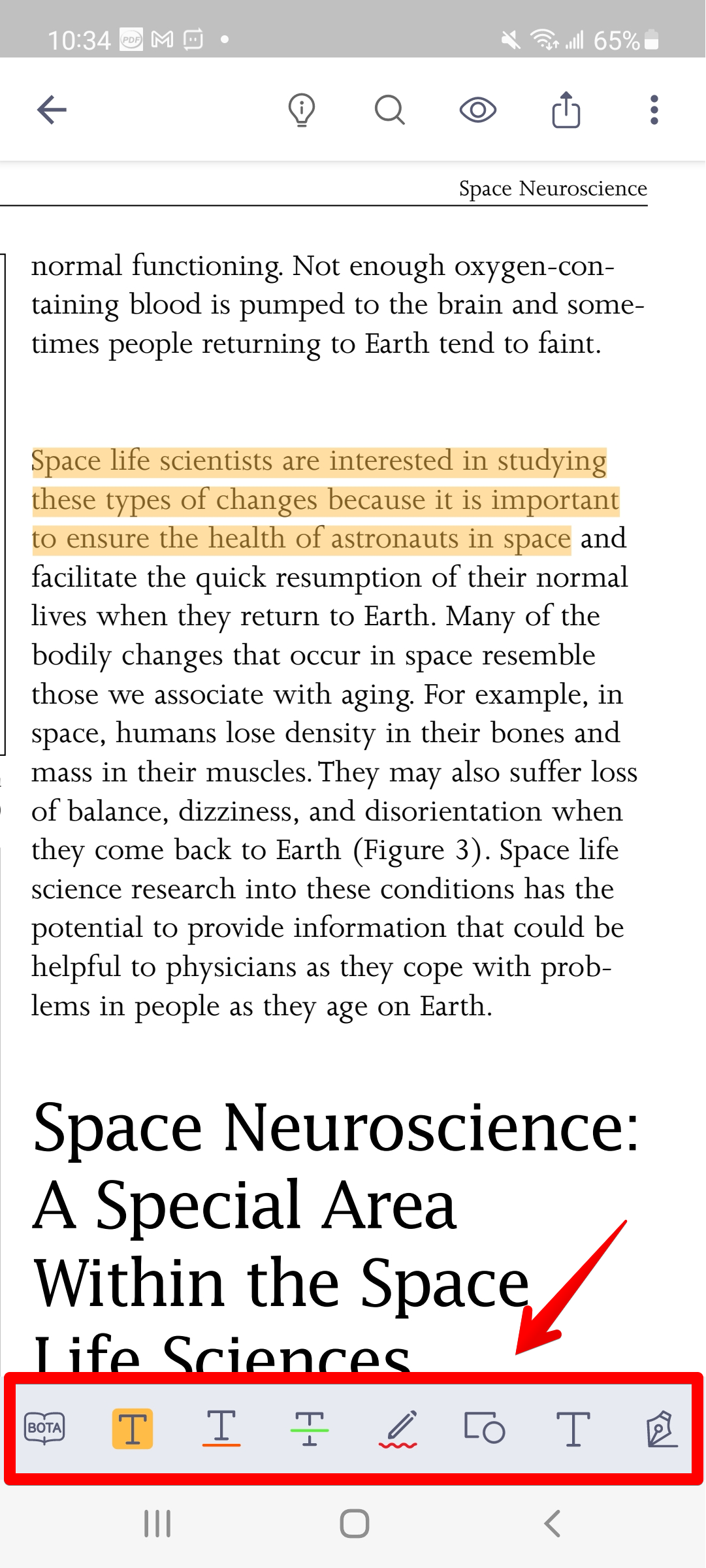
2. Tap on the icon at the annotation toolbar (Highlight/Underline/Strikethrough/Freehand write) which you want to mark on the selected text.
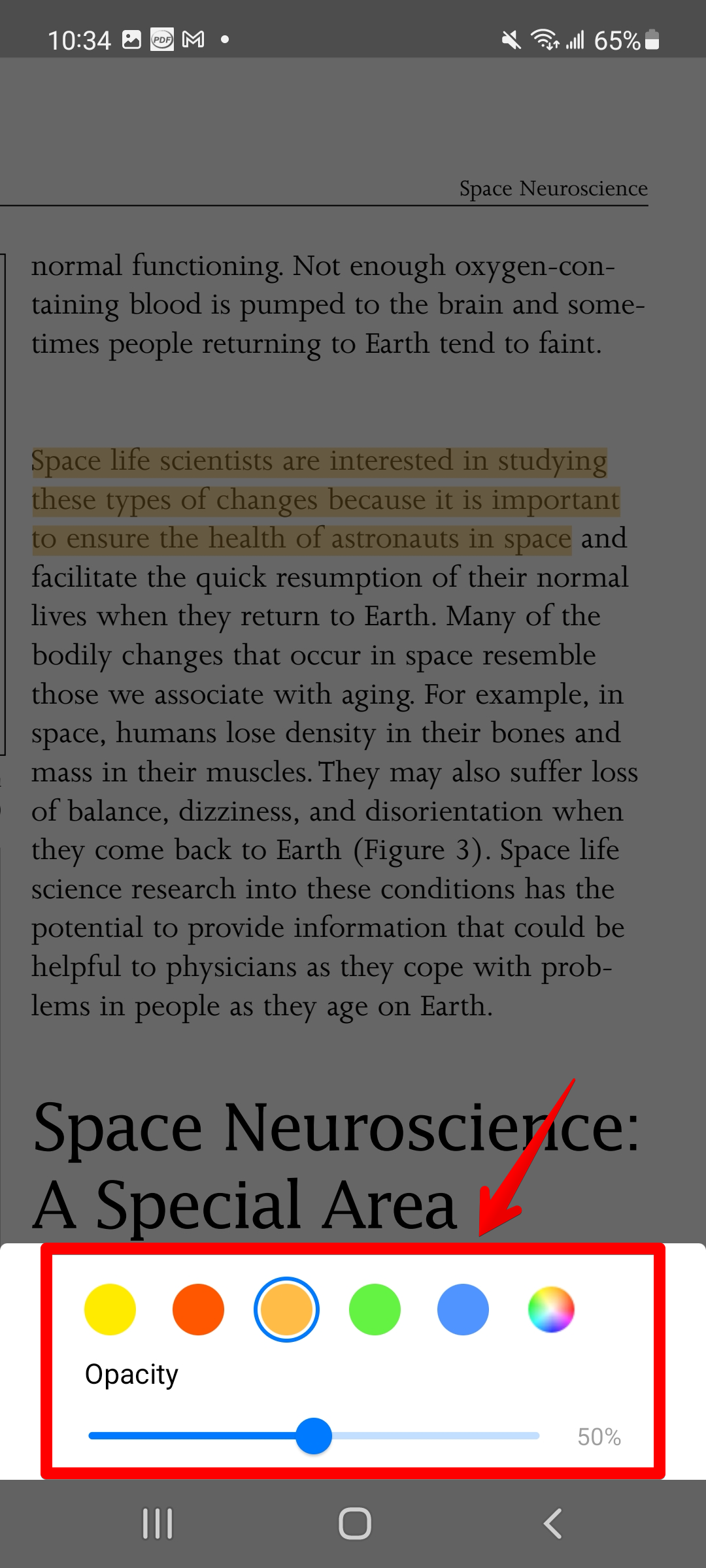
3. You can also choose the color by tapping and holding the annotation tool’s icon.
4. Drag your finger to mark the text to your liking. The text you just selected will be annotated immediately. (Note: If your PDF was generated from a scanned image, you may only use the freehand writing tool to make annotations since you cannot select the text)
5. Tap on the icon at the annotation toolbar again, then you can leave the using of features.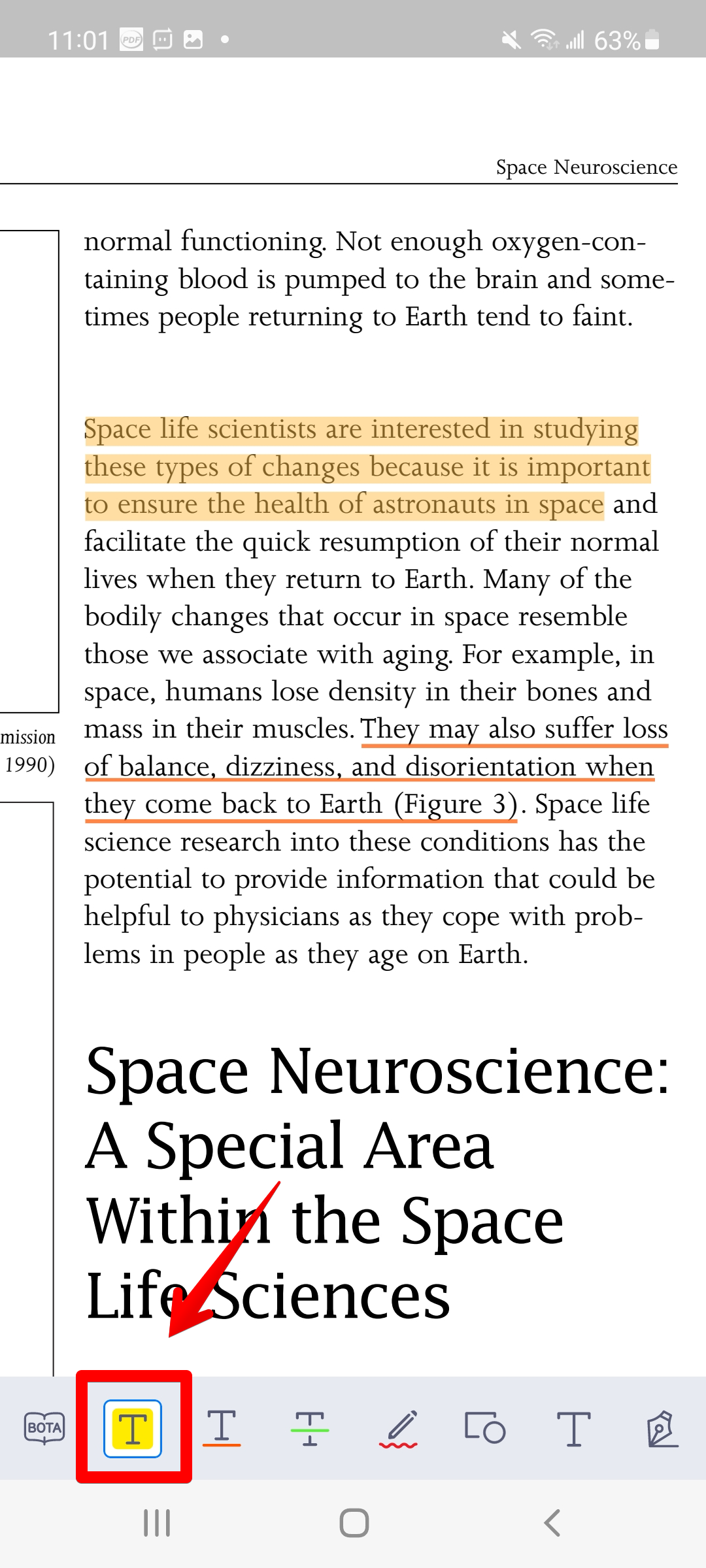
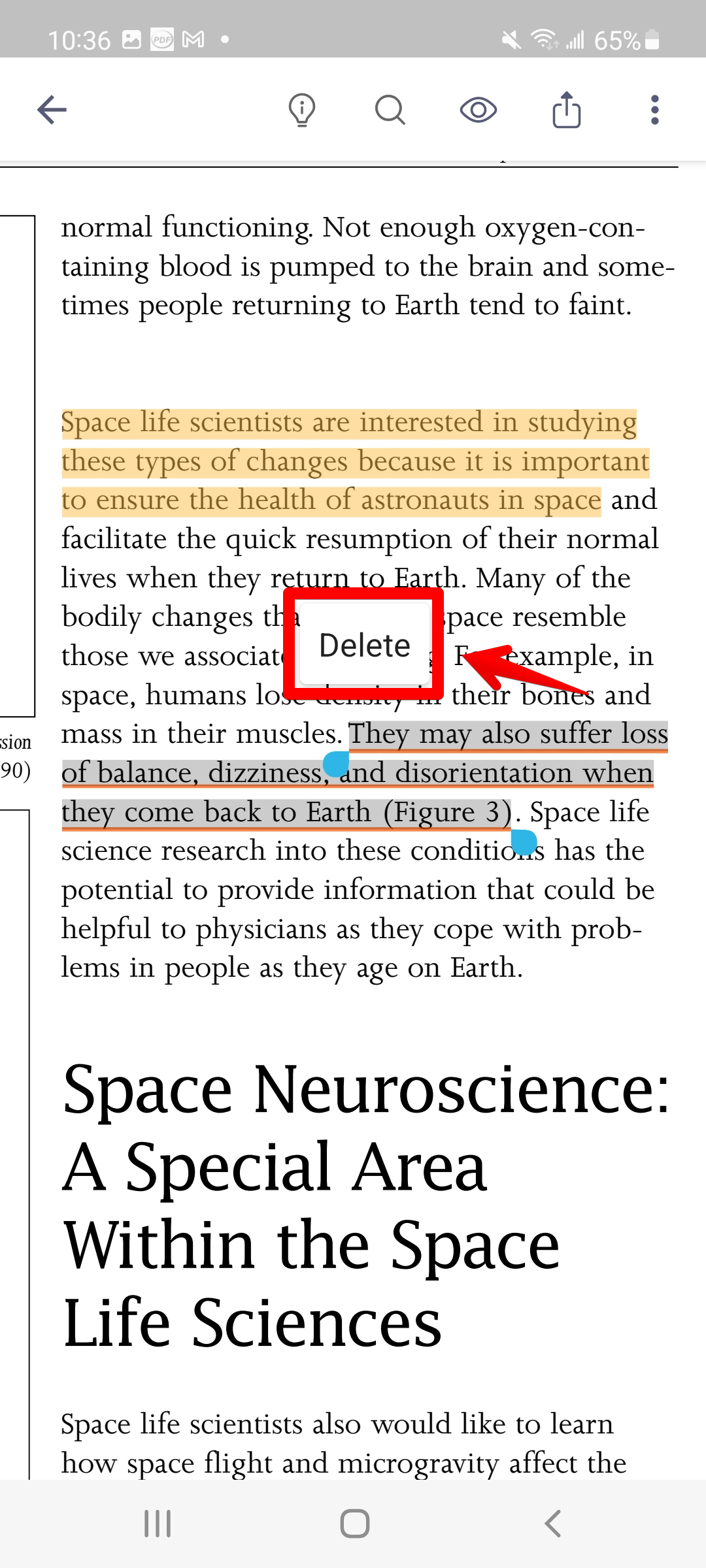
7. To remove the annotation, simply tap on the annotation object and select "Delete" to remove it from the PDF. (Note: Be sure to turn off the annotation tool before removing an annotation object)
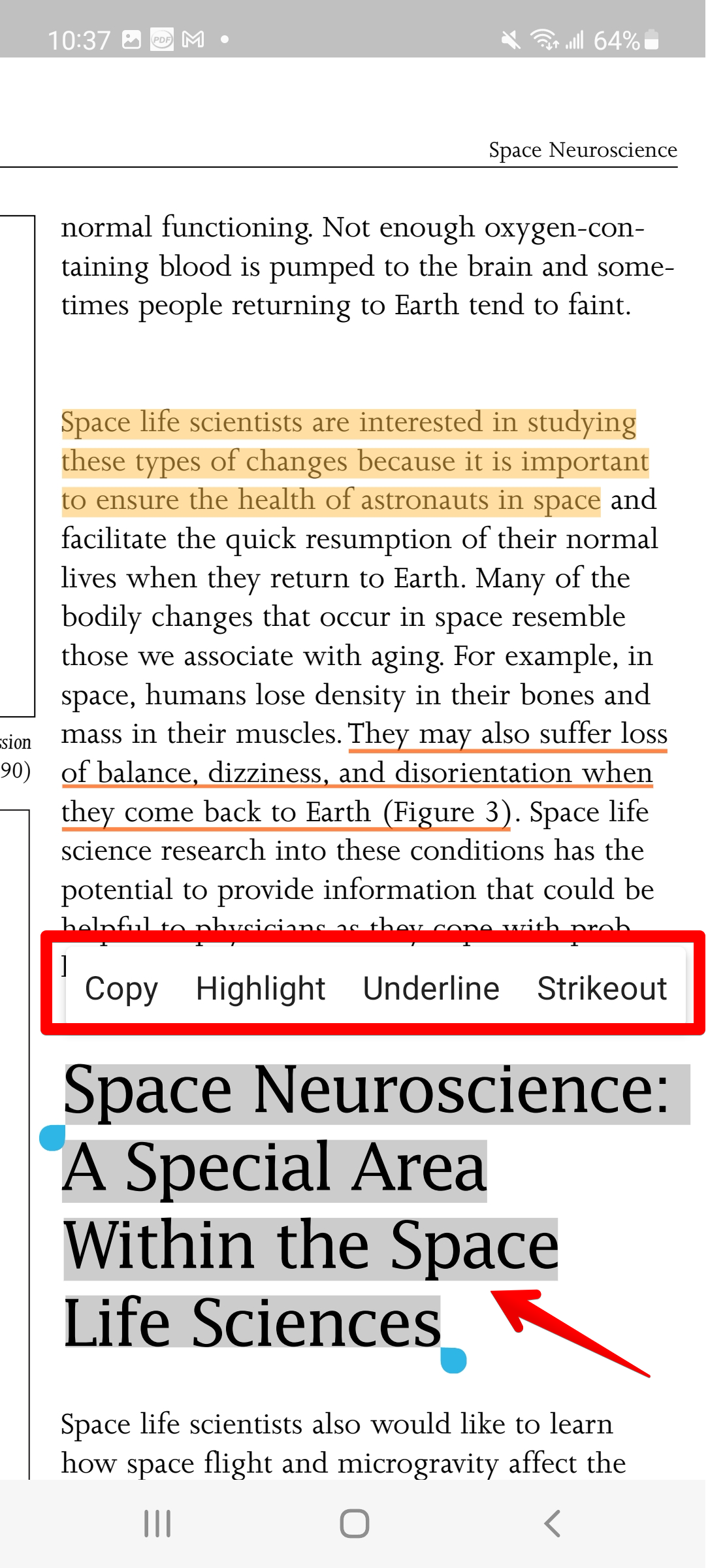
1. You can select the text content you would like to annotate, and then select a tool from the pop-up menu to mark the text.
Updated
Comments
5 comments
How to remove highlights
Hi Prem,
1. Tap on the section you have edited before but want to delete.
2. A “Clear” button will pop up.
The instruction link is here. Hope this helps!
How can you type in the text you want
Hi Richard Patrick,
1. Tap on the "suitcase" icon at the bottom
2. A "Text Box Tool" window will pop up
Thank you!
I don't see a suitcase tool to add a text box to my PDF. How do I get that?
Please sign in to leave a comment.