1. Download the attached PDF file from your email.
2. Once it is downloaded, open it with PDF Reader
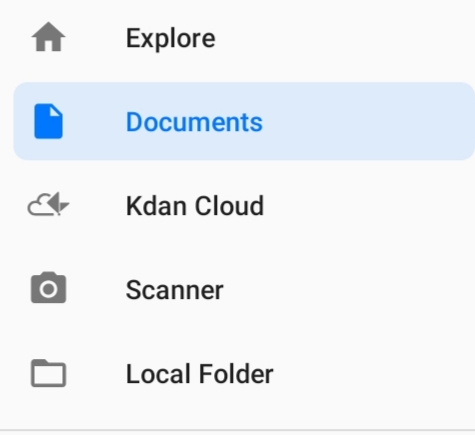
3. Your PDF files will now be accessible from “Documents” in the side menu bar.
Updated
1. Download the attached PDF file from your email.
2. Once it is downloaded, open it with PDF Reader
3. Your PDF files will now be accessible from “Documents” in the side menu bar.
Updated
Comments
10 comments
how do i edit pdf files with your app, because i need to edit 2 files
Hi Anthony,
We support open multiple PDF files only for iPad version now. This feature will be in our future Android version updates. Please stay tuned!
I need to format my resume and have to get it off an e-mail link
Hi Jamie,
Do you mean to create a flattened copy of your PDF file? We don't support this feature in Android system now, but we are glad to help you manually. You can share your file to helpdesk@kdanmobile.com and describe what service you need, we are always happy to give you assistance.
About getting a file link, please refer to the instruction here: https://support.kdanmobile.com/hc/en-us/articles/235863808-How-to-Share-File-Link
I have a problem,downloading attachments and documents from my emails
Hi Vee,
It might depend on the email app you're using. For most of the email apps, when you click to download the attached file, you will see a popup menu showing all the apps that you can open with, then choose "PDF Reader".

I have a problem, downloading attachments and documents from my emails
Hello Jafta Kgama,
We would like to know more about your situation. Would you please send us a screenshot or screen recording of the process to helpdesk@kdanmobile.com ?
We'd be happy to assist you. Thank you:)
I have a problem i can't open the attachments form pls help
Hi Asakhanya Phawoluhle,
Does this issue happen to a particular file or all of your files? Please kindly provide us your file and a screen video/screenshots of the process for testing at support@kdanmobilesupport.zendesk.com. Thank you!
Please sign in to leave a comment.