If you already have a Kdan ID, please login in “Settings" > "Account" page or at the "Kdan Cloud Tab".
After logging in, you can see a little cloud icon in the thumbnails of the sequences. Tap the cloud icon to back up the sequence to Kdan Cloud.
Learn how to get a free Kdan ID and start back up sequences, "What is a Kdan ID."
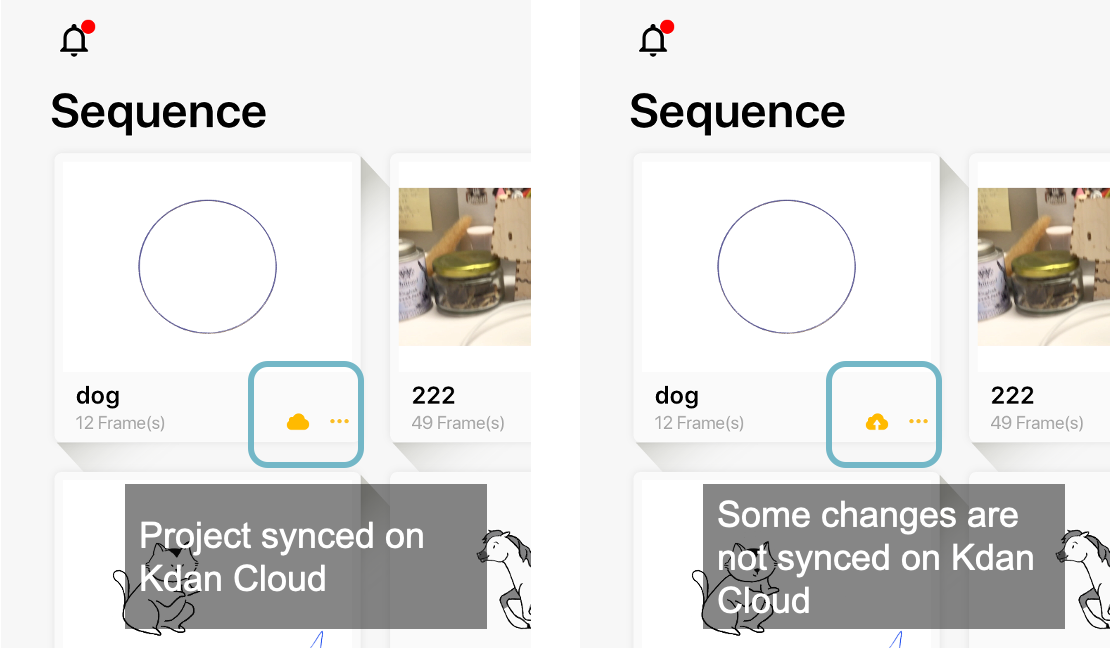
To check what you have saved on Kdan Cloud, please visit the Kdan Cloud tab, or download the Kdan Cloud app.
Updated
Comments
2 comments
Why can't I find where I can cancel my Free Subscription to Kdan?
Derrick Dennis
Mottleycrude@gmaio.com
Hi Derrick,
Please refer to another page for the instruction of subscription cancellation:
https://support.kdanmobile.com/hc/en-us/articles/236031328-How-do-I-manage-my-subscriptions-
Please sign in to leave a comment.