Onion skinning is a 2D animation technique. In the making of traditional animations, artists draw on very thin papers and place the papers on a light source. By doing so, artists can see through the frames, and compare the keyframe and the in-between frames.
In Animation Desk, you can open the onion skinning feature in the settings. Be sure you also turn on the lightbox. There are different options to see through the frames.
Turn On Onion Skin
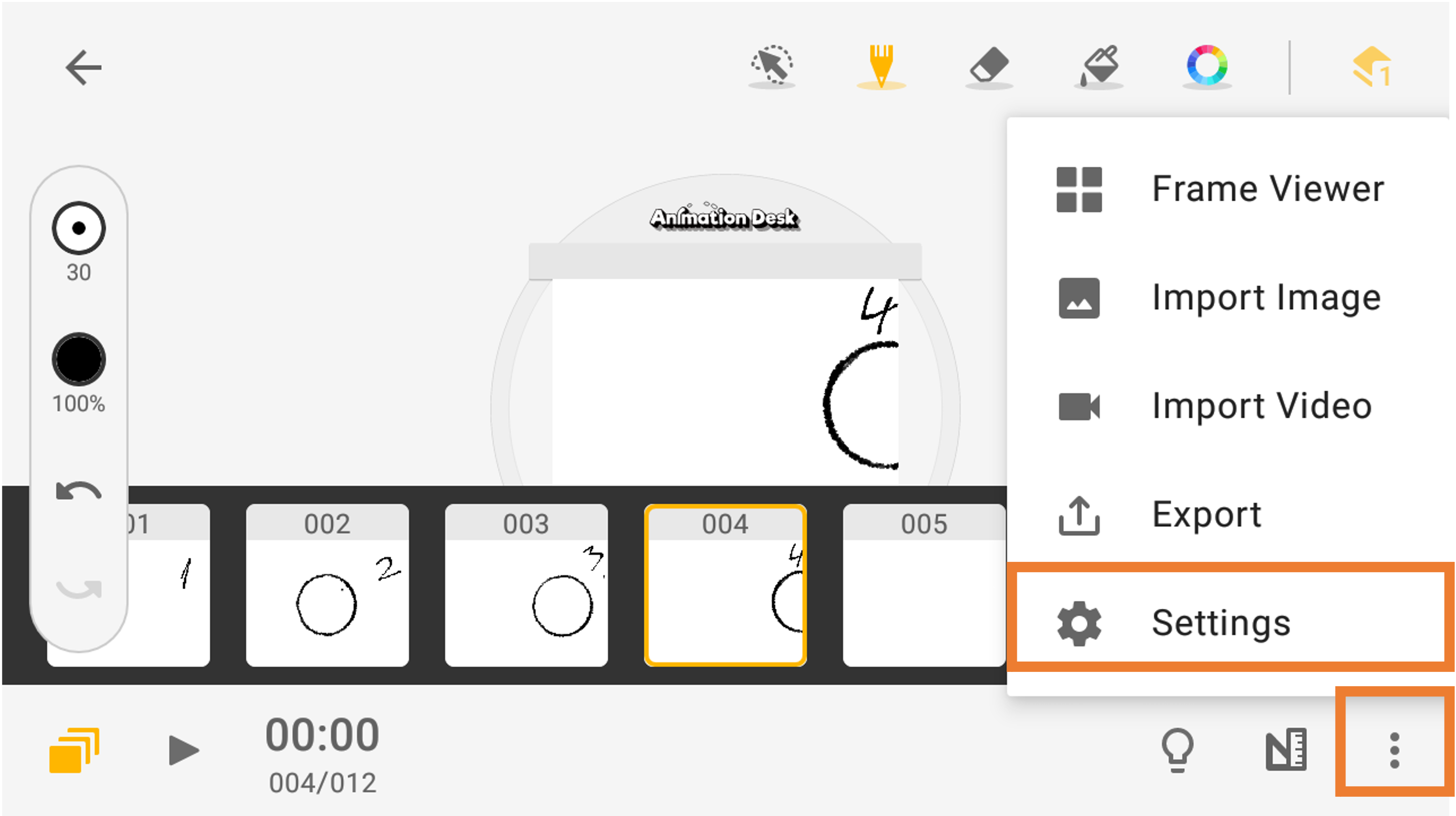
1. Click the three dots at the bottom to view the available functions. Then, select "Settings."
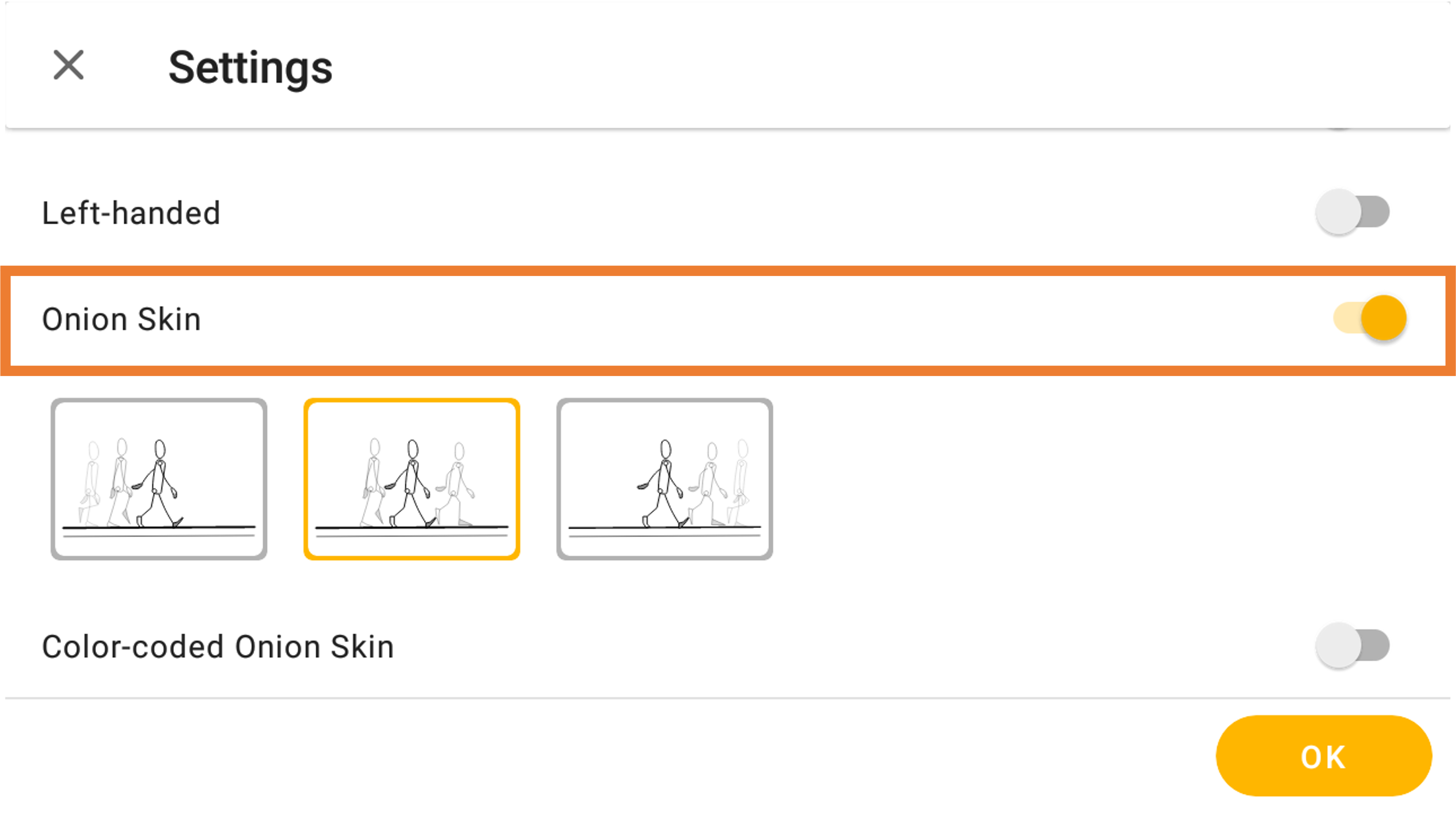
2. You will be taken to the settings page; toggle the "Onion Skin" option on (gray = off, orange = on).
Quick Onion Skin Feature
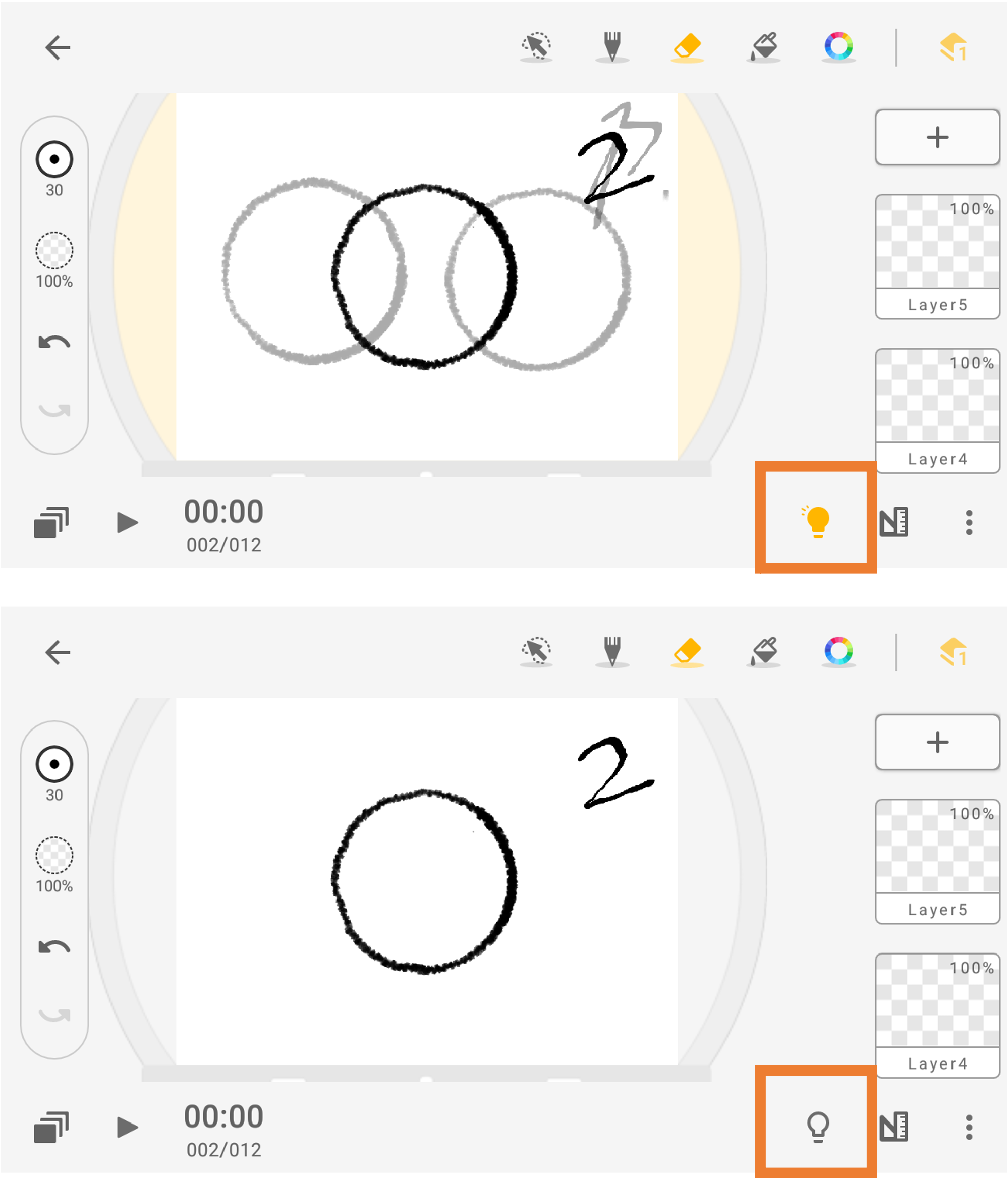
You can see through frame at any time by turning the light bulb in the bottom right-hand corner on and off. This feature will allow you to check the smoothness of your animation.
Updated
Comments
0 comments
Please sign in to leave a comment.