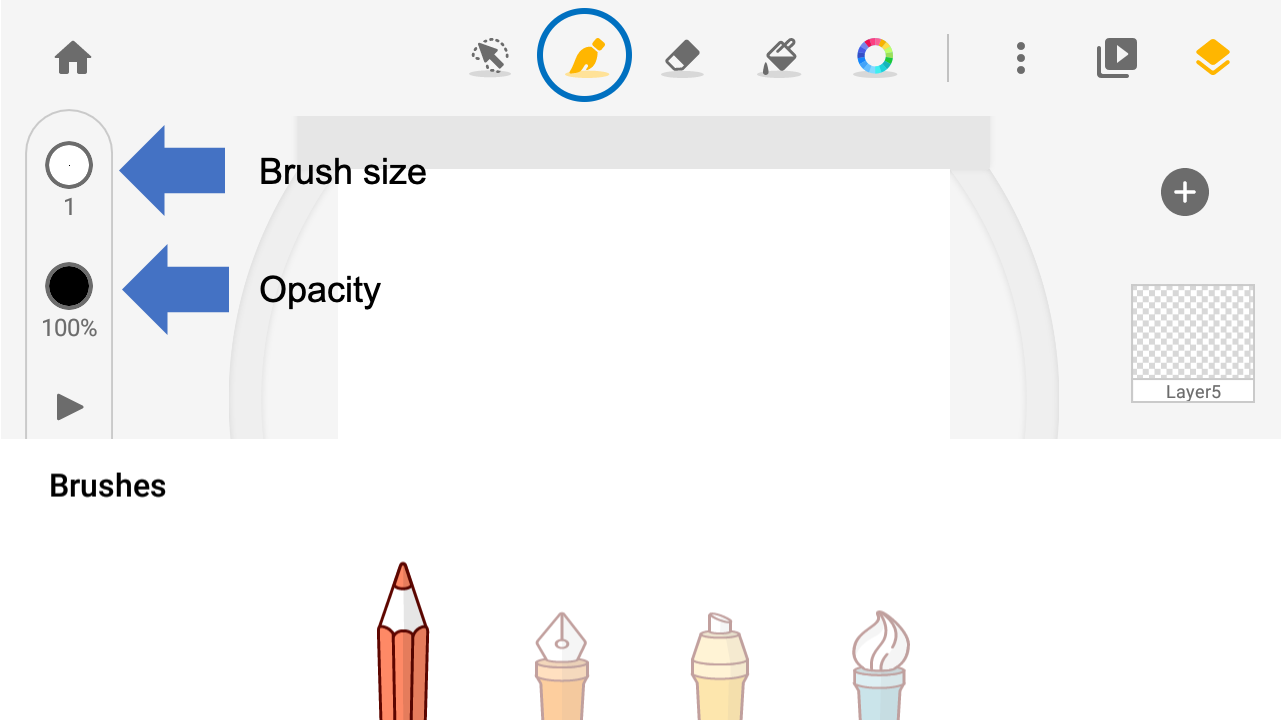
Select a brush. You can find buttons that control brush size and opacity at the toolbar at left.
Tap, hold, and slide up/down, to adjust the opacity and sizes of the brushes.
Updated
Select a brush. You can find buttons that control brush size and opacity at the toolbar at left.
Tap, hold, and slide up/down, to adjust the opacity and sizes of the brushes.
Updated
Comments
0 comments
Please sign in to leave a comment.