After v8.5:
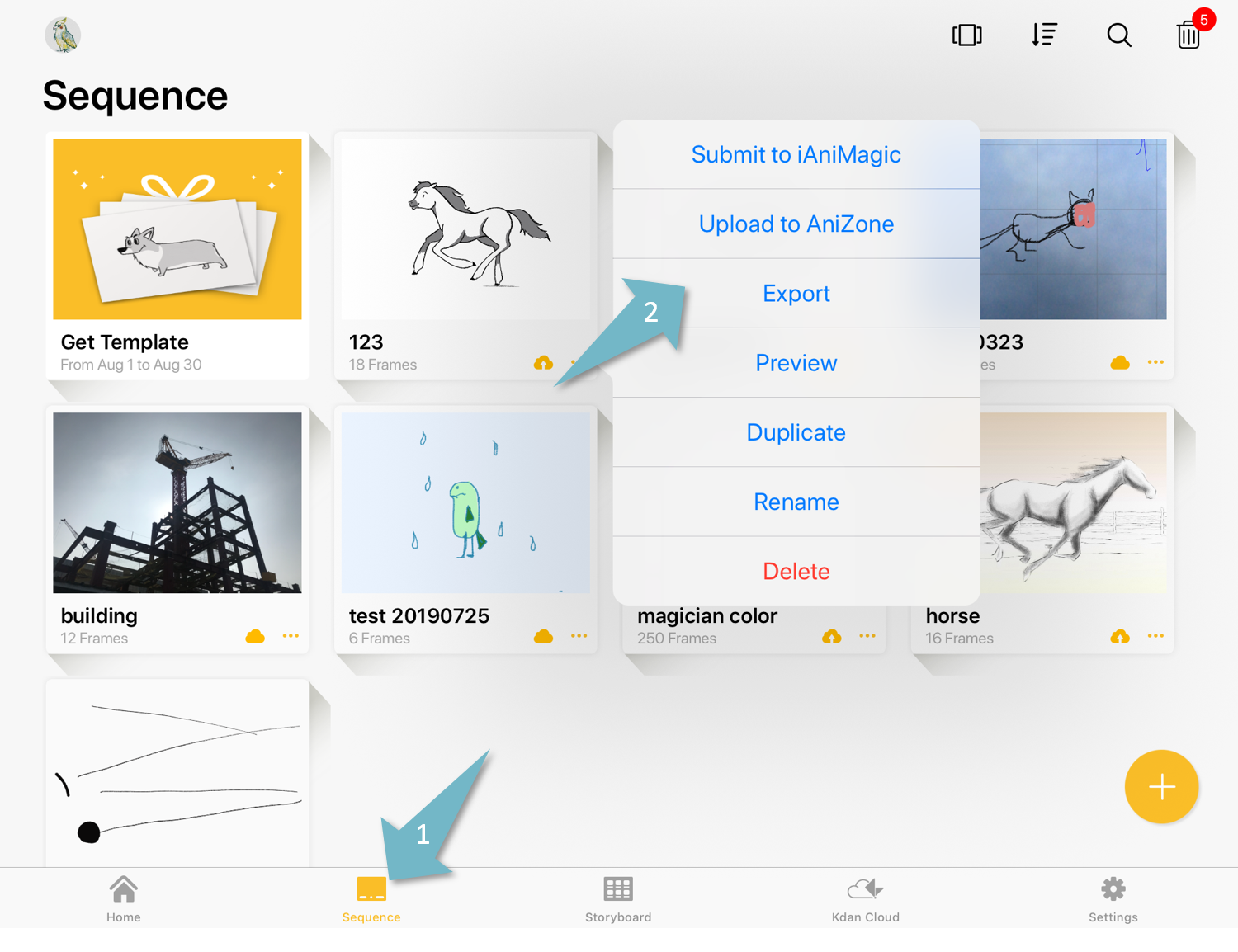
After you complete your animation sequence, go back to the sequence tab, and select “Export”.
Learn how to switch between the grid view and gallery view
Grid view
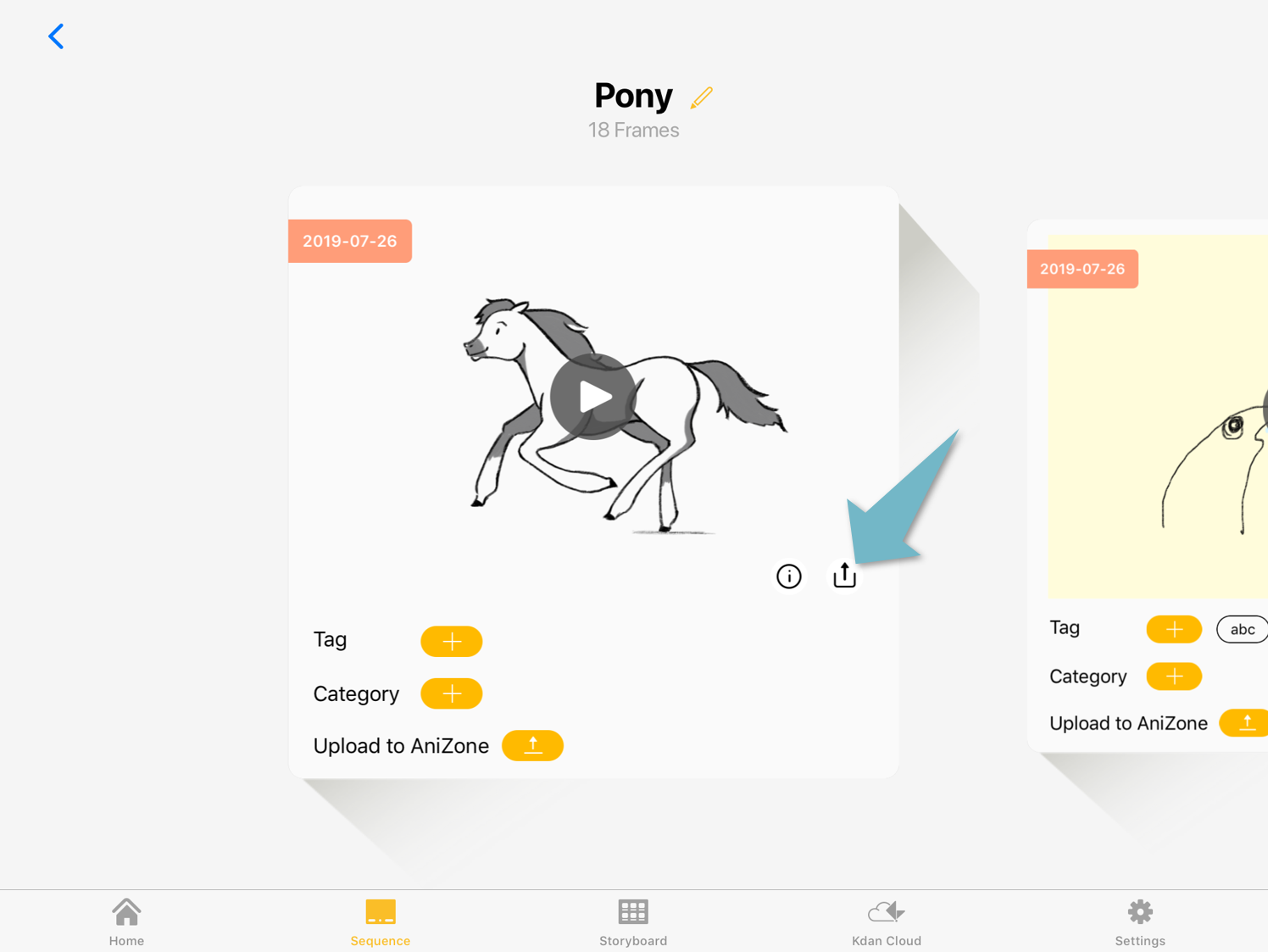
Gallery view
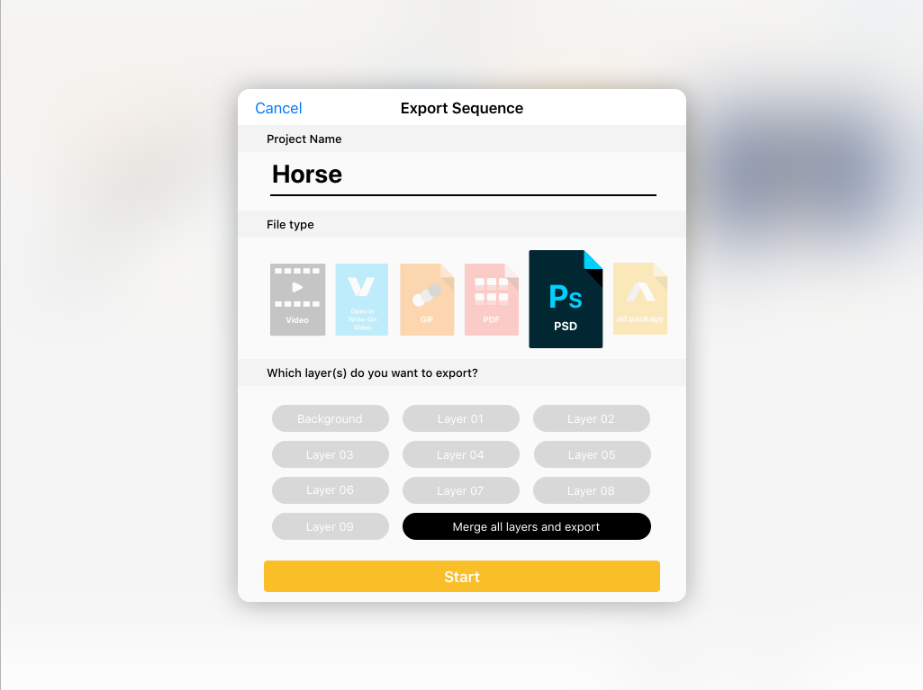
Select "PSD” as your export format.
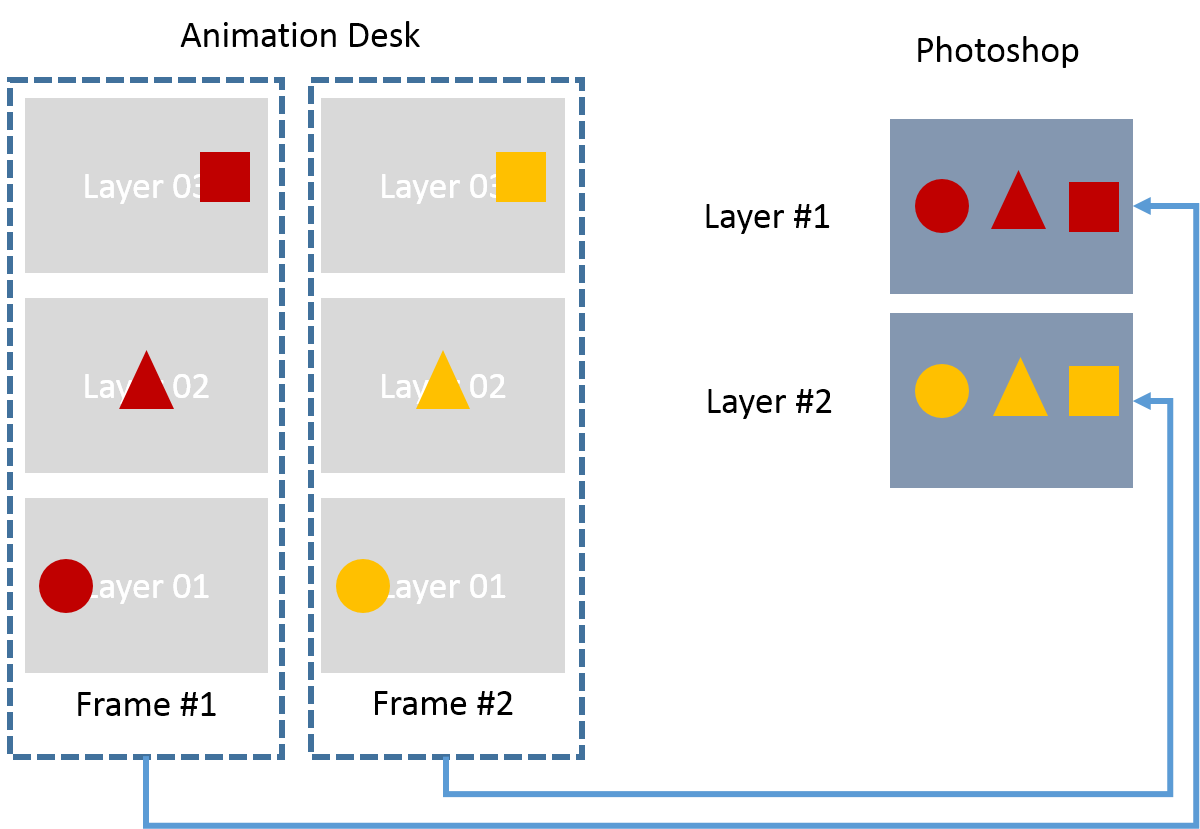
Each frame in Animation Desk will be exported as one Photoshop layer.
The app will save ad.packages in Animation Desk Folder. You can access this folder in the iOS Files. (Files > on My iPad > Animation Desk”)
Updated
Comments
0 comments
Please sign in to leave a comment.