v8.5 and above:
Animation Desk supports 1920*1440 resolution on iPad Air 2, iPad Pro, or models above. If you are using these devices, the animation will automatically be exported as HD animation.
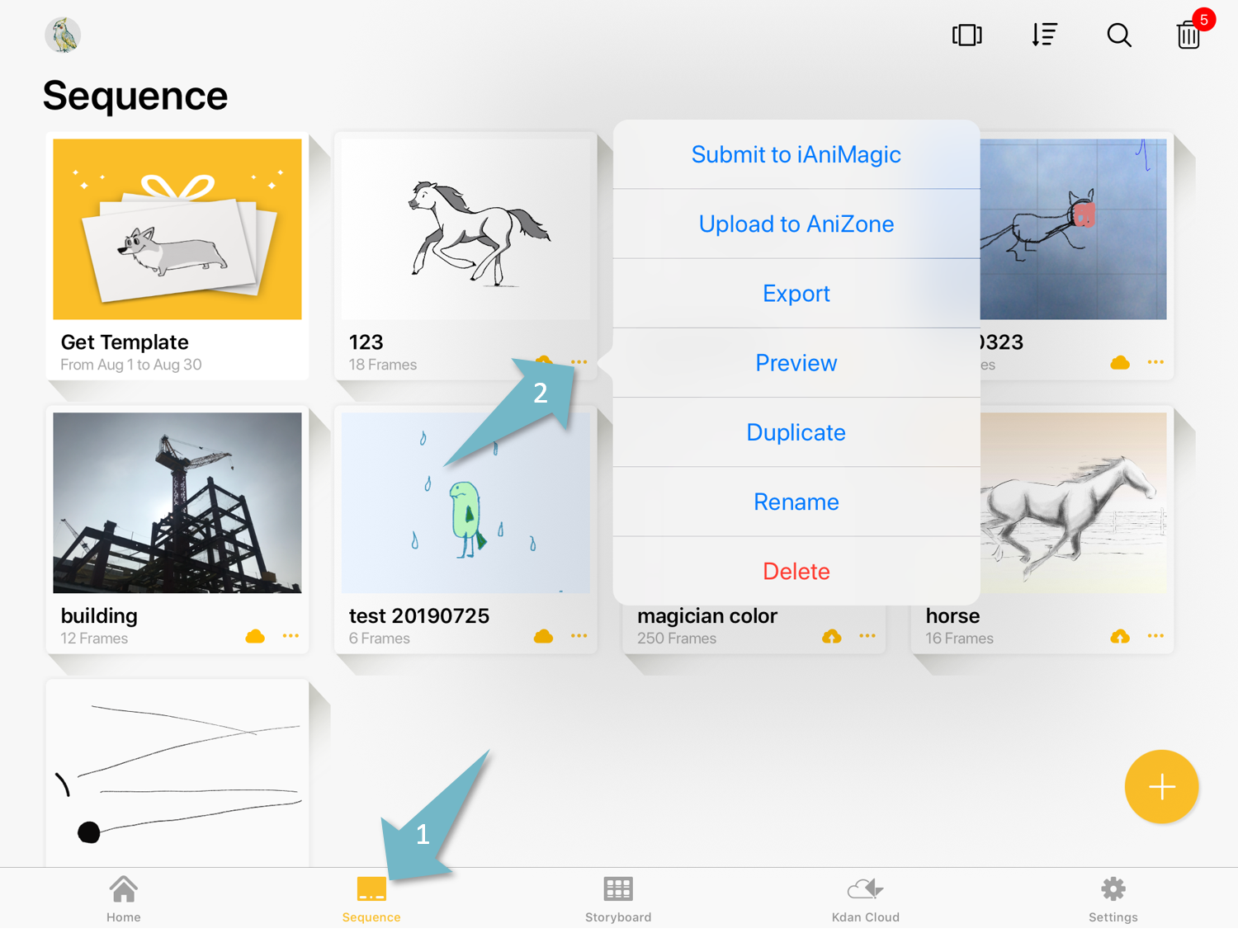
Please go to the “Sequence” tab. In the grid view, please expand the menu and select “Export”. In the gallery view, please tap the “Export" icon.
Learn how to switch between the grid view and gallery view
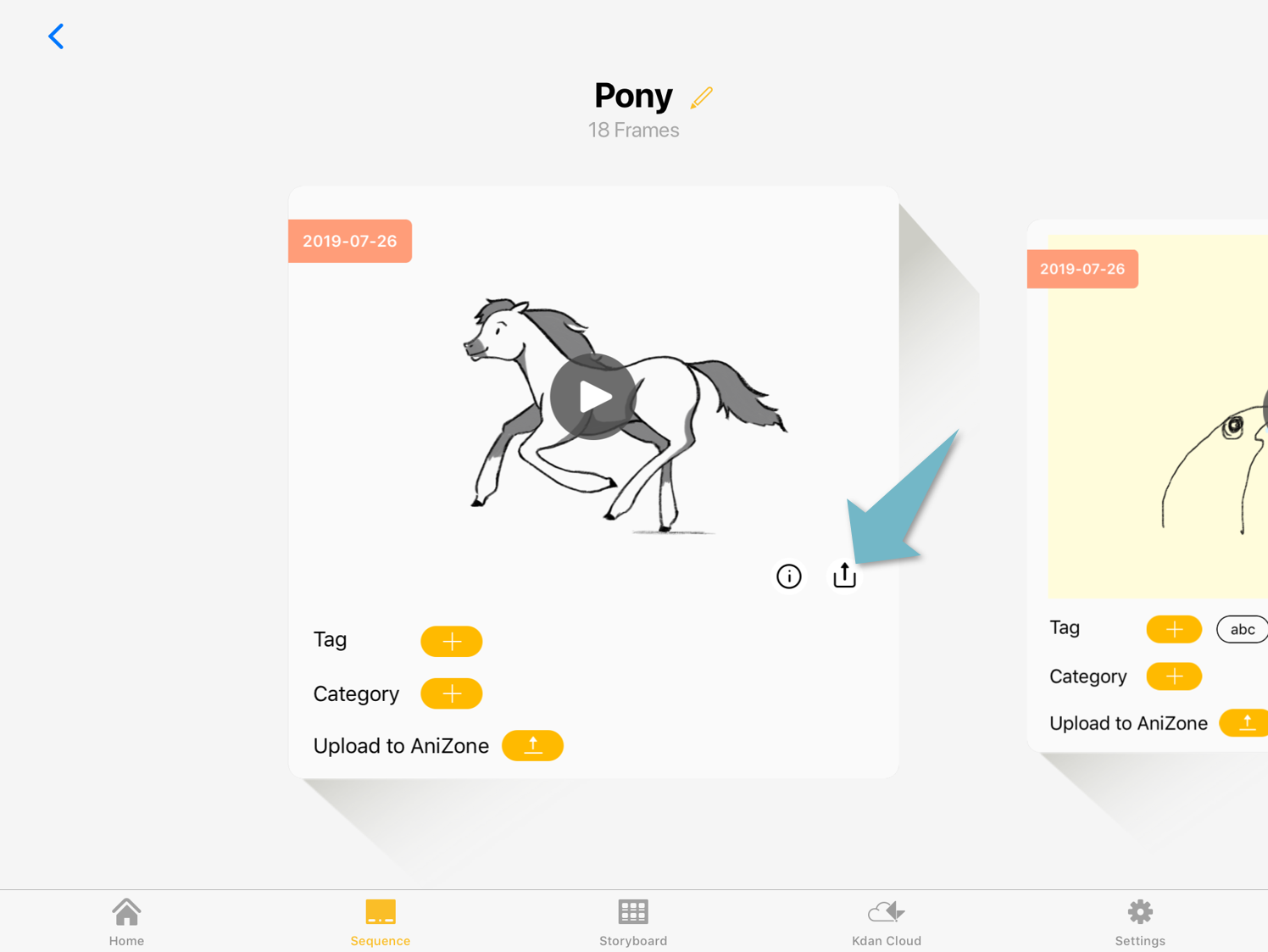
Select “Videos” as your export format. Pick an aspect of ration. The app will trim the screens to make the video fit in the aspect ratio selected.
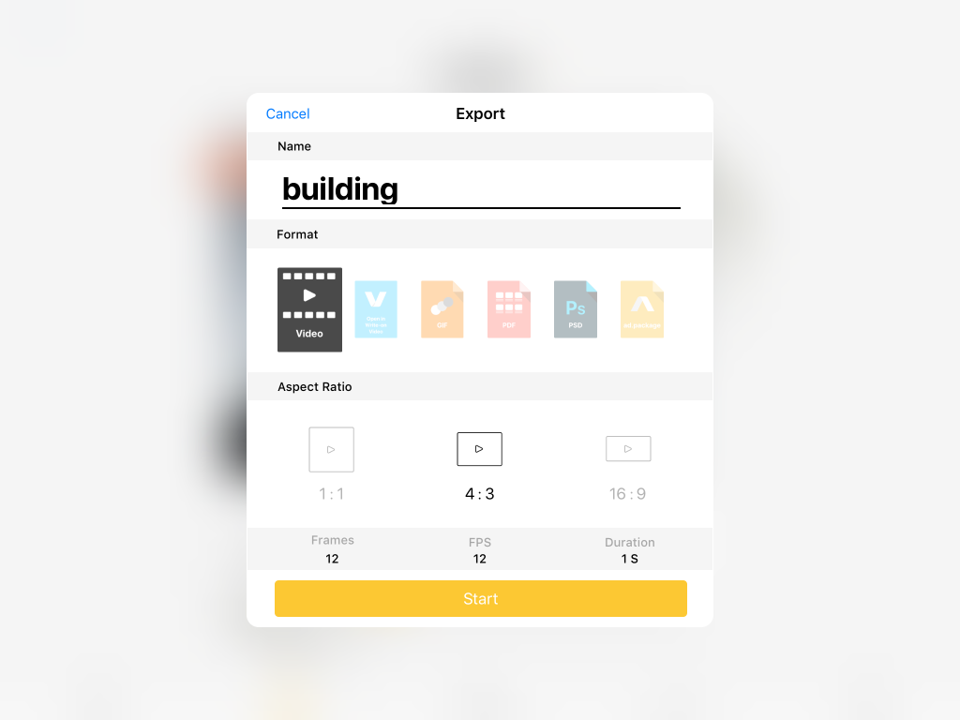
Videos will be saved in your photo library. You can also open the videos within other apps.
Updated
Comments
0 comments
Please sign in to leave a comment.