After v8.5
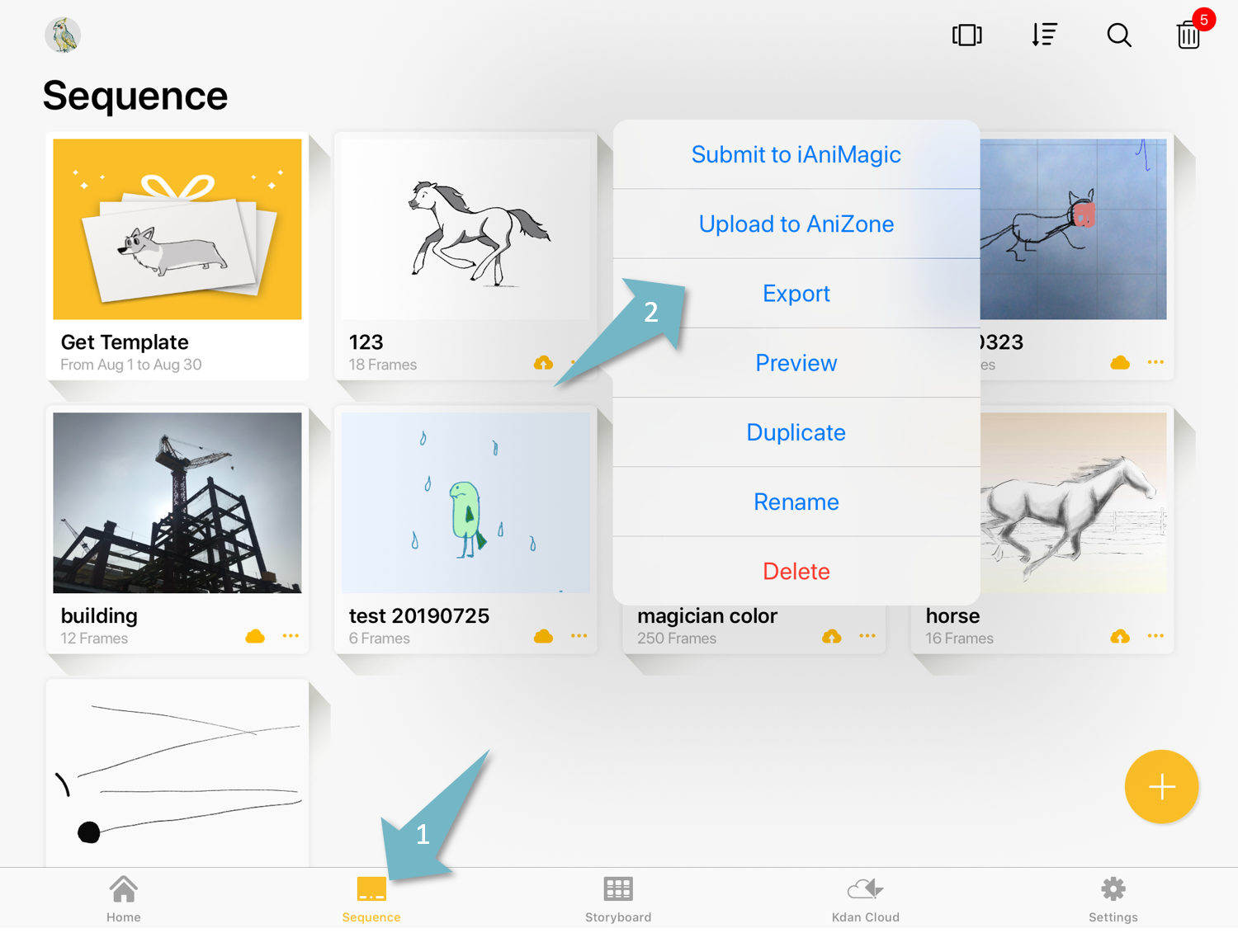
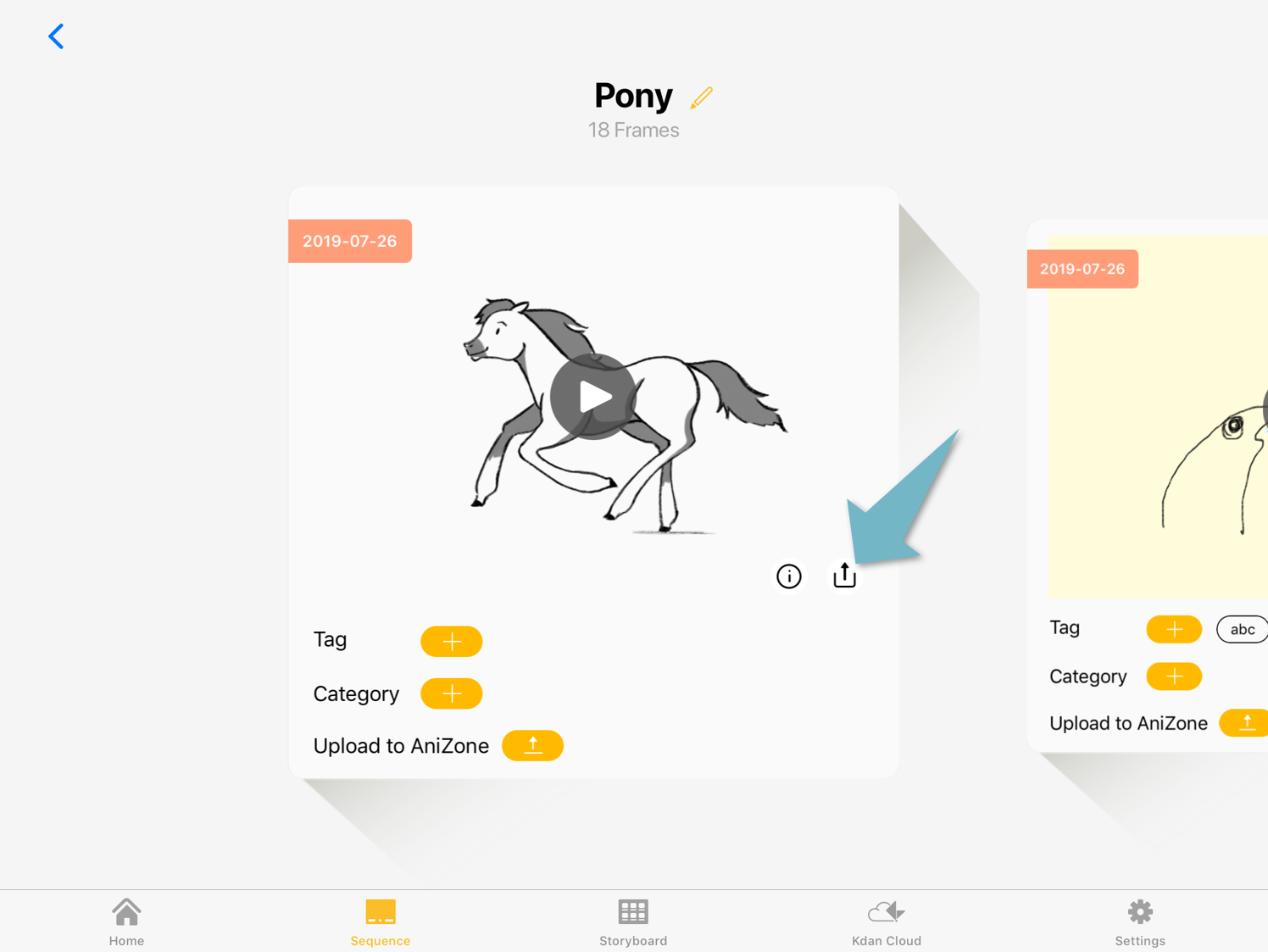
Please go to the “Sequence” tab. In the grid view, please expand the menu and select “Export”. In the gallery view, please tap the “Export" icon.
Learn how to switch between the grid view and gallery view
Grid view
Gallery view
Select “GIF” as your export format. The app will save GIFs in your photo library, you can also open the GIFs in other apps.
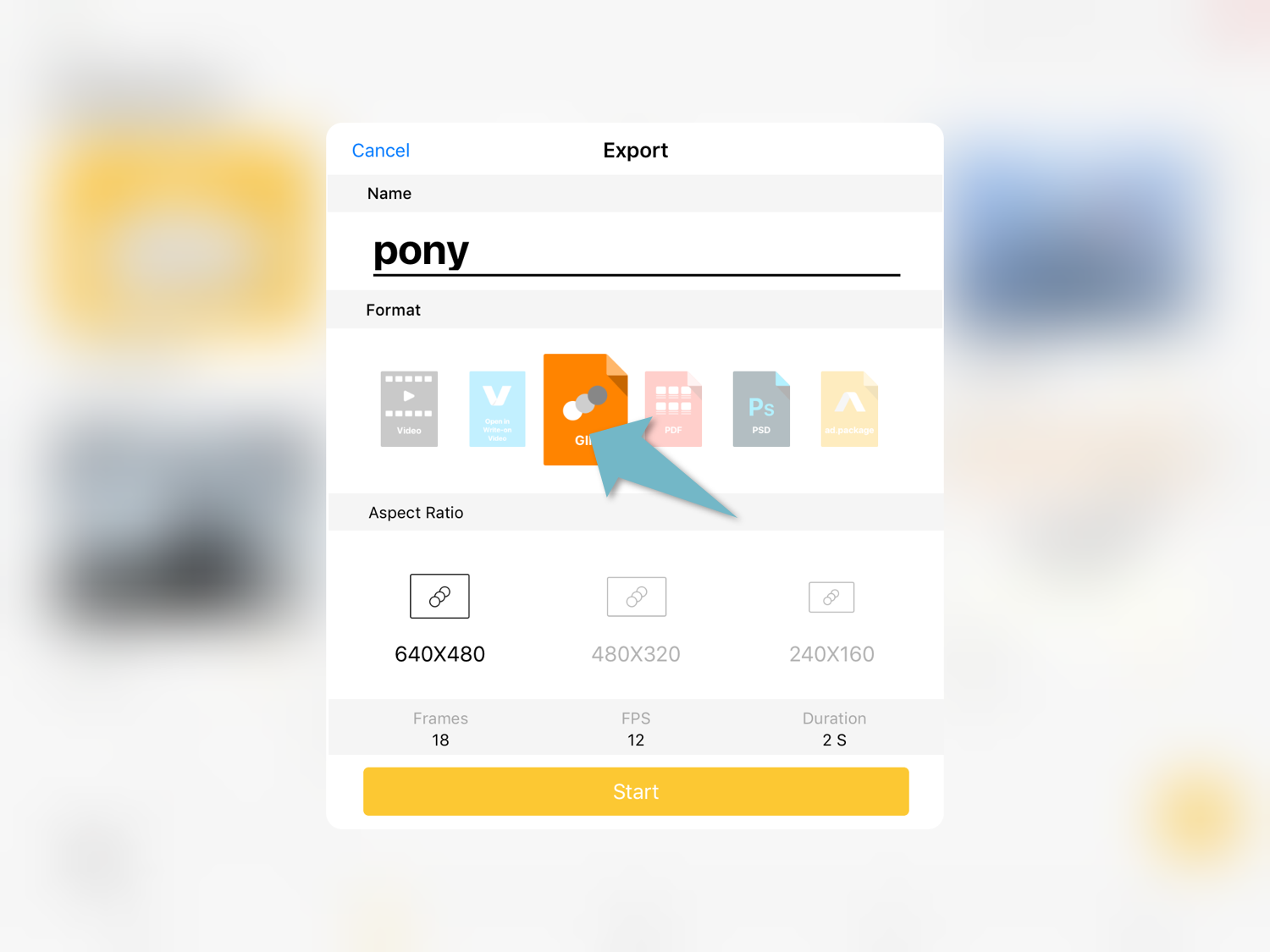
Select “GIF” as your export format. You can select the export size.
The app will save GIFs in your photo library, you can also open the GIFs in other apps.
Updated
Comments
0 comments
Please sign in to leave a comment.