The basic plan includes 5 brushes and 1 type of eraser. You can get extra brushes and erasers with a free Kdan ID, and unlock the full brush sets with a Creativity 365 or Animation Desk Pro subscription.
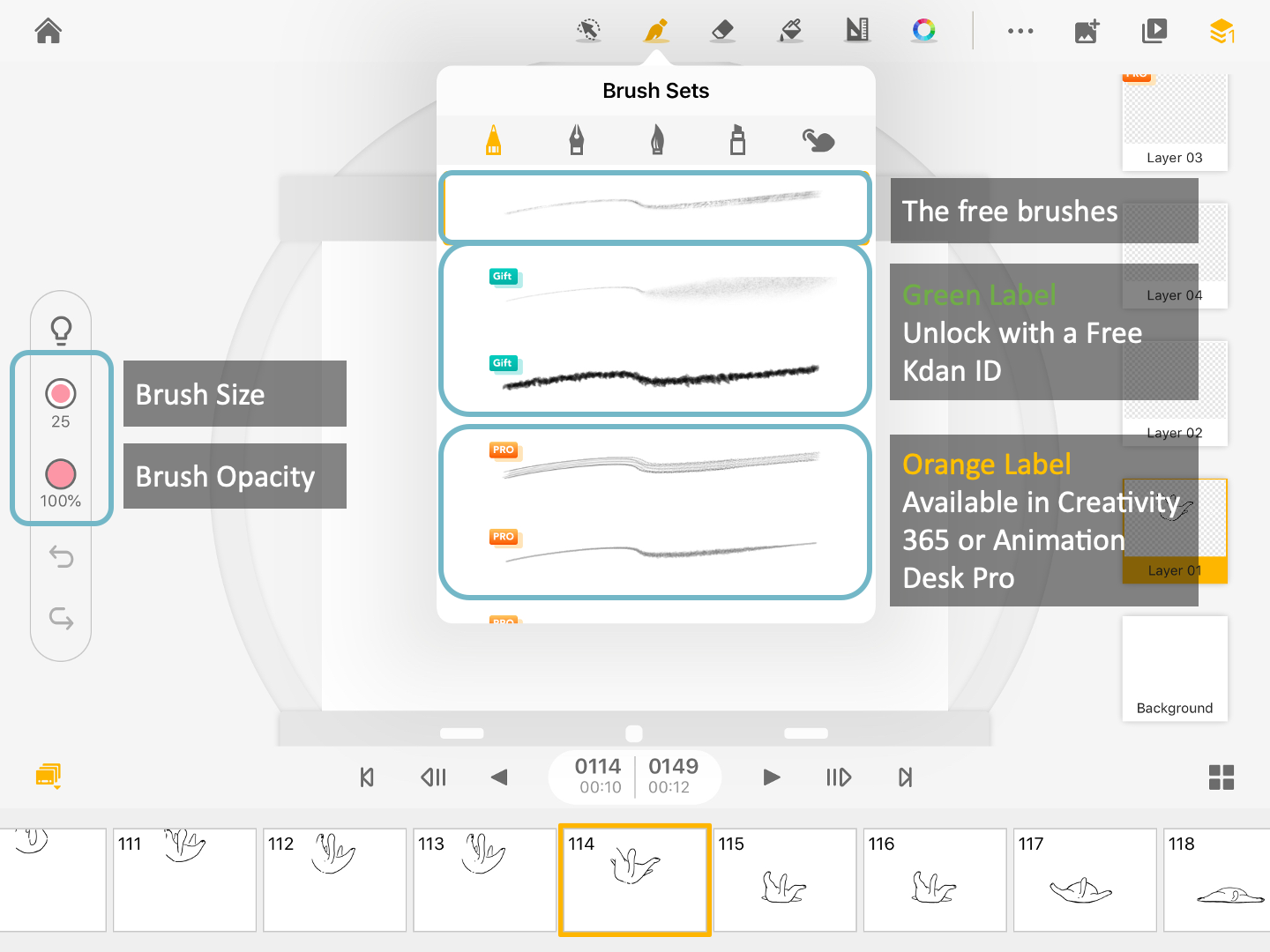
- Sign up a Kdan ID to get these brushes with green labels.
- Unlock the orange-labeled brushes with Animation Desk Pro or Creativity 365 all-access pack.
Buttons that control brush size and opacity are located at the left of the editing interface. Tap, hold, and slide up/down, to adjust the opacity and sizes of the brushes.
Updated
Comments
0 comments
Please sign in to leave a comment.