What is FPS
FPS (frame per second) means the number of frames played in one second. The fluency of an animation depends on the number of frames you have and the FPS and the numbers of the inbetweens.
If you have fewer inbetweens (the frames between the keyframes), or a lower FPS, your animation is likely to look clunky. If you have fewer inbetweens and a high FPS, the animation will look more like a photo slide.
FPS 12 is ideal for most animations. If you want to slow down part of the animation, you can select and repeat the frames.
Set up FPS in Animation Desk
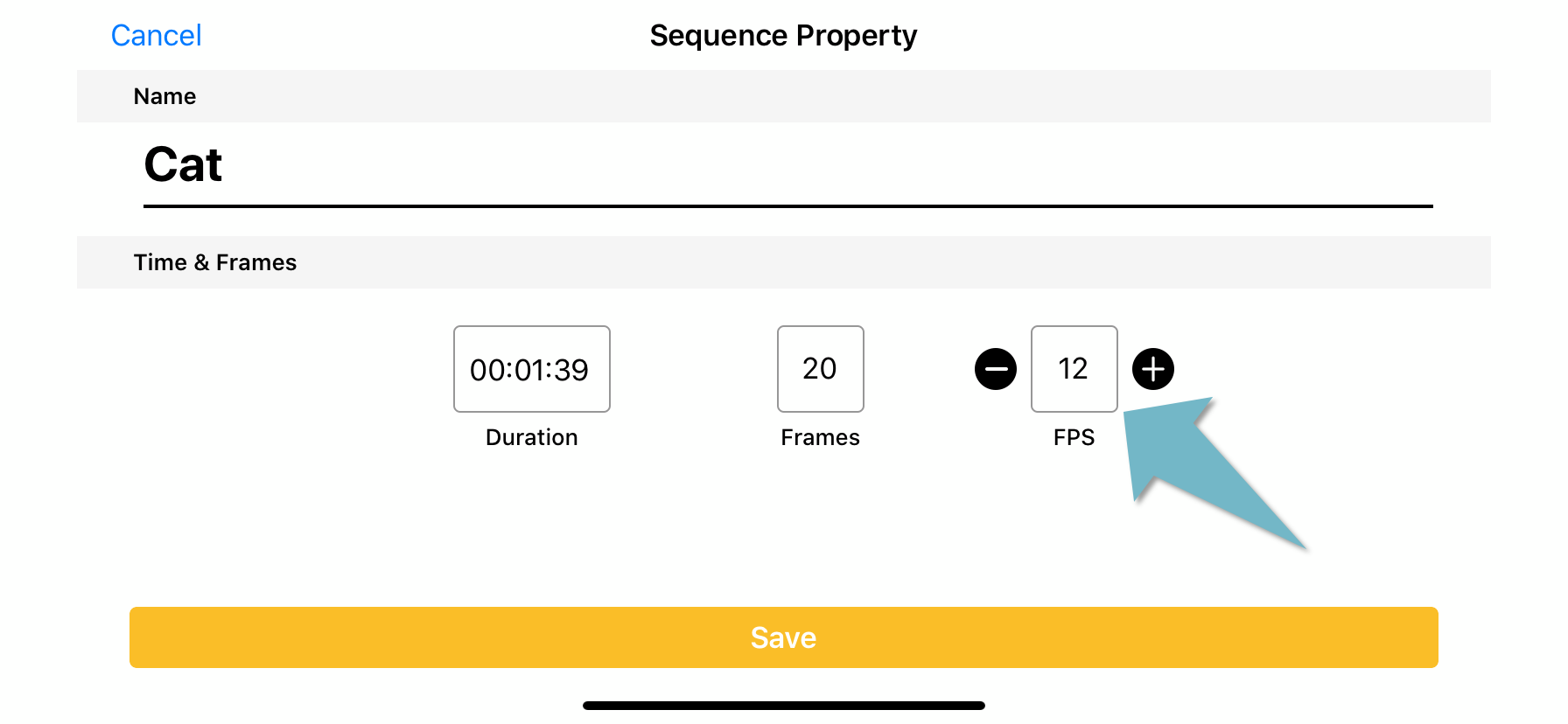
You can set up FPS when starting a new project and in the editing interface.
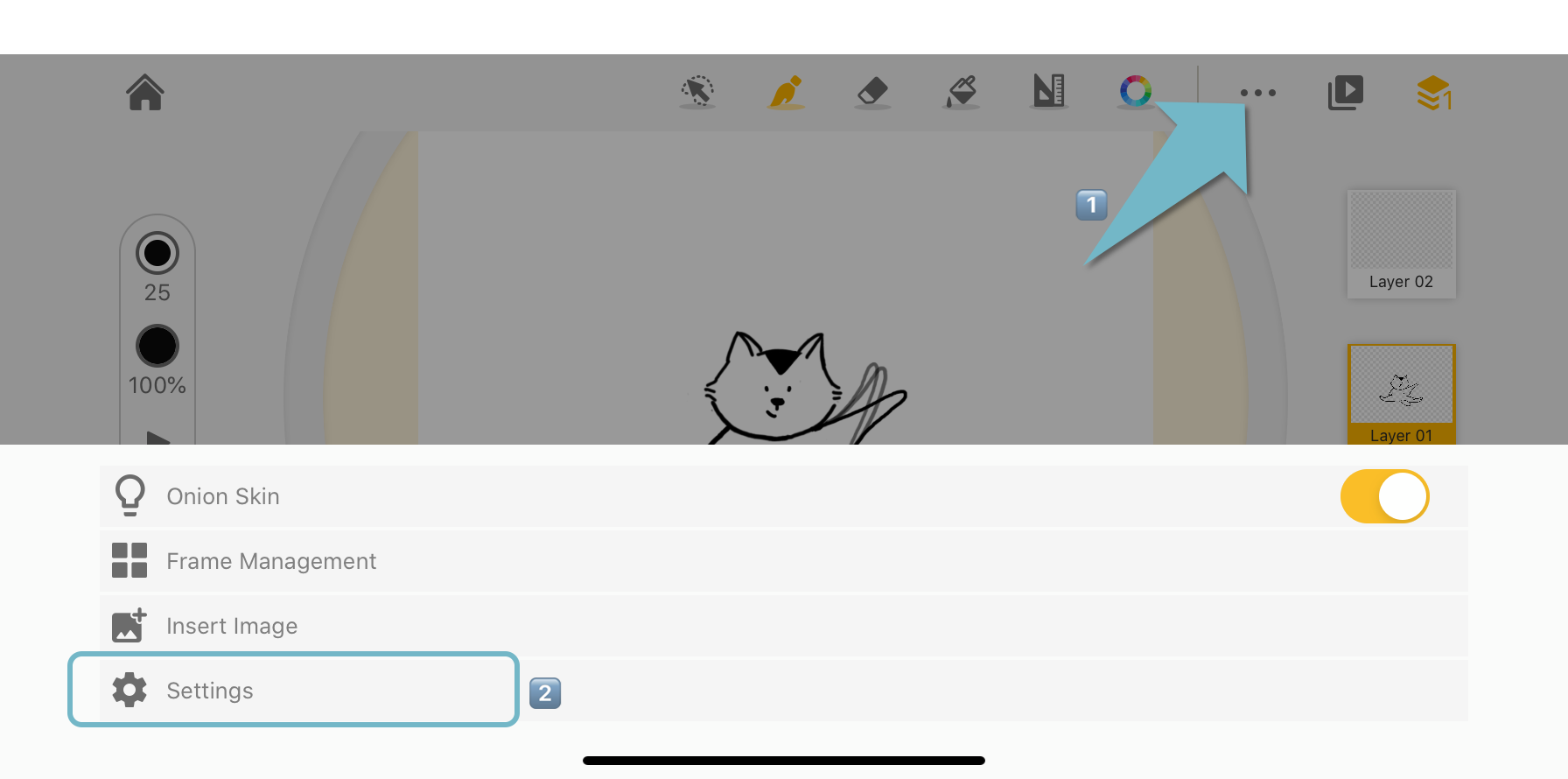
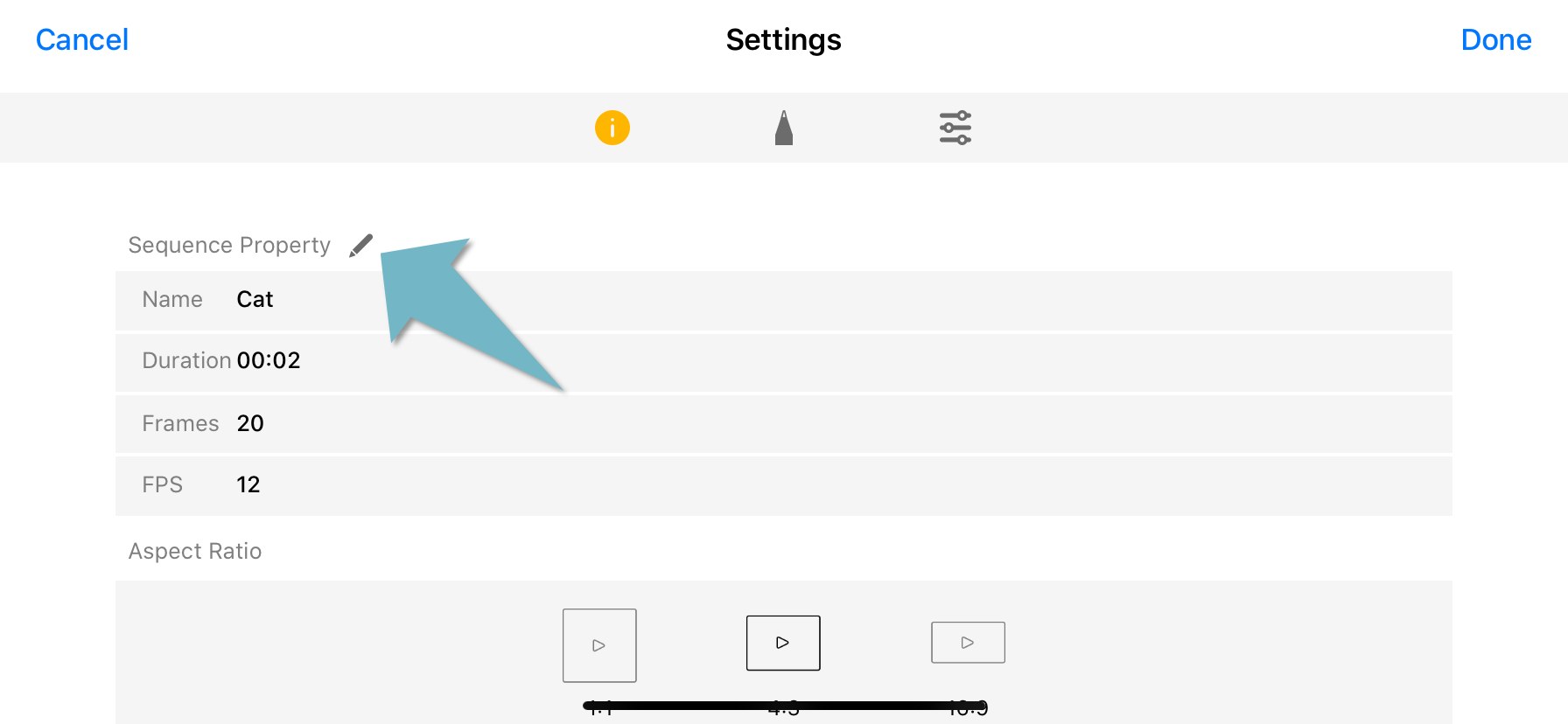
In the editing interface, open the “Settings” menu. In the first section, you will find information about this animation sequence, such as FPS, title, number of frames, duration. You can edit this property by tapping the “pencil”.
Updated
Comments
0 comments
Please sign in to leave a comment.