There are two ways to rearrange page order with PDF Reader.
Option 1 - From Page Thumbnail Preview
1. Open a PDF file you’d like to use and click to switch to page thumbnails
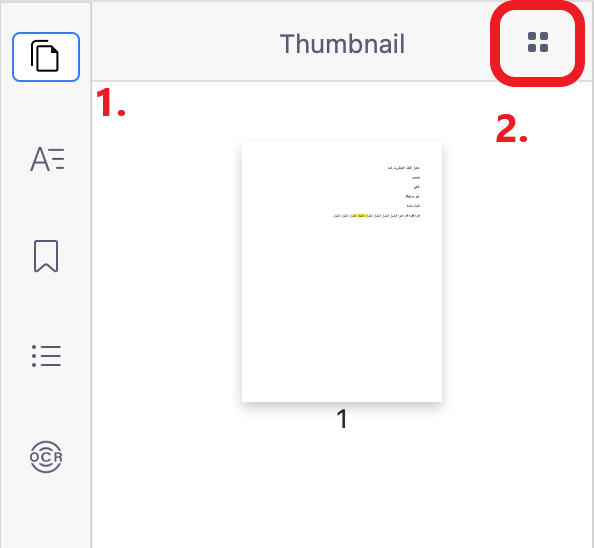
2. Drag the page you wish to relocate and drop it where you would like.
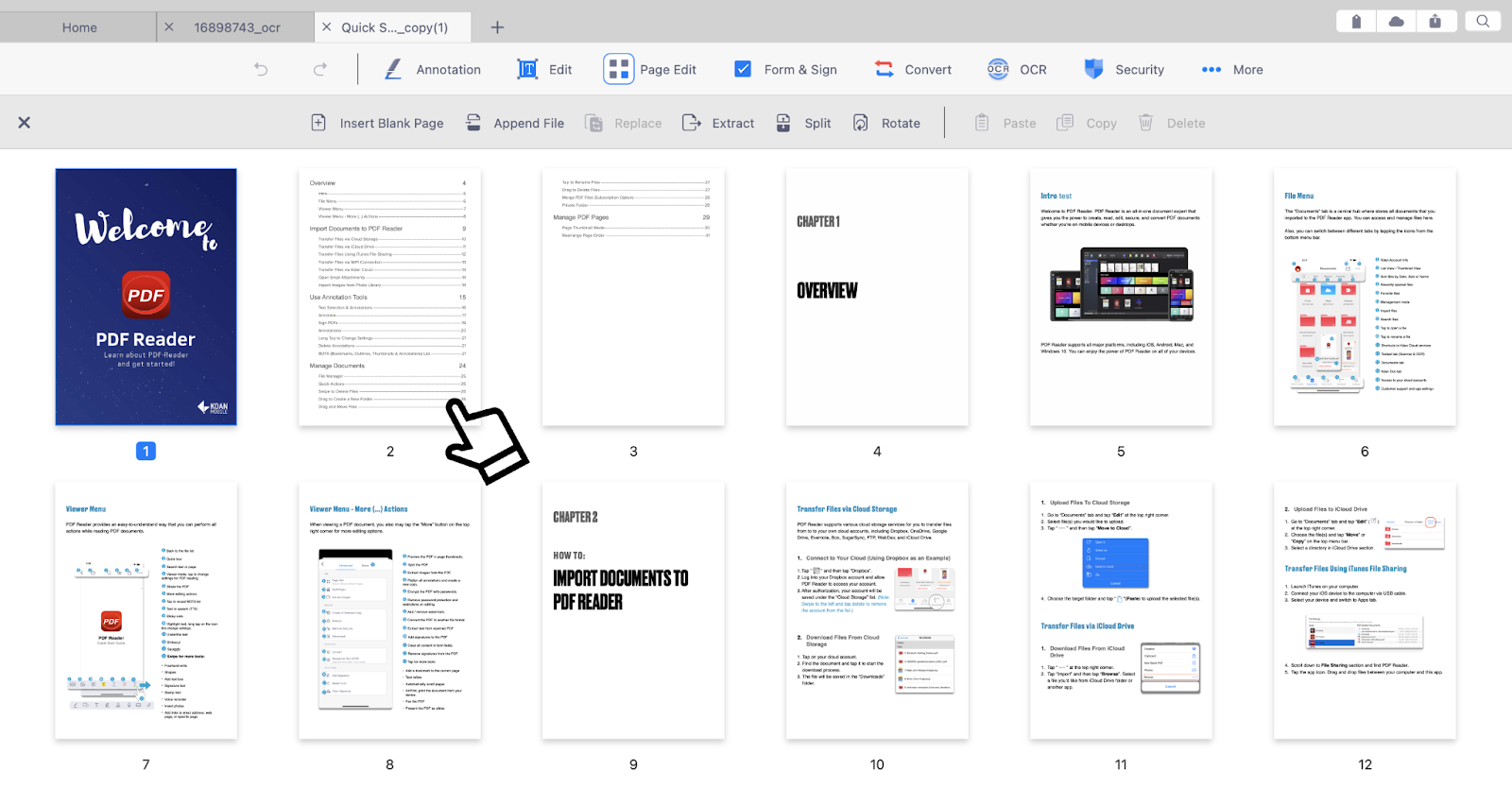
Option 2 - From the "Tool" menu
1. Click "Tool" in the top menu and click the "Page Edit" option
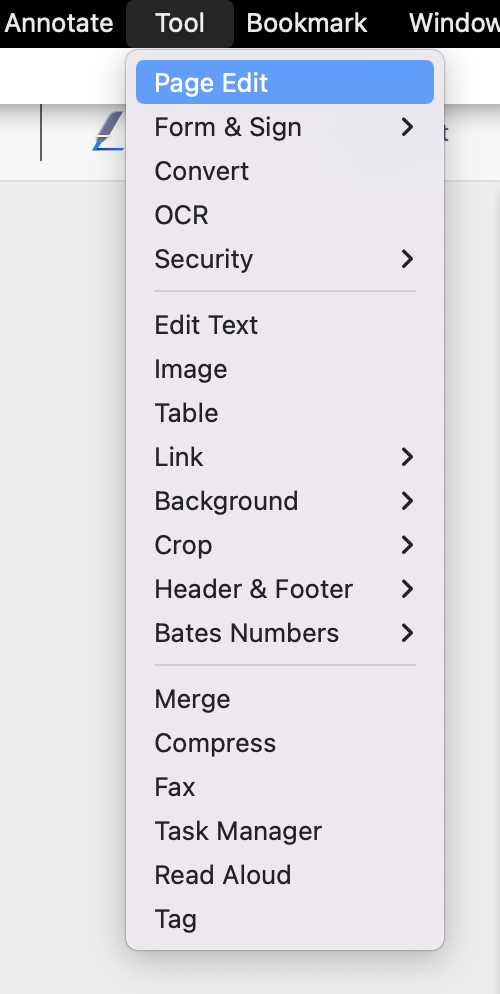
2. You will be brought to the page thumbnails. Rearrange pages by selecting and dragging.
Updated
Comments
0 comments
Please sign in to leave a comment.